.svg)
Descubre cuánto cuestan las reuniones recurrentes en horas de trabajo ininterrumpido
Una cifra única para las reuniones, llamadas, mensajes y correos electrónicos del día, y el tiempo restante para el trabajo de concentración. Registra que un mensaje ocurrió y cuándo, pero nunca su contenido.

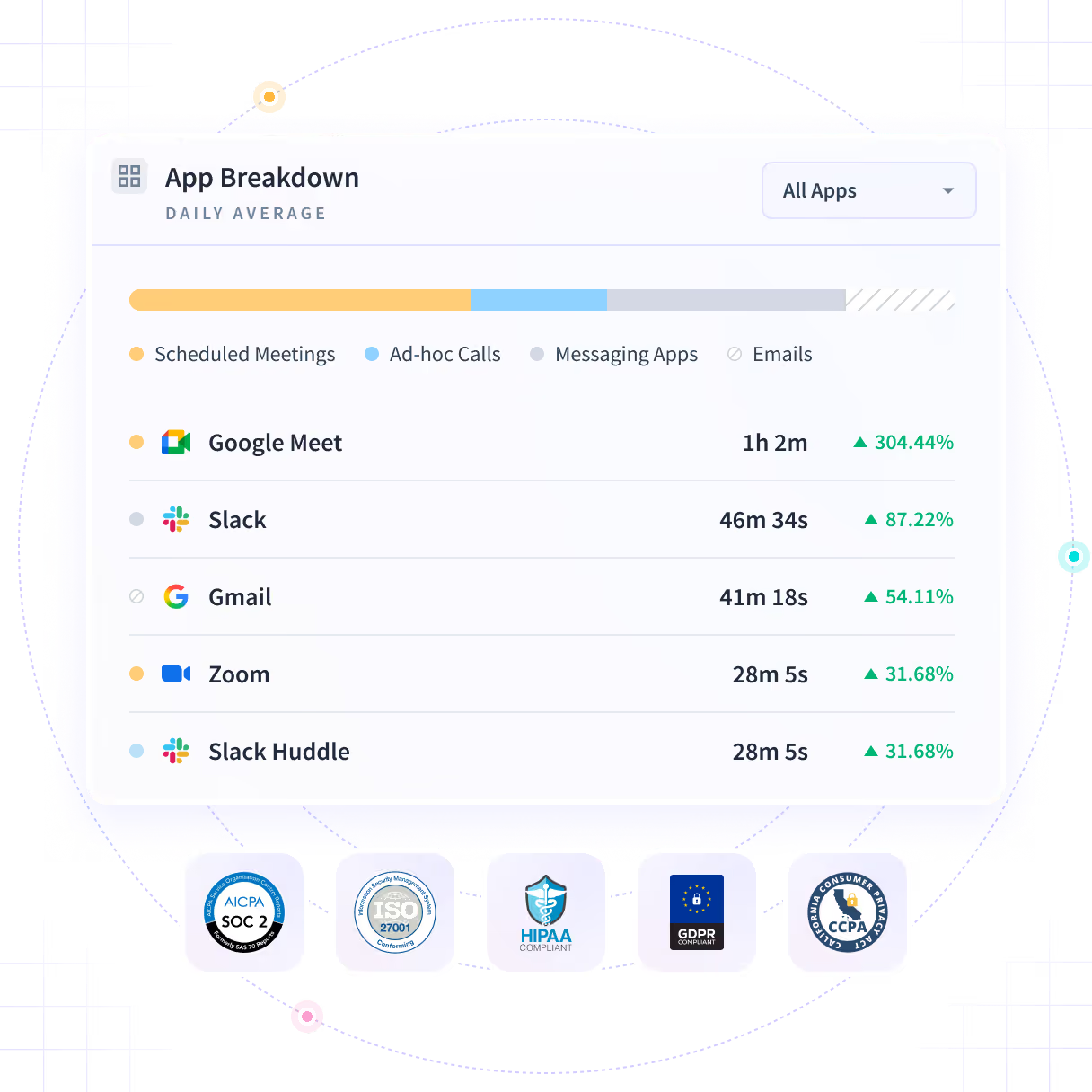











Nadie ha calculado el coste en horas de las reuniones recurrentes
Todos sabemos cuál es esa reunión recurrente que nadie se atreve a cancelar. Nadie puede calcular cuántas horas le cuesta al equipo que te debe una fecha, porque el calendario solo contabiliza las reuniones programadas.

Cuente las horas ininterrumpidas que le dejó la semana
Las reuniones, llamadas, mensajes y correos electrónicos de una semana se cuentan por aplicación y por equipo, y lo que queda se reporta como horas ininterrumpidas en lugar de como un total. La unidad es la hora ininterrumpida, no la programada.

Contado, no programado
Las llamadas no programadas, los hilos de mensajes y los correos electrónicos también cuentan, por lo que el total es lo que consumió la coordinación y no lo que alguien puso en un calendario.

Las horas restantes
Lo que queda después de la coordinación se reporta como horas ininterrumpidas en lugar de como una cifra sobrante al final de un total.

Seis horas programadas, dos semanas
Seis horas programadas pueden dejar toda una mañana libre, o nada más largo de cuarenta minutos. El total es el mismo, pero la semana no.

Un número, no un sentimiento
Una queja sobre la carga de trabajo llega con horas adjuntas, que es sobre lo que puede actuar una conversación sobre políticas, a diferencia de un sentimiento.
Vea las reuniones, llamadas, mensajes y correos electrónicos, programados o no
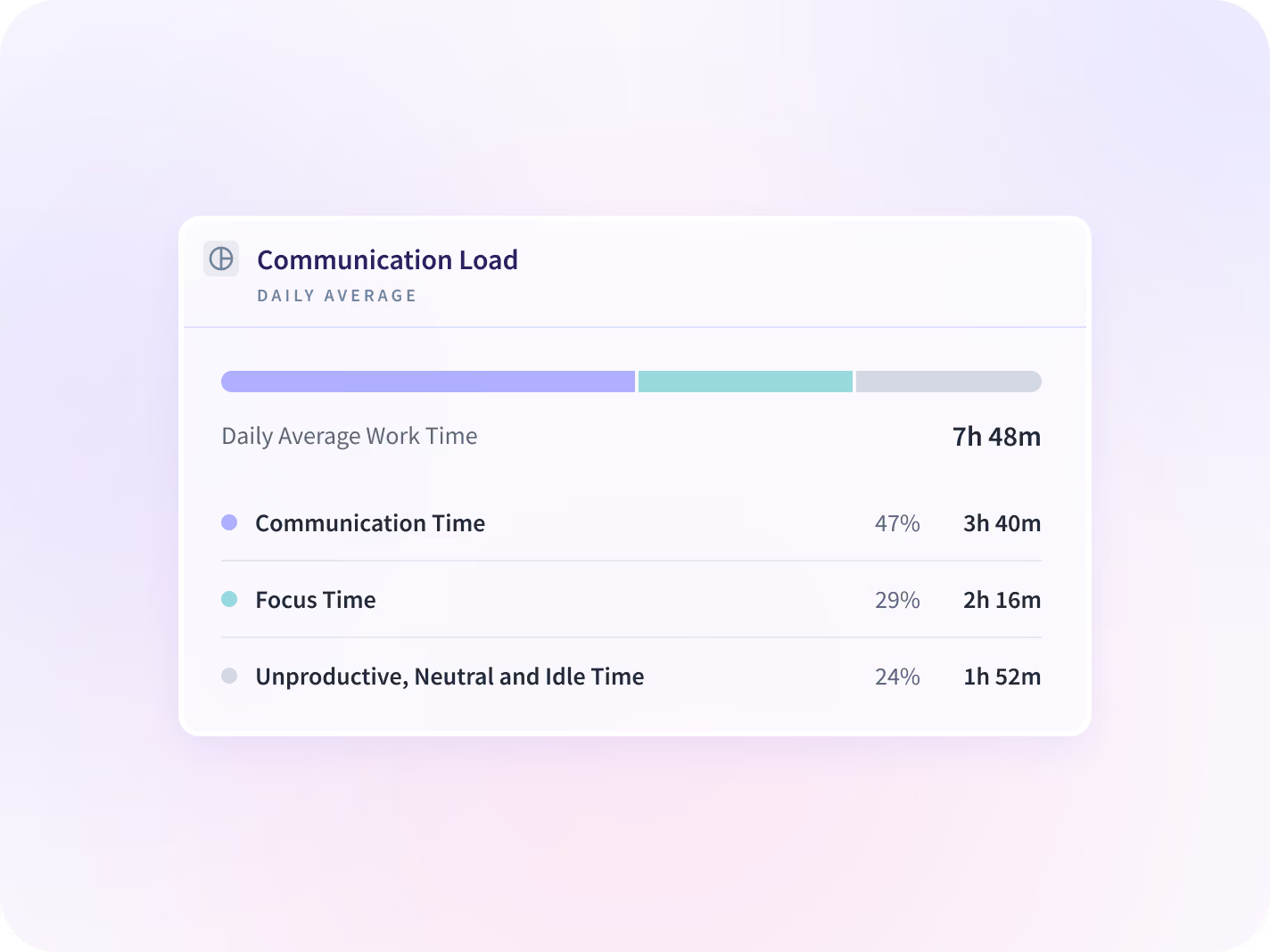
Todo se suma al Tiempo de Comunicación, analizado día a día y desglosado por tipo de reunión y por el momento en que llegan los mensajes. Lo que queda es el Tiempo de Enfoque, esa mitad del calendario para la que no hay campo.


Reuniones, llamadas, mensajes y correos electrónicos en un solo desglose: las horas que consumió la coordinación, Tiempo de Comunicación, frente a las horas ininterrumpidas restantes, Tiempo de Enfoque. Por equipo, por aplicación y por persona.


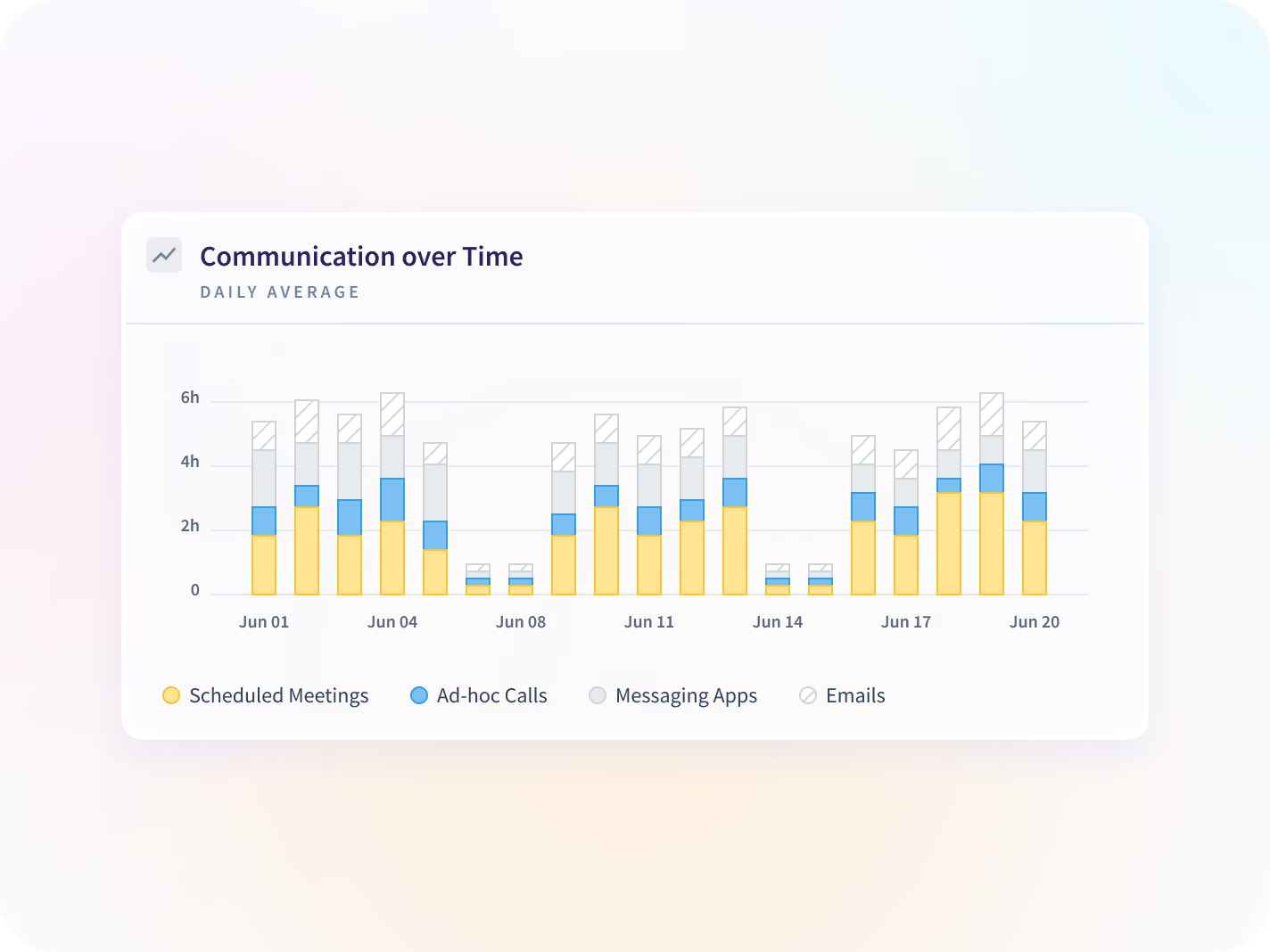
El mismo desglose día a día en un rango de fechas, para que un pico se vea mientras sigue siendo un pico y no después de que haya tomado la forma del trimestre.


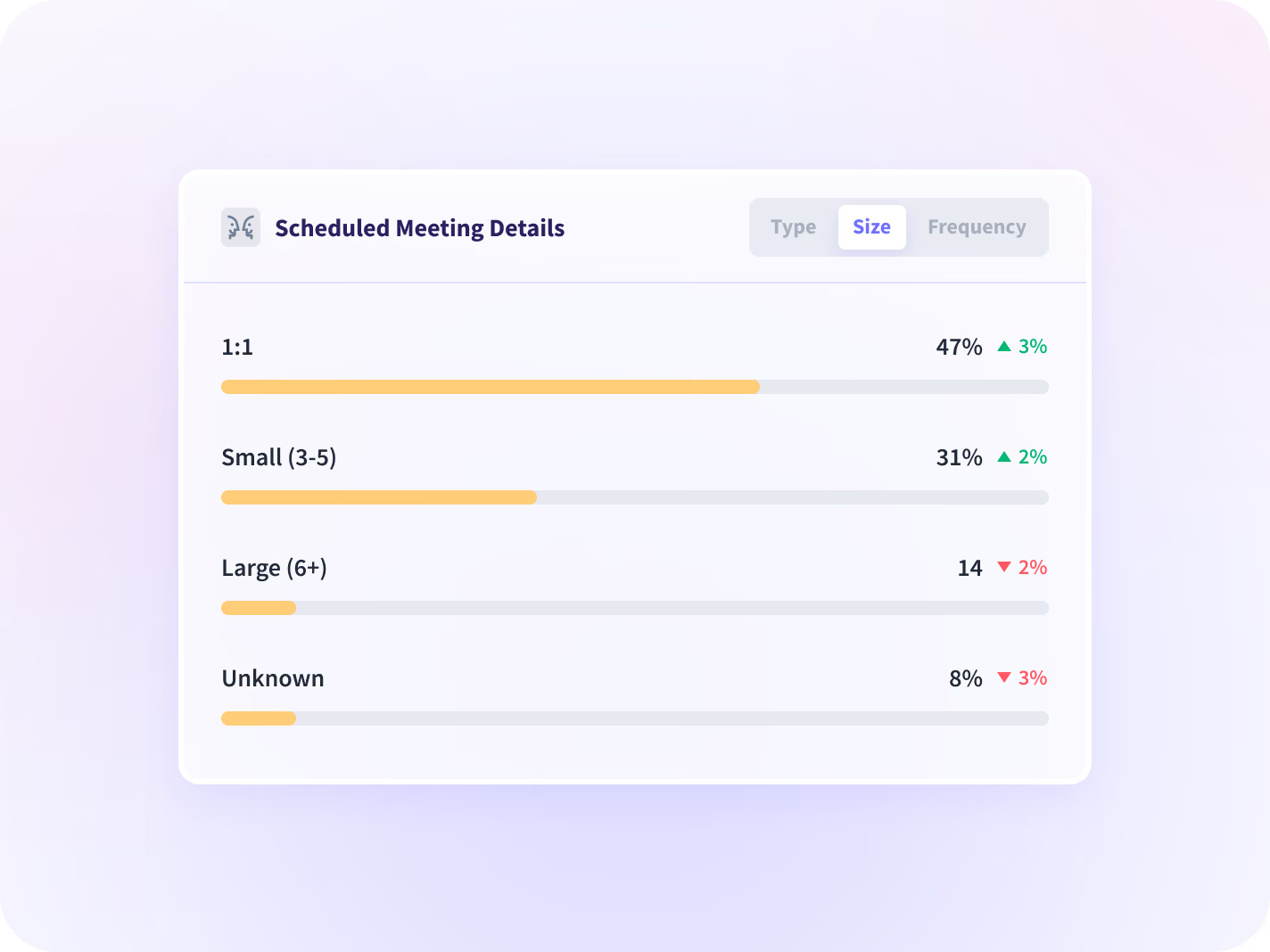
Reuniones desglosadas por tipo, tamaño y frecuencia, lo que permite identificar el bloque específico que merece la pena eliminar en lugar de cancelar reuniones de forma general.


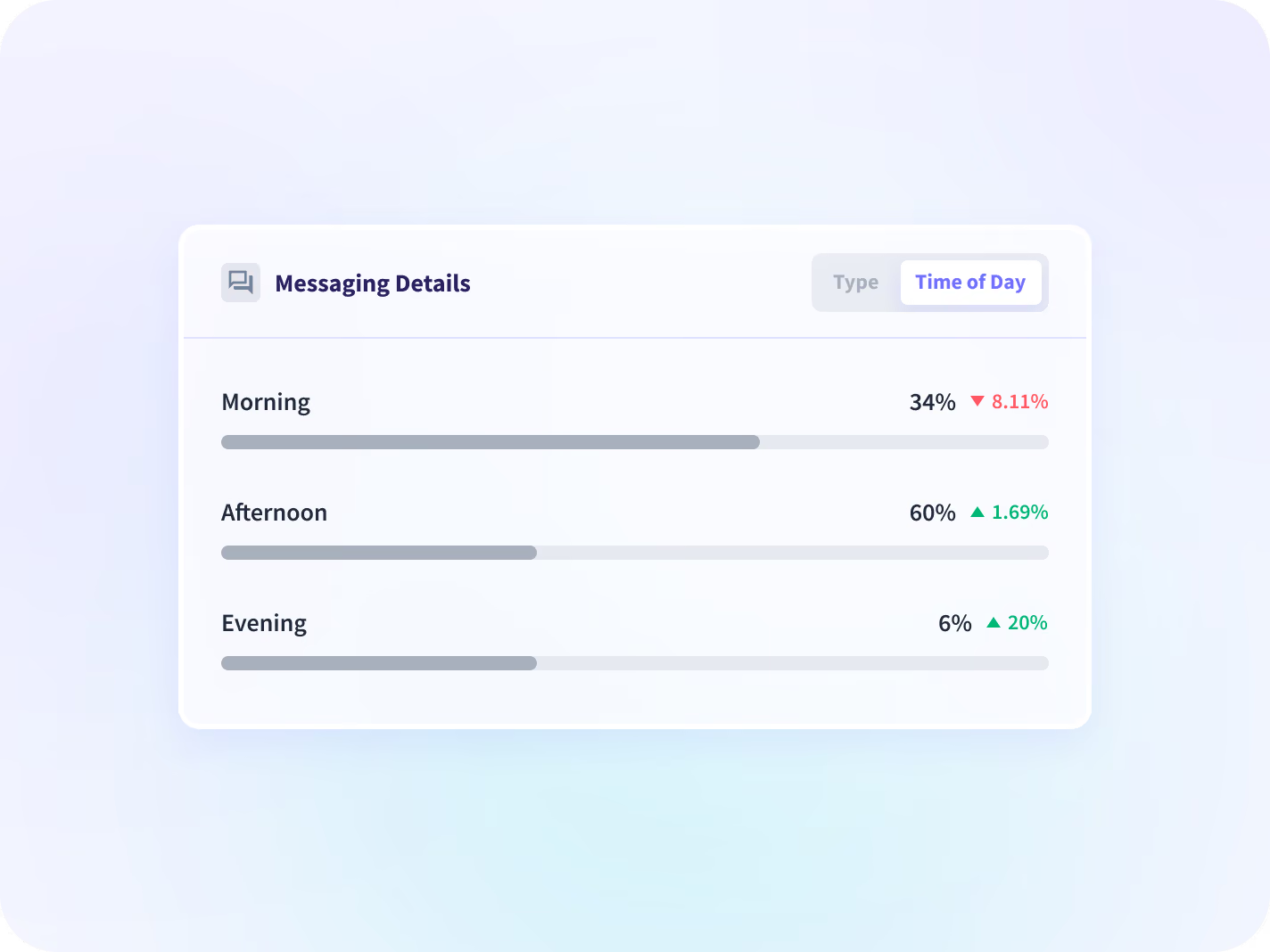
Mensajes clasificados por tipo y hora del día, para que un patrón creciente de actividad fuera del horario laboral sea visible a nivel de equipo mientras aún es posible cambiarlo.
Convierta la distribución en una reunión que pueda mover
Conocer la distribución es solo el principio. Añada las horas ininterrumpidas que protege, el bloque recurrente que merece la pena eliminar y detecte cuándo una carga creciente indica un problema de carga de trabajo y no solo de agenda.

Tiempo de concentración
La otra mitad de la ecuación: cuántas horas ininterrumpidas quedaron en la semana una vez contabilizadas las reuniones.

Proteger el tiempo de concentración
Qué reunión recurrente mover, identificada por tipo, tamaño y momento del día, en lugar de basarse en suposiciones.

Tendencias de productividad
Si las horas recuperadas tras cancelar una reunión se tradujeron en tiempo productivo, comparado con el periodo anterior.

Gestión de la carga de trabajo
Donde la carga de reuniones se analiza junto con las horas trabajadas y la actividad fuera del horario laboral, para que el exceso de un equipo sea visible frente al de otro.

Prevenir el agotamiento y mejorar la retención
Una carga de reuniones que no deja de aumentar, interpretada como una señal de carga de trabajo a nivel de equipo y no como una puntuación individual.

RR. HH.
Un patrón de carga de trabajo expresado como un número en lugar de una percepción, a nivel de equipo y justificable en una conversación sobre políticas.
Nadie puede decidir sobre la carga de reuniones sin tener en cuenta las horas
La pregunta sobre la carga de trabajo respondida mediante encuesta
Vea la carga de coordinación y el volumen de mensajes fuera del horario laboral por equipo, para que las quejas sobre la carga de trabajo se basen en datos horarios y no en percepciones.
Equilibrio de carga de trabajo y retención
La política general de "menos reuniones"
Identifique el bloque recurrente específico que retrasa la fecha, por tipo, tamaño y frecuencia, y elimínelo.
Horas recuperadas para la ejecución
Registra que se envió un mensaje, no lo que decía
El informe lee metadatos: qué aplicación, cuándo y durante cuánto tiempo. El texto de los mensajes y documentos nunca se captura, almacena ni muestra, al igual que las pulsaciones de teclas. Los resultados se presentan por defecto a nivel de equipo.






Más de 5000 equipos en todo el mundo confían en nosotros







Calcula el coste de la reunión en horas
Una integración cambia este informe: el calendario
Más de 50 integraciones. La división se basa únicamente en los datos de actividad, y conectar un calendario añade el desglose entre reuniones programadas y coordinación improvisada.


Preguntas frecuentes
Empieza por qué reuniones, no por cuántas. Insightful divide la jornada laboral en Tiempo de comunicación, que suma las reuniones, llamadas, mensajes y correos electrónicos en todas las aplicaciones que usa un equipo, y Tiempo de concentración, que son las horas ininterrumpidas que quedan. El informe desglosa las reuniones por tipo, tamaño y recurrencia, lo que suele identificar dos o tres bloques recurrentes que soportan la mayor parte de la carga. Si cancelas la reunión equivocada, no recuperarás tiempo, que es el error en el que caen las políticas generales.
Un calendario solo sabe lo que alguien ha reservado. Este informe contabiliza también las llamadas no programadas, los hilos de mensajes y el correo electrónico en todas las aplicaciones que utiliza un equipo, y luego informa sobre el tiempo restante. No necesita un calendario conectado para hacerlo, que es la misma razón por la que no puede decirte de qué trataba ninguna de esas reuniones.
No. Solo contabiliza que se envió un mensaje, en qué aplicación y cuándo. El contenido de lo escrito no se captura, almacena ni muestra, al igual que tampoco se registran las pulsaciones de teclas; por eso el informe puede indicarte que un hilo de mensajes se prolongó hasta tarde, pero no si el contenido era importante.
No. La división entre Tiempo de comunicación y Tiempo de concentración se basa únicamente en los datos de actividad. Conectar un calendario añade el desglose entre reuniones programadas y coordinación improvisada, y desconectarlo más tarde detiene la actualización de ese desglose a partir de ese momento, sin afectar a la división en sí.
Ambas cosas, y decidir cuál de las dos opciones verán tus gerentes es algo que debes determinar antes de la implementación, no después de que alguien encuentre la exportación. Los informes vienen configurados por defecto a nivel de equipo; el desglose por empleado está disponible, se puede buscar por nombre y es exportable.
No, y no son sustitutos. Un asistente de notas registra y transcribe lo que se dice en una reunión; este informe mide cuánto tiempo de la jornada laboral consumen las reuniones y los mensajes, y nunca registra ni transcribe nada.
Empieza por comprobar si informa sobre los cambios a lo largo del tiempo o si solo ofrece una puntuación única, ya que una puntuación sin contexto no permite tomar medidas. Después, verifica si permite filtrar por equipo y por individuo, y si eres tú quien define qué cuenta como trabajo productivo o si es el proveedor quien decide por ti.


