.svg)


HR analytics for workload balance, fair reviews and hybrid policy
You're asked to settle workload complaints and defend hybrid policy with little more than surveys and opinion. Insightful shows hours and meeting load by team, and your people see it too.


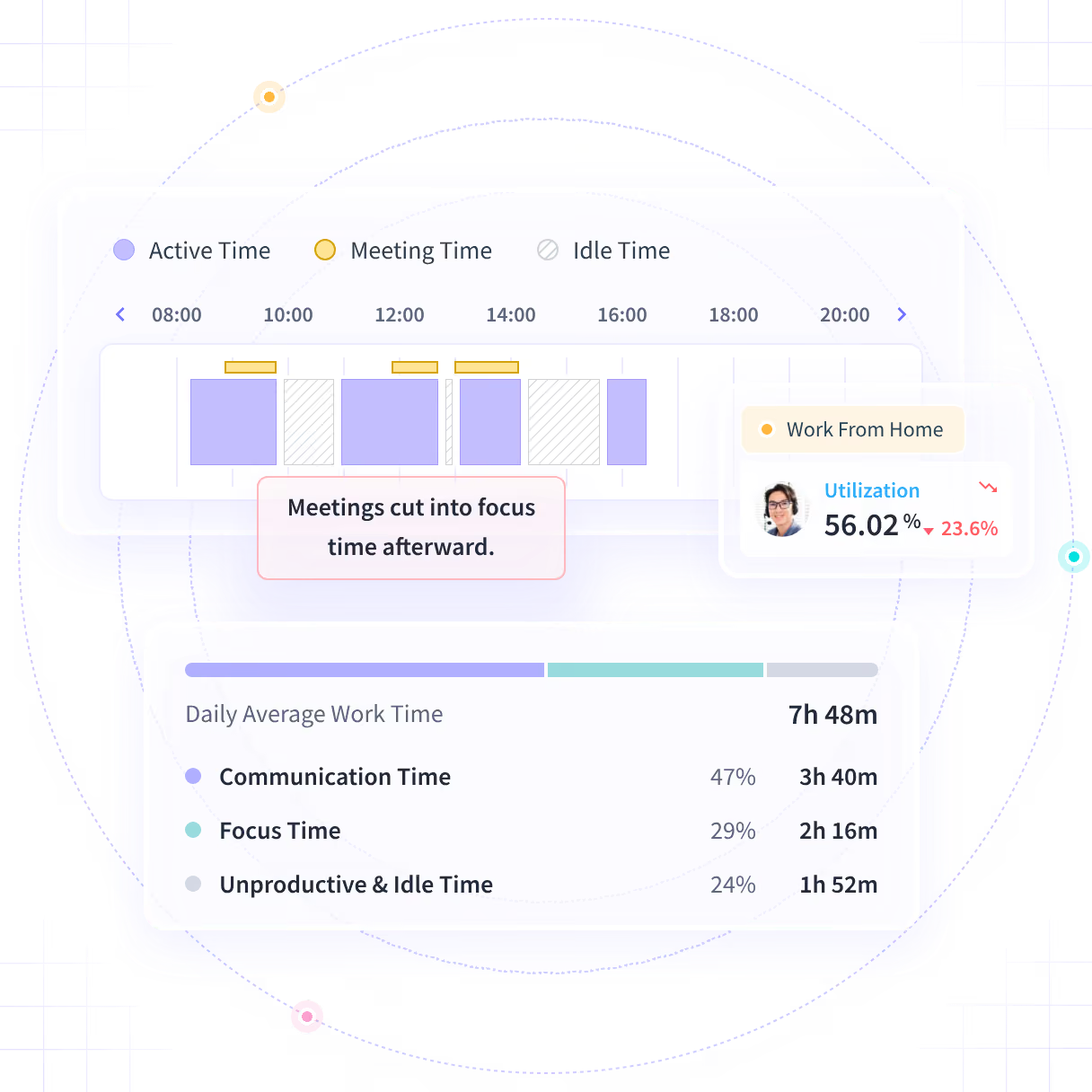










Turn manager opinion into evidence both sides can see

Without Insightful

An employee says they carry more than their peers, and you have two opinions and a calendar.
You hear who says they come in, but you can't compare office and remote weeks.
Quiet, steady performers get missed, and the loudest voice in the room sets the rating.
A rollout nobody explained turns into rumor, and HR is the one answering for it.
By the time it shows a team is stretched, the stretch has already lasted for months.

With Insightful

Hours, meeting load and after-hours work for the whole team, side by side.
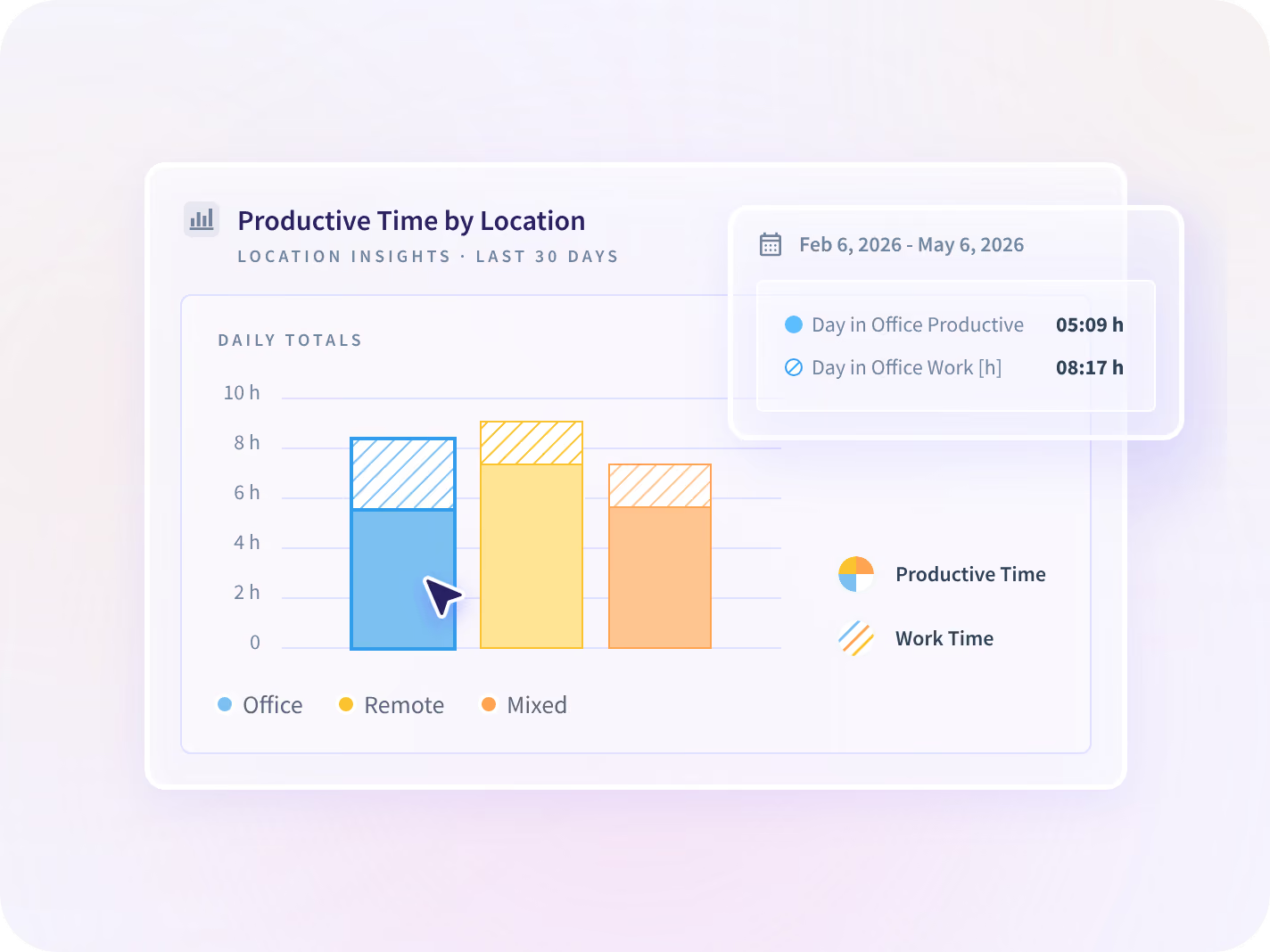
Location Insights compares office, remote and hybrid days for each team.
Productivity Trends reports the same time measures for every team you review.
In a visible rollout, each person opens the same data their manager sees about them.
Meeting load and after-hours work are reported weekly, next to the week before.
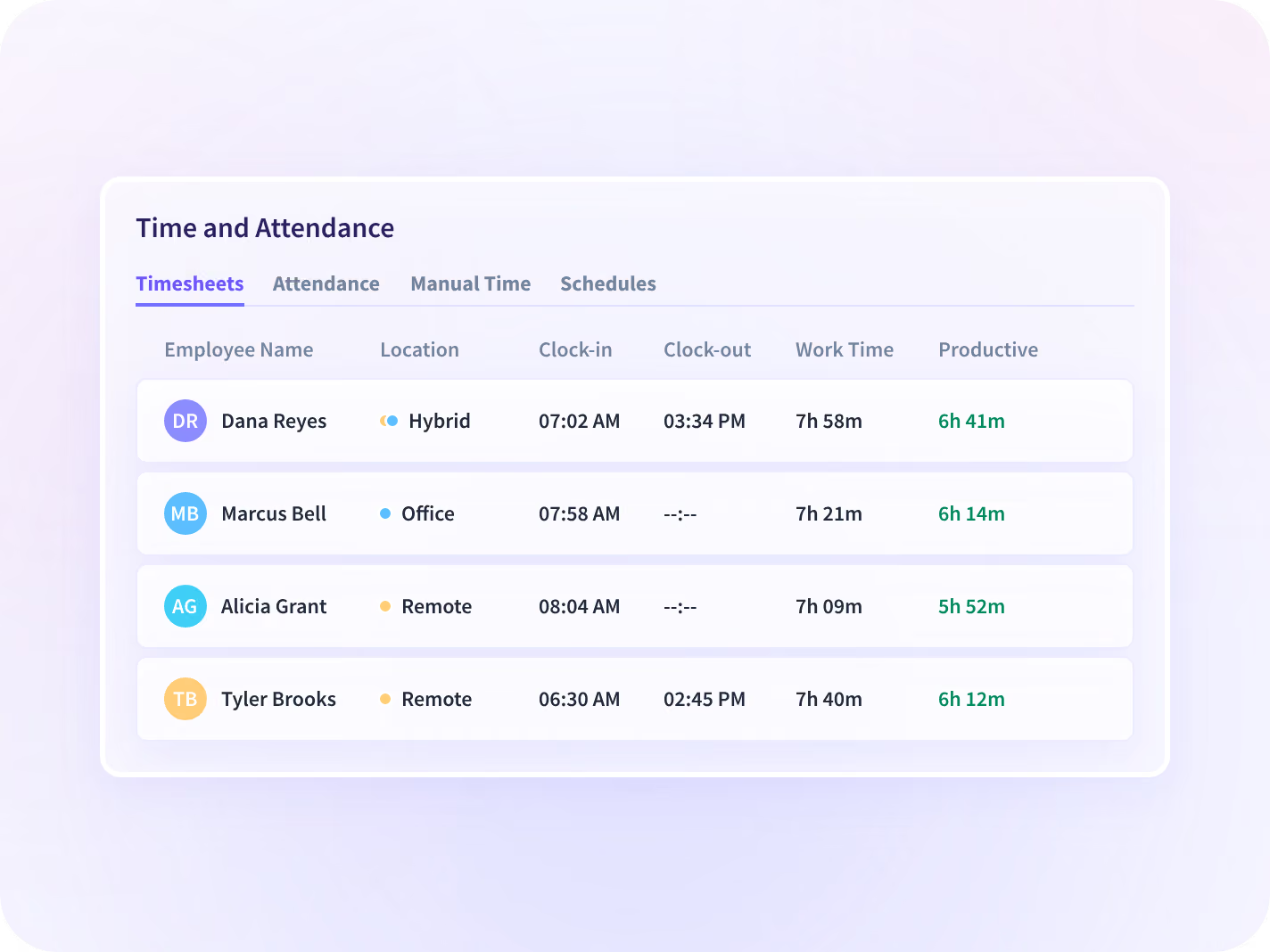
See who's in and covering with Time and Attendance
Time and Attendance shows clock-in, breaks and who is working now, by team or by site. Schedules use PTO synced from your HRIS, and anyone off schedule with no approved absence is flagged the same day.
- Sync PTO and leave from Workday, Microsoft Entra ID or Zoho
- Add time worked away from the computer, sent to a named approver
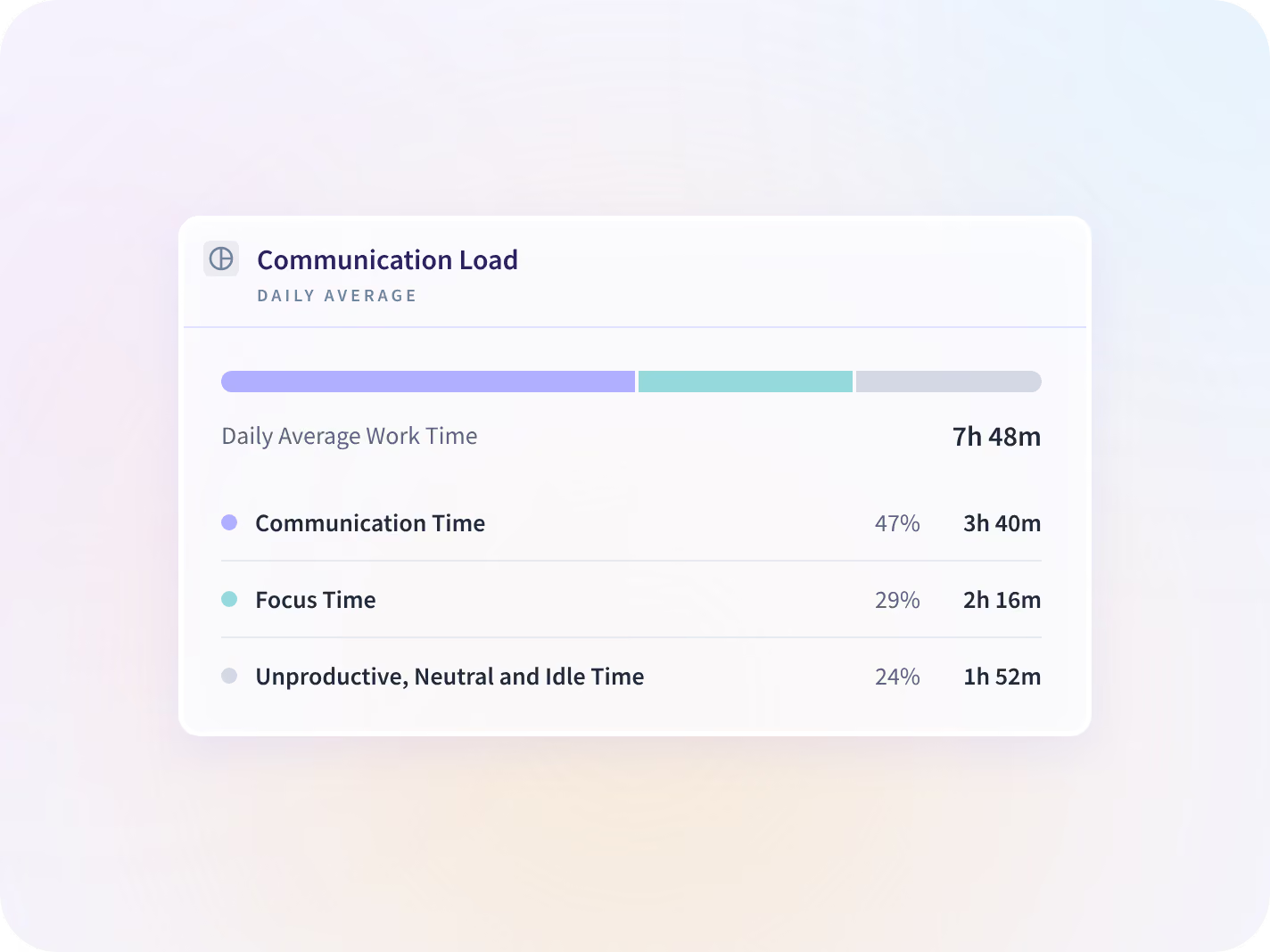
Answer workload complaints with Communication Report
The Communication Report counts meetings, calls, messages and email by team, including calls nobody put in a calendar. You can see who has the most meetings and how much time is left for focused work.
- See communication time and focus time side by side for every team
- Counts that a meeting or message happened, never what was said
Settle workload questions with the week's hours
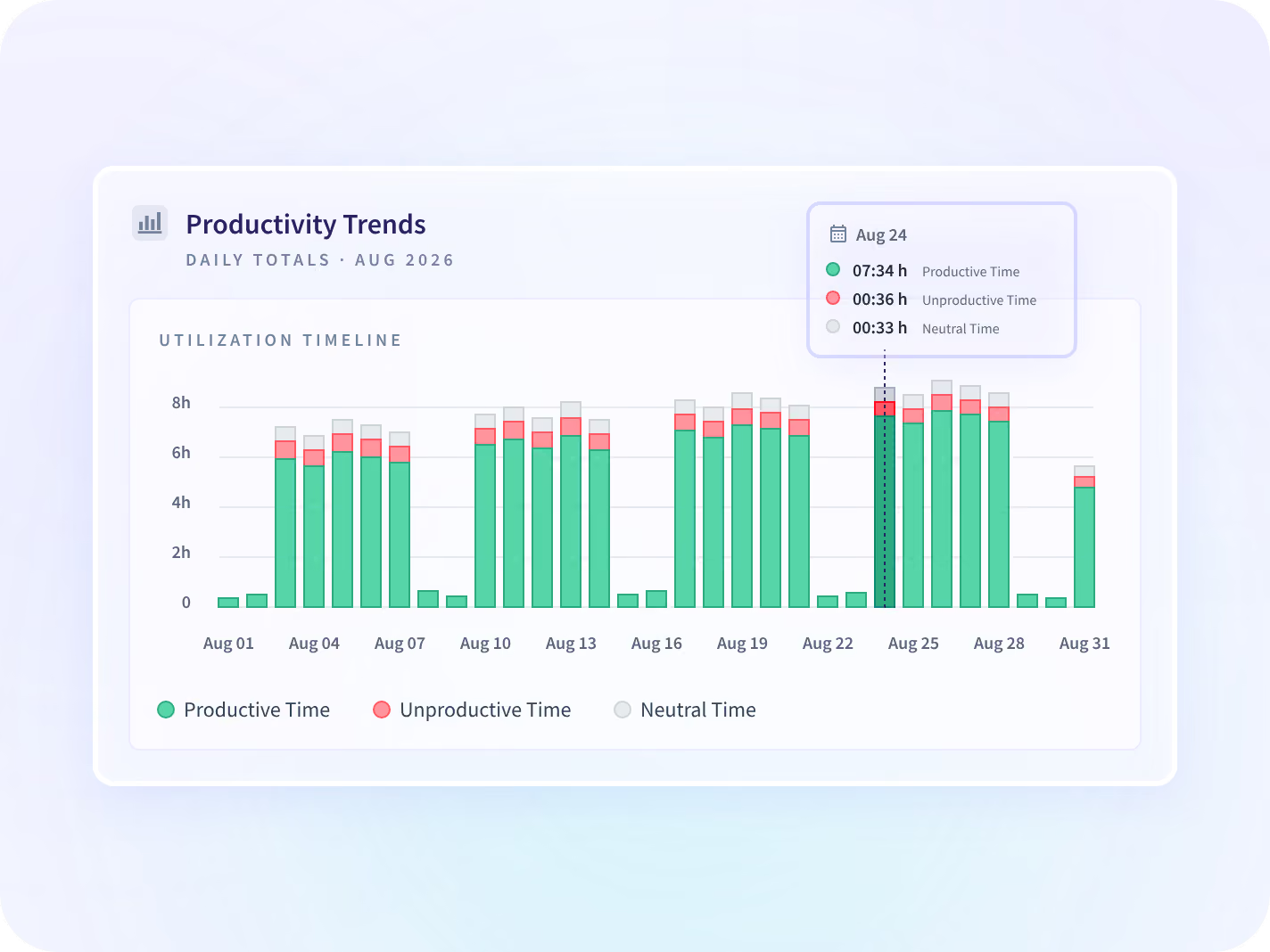
Start fair reviews with Productivity Trends
Productivity Trends reports productive, idle and active time for every team, and your admins set what counts as productive for each one. Every manager starts a review from the same measures for everyone.
- See each measure next to the period before, with no single score to argue over
- Use it alongside your performance process; it doesn't rate anyone
Back your hybrid policy with Location Insights
Location Insights compares work on office, remote and hybrid days for each team, using the network a device connects to instead of GPS. You can show the board how work changed after the policy did.
- Compare productive time on office and remote days, team by team
- Shows the work setting only, and no field anywhere says where a person is
Give HR managers and the CHRO the same evidence
HR managers use Insightful to answer this week's coverage and workload questions. CHROs use the same data to defend hybrid policy and set fair reviews.

Answer coverage and workload questions
When a manager asks who is covering a shift or who is overloaded, you already have it: hours, breaks and meeting load by team.

Defend your hybrid policy with evidence
When the board asks whether hybrid works, show office and remote days side by side. Your managers get the same measures for every review.
Roll it out visibly, so your people see what you see
We recommend telling employees before you deploy, because a rollout people know about gets better adoption. You also decide what is collected for each team before anyone installs anything.






Three questions HR leaders ask before a policy change
Each question has its own page with the details. Together, they cover who is overloaded, whether you need to hire, and what IT will need before rollout.

Who on the team is carrying too much?
See hours, meeting load and after-hours work for every member of a team, side by side.

Do we need to hire, or to rebalance?
See hours worked and idle time by team and site before you approve a new hire.

What will IT ask before we roll out?
See how IT installs Insightful from its device management tool and controls who has access.
What People teams changed with Insightful




Every HR and people tool your team uses, connected
PTO and leave sync from Workday, BambooHR, and other tools, so nobody keeps availability in two places. You can also query your people data MCP connectors.


Stop settling workload questions on opinion
What HR leaders ask us most
Not if you roll it out the way we recommend. Narrow by design. Insightful captures the metadata of work and not its content, and every control that narrows it further is yours to set before deployment. We recommend telling employees before you deploy, because a rollout people know about gets better adoption. In a visible rollout, each person can open their own record: their own hours, productive time and work setting, and not their colleagues'. Reporting starts at team level, so the first conversation is about how work is spread across a team rather than about one person.
No. It gives the process you already run a consistent starting point. Managers still coach and rate people, and Insightful reports what the week contained, so every review starts from the same measures. The biggest change is in preparation: a manager who writes a review with the week's data in front of them writes a different review from one working from memory.
Partly, and it helps to know where. Your admins decide which apps and sites count as productive for each team, so one team's core tool isn't counted against another. Meetings count as meeting time rather than idle time, and work done away from the computer can be added as manual time with a named approver. What none of this shows is whether the work was good. Use it as a measure of how time was spent, and never as a performance verdict, or it will reward whoever looks busiest.
HR analytics software shows how work is spread across a workforce, so staffing, workload and policy decisions use data instead of opinion. Insightful is a work insights platform. It collects hours, application use and meeting load from desk-based teams and reports them by team, each measure against the period before. It covers desk-based roles on Windows, macOS and Linux, so people who don't work at a computer are outside it.
An HRIS holds records: who is employed, who reports to whom, and who is on leave. Insightful reports what the working week contained, by team, which an HRIS was never built to hold. PTO and leave sync from Workday, Microsoft Entra ID and Zoho, so nobody keeps availability in two places. Manager scope sync is in development, so reporting lines are set in Insightful for now, and that belongs on the implementation plan.


