.svg)


Know what the standing meeting costs in uninterrupted hours
One number for the meetings, calls, messages and email in a day, and what is left for focus work. It counts that a message happened and when, never what was written.












Nobody has costed the standing meeting in hours
Everyone can name the standing meeting nobody has canceled. Nobody can say how many hours it takes from the team that owes you a date, because the calendar only counts the meetings that were scheduled.

Count the uninterrupted hours the week left you
A week's meetings, calls, messages and email are counted by app and by team, and what is left is reported as uninterrupted hours rather than as one total. The unit is the uninterrupted hour, not the booked one.

Counted, not booked
Unscheduled calls, message threads and email count too, so the total is what coordination took rather than what somebody put in a calendar.

The hours left over
What remains after coordination is reported as uninterrupted hours rather than as one leftover figure at the bottom of a total.

Six booked hours, two weeks
Six booked hours can leave a whole morning, or nothing longer than forty minutes. The total is the same and the week is not.

A number, not a feeling
A workload complaint arrives with hours attached, which is what a policy conversation can act on and a feeling is not.
See the meetings, calls, messages and email, booked or not
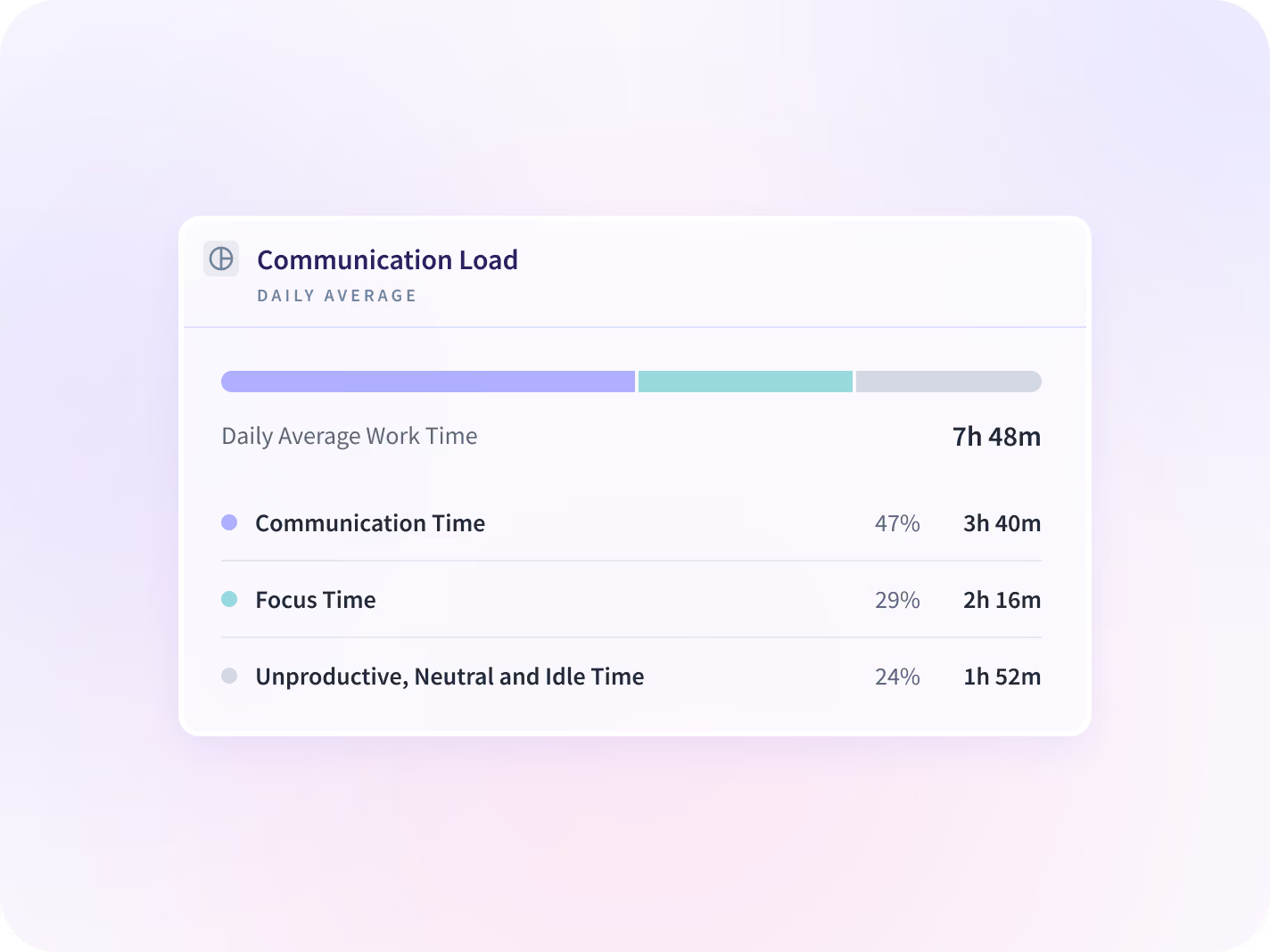
All of it totals into Communication Time, read day by day and broken out by meeting type and by when messages land. What is left is Focus Time, the half a calendar has no field for.


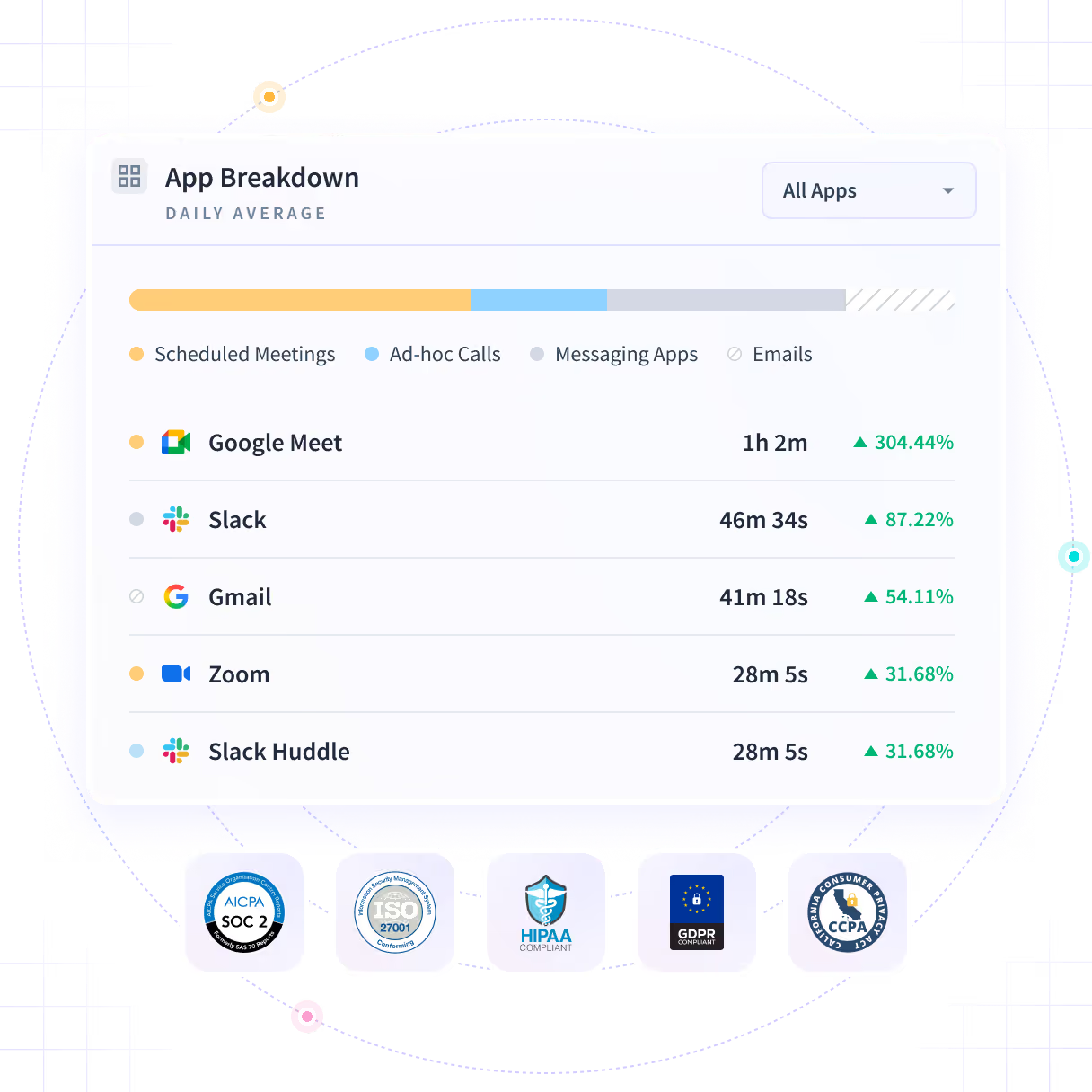
Meetings, calls, messages and email in one split: the hours coordination took, Communication Time, against the uninterrupted hours left, Focus Time. By team, by app and by person.


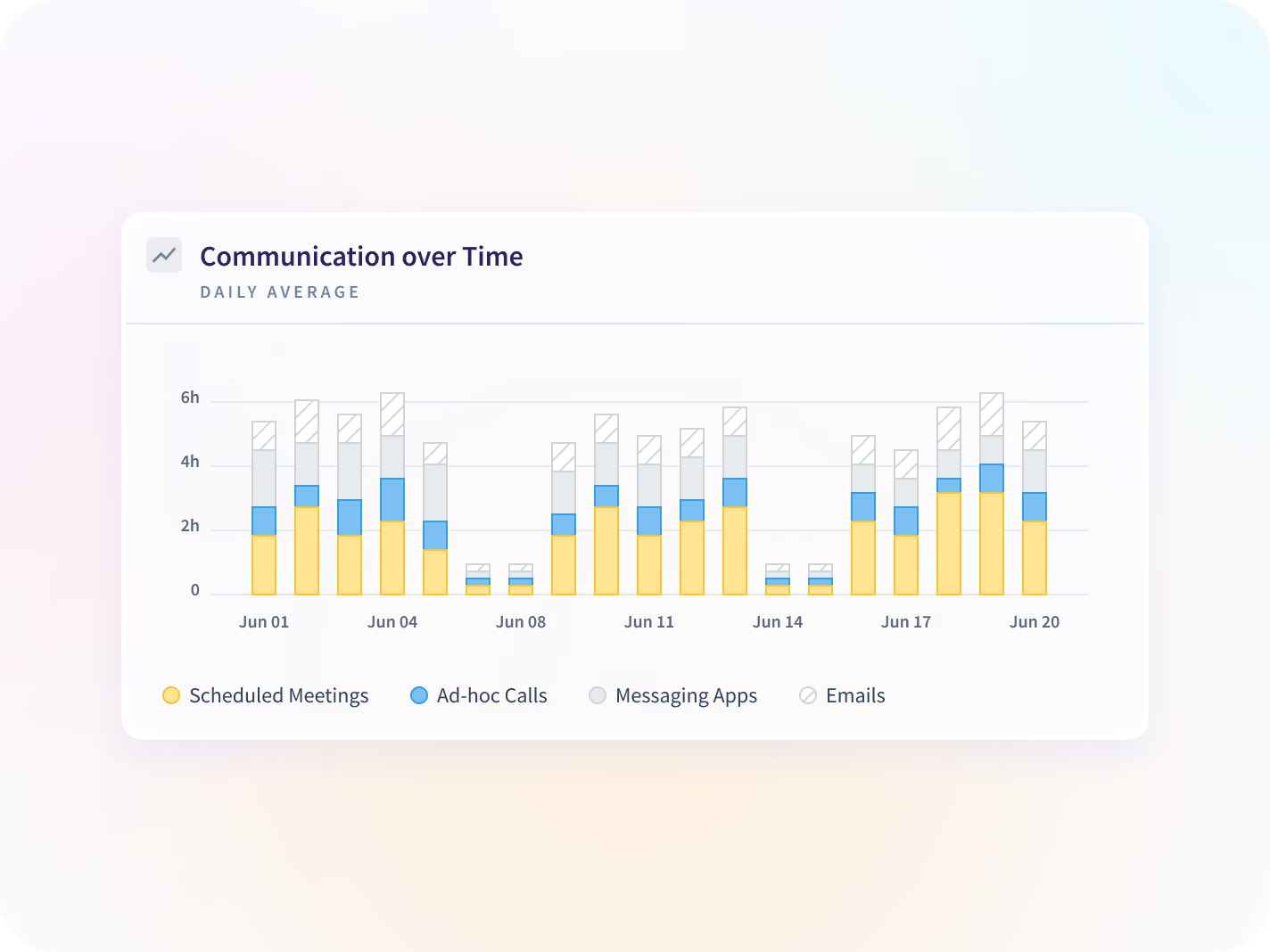
The same split day by day across a date range, so a spike shows up while it is still a spike rather than after it has become the shape of the quarter.


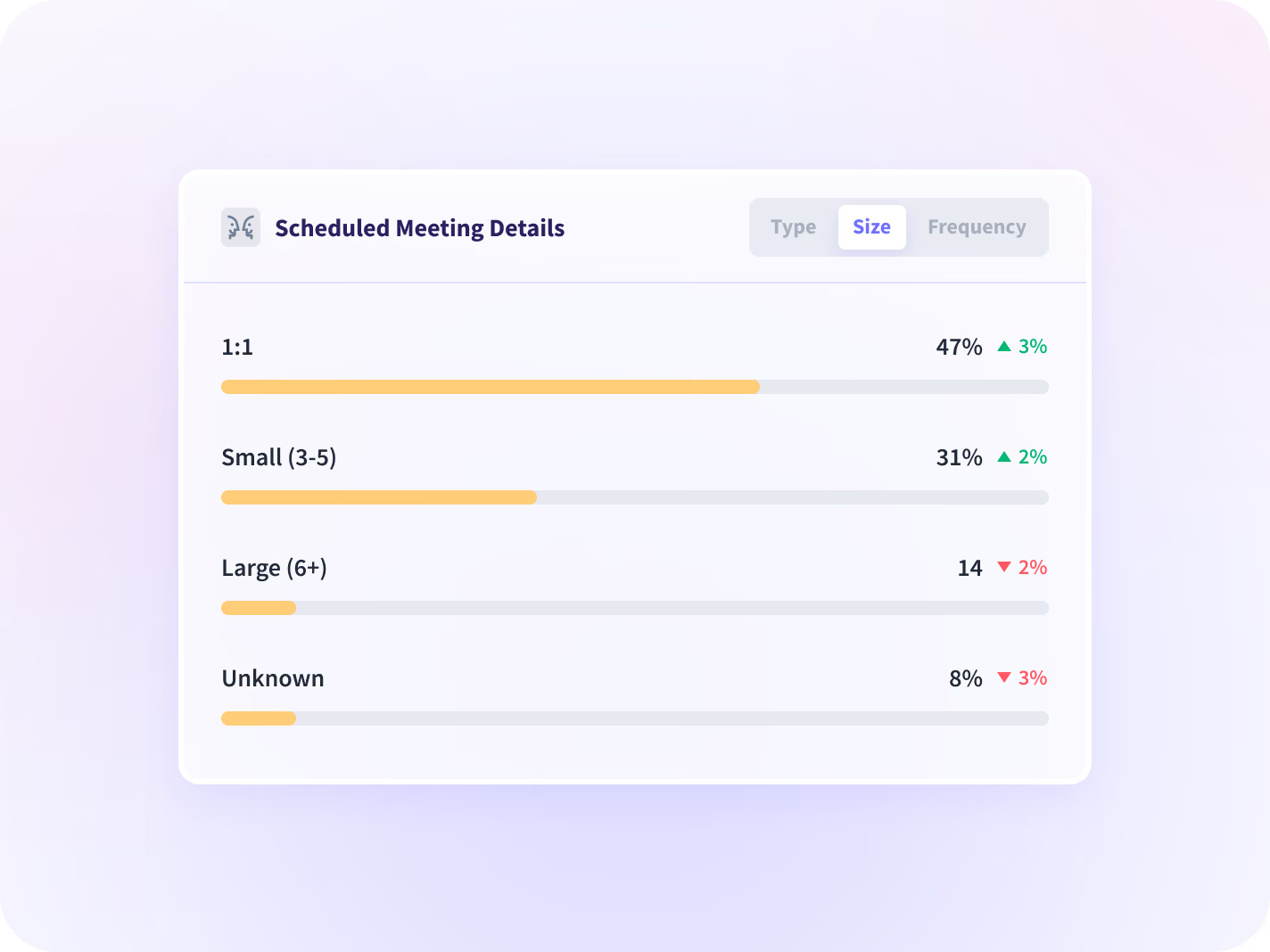
Meetings broken out by type, by size and by how often they recur, which names the specific standing block worth cutting rather than cutting meetings in general.


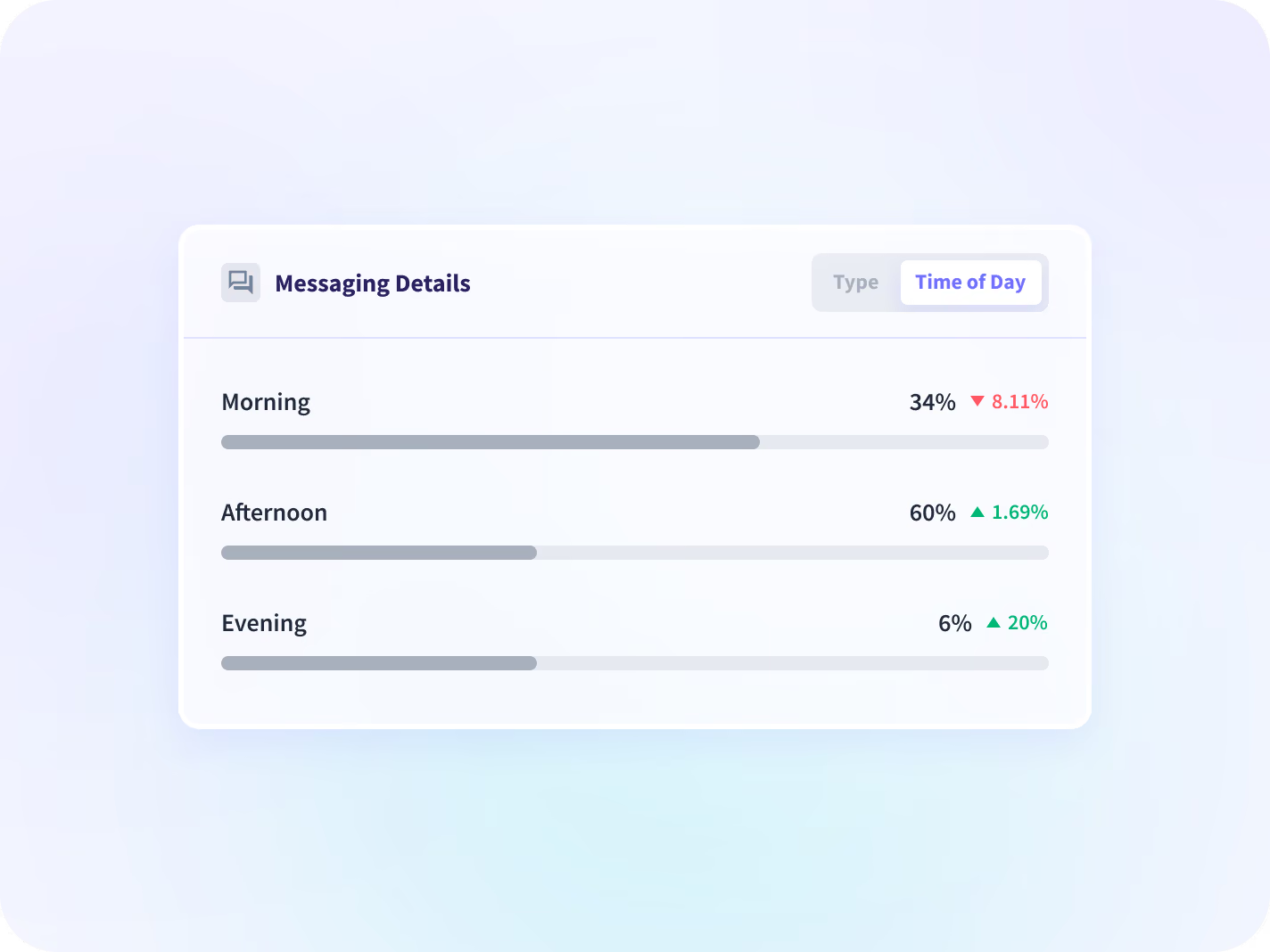
Messages by type and by time of day, so a rising after-hours pattern is visible at team level while it is still something you can change.
Turn the split into a meeting you can move
Knowing the split is half of it. Add the uninterrupted hours it protects, the recurring block worth cutting, and where a rising load reads as a workload problem rather than a scheduling one.

Protect Focus Time
Making the change and checking it held: move the block, then read the month after against the month before.

Productivity Trends
Whether the hours returned from a canceled meeting landed in productive time, read against the period before.

Apps & Website Usage
Which tools the coordination ran through, set against everything else the week was spent in.

Workload Management
Where meeting load sits next to hours worked and after-hours activity, so one team's overflow is visible against another's.

Prevent Burnout & Retention
A meeting load that keeps climbing, read as a workload signal at team level rather than as a score against a person.

HR
A workload pattern stated as a number instead of a feeling, at team level, and defensible in a policy conversation.
Nobody decides about meeting load without the hours
The workload question answered by survey
See coordination load and after-hours message volume by team, so a workload complaint arrives with hours attached rather than as a feeling.
Workload balance and retention
The blanket "fewer meetings" policy
Name the specific recurring block costing the date, by type, size and frequency, and cancel that one.
Hours returned to delivery
It counts that a message happened, not what it said
The report reads metadata: which application, when, and for how long. Message and document text is never captured, stored or displayed, and neither are keystrokes. Findings present at team level by default.






Trusted by 5,000+ Teams Worldwide





Price the standing meeting in hours
One integration changes this report: the calendar
50+ integrations. The split works from activity data alone, and connecting a calendar adds the breakdown between scheduled meetings and ad-hoc coordination.


FAQ
Start with which meetings, not how many. Insightful splits the working day into Communication Time, which totals meetings, calls, messages and email across every app a team uses, and Focus Time, which is the uninterrupted hours left over. The report breaks meetings out by type, size and recurrence, which usually identifies two or three standing blocks carrying most of the load. Cancel the wrong one and the week buys back nothing, which is the failure mode a blanket policy runs into.
A calendar only knows what somebody booked. This report counts the unscheduled calls, the message threads and the email too, across every app a team uses, then reports what was left. It needs no calendar connected to do that, which is the same reason it cannot tell you what any of those meetings were about.
No. It counts that a message happened, in which application, and when. What was written is not captured, stored or displayed, and neither are keystrokes, which is also why the report can tell you a thread ran late and not whether it mattered.
No. The Communication Time and Focus Time split works from activity data alone. Connecting a calendar adds the breakdown between scheduled meetings and ad-hoc coordination, and disconnecting one later stops that breakdown updating from that point without affecting the split itself.
Both, and which of the two your managers open is a decision to make before deployment rather than after somebody finds the export. Reporting defaults to team level; the employee breakdown is available, searchable by name and exportable.
No, and the two are not substitutes. A notetaker records and transcribes what is said inside a meeting; this report measures how much of the working day meetings and messages take up, and never records or transcribes a thing.
It is included. It ships on every Workforce Analytics plan at no extra cost. Workspace Security is the add-on, and that one is purchased alongside Workforce Analytics rather than included in it.


