.svg)


Operations analytics for coverage, capacity and hours by site
You're expected to staff every shift and justify every hire, but the monthly report shows a gap weeks late. Insightful records hours and breaks as people work, so you see coverage this week.













H&CO moved back into client service with automatic time capture

At Caduceus Health, down from 14%, per its case study

Across Customer Support and VIP Support teams.
Turn the monthly capacity report into a daily one

Without Insightful

The gap shows up in next week's report, after the queue has already backed up.
Your Director asks about this week, and you have last week's spreadsheet.
Four teams send four spreadsheets, so you can't compare them or spot the outlier.
Someone observes the team for days, and the numbers are old by the time they're typed up.
Your BI dashboard counts tickets closed and says nothing about the hours behind them.

With Insightful

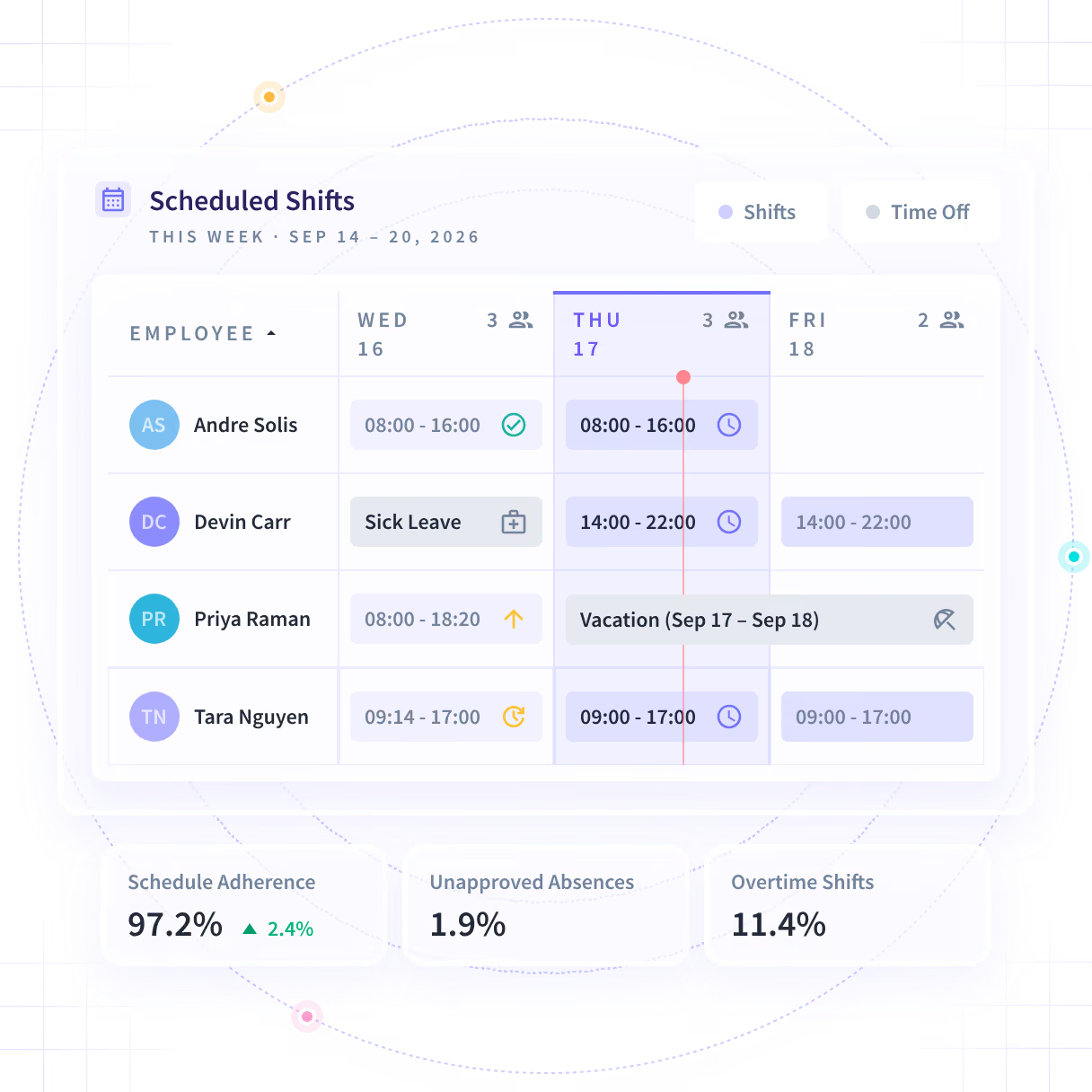
Real-time Insights shows who on each team is working, idle or not yet started.
Hours, breaks and schedule adherence by shift update as people work.
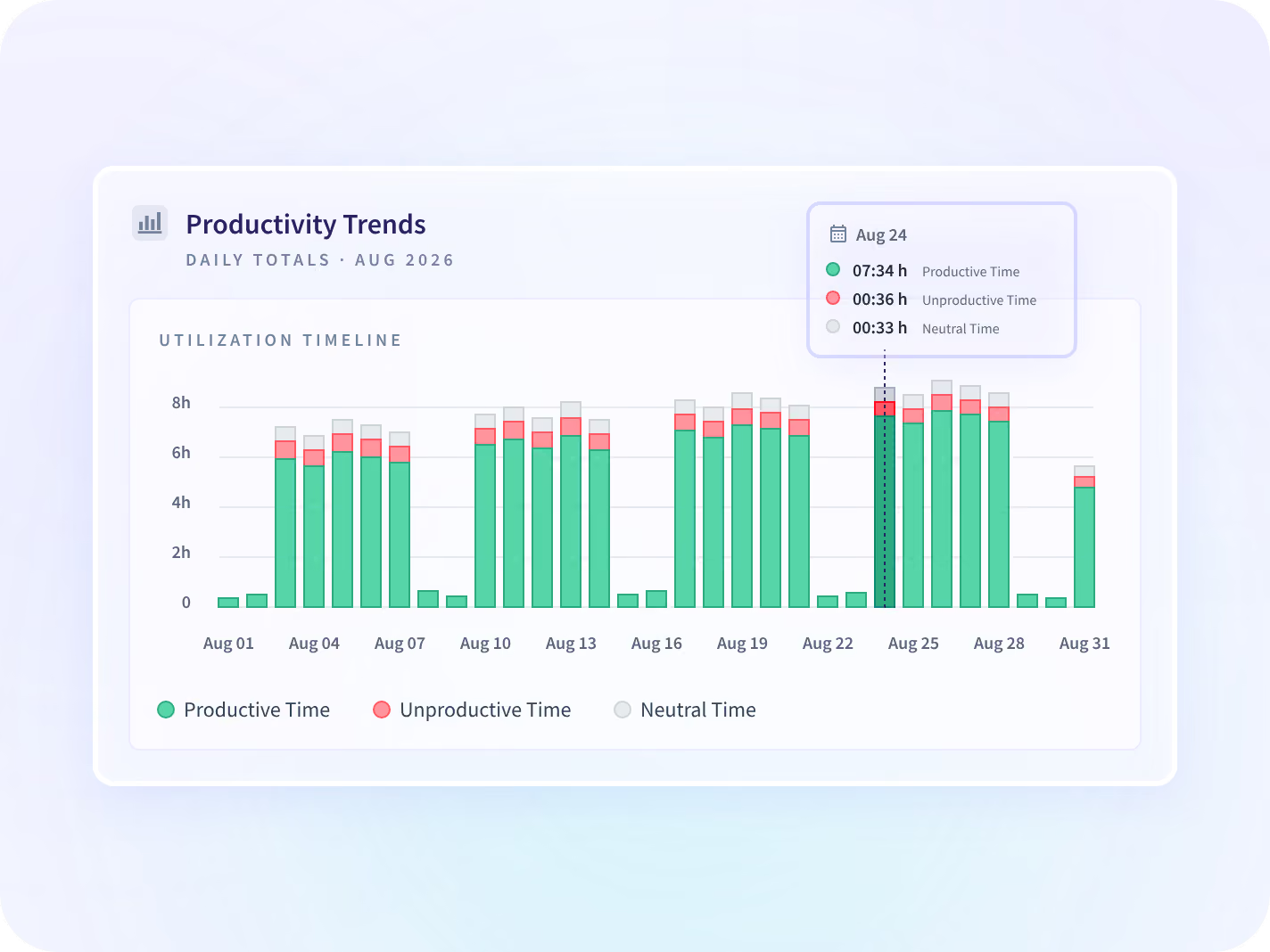
Productivity Trends reports the same time measures for every team, side by side.
Insightful records hours and activity on each work computer, every day.
You show hours worked and idle time by team and site before asking for a hire.
Fix today's coverage gaps with Real-time Insights
Real-time Insights shows who on each team is working, idle or not yet started, and how today compares with a normal day.
- Get an alert when a team's active time drops below a level you set
- See teams by default, and decide as a policy whether managers see individuals
Compare all your teams with Productivity Trends
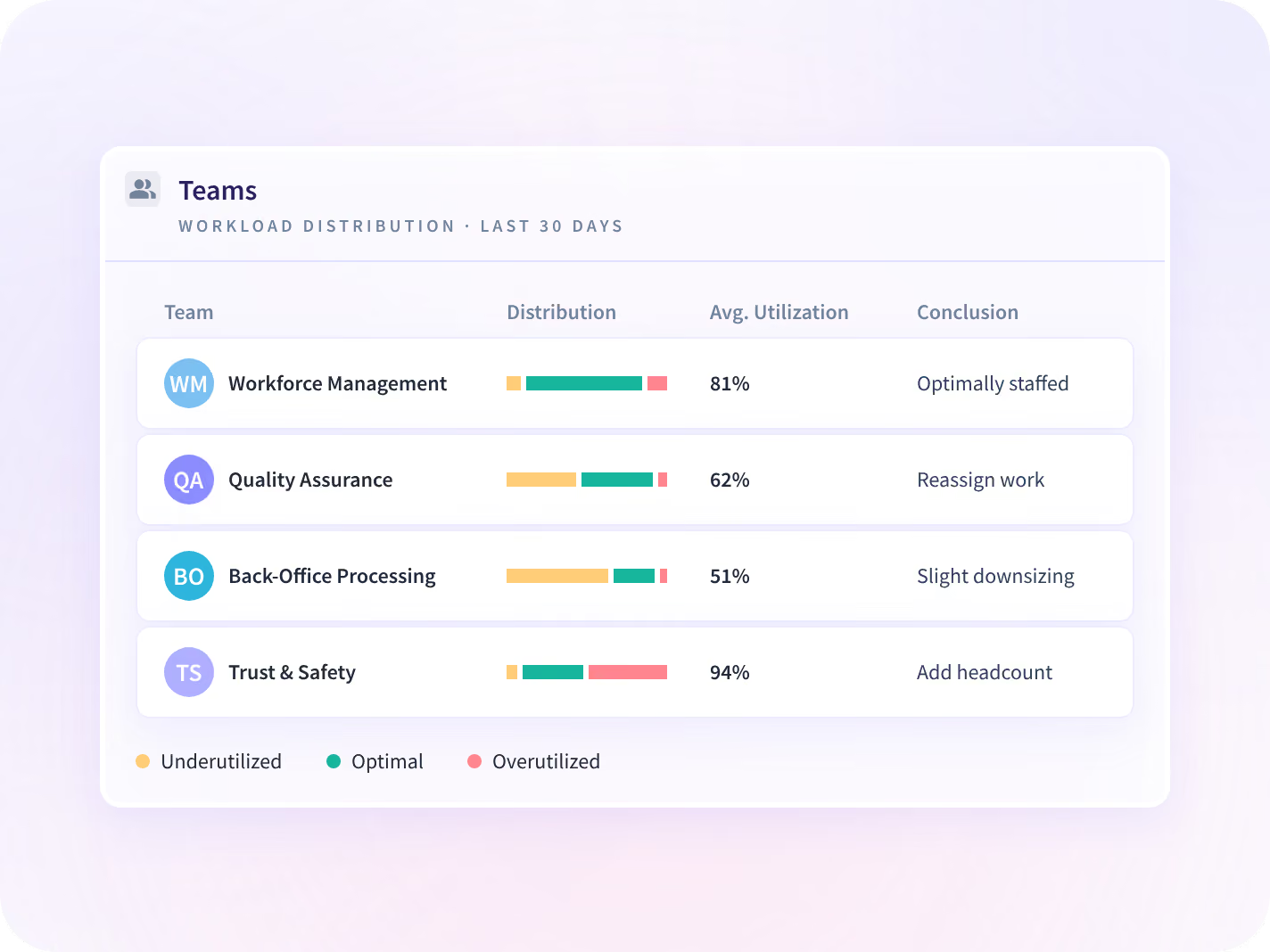
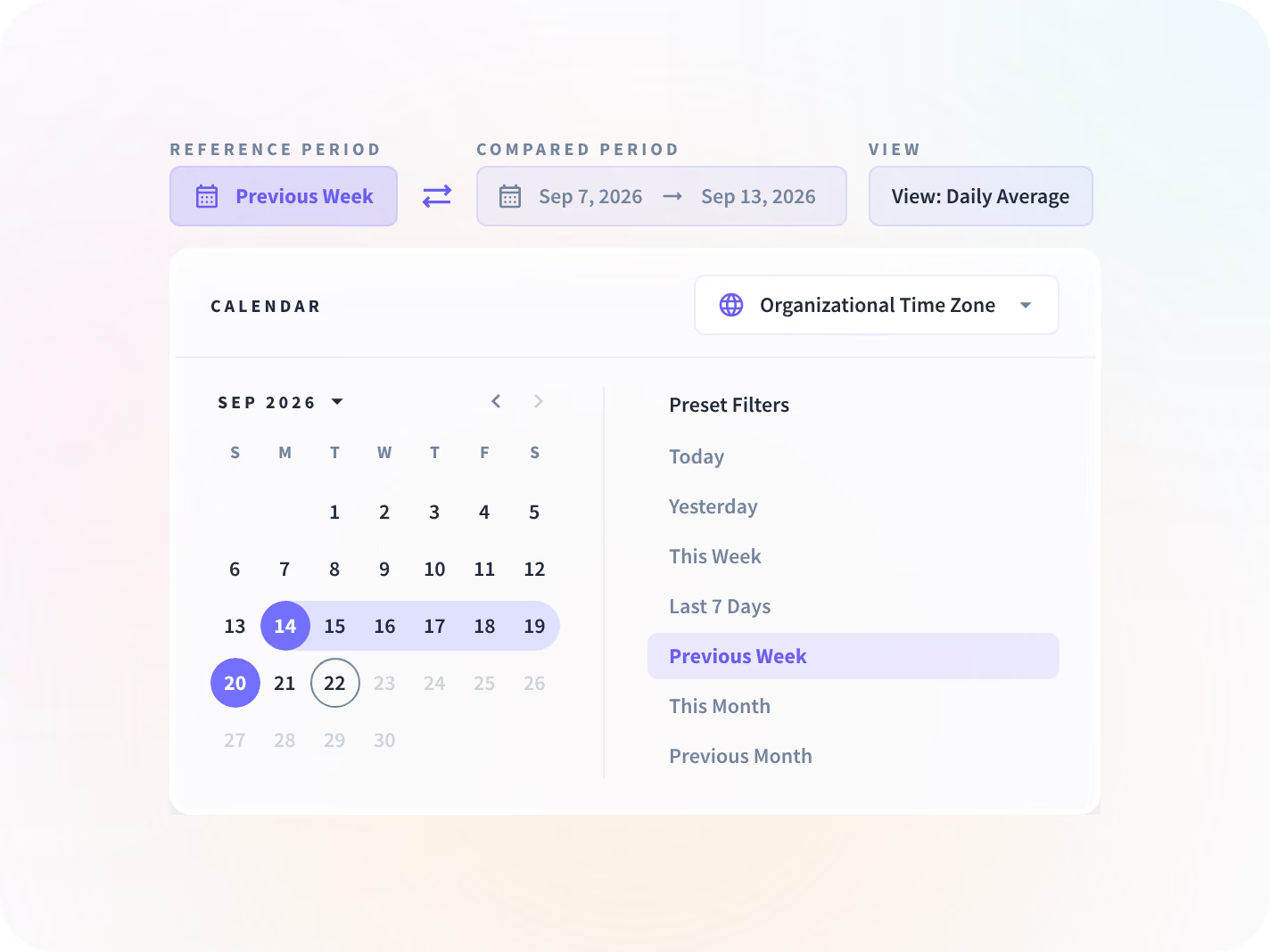
Productivity Trends reports productive, idle and active time for every team, each next to the same-length period before. You compare four managers' teams on one chart instead of four spreadsheets.
- Rank your most and least productive teams, people, apps and sites
- Compare the time measures themselves, with no single score to argue over
Spot a short shift before the queue backs up
Report every site the same way with Time and Attendance
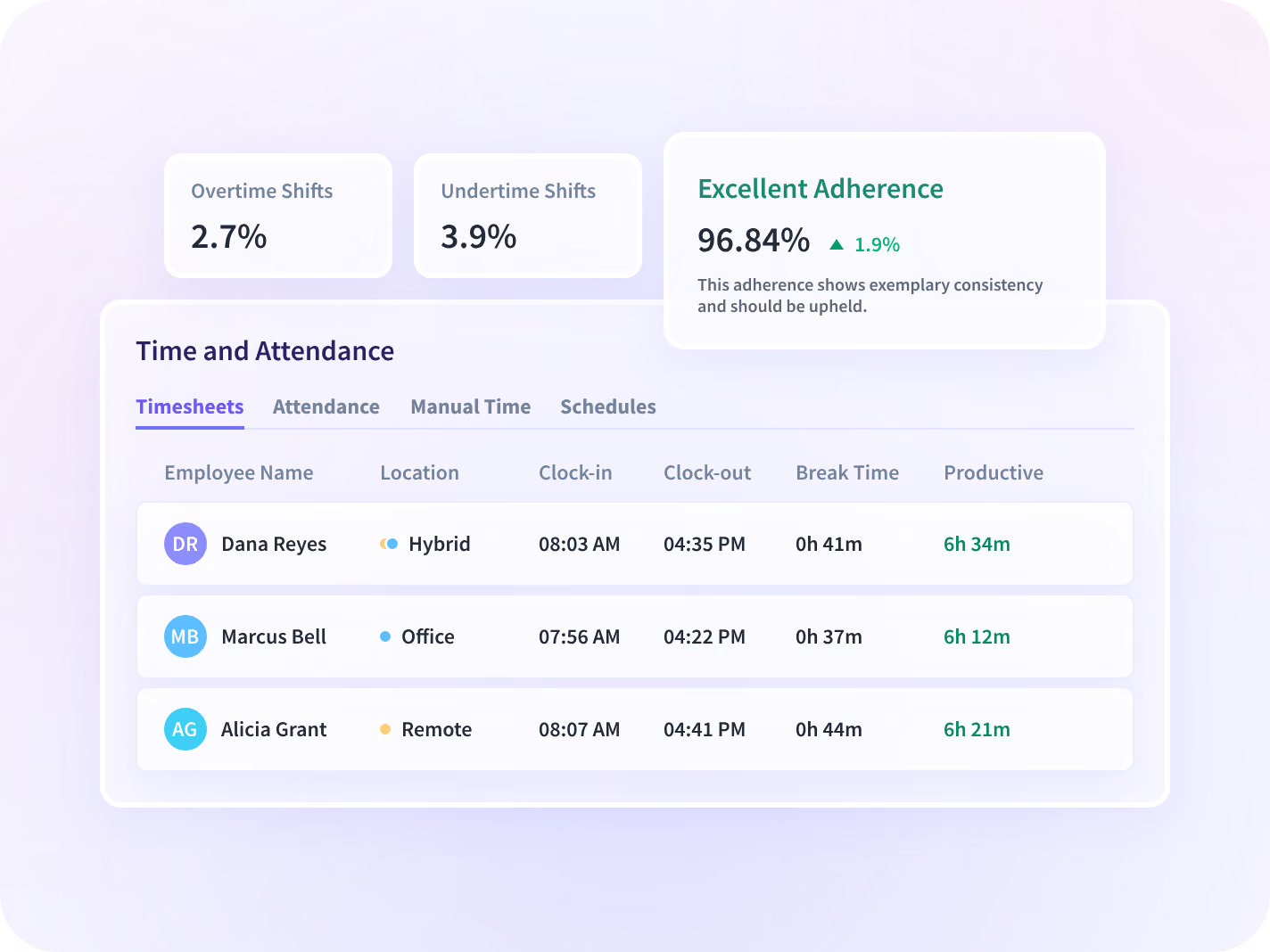
Time and Attendance records clock-in, clock-out and break times at every site. Every manual time entry needs a named approver, so each site reports hours the same way.
- Flag anyone off schedule with no approved absence, on the same day
- Covers computer-based roles only, so warehouse and driving shifts stay out
Give the board capacity in hours, not headcount
Insightful reports hours worked and productive time by team and site, each against the previous period. The board sees which way capacity is moving before a headcount request reaches it.
- See how H&CO moved over 200,000 hours a year back into client service
- Plan capacity from where the hours go, not from cutting headcount
Give every level of operations the same numbers
Managers use Insightful to staff today's shifts. Directors, VPs and COOs use the same data to compare teams, roll out across sites and report capacity to the board.

Staff today's shifts with live coverage
When your Director asks for this week's numbers, you already have them: coverage, hours and schedule adherence for every shift.

Show capacity in hours before the board asks
When the board questions a capacity request, show hours worked by team and site. H&CO moved 200,000+ hours a year back to client service.
Give your security team the answers before they ask
Your security team will ask what Insightful collects, where it's stored and who can see it. Managers see only their own teams, and every collection setting can be narrowed before you deploy.






Three questions operations leaders ask every week
Each question has its own page with the details. Together, they cover whether the week is staffed, whether you need to hire, and whether every hour worked gets billed.
Do we need to hire, or to rebalance?
See hours worked and idle time by team and site before you approve a new hire.

Are we billing every hour we work?
Match recorded hours to each invoice, so you can answer a billing question with a record.

What will IT ask before we roll out?
See how IT installs Insightful from its device management tool and controls who has access.
What operations leaders changed with Insightful







Every system your operations team runs on, connected
Insightful connects to the scheduling, ticketing and project tools your team uses. It also records time in apps you haven't connected, and you can query your data with MCP connectors.


Stop finding coverage gaps in next month's report
What operations leaders ask us most
Hours and activity are collected by the Insightful desktop application on the computer the work already happens on. Coverage and hours come off the work rather than off anyone's memory of it, and nobody stops their own job to measure somebody else's. Manual entries are still possible, and every one goes to a named approver and is saved in a record no one can edit later. The application only sees the machine it runs on, so work done away from that computer is not in the number, which matters more for some roles on your roster than for others.
Not if it is rolled out the way we recommend. Narrow by design. Insightful captures the metadata of work and not its content, and every control that narrows it further is yours to set before deployment. Collected: application and website activity, active and idle time, hours worked, and periodic screenshots where an admin has switched screenshots on. No keystroke logging, no audio or video recording, and no reading of message or email content. We recommend deploying visibly, because a rollout people know about gets better adoption, and where you do, each employee can open their own record. Stealth deployment is supported, and that record is the first thing it costs you. Used openly, the same record helps a manager give credit to a strong performer as well as address a gap.
It adds the hours behind them. A BI dashboard reports outputs after the fact: tickets closed, volume shipped, an SLA met or missed. Insightful reports the work that produced those outputs, by person, team, site and region, while the week is still open, so you can see why a dashboard number moved. Keep the dashboard. The thing to settle first is whether the team structure inside Insightful matches the one on your org chart, because every roll-up above team is built from it.
Operations analytics software shows where an operation's capacity goes, so staffing and cost decisions use this week's numbers. Insightful is a work insights platform. It collects hours, application use and meeting load from desk-based teams and reports them by team, each measure against the period before. If the question on your desk is whether the next request should be a hire, Capacity & Headcount Planning covers that decision in detail. This page covers day-to-day coverage, hours and capacity.
No. Insightful runs on a desktop application, so it covers the desk-based part of an operation: call center, back office, claims, support, engineering. A warehouse floor, a retail floor or a driving fleet is outside it. Scope that before a rollout gets quoted across every site, because the seats that do not qualify are the ones nobody counts until the invoice arrives.


