.svg)


See which AI tools are running, without reading a prompt
Procurement sees a tool somebody paid for and single sign-on sees one somebody connected. A free AI assistant in a browser tab reaches neither, and shows up here the week it is first opened.


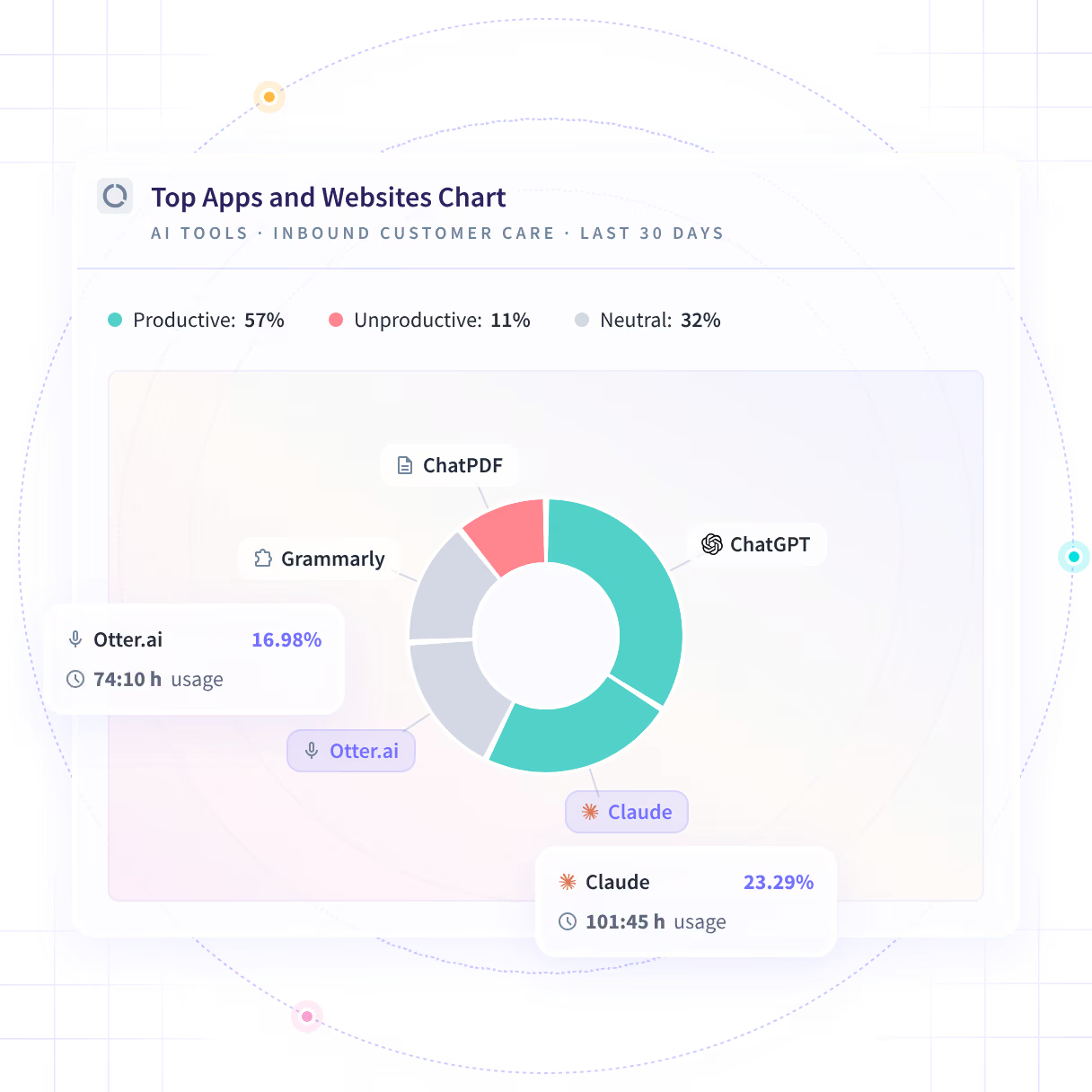










Turn an attestation email into a list of tools

Without Insightful

Everyone answers honestly about the tools they remember using.
A free tier generates none, so the tool never reaches a vendor review.
A personal account in a browser tab connects to nothing that you run.
Nobody updates it between compilations, and adoption does not wait.
By then the tool is load-bearing in four teams and hard to remove.

With Insightful

What teams opened, ranked by the working time spent in them.
It runs on the desktop, so it appears whether or not anyone paid for it.
The application and the domain are what gets reported, not the login.
A tool nobody registered appears on the day it is first opened.
One team trying something is a different decision from four depending on it.
A tool you never registered, on the day it opens
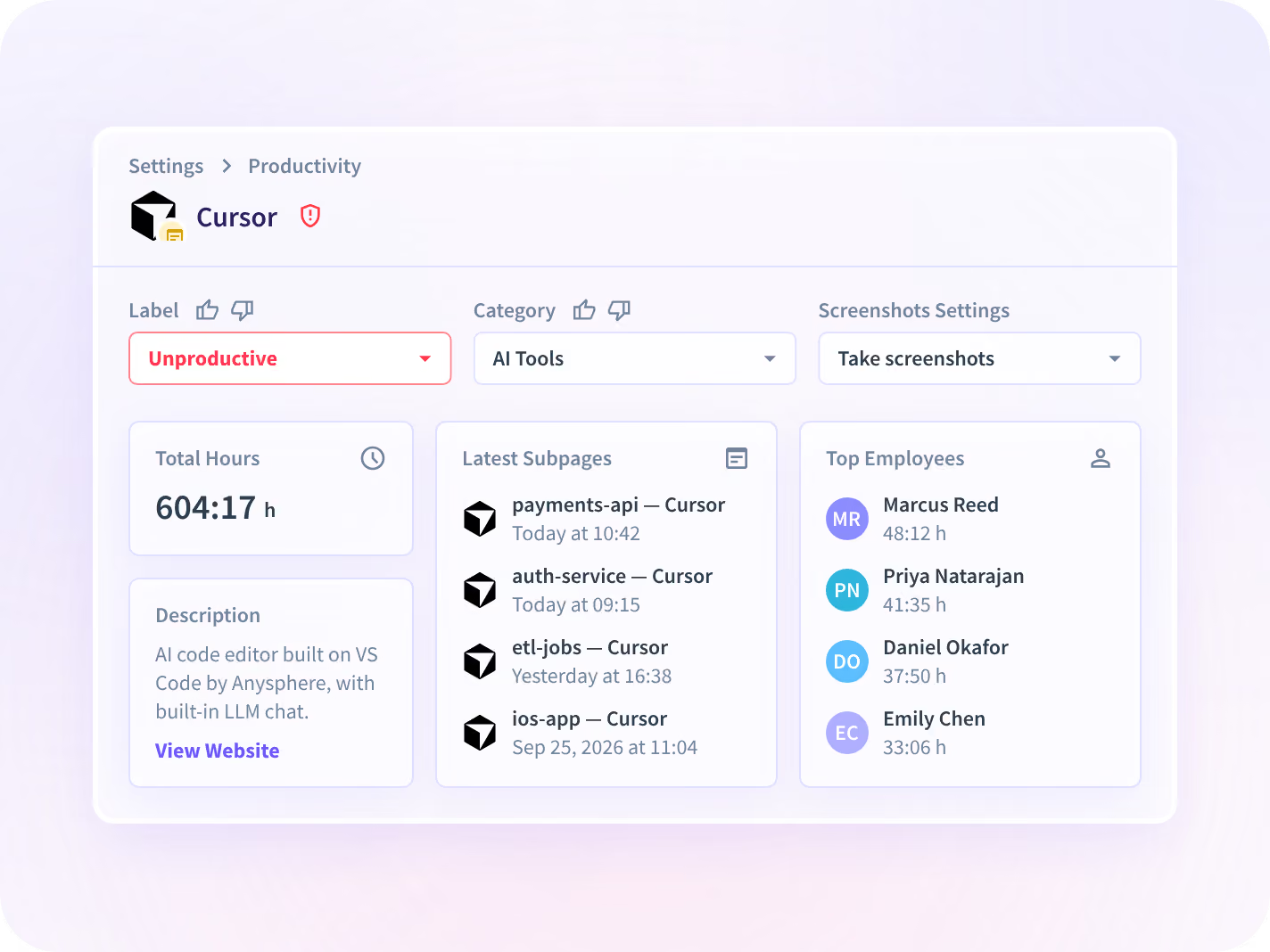
Every application and site is ranked by the working time spent in it, and a tool nobody registered appears the week it is first opened, sitting next to the ones you bought.
- See the tools you never approved, ranked beside the ones you bought
- Read it by team, so you know which team reached for it first
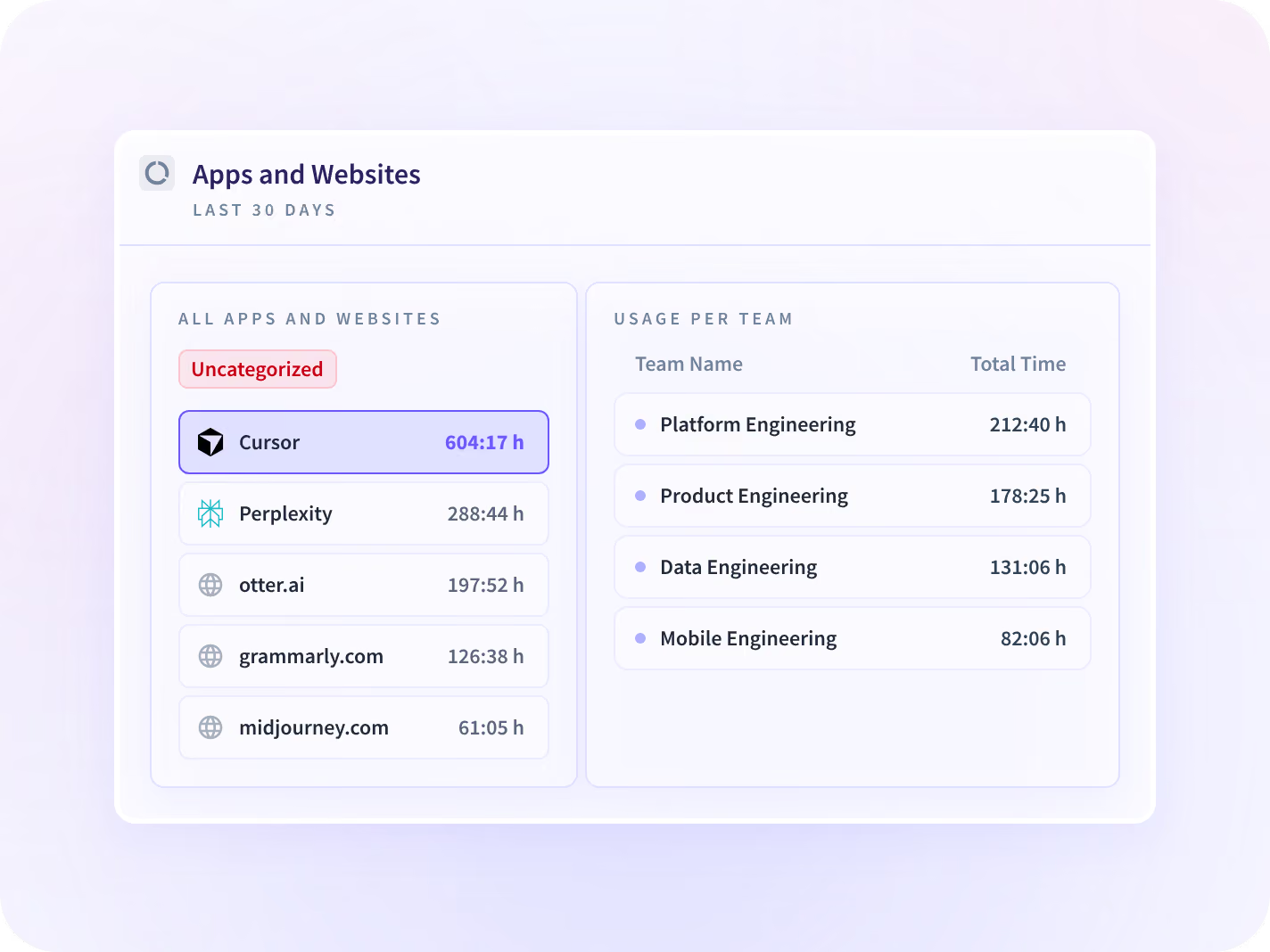
Tell heavy use apart from somebody trying it once
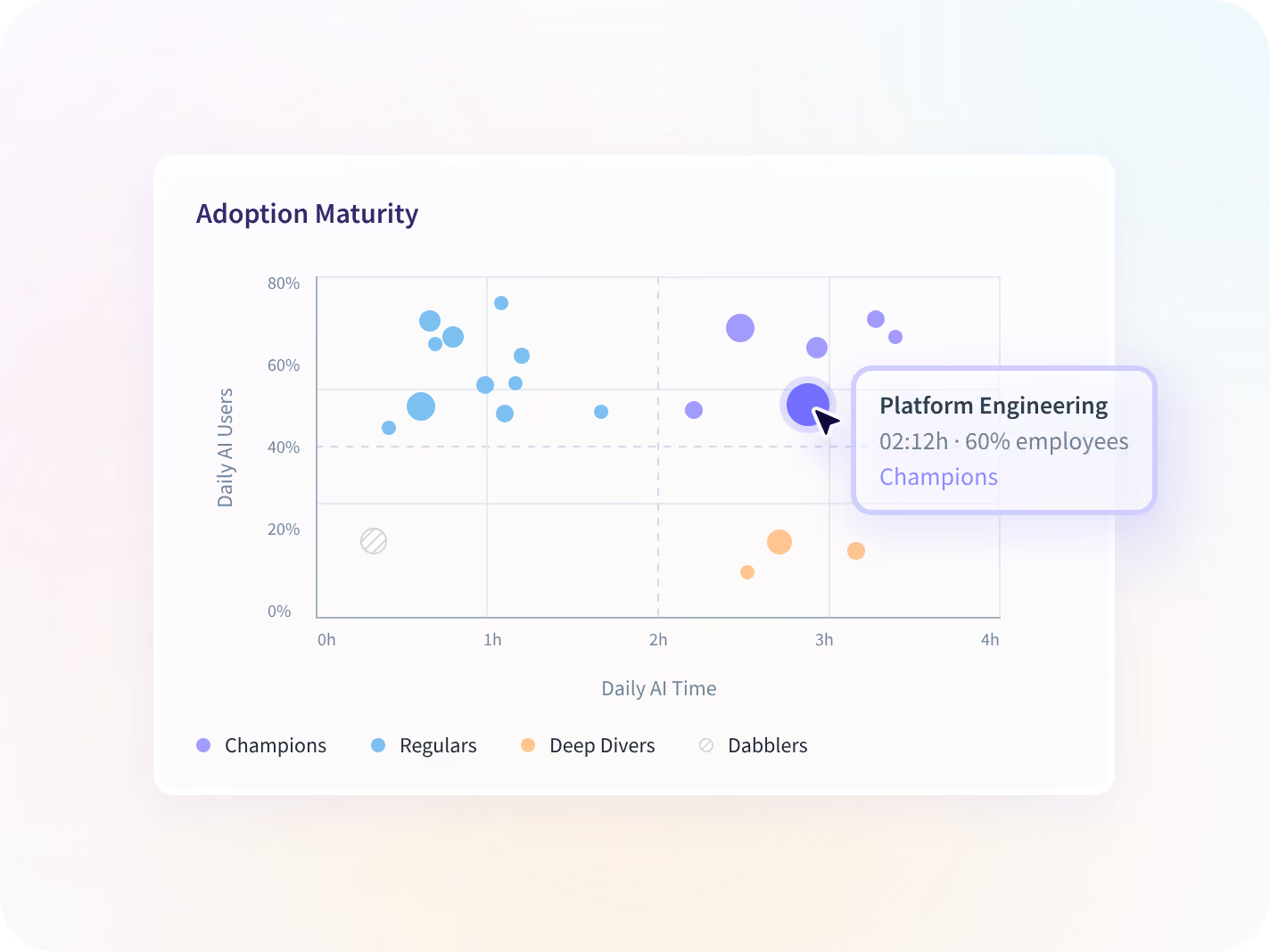
AI Adoption reads the AI half of that list properly: daily users, time per person and how many tools are in use, by team. One team living in a tool is a different problem from twelve who tried it once.
- Daily AI users, time per person and the number of tools in use
- Every team plotted on how broadly and how deeply it uses them
See which AI tools are already in use
Hear about a crossed line the day it happens
A notification arrives the day a policy line you defined is crossed, on the groups you scoped. You hear about it while a tool is still in one team, rather than at the next audit or the quarterly review.
- Policy Adherence Alerts sits inside Workspace Security, a paid add-on
- You define the line. Automatic classification against your list is rolling out
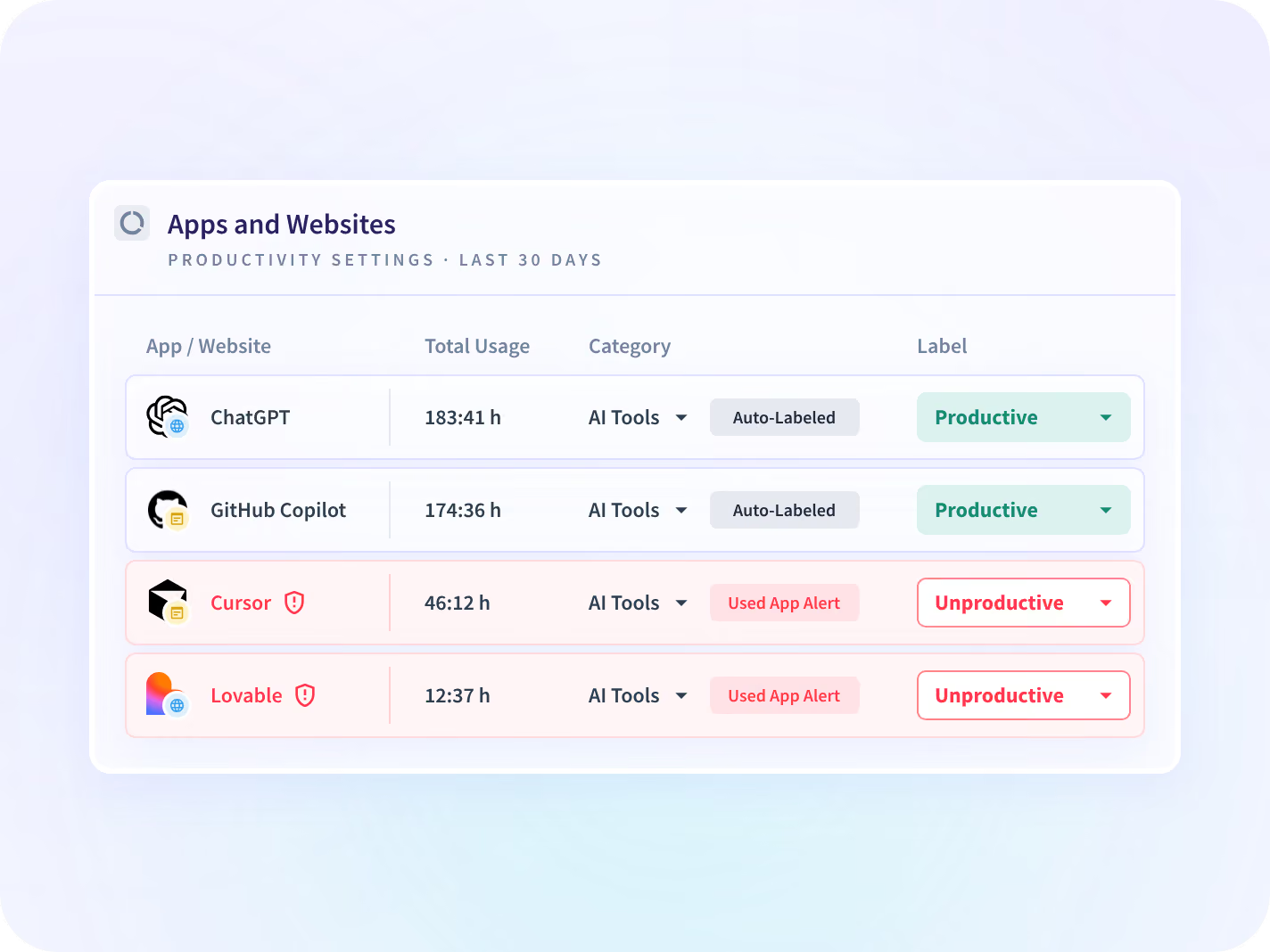
The tool that needs more than a list entry
You name an application or a site in Settings and the alert is live that day, on as few seats as the case needs. Insightful classifies nothing for you; the list of what matters is yours to write.
- Licensed to the seats one question needs, not to the whole company
- One security lead scoped his own evaluation to 10 licenses across a 675-person organization
Nothing typed into the tool is ever collected
The finding comes from the application and the domain, never from what is inside them. Collection scope is set per app, per team and per person before anything is deployed, published and dated.






A name on the list is the start, not the answer
Finding the tool is one question. What the approved ones cost, whether this is about software generally, and what a reviewer can read back are three more.

What are the approved AI tools costing?
The AI licenses you did approve, priced against the working hours spent in them.

What about unapproved software generally?
The same activity read for unsanctioned software of every kind, AI tools included among them.

Can somebody read the session back?
Which applications and pages were open, in order and timestamped. A Workspace Security add-on.
The tool nobody knew was load-bearing







Every place an unapproved tool can run, connected
It comes off the desktop rather than the systems you connected, so a tool nobody bought appears. 50+ integrations cover the rest. You can talk to your work data with MCP connectors.


The browser tab procurement never sees
What information security leaders ask us most
Not today. Application and website visibility ships now and covers unapproved tools, AI tools included, so you can see what is in use and act on it. You can also name a specific application or site yourself and be told the day it is opened, and you can set a policy line of your own and be notified when it is crossed. What is not here is automatic classification against your own approved list. That is rolling out, and it is not something to plan a rollout around yet. If it is the reason you are buying, ask where it stands on the call before you sign anything to it.
Shadow AI is the use of AI tools inside an organization without approval from IT or security, usually through a free tier or a personal account that generates no invoice and no vendor review. That is what makes it hard to find: procurement sees a tool somebody paid for, single sign-on sees one somebody connected, and a free assistant in a browser tab reaches neither. Insightful is a work insights platform. It collects hours, application use and meeting load from desk-based teams and reports them by team, each measure against the period before. Shadow AI surfaces in that activity, naming the tool, the team using it and the working time going to it, and nothing typed into it is captured. What comes back is a list of tools and teams. Which of those names is a risk is still your call.
By reporting the desktop application and the domain rather than the contents. If a team spends four hours a week in an AI assistant nobody approved, that shows up as application and website use, ranked by the working time spent in it. What was entered into it is never captured, on any application, at any tier. There is no keystroke logging at any tier, and no message, document or file content is read. The trade is real, and here it is: you get the tool, the team and the hours, and never the reason somebody reached for it.
Shadow IT reads the same activity for unsanctioned software of every kind, AI tools included among them. This page reads it for the AI half, and it exists separately because the buyer, the timeline and the objection are different: nobody convenes a committee about an unapproved diagramming tool. AI Spend is the third page in this group and it answers a different question again, which is what the AI seats you already pay for cost you while nobody opens them. Governance is this page. Spend is that one.
No. Insightful reports activity on devices where it is deployed, so a tool used on a personal phone sits outside what any desktop application on a company laptop can see. It is the honest gap in every discovery method here, including ours, and it is where a blocked tool usually ends up. Knowing that is part of deciding whether a block is the right move.


