.svg)


Your policy updates quarterly. Your back office changes daily.
Every trade in the front office is timestamped to the millisecond. The reconciliation, onboarding and review work behind it is estimated once a quarter, in a spreadsheet.












In three months at a leading US bank, after a 25% gap between billed and worked hours surfaced
Across 500+ daily cases at a global financial intelligence firm, with AI and non-AI work split by product line

That Peach Payments' own case study attributes to its remote-first operating model
Turn the quarterly policy into a daily record

Without Insightful

AI tools in daily use that nobody approved, with no record of which ones or how often.
Nobody can see how back-office capacity is used, so overstaffing is hard to argue.
The same review runs differently on each team, and a regulator is the first to notice.
Seats bought, tools deployed, and no way to tell whether anything changed.
There is no record until somebody asks for one, and then the scramble starts.

With Insightful

Which AI tools are open, which teams have them, and for how long each week.
Which back-office functions run below the utilization they were staffed for.
Time by step on each team, side by side, so you can map it to the documented process.
Which teams took up the tools you paid for, set against teams working without them.
Hours and application use recorded as work happens, exportable when a reviewer asks.
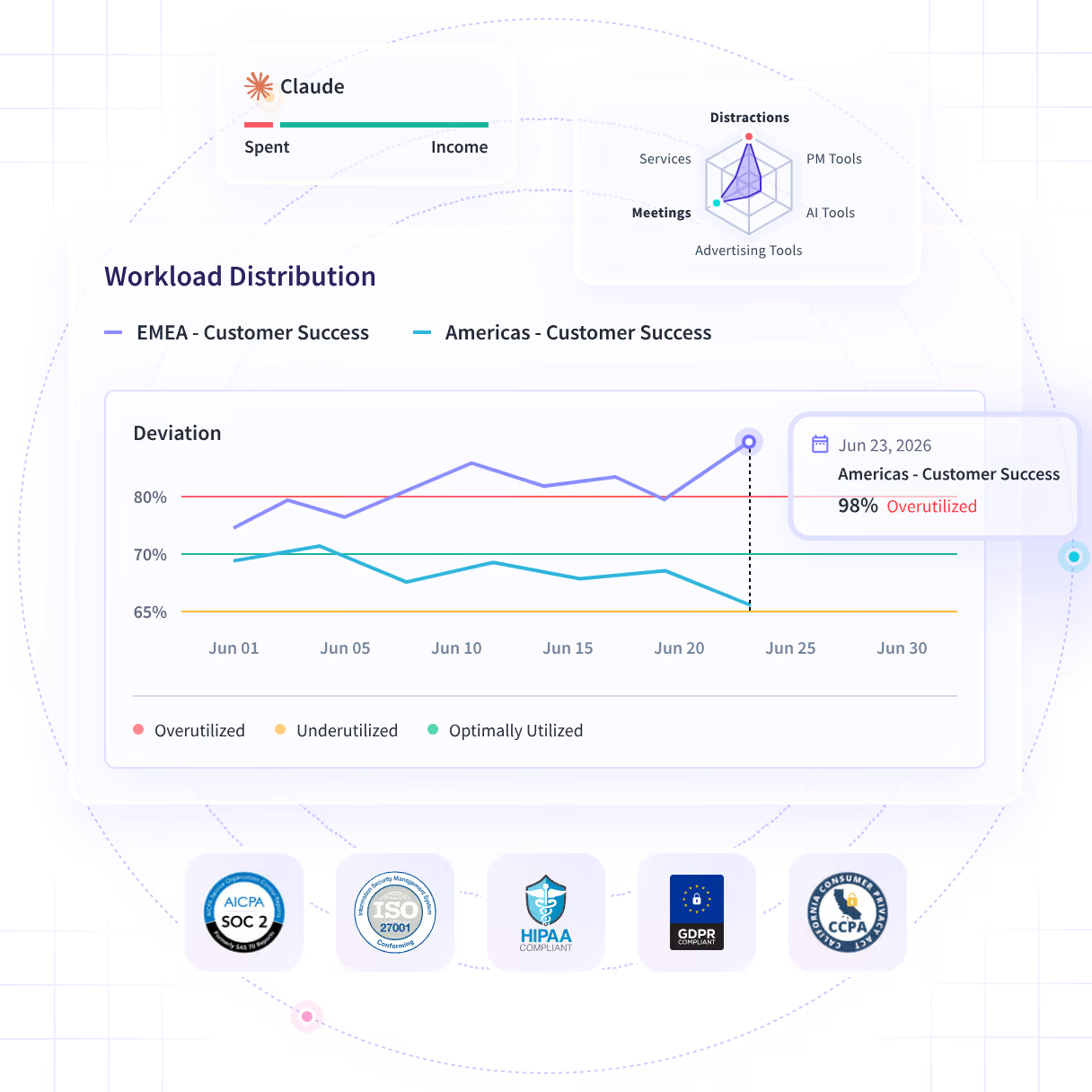
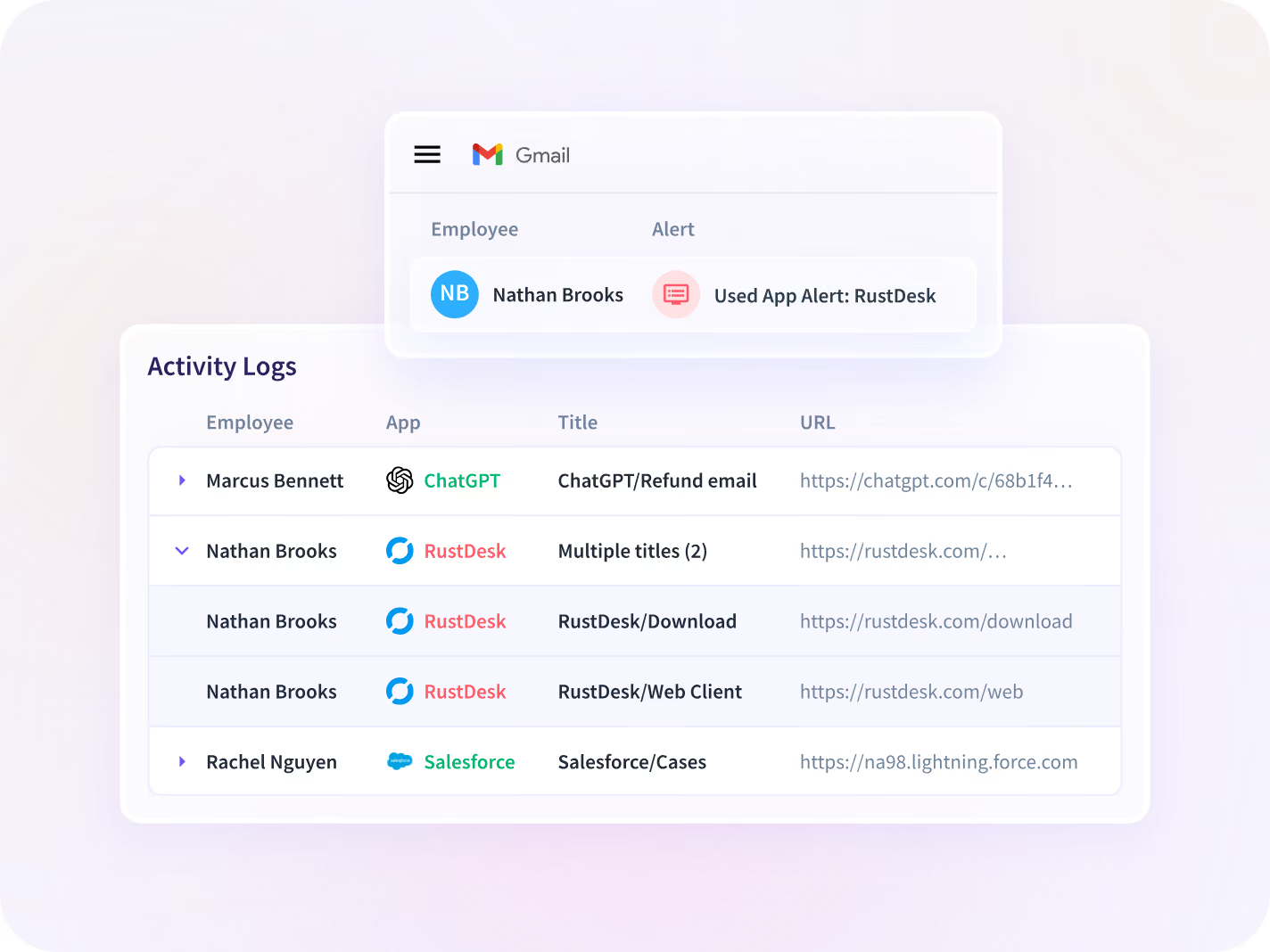
Find the AI tools running outside the firm's approved list
Usage comes off the endpoint rather than a vendor console, so an AI tool nobody bought through procurement still appears, with the team and the hours behind it.
- Flag AI tools outside the approved list, with the team using each
- Rank tools by how often each team opens them, week against week
- Expect a ranked list: AI-specific policy alerts do not ship yet
Justify back-office headcount with measured utilization
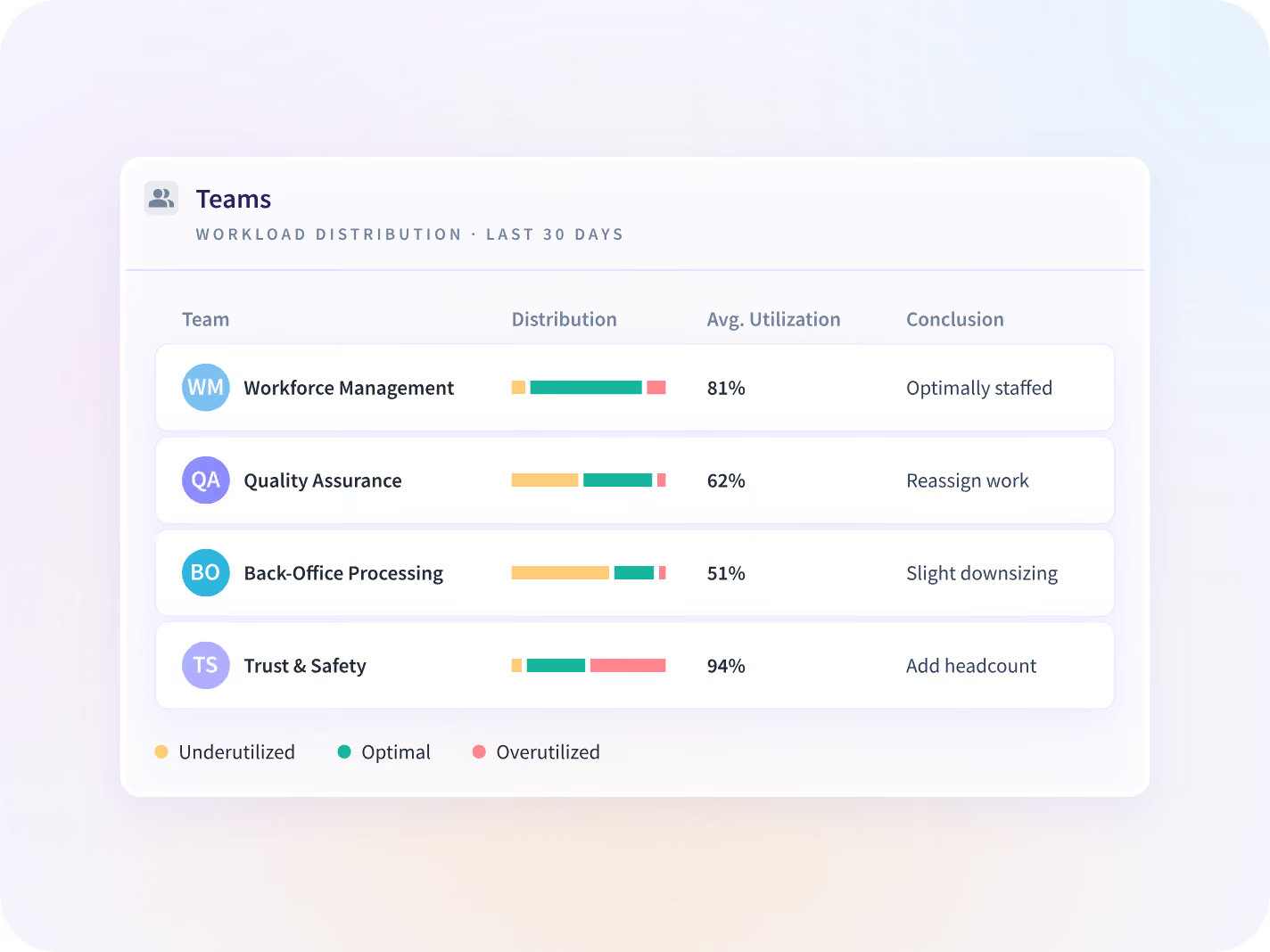
Every number carries its percent change against the same-length period before it, so a function running under its staffing level shows before the next hire.
- Compare utilization by function against the level it was staffed for
- Find the workflows absorbing the most hours per case
- Check for spare capacity before a new hire is approved
See which tools the policy missed
Renew AI seats on the hours people put into them
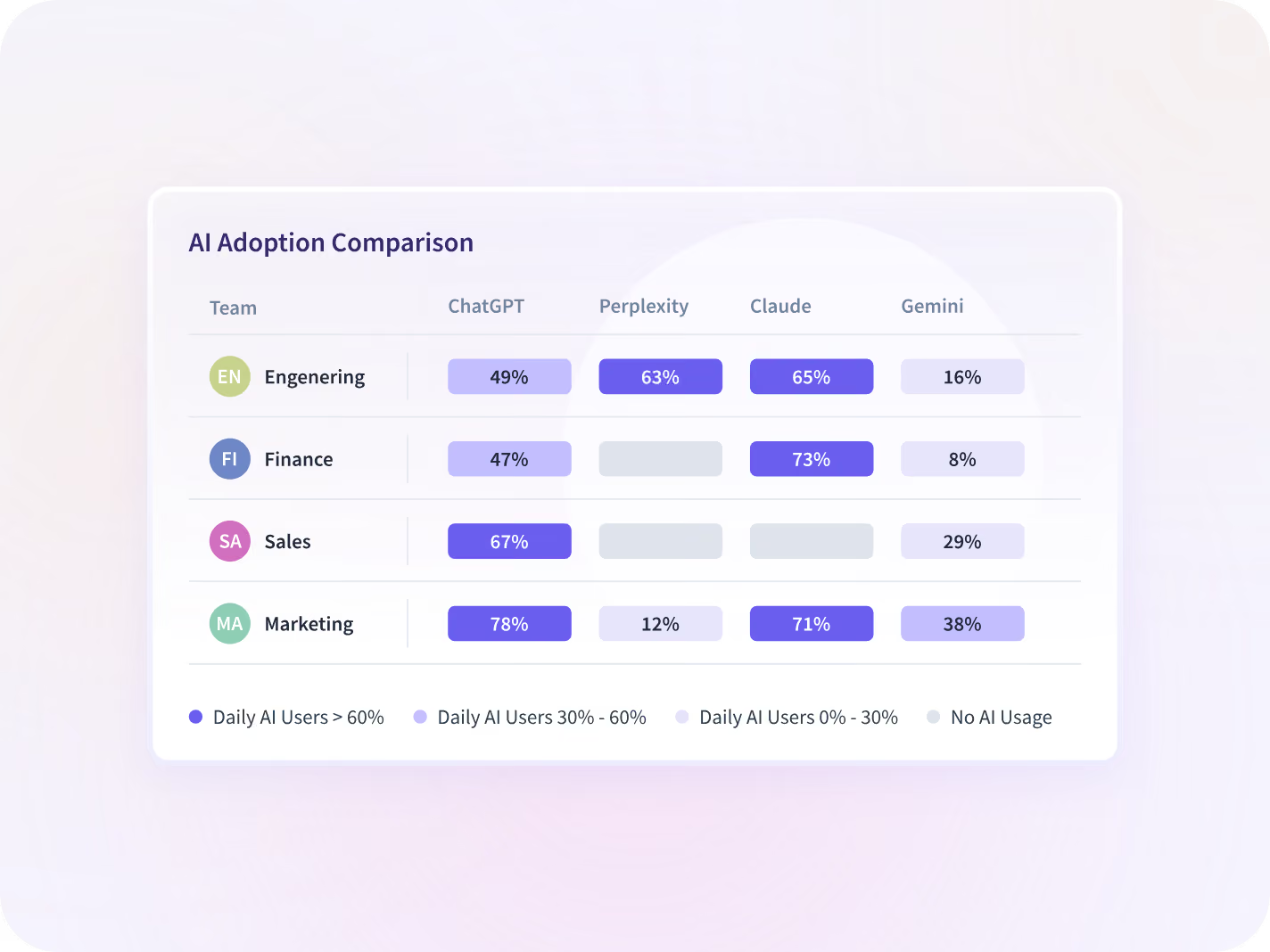
Every team is plotted across breadth and depth as Champions, Regulars, Deep Divers or Dabblers, and every seat comes back with the last date somebody opened it.
- Benchmark AI-enabled teams against teams working without them
- Resize the renewal on seats opened before the invoice is signed
- Compare adoption across tools, one function at a time
Keep capture away from systems holding client data
Capture turns off for a named application, a team or one person, and the whole deployment can run on your own infrastructure rather than on ours.
- Switch capture off for a named app, a team or one person
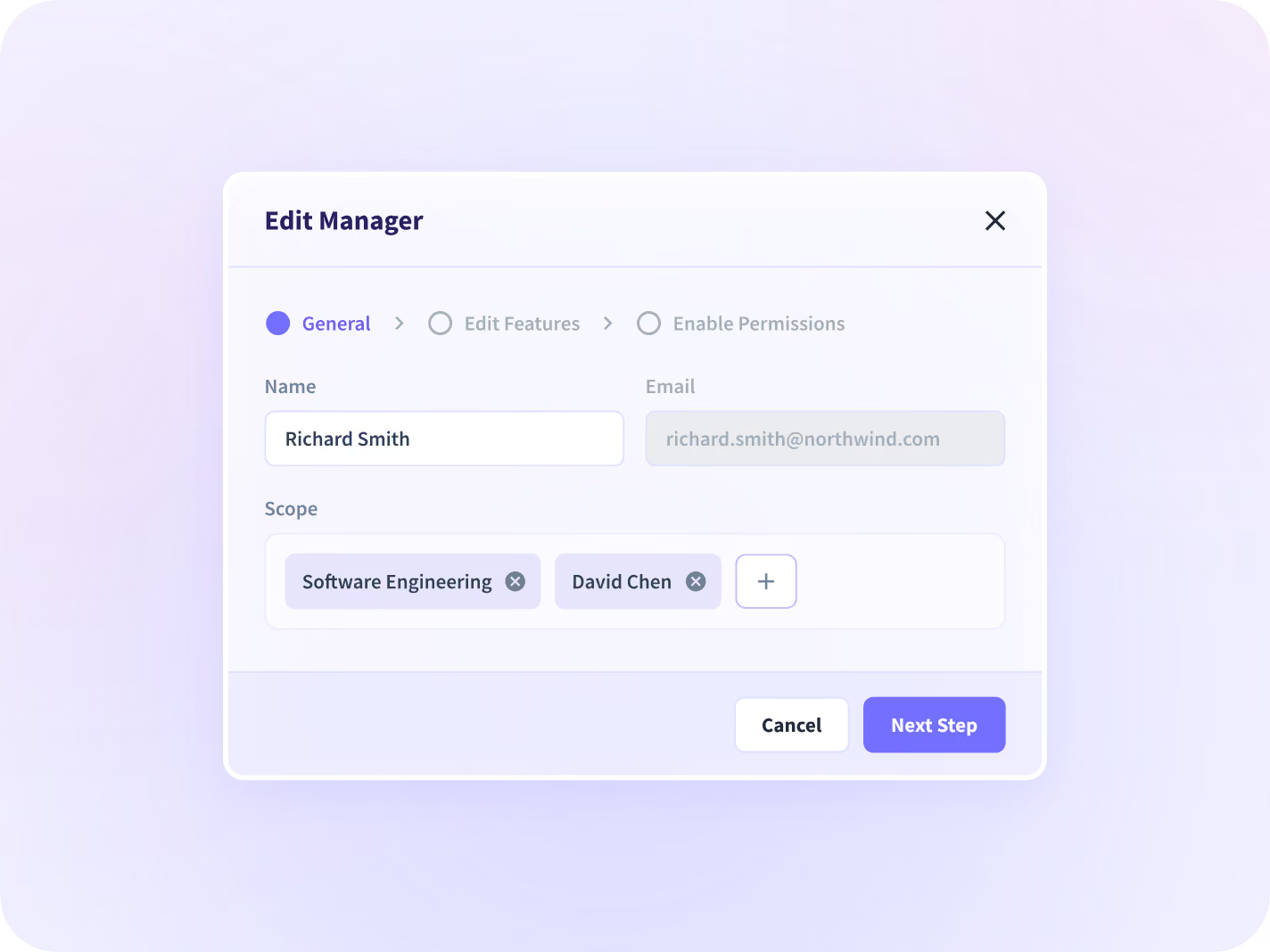
- Limit each manager to the teams in their assigned scope
- Deploy on-premise or in a private cloud you already run

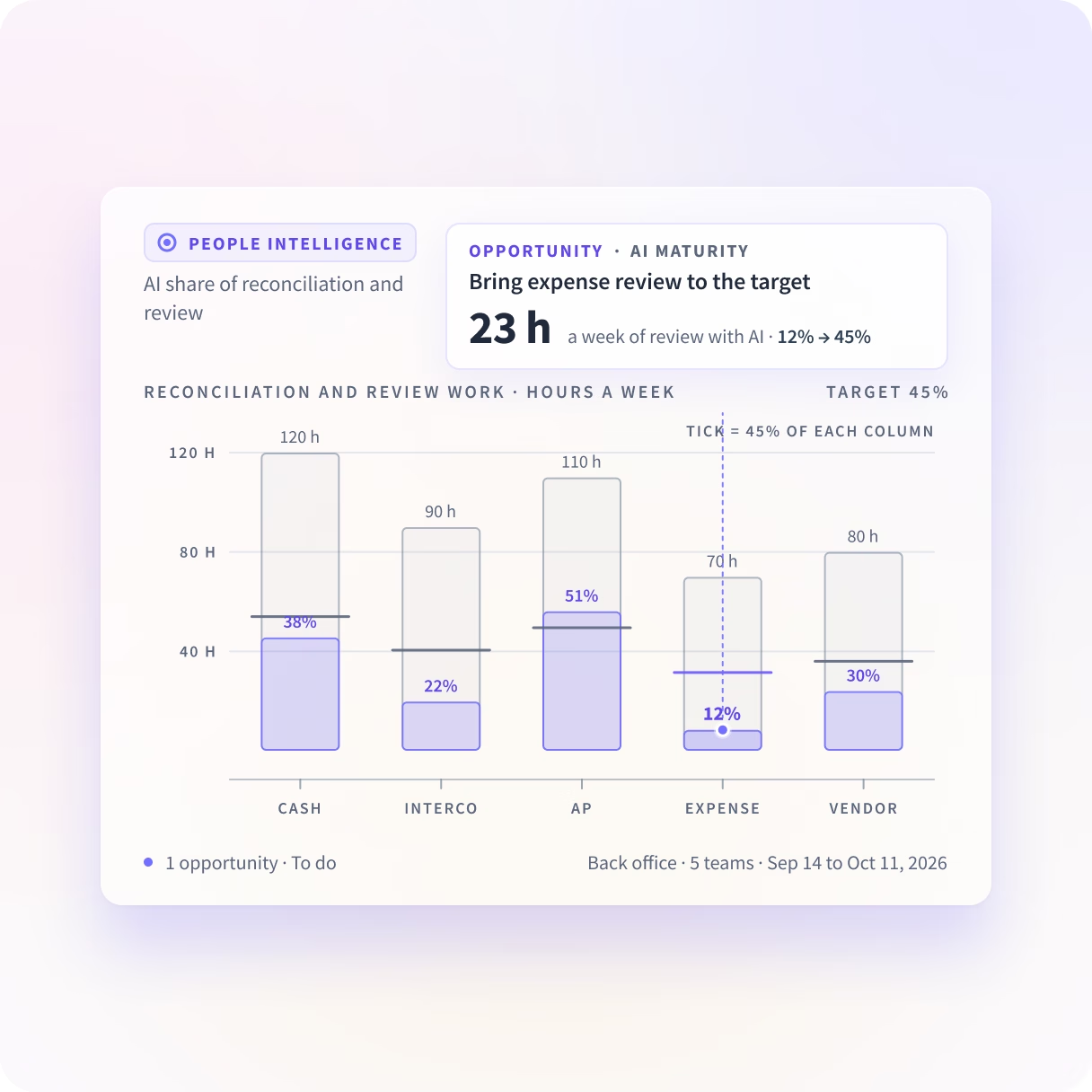
Which back-office teams use AI in the work itself?
People Intelligence shows how much of each team's reconciliation and review work touches an AI tool, and how deeply. It suggests the next step up, learned from the team ahead, and tracks that work's AI share to your target.
What is collected on a desk that handles client data
Narrow by design: Insightful collects the shape of work and not its content, and scope is agreed with your reviewer before install.






Three answers to have before the next regulator review
Together they show which tools the back office runs on, whether its staffing holds up, and what a reviewer can be handed on the day they ask.

Which AI tools are in use?
Every AI tool each team opens, ranked, with a last-opened date against it.

Can we justify the headcount?
Utilization by back-office function, read before the next hire is approved.

What can we hand a reviewer today?
Scope, encryption and residency on paper, plus admin history on the Audit Logs add-on.
Financial services teams that chose to know
The AI question, the headcount case and the review file come off one record of back-office work, instead of three requests to three teams.






Every system your financial services team runs on, connected
Insightful connects to the project, HR and service tools a financial services back office already runs on. You can talk to your work data with MCP connectors.


Read the back office daily, not once a quarter
What financial services leaders ask us most
Shadow AI is any AI tool someone uses without approval from IT or compliance, and sensitive data can go into it. Insightful surfaces every AI tool in use across your teams, how often each is open and which teams have it, so an unapproved tool is visible before it becomes exposure. What it shows is usage rather than intent: it will tell you a team opened a tool forty times last week, and not what they put into it.
It produces evidence. It does not discharge an obligation, and that distinction is the first thing a compliance officer checks. Insightful is a work insights platform. It collects hours, application use and meeting load from desk-based teams and reports them by team, each measure against the period before. Kept continuously, that becomes a record of how work moved through a back-office process, there before anyone asks and exportable when they do. Your program still owns the controls, the testing and the attestation.
Yes, and the reporting is the same wherever someone sits. It deploys on-premise or in a private cloud, supports teams across multiple locations, and infers working setting from the network rather than from GPS. The report says office or remote and nothing finer. It does not report an individual's physical location, which answers the next question.
Insightful holds a SOC 2 Type II report, audited annually. Compliant: HIPAA, GDPR and CCPA, which are regulations rather than certifications, and being exact about which is which is the point. Data is encrypted at rest with AES-256 and in transit with TLS 1.2, with keys in Google Cloud KMS. On-premise or private cloud installation keeps it off shared infrastructure, and access is scoped by role. The control that matters most is what gets collected at all: applications and pages used and for how long, with no keystrokes, no audio or video and no content of any message or document.
A first read arrives within 14 days. It runs on the desktop application with little change to how people already work. The first two weeks show which AI tools are in use, where utilization is lowest, and how time splits across the steps of whichever processes you scope. What two weeks cannot tell you is whether a process has drifted, because that needs a period to compare against.
Workforce Analytics shows the input, from the time perspective. People Intelligence shows the output, and what happens in between. Here, that means which back-office teams have AI inside reconciliation and review work, and which have it open beside the work. We see the apps, sites and AI tools your teams use, and what they do in them.


