


Move work to people with room before you hire
Hiring requests start from one team-wide number. We show what each person is spending time on, and suggest how to reorganize to maximize output.


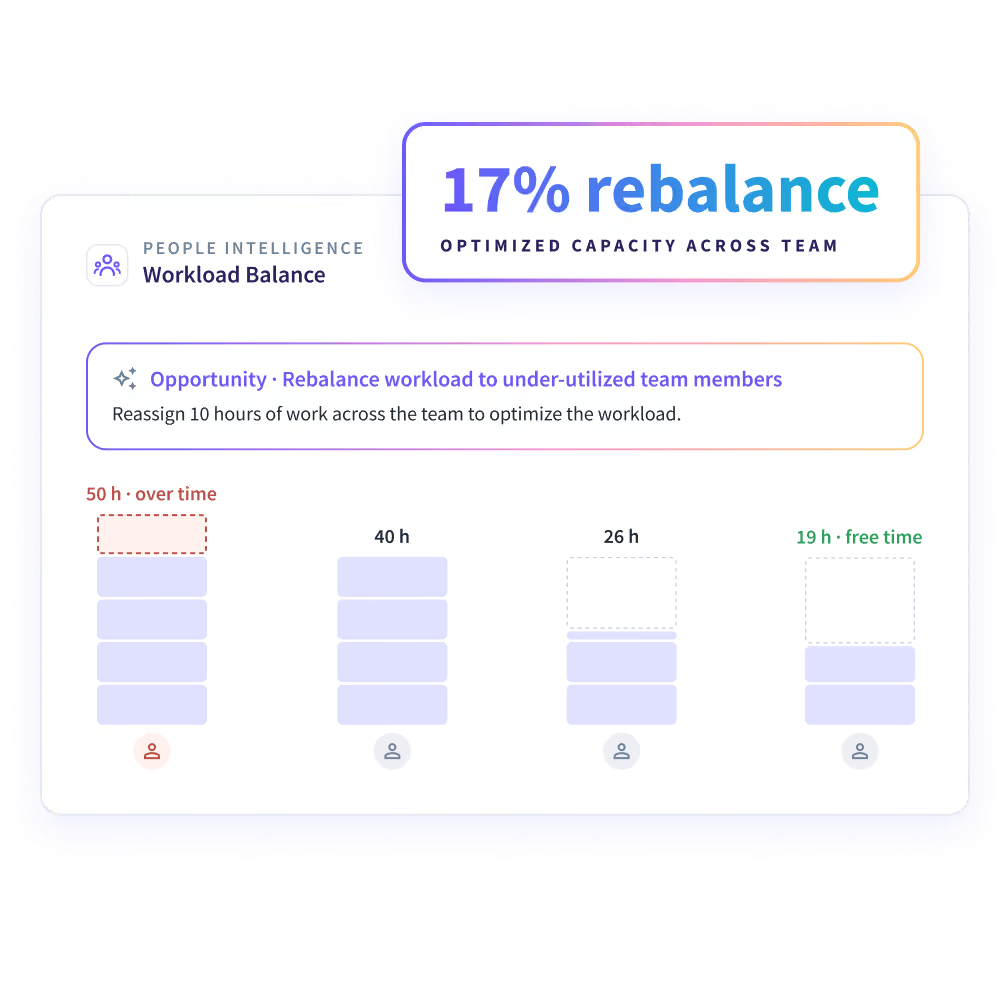


A team at 100% utilization can still be unevenly loaded
A utilization figure averages the whole team. It hides who holds the hours and who has time to give.


Find who has room before you open a new role
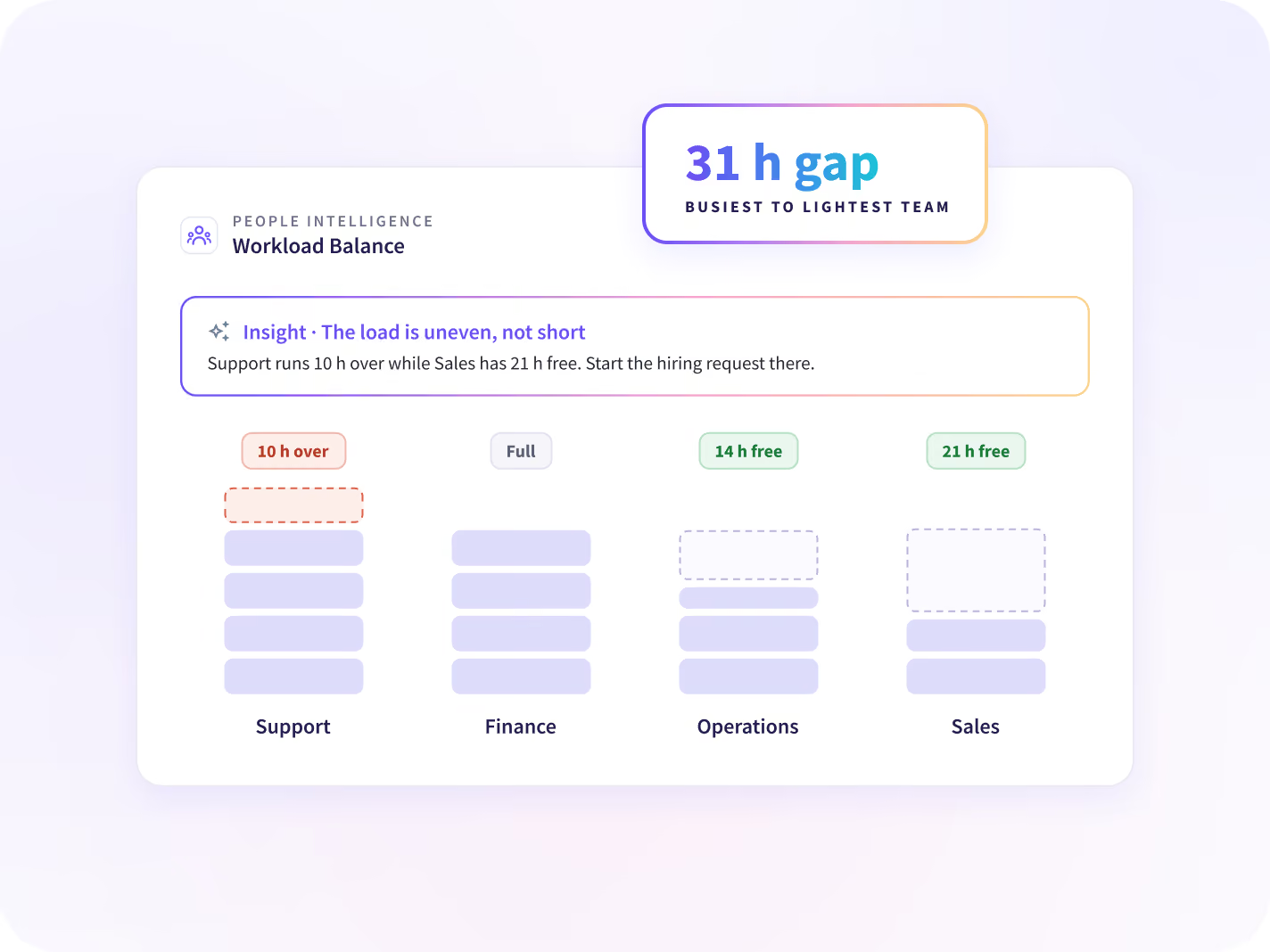
See how evenly hours and work are spread across each team. A high load isn't good and a low one isn't bad, only uneven. Start the hiring request there.
- Who is stretched and who has room, per team
- How evenly each kind of work is shared
- The gap between the busiest and the lightest
Know when a whole team's hours rise or fall together
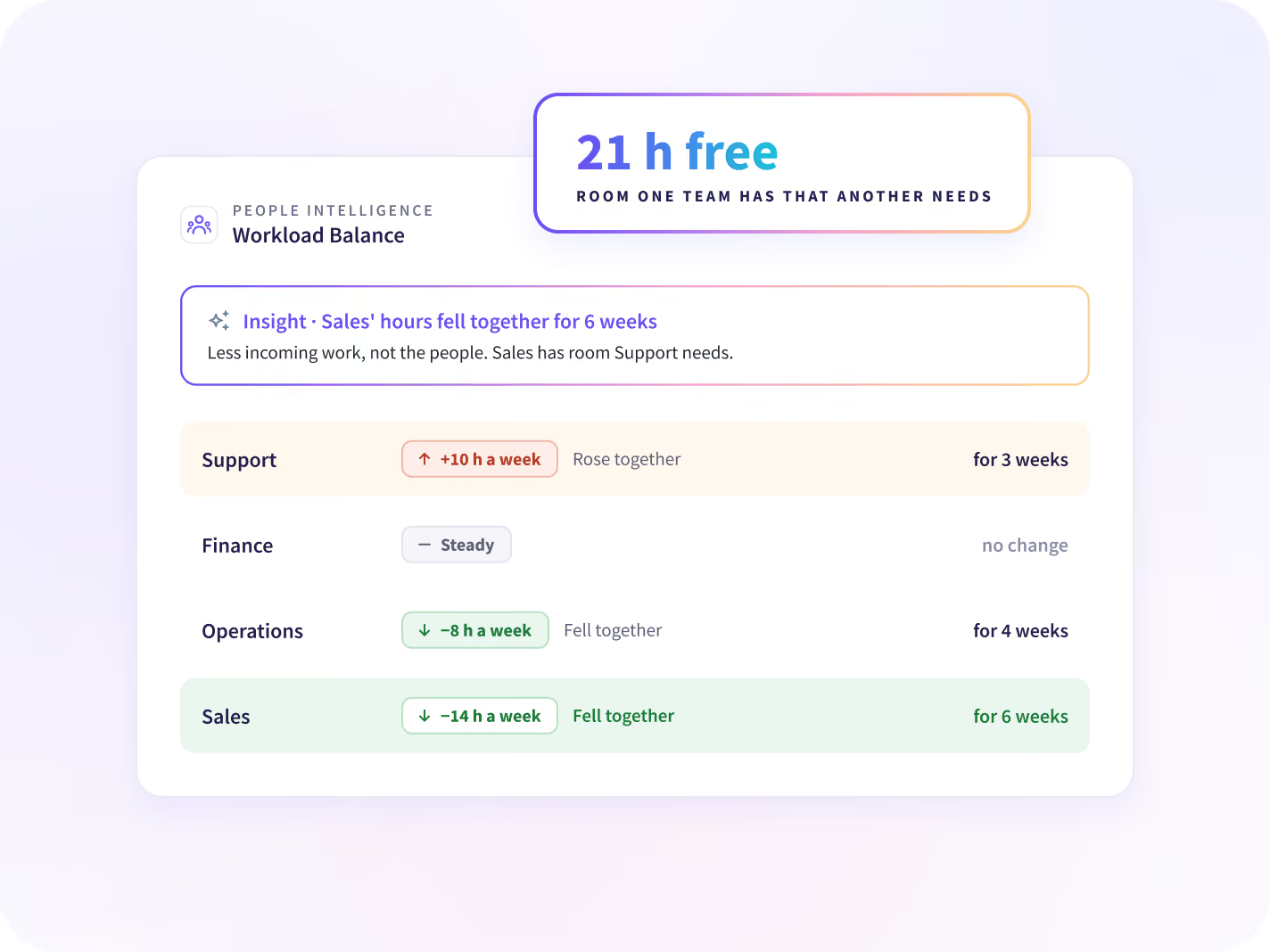
When a whole team's hours drop together, that points to less incoming work, not to the people. That team has room another team needs. Move work there before you hire.
- Teams whose hours rose or fell together
- How long the change has lasted
- Room one team has that another needs
Hire, or share the work out first?
Get the steps to even out each team's load
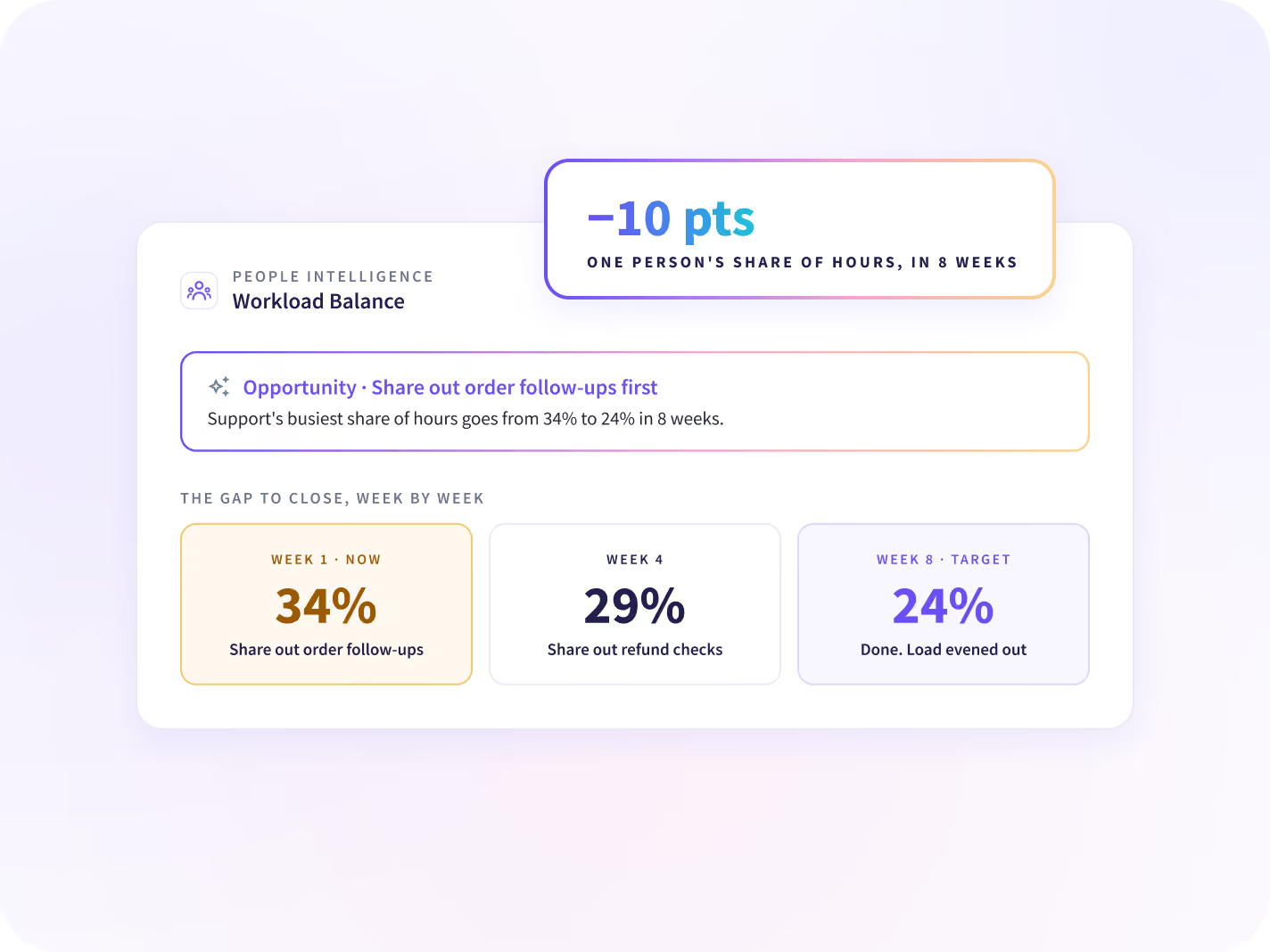
Each suggestion names the work to share out first and the steps to take. The target is the gap between the busiest and the lightest person. The team lead knows what done means.
- Example: one person's share of hours, 34% to 24%
- Which work to share out first
- The gap to close, week by week
Decide whether to hire, backfill or resize the team
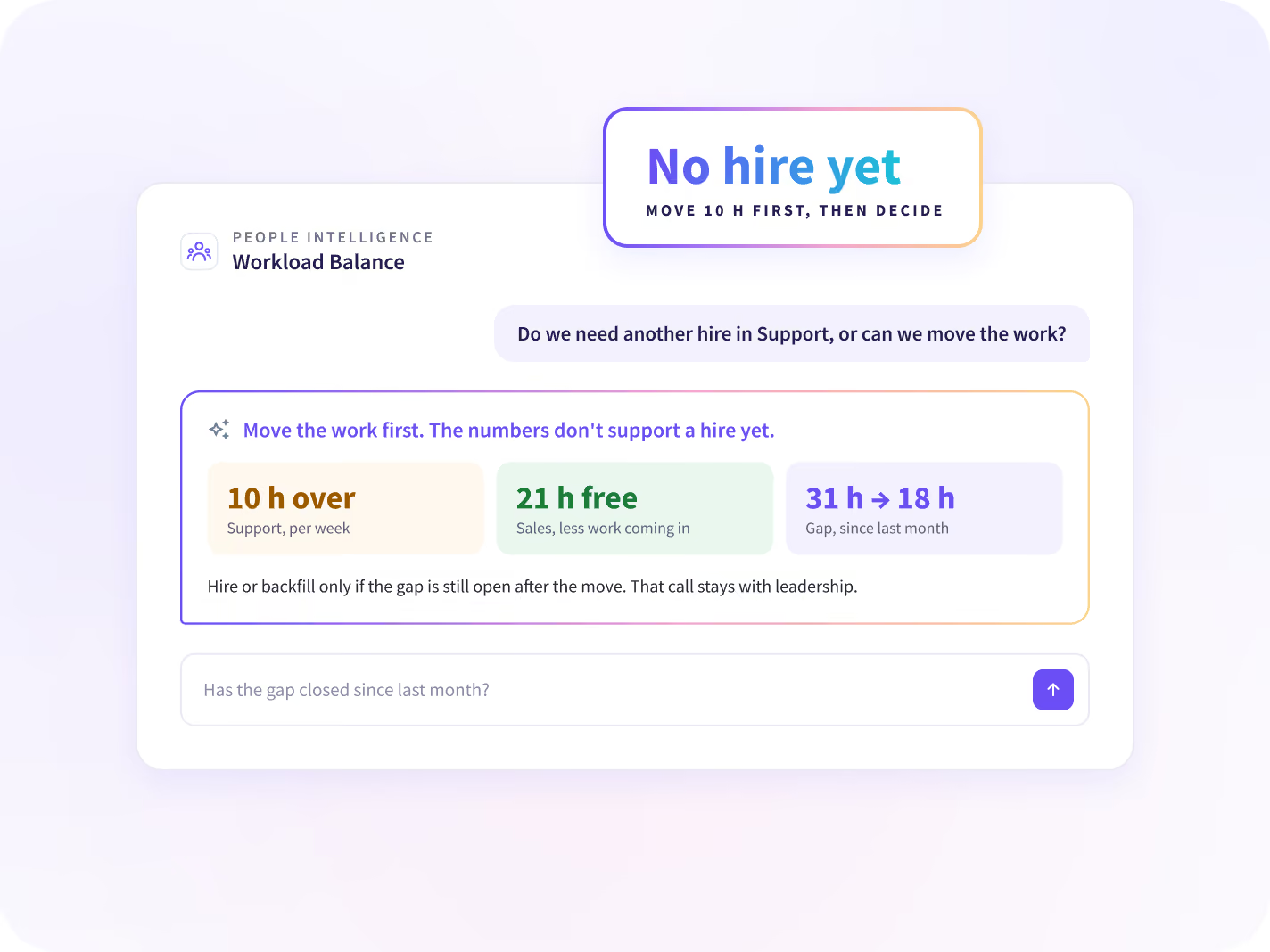
When sharing the work out isn't enough, check the numbers before you decide. You get each person's hours, the gap and how it moved. Leadership makes the call.
- Do we need another hire, or can we move the work?
- Is this team's drop less work coming in?
- Has the gap closed since last month?
What we see, and what we never collect
Insightful sees the apps, sites and AI tools your people use, and how they use them. It does not log content or capture keystrokes, messages, and documents.






Once the load is even across each team
Three questions follow, and each has its own answer: where the week goes, what breaks up the day, and how HR plans capacity.

Is the week going to the core work?
Each team's week splits into its core work and the rest, compared with a team doing it lighter.

What keeps breaking up the day?
Meetings, messages and evening work show how each team's day is set up, with one change to make.

How does HR plan capacity?
HR leaders find the room the company already has before workforce planning asks for more.
See each team's load by role and manager
Connect Workday, Entra ID, Zoho or another HR system, and each person's work is matched to their role, team and manager. People Intelligence starts from data the desktop app already collects, with nothing to set up first.


Your next hiring request comes with the numbers behind it
Questions about workload balancing
What workload balancing means here, what we look at, and what stays out of it.
Workload balancing means sharing a team's work so no one carries far more than the rest. Since one utilization figure hides who holds the hours, People Intelligence shows the spread inside each team against the team's own middle. It then suggests how to reorganize the work, with a starting point and a target.
Workload management usually means planning and assigning tasks. Workload balancing looks at how the work is spread across a team, from the hours people already work. People Intelligence shows that spread and whether the gap is growing, and suggests how to even it out.
Workforce Analytics shows each team's utilization against your target and the range across the team. People Intelligence shows what each person is spending time on, who has room and who carries too much, and suggests how to reorganize the work. It runs on the data Workforce Analytics already collects.
No. Load is not performance. A high number isn't good and a low number isn't bad, only uneven. People Intelligence shows the spread so the work can be shared out, and it doesn't say who should take it on. The manager chooses the people, because they know the team.
Workload Balance is about sharing the work your teams already have, before you ask for more people. Moving work inside a team comes first. Hiring, backfill and team size stay leadership decisions, made with the same numbers behind them.
Workload Balance is part of People Intelligence, which comes in the Insights and Intelligence plans. To get started, request a Work Audit. We show your first opportunities on your own data 14 days after the agent is deployed. Prices are on the pricing page.
Insightful does, with People Intelligence. It suggests how to reorganize work from the hours and apps people already work in, with no task lists or timesheets to fill. Each suggestion comes with a starting point and a target, so you can follow whether the load evened out.


