


See what to automate first with Process Intelligence
Insightful Process Intelligence shows how work flows across your company, suggesting which highest-value processes to improve or automate.


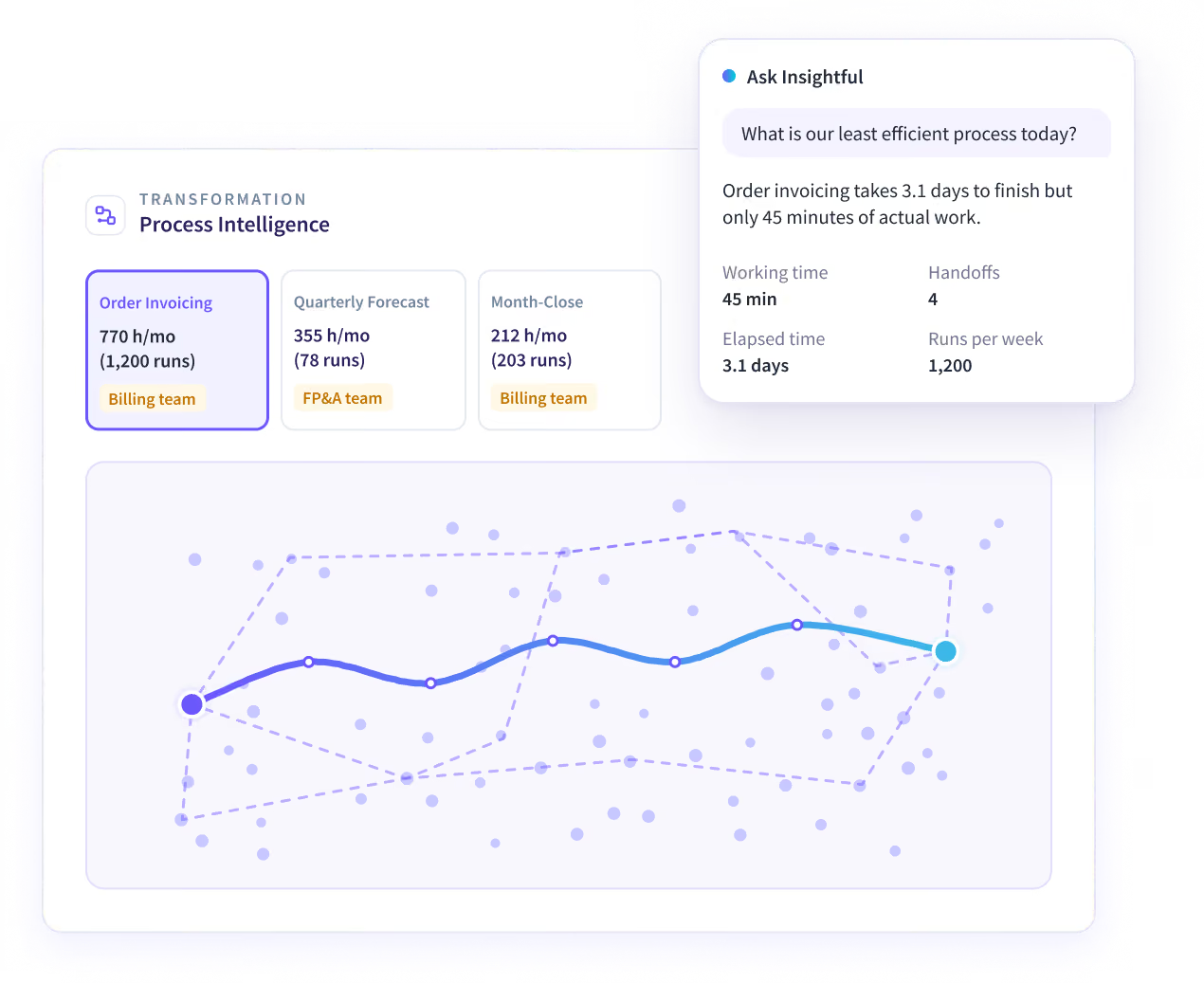


What you can do with Process Intelligence
Process Intelligence maps each process as it runs, suggests what to transform or automate first, and tracks every change before and after.
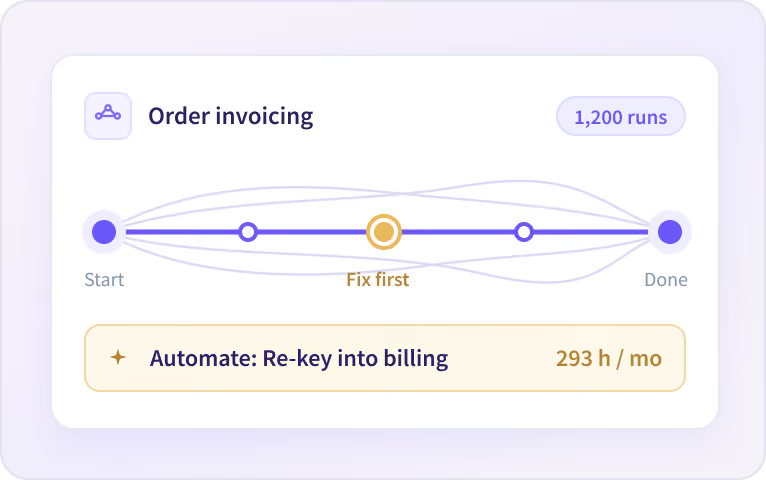
See what to fix or automate
Insightful maps how each process really runs, step by step, and shows you what to fix or automate first.
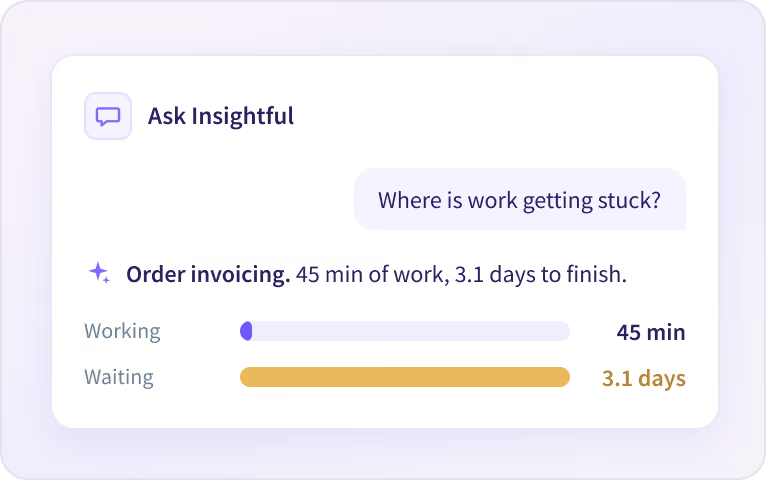
Ask what’s slowing your processes down
Ask Insightful anything, in your own words. It answers in seconds and shows the numbers behind it.
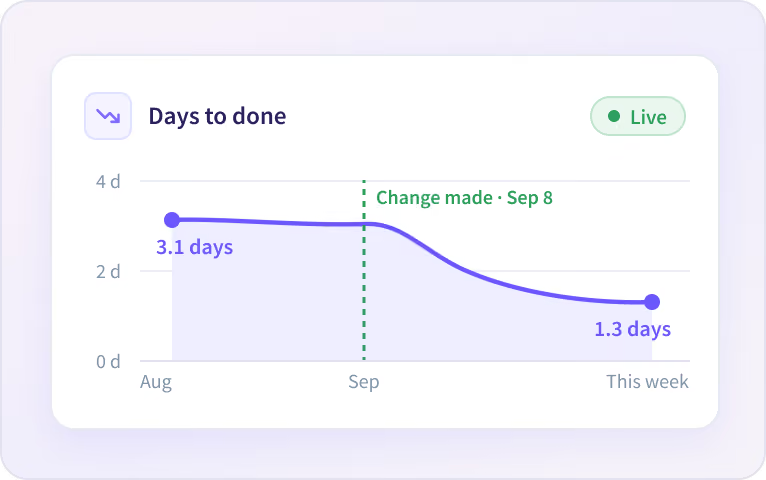
Turn any answer into a report
Insightful saves any answer as a report and keeps it up to date, so you see if a change is paying off.
Five Process Intelligence use cases for improving processes
Each one shows how work flows today and suggests what to change, with a number to track.

Map Workflows
See how every process really runs. We map it from daily work, not from SOPs or interviews.

Prioritize Transformation
See which processes are critical to your business and learn which ones to transform first.

High-Value Automations
Map the manual steps in your processes and suggest how to automate them.

Cost-Effective AI Spend
Find the steps where AI would save the most time, and spend your AI budget there first.

Prove ROI
Measure the outcomes of your process changes and track performance over time.
Start with a Work Audit
Request a work audit and get your first opportunities in 14 days.
How Process Intelligence works
We see which apps, sites and AI tools people use, and how they use them. We map each process as it runs, find where to improve and what to automate, and track every change before and after.
What changes with Process Intelligence
Most process work starts with interviews and workshops. Process Intelligence starts with how the work really runs.


Built for AI Transformation and Executives
Each team sees the processes in its own area.

Digital Transformation
Get step-level detail on every automation candidate, ranked by how often it runs.

Process Excellence
Replace an SOP nobody follows with a step-by-step map of how the work runs, and where it breaks.

Operations
See where work stalls or changes hands between teams and systems, and what each delay costs.

Human Resources
See how work runs across every team, and which steps can be agentified before the next hire.
Private by default
Insightful sees the apps, sites and AI tools your people use, and how they use them. It does not log content or capture keystrokes, messages and documents. We never use screenshots for processing or intelligence.






Connect to the systems your processes run on
Process Intelligence reads how work moves across the apps your teams already use.


Map the work before you automate it.
Questions about Process Intelligence
What Process Intelligence does, how it treats people's data, and how to get started.
Process intelligence is the use of work data to see how processes run, step by step, and decide what to improve or automate. Insightful Process Intelligence shows how work flows across your company, from the apps and AI tools people already use, and suggests which processes to improve or automate first, with the hours each one takes.
Process mining starts from the event logs your systems keep, so it sees the steps those systems record. Task mining records desktop actions, often with screenshots, for processes you pick in advance. Process Intelligence maps processes from how work runs across all your apps, including email, spreadsheets and AI tools, with no screenshots.
The Insightful desktop app records which apps, sites and AI tools people use and what they do in them. Process Intelligence groups those actions into steps, joins the steps into processes, and maps each one across everyone who runs it: the tools, the time per run, the waits between steps and the variations. No process maps or workshops first.
It works for processes people run at a computer, on Windows, macOS and Linux, across any mix of apps: order to invoice, month-end close, claims, ticket handling and other work that repeats. It doesn't cover work done away from a computer. AI transformation, operations and process excellence teams use it to decide what to change first.
No, not by default. People are anonymous in every process view, and each process is shown by its steps, tools and time, whoever does the work. Showing names is an option your company can turn on. We never capture messages or documents, and Process Intelligence uses no screenshots or screen recordings.
Book a demo and we'll scope a Work Audit with you. Once the desktop app is deployed, we show your first mapped processes within 14 days, on your own data: the steps, the tools, the time per run and where work waits. Each one comes with what to improve or automate first, and our team goes through the results with you.
No. Process Intelligence shows what to automate: the manual steps in each process, ranked by hours, how often the work runs and how consistent the steps are, with the step-by-step detail your automation team builds from. Once a change ships, it compares the process before and after, so you can see whether hours and cycle time went down.
Process Intelligence is part of the Intelligence plan, which also includes Workforce Analytics and People Intelligence. There is no standalone version. Pricing for the Intelligence plan is shared on request, so book a demo to talk it through. One department can run on the Intelligence plan while the rest of the company stays on another plan.


