


Bring AI into the work that moves your goals
Access to AI is easy to count. We show what each person is doing with AI, and suggest what each person should do with AI to accelerate your goals.


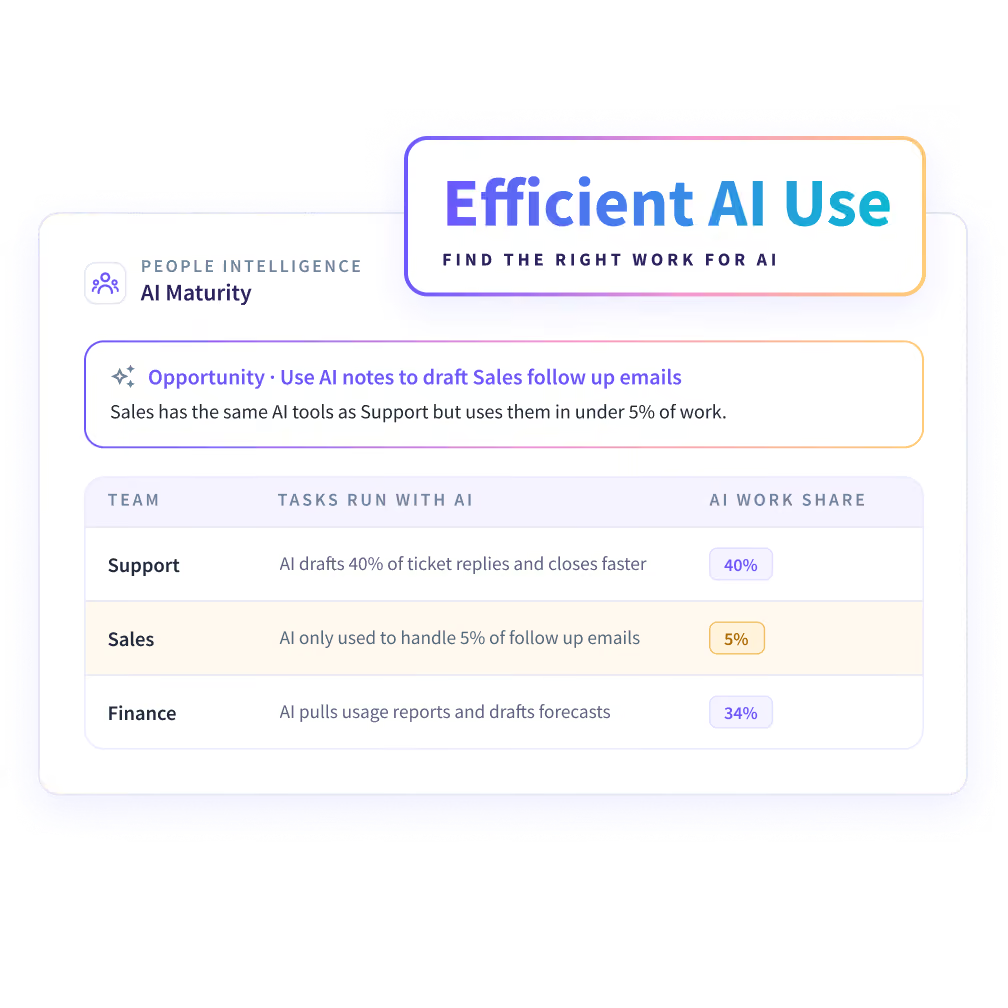


Your people have AI. Is it moving your goals?
Seat counts tell you who has access. They don't tell you which work AI reached, or where it should go next.


See which work your teams already do with AI
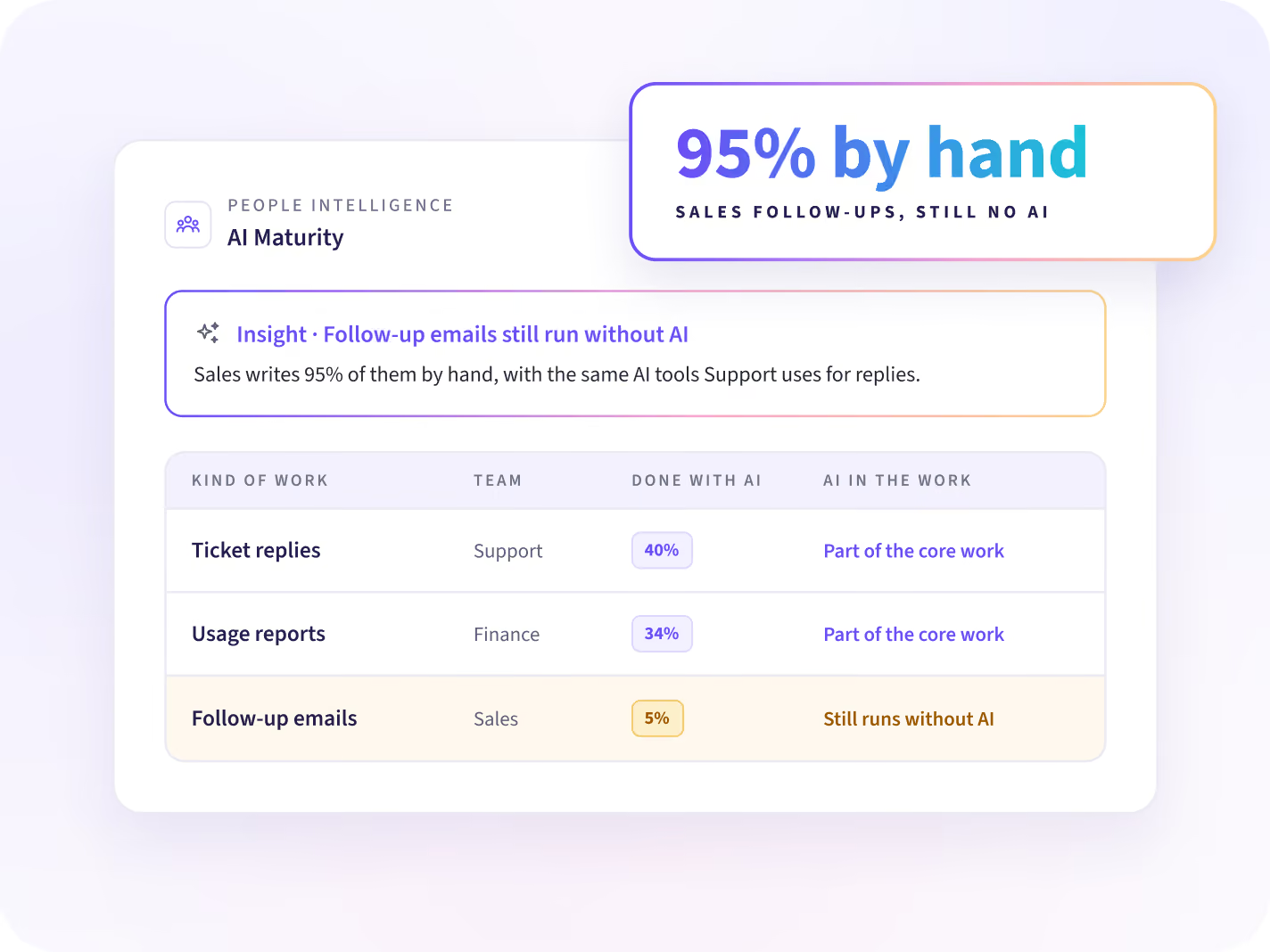
See how each person uses AI in the work they do, and which kinds of work still run without it. Each kind of work gets its own share. Start your next AI plan there.
- Share of each kind of work done with AI
- Where AI is part of the core work
- Work that still runs without AI
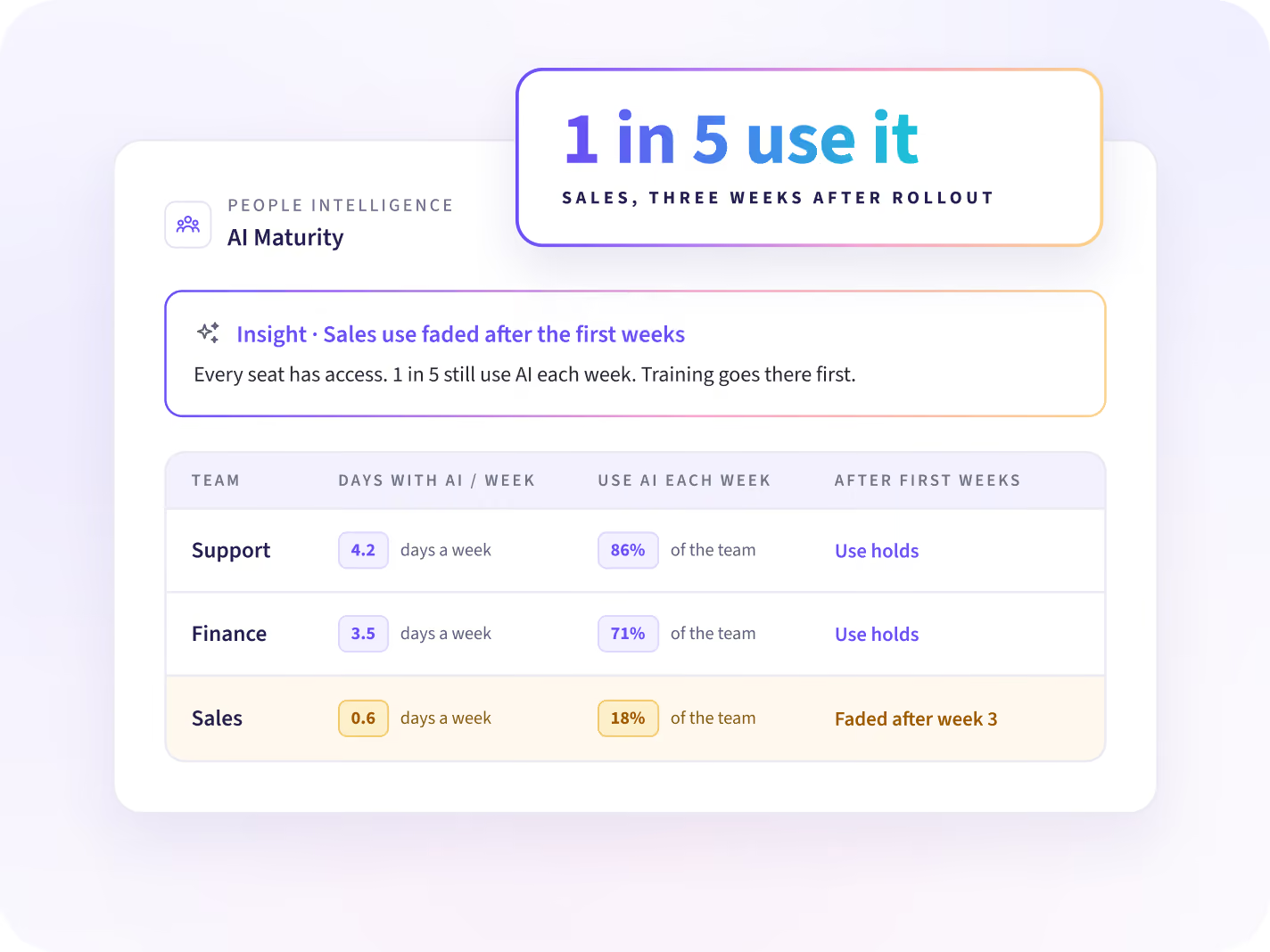
Know who works with AI daily and whose use faded
Access and daily use are different numbers. See how many days each person works with AI, and whether use holds after the first weeks. Training goes where use faded.
- Days each person works with AI
- Use that started and then faded
- Teams where most people use AI each week
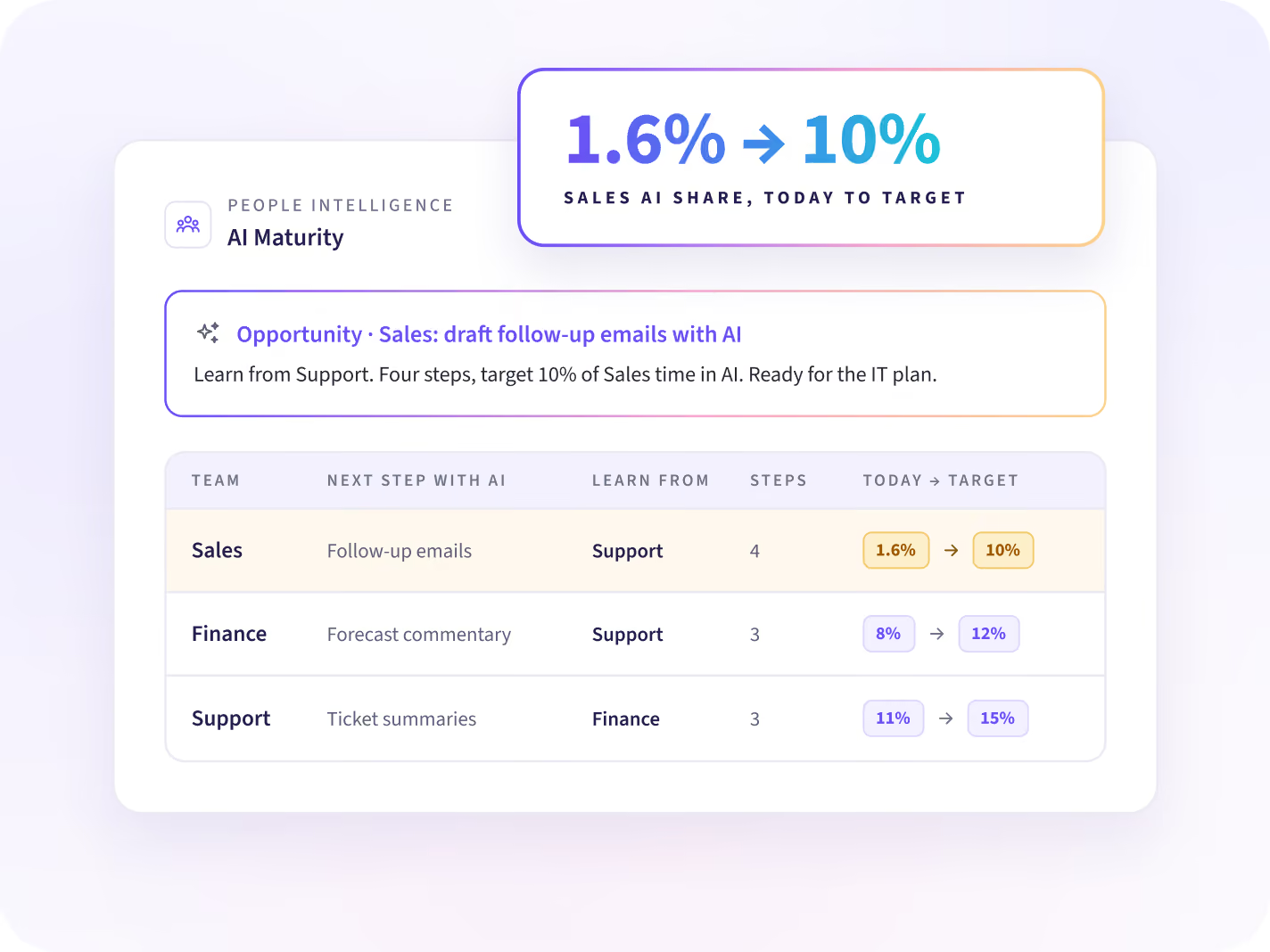
Where does AI fit your goals?
Agree each team's next step with AI, and its target
Each opportunity names the next step with AI for one kind of work, taken from a team in your company that already works that way. It comes with the steps and a target. Report it in your IT plan.
- Example: AI share on one team, from 1.6% to 10%
- The team in your company to learn from
- The steps to get there
Show the board how much of the work uses AI
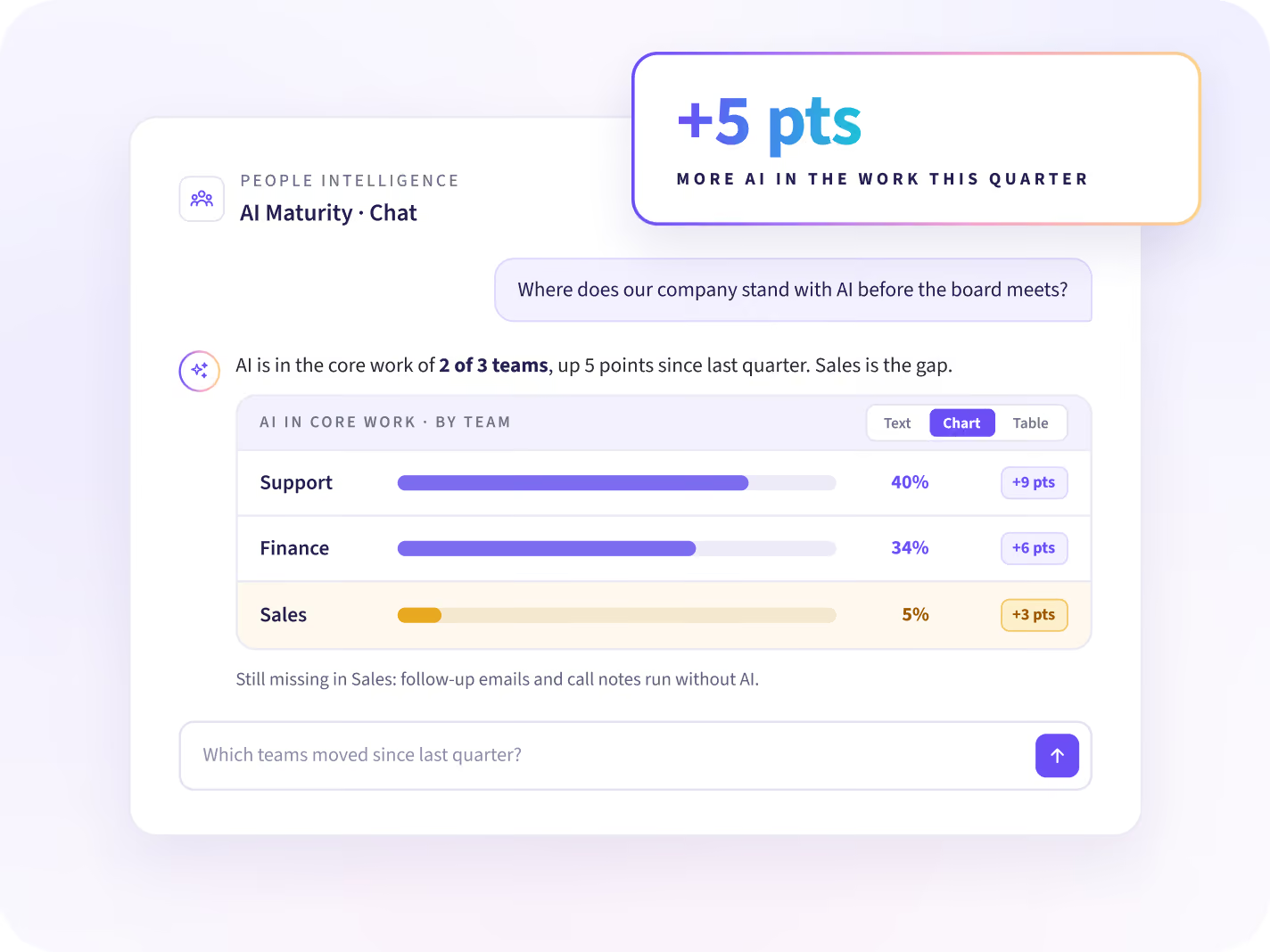
Ask where your company stands with AI before the board meets. The answer comes back by team, as text, a chart or a table. Progress shows in each update.
- Where is AI part of the core work?
- Which teams moved since last quarter?
- Where is AI still missing from the work?
What we see, and what we never collect
Insightful sees the apps, sites and AI tools your people use, and how they use them. It does not log content or capture keystrokes, messages, and documents.






Once you know where your teams use AI
Three questions follow, and each has its own answer: which tools each team uses, where the week goes, and what IT takes to the board.

Which AI tools does each team use?
Workforce Analytics lists every AI tool in use and the time each team spends in it, ahead of renewal.

Where does the rest of the week go?
Each team's week splits into its core work and the rest, with a team doing it lighter as the reference.

What does IT take to the board?
IT leaders get a view of where tools and AI change how the work gets done.
Match each person's AI use to their role and team
Connect Workday, Entra ID, Zoho or another HR system, and each person's work is matched to their role, team and manager. People Intelligence starts from data the desktop app already collects, with nothing to set up first.


Start your next AI rollout where AI isn't used yet
Questions about AI maturity assessment
What AI maturity means in People Intelligence, what we look at, and what stays out of it.
An AI maturity assessment shows how deeply AI is part of each kind of work in your company. Since a survey or a seat count stops at who has access, People Intelligence reads it from the work itself. Each team gets a next step, with a starting point and a target.
People Intelligence places each kind of work at one of four stages: Absent, Exploring, Embedded and Automated. The stage comes from how much of that work happens in AI tools and how often people use them. A team's next step is the stage above, taken from a team in your company that already works that way.
Workforce Analytics shows which AI tools each team uses and for how long. People Intelligence shows what each person does with AI in their work, and suggests what each person should do next to reach your goals faster. People Intelligence runs on the data Workforce Analytics already collects.
A vendor dashboard counts activity inside one tool. People Intelligence looks at the work itself, across every AI tool and the apps people use alongside them. That shows which kinds of work AI reached, which it missed, and what each team should change next.
No. AI built into apps like Office, Teams or HubSpot doesn't show as a separate tool, so every AI share we report is a minimum. People Intelligence covers desk-based work on Windows, macOS and Linux, through the same desktop app Workforce Analytics uses.
No. People Intelligence records which AI tools people use and how they use them. It does not log content, so prompts, responses, messages and documents stay out of it. It doesn't judge the quality of AI output or the model a person chose.
No. People Intelligence compares teams with teams doing the same work, and each person with their own normal. Nothing is ranked or scored, and it doesn't say a task should use AI. Every suggestion is about the work, and leadership decides what to change.
Start with a Work Audit. We show your first opportunities on your own data 14 days after the agent is deployed. Workforce Analytics customers turn People Intelligence on for one department, with no reinstall. People Intelligence is part of the Insights and Intelligence plans.


