.svg)


Find the capacity you already have before you approve the hire
Three teams have asked for a head and the headcount model cannot say which one has room. Insightful reports utilization by person, team and site, from hours collected as the work happens.


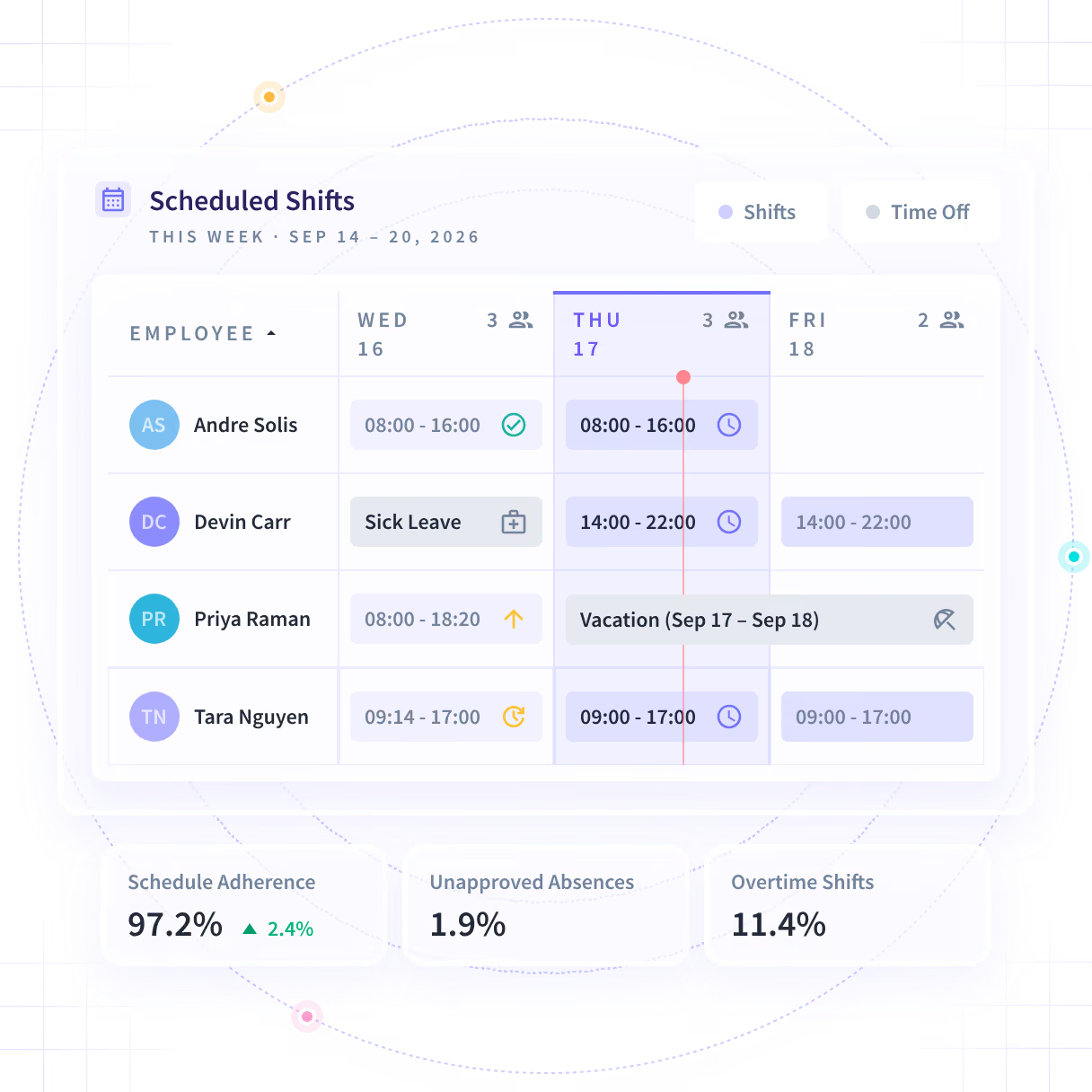











Three hours a week per person, across 1,500 people, off manual timesheets.

Down from 80 hours of assembling the same picture by hand.
Turn the headcount request into a capacity answer

Without Insightful

The one argued best gets approved and the team carrying the overflow gets nothing.
It comes off a headcount model with no field for the hours nobody invoices.
A week rebuilt from memory is the evidence a Finance reader discounts first.
The share of the week going to work nobody invoices is a guess, by team.
The only lever anybody can price is a hire, so a hire is the lever that gets used.

With Insightful

Utilization for each team, against the same period, so the ranking is already there.
Hours and application activity come off the computer the work already happens on.
Nobody fills anything in, and a manual correction carries a named approver.
Recorded hours map to client, project and task without anyone self-reporting.
You can see which team has room this quarter before the requisition is written.
Know which team has room before the meeting
Productive time against available time by person, team and site, each measure against the period before. A team that reads as full in a headcount model is often losing a day a week to work nobody invoices.
- Utilization splits down to a person and rolls up to a site or a region.
- Productive time, idle time and the productivity percentage, each against the period before.
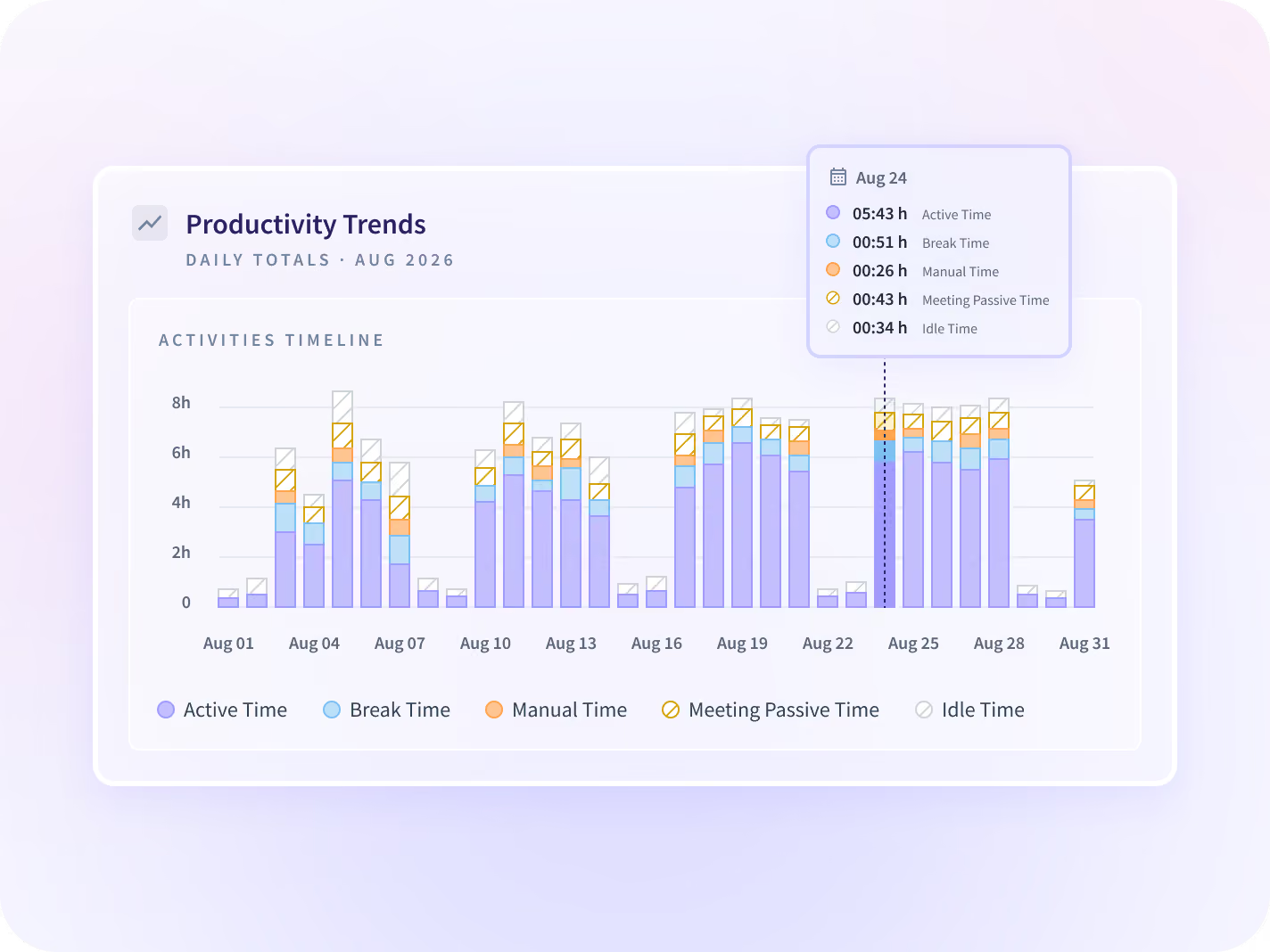
Price the gap before you price the hire
Recorded hours map to client, project and task automatically, which turns a utilization percentage into a number Finance can hold against the cost of a head. The billable split is measured, not estimated.
- A leading US bank found $2.5M in contractor spend in three months.
- Manual entries stay possible, and every one carries a named approver.
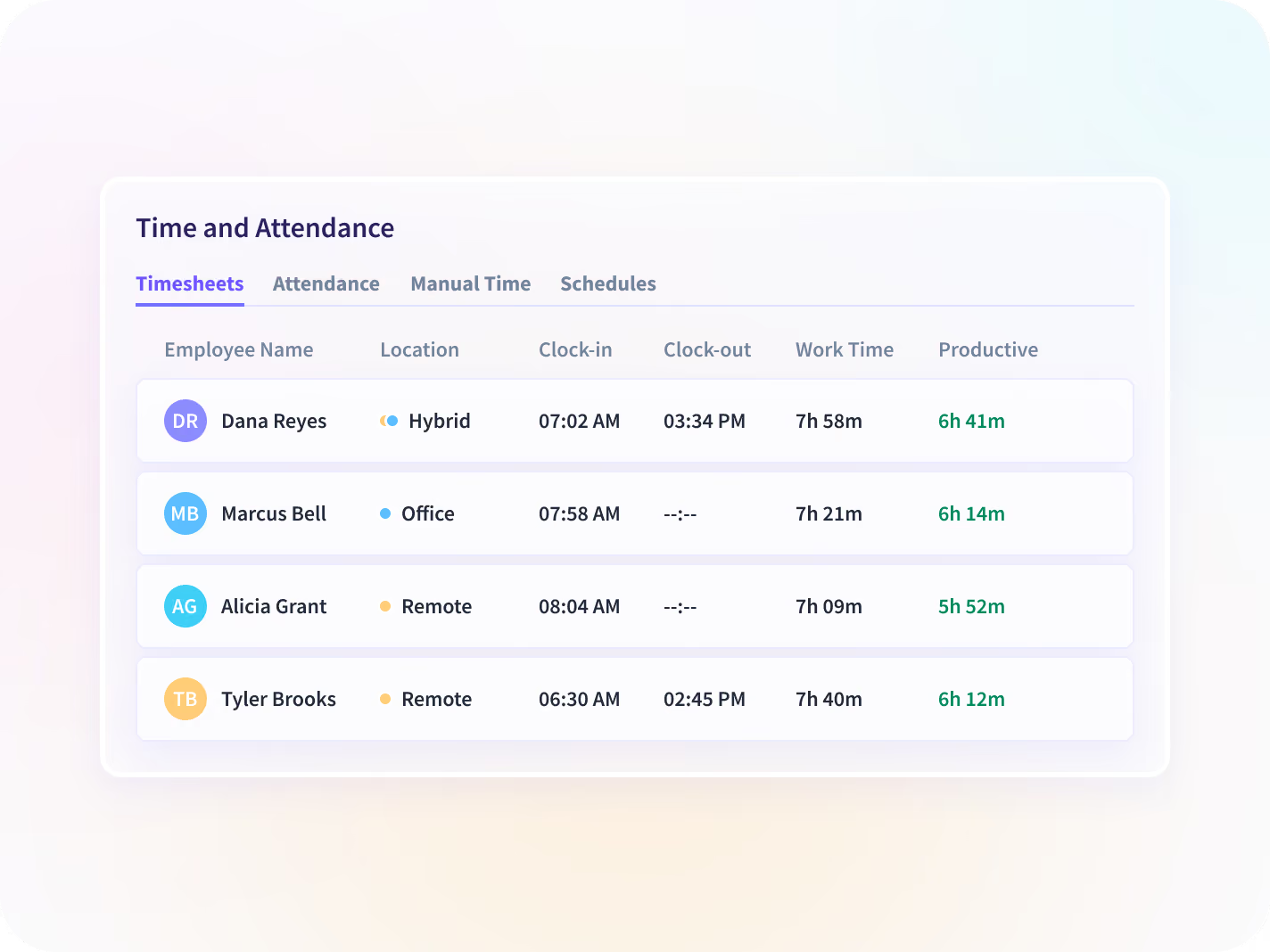
Answer the requisition on your own hours
Find out what the missing hours are doing
Communication time and focus time separated by team and by application, the most common occupant of a utilization gap. A team losing a day a week to a standing meeting is not one that needs another person.
- Meetings, calls and message threads counted against time on the work.
- It ships on every Workforce Analytics plan at no extra cost.
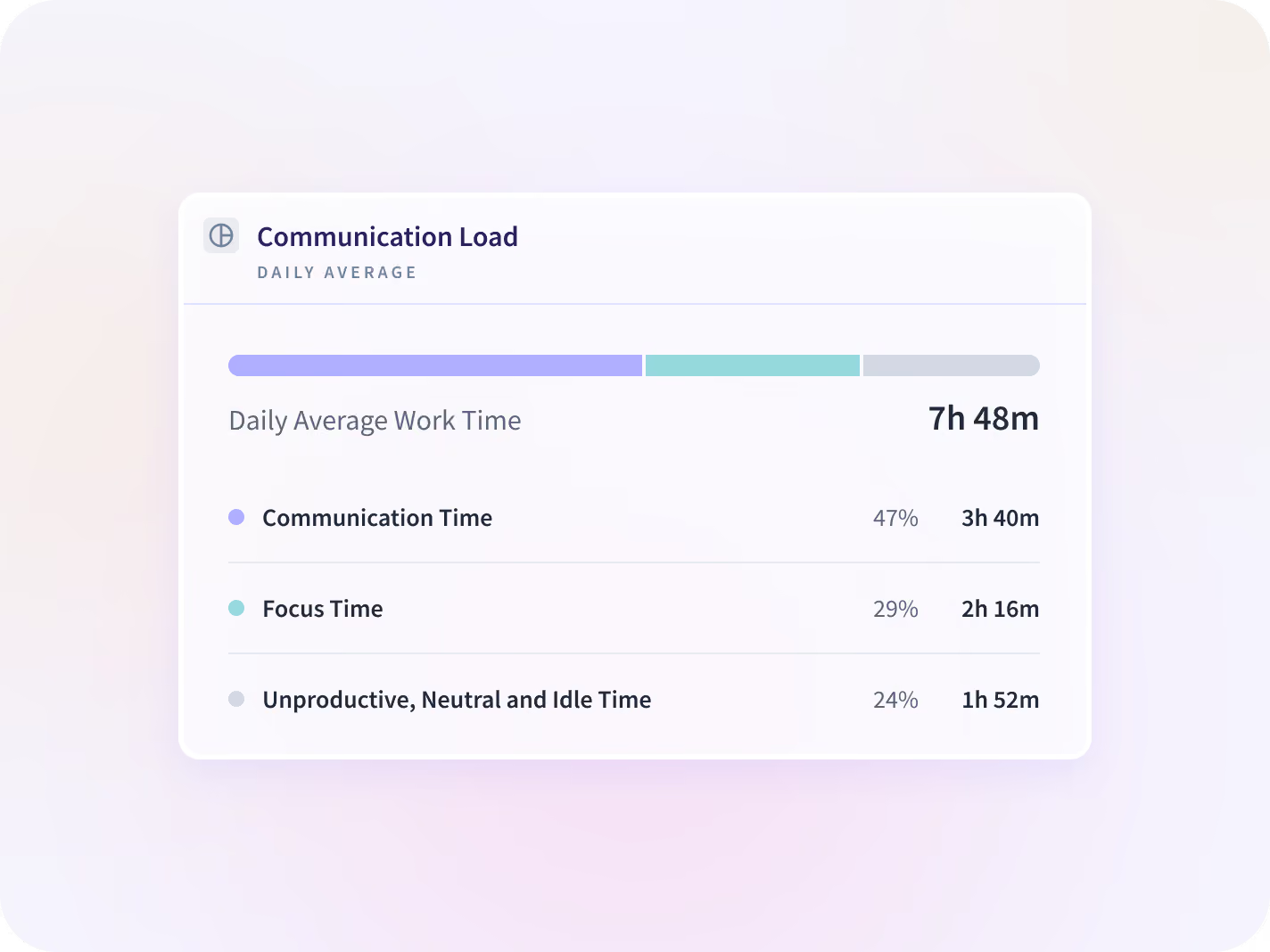
See which site is absorbing the overflow
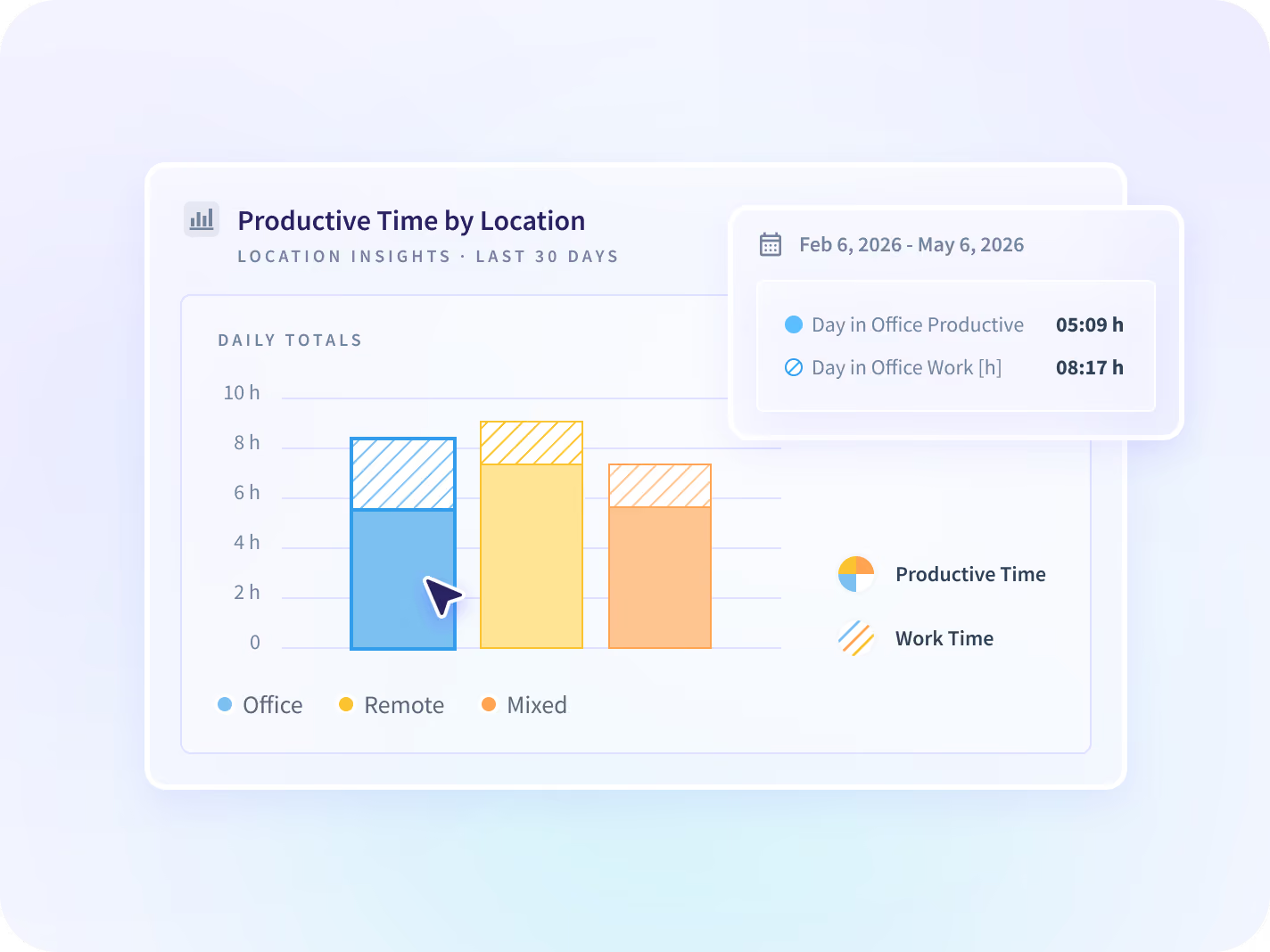
Output and hours compared across office, remote and hybrid settings, at team level. A site producing the same result in fewer hours is capacity you own, and no rollup shows it unless it splits by setting.
- Team level by work setting. Not GPS, and not an individual's location.
- Which setting is absorbing workload, and which has room this quarter.
A capacity review HR will sign off on
Reporting is team level by default, so a capacity project starts as a question about teams rather than people. The person-level view is a decision to make before deployment, not after.






Three questions the hire does not answer
A utilization number narrows the requisition and then hands it on. These three are where it goes next, and one of them settles it without a hire more often than a planning meeting expects.

Is the answer a rebalance rather than a hire?
Hours, meeting load and after-hours activity for every member of a team, side by side.

Which hours is nobody invoicing?
The share of the week going to work that never reaches a client line, by team and by project.

Where does the same output take fewer hours?
Team against team and site against site, which is capacity recovered before a hire is approved.
Teams that sized the team from the hours
These operations leaders read utilization off the record it was collected on. The requisition came after that reading rather than before it.







Every system the plan already lives in, connected
Your HRIS, your resource planner and the tool the work is booked against sit beside the record, and the utilization read works with none connected. You can talk to your work data with MCP connectors.


Stop approving the requisition argued best
What capacity planning leaders ask us most
Not by default. Utilization reports at team level, and the person-level view is a decision to make before deployment rather than after somebody finds the export. Teams who introduce this for capacity work keep it at team level and open the individual view for the specific cases that need it. Starting the other way around is what turns a capacity project into an employee-relations one, and that is the version a People team blocks.
Capacity planning software reports how much work a team can take on against how much it is already carrying. Insightful is a work insights platform. It collects hours, application use and meeting load from desk-based teams and reports them by team, each measure against the period before. On this job that means utilization and productive time by person, team and site, built from hours collected as the work happens rather than from a headcount model or a self-reported timesheet. What it will not do is forecast demand. It reports what a team is carrying and what it carried before, and the volume heading toward them is still your own forecast to make.
Nobody who answers that with a percentage knows your business, which is why the number that matters is your own. Insightful splits recorded hours into billable and non-billable against the projects and tasks you already run, by team, so the share is measured rather than estimated. The split is only as good as the structure it maps against. A team that books everything to one catch-all project will get a number that tells it nothing, and that is worth fixing before the first report.
A resource planner holds the plan: who is assigned where, and for how long. This holds what happened against it. They are meant to sit side by side, and the gap between the two is usually where the capacity everyone was looking for turns out to have been sitting.
Capacity answers whether you need another person. Workload Management answers whether the person already there is carrying too much, which is a different decision with a different owner. Read this page when a requisition is on the desk, and that one when somebody is already complaining about the week. Neither page answers the other's question, and that is deliberate rather than an omission.


