.svg)


Plan the ecommerce peak for the back office, not just the floor
Every order, ticket and return in the peak is counted the moment it lands. The hours the back office spent absorbing them are counted nowhere.












Size the ramp on what the last peak cost

Without Insightful

Fulfillment is staffed to the forecast and the teams absorbing the orders are not.
Last year's headcount is a staffing decision, not a measure of what those weeks took.
Contact volume is counted and the minutes behind each contact type are not.
Seats are assigned, renewals are approved, and nobody holds a last-opened date.
Nobody can say what a capture tool would see, so it never clears the security review.

With Insightful

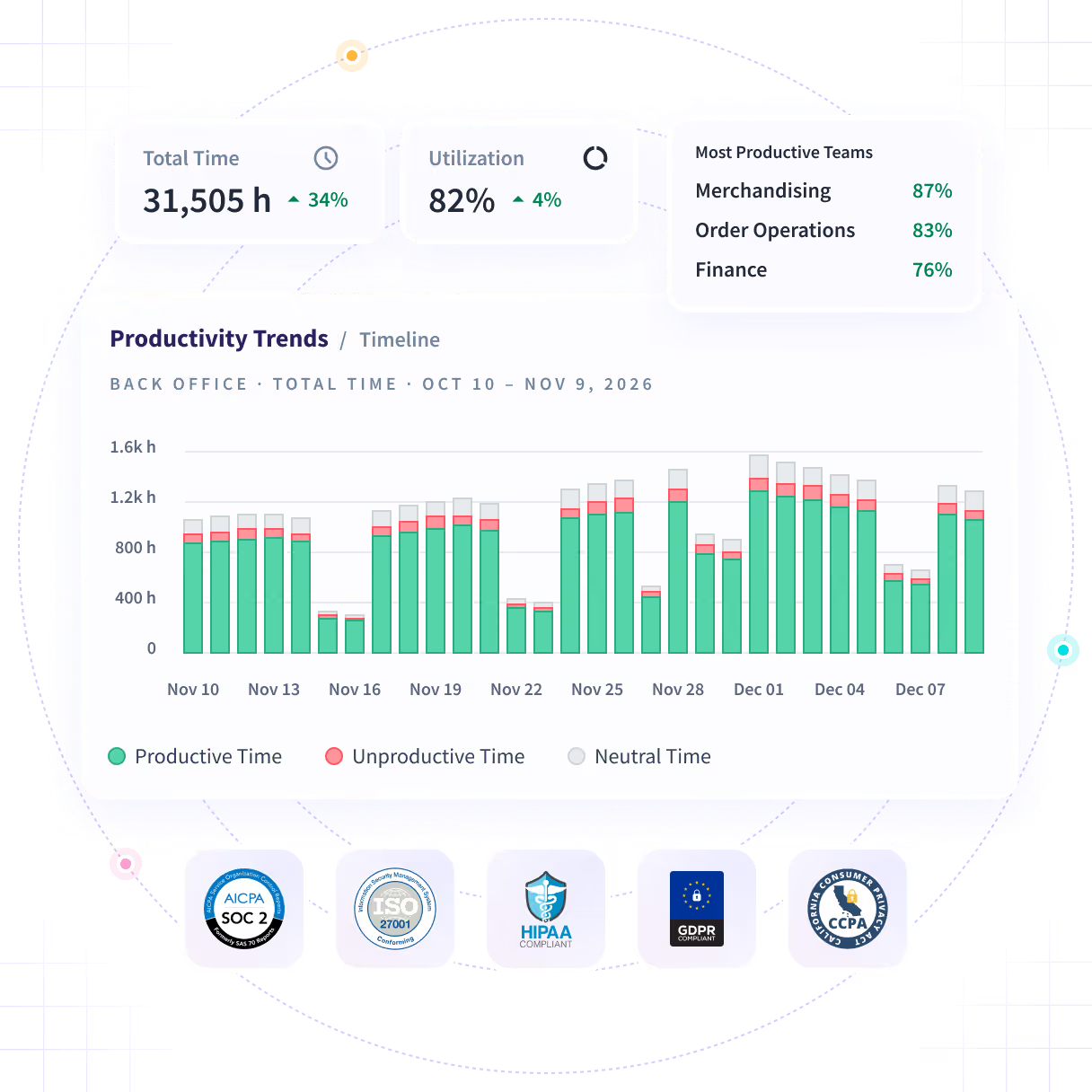
Hours and workload across customer service, order operations and finance.
The ramp sized on last peak's hours, by team and by week, rather than its headcount.
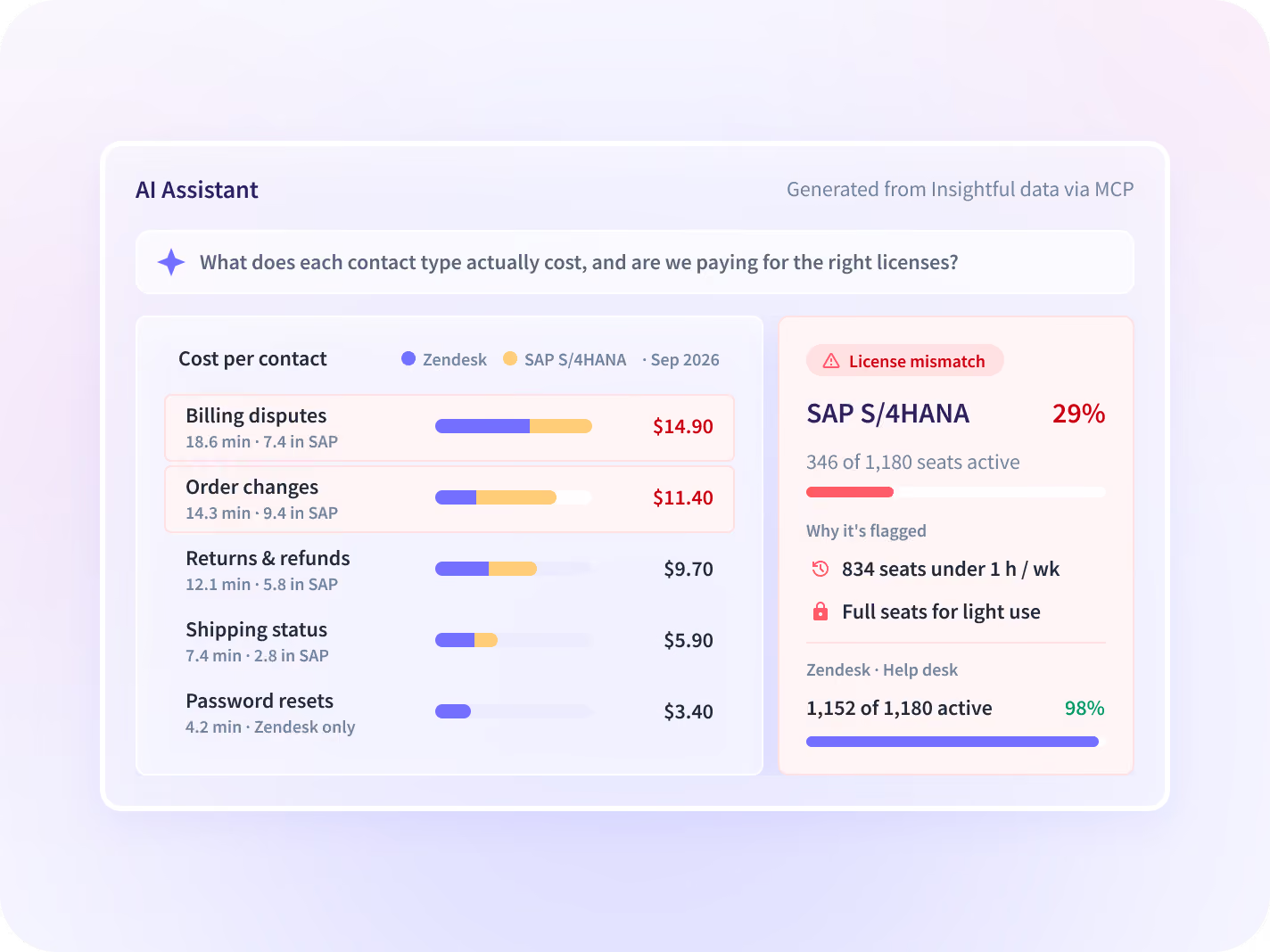
Minutes per contact type across the help desk and every system an agent opens.
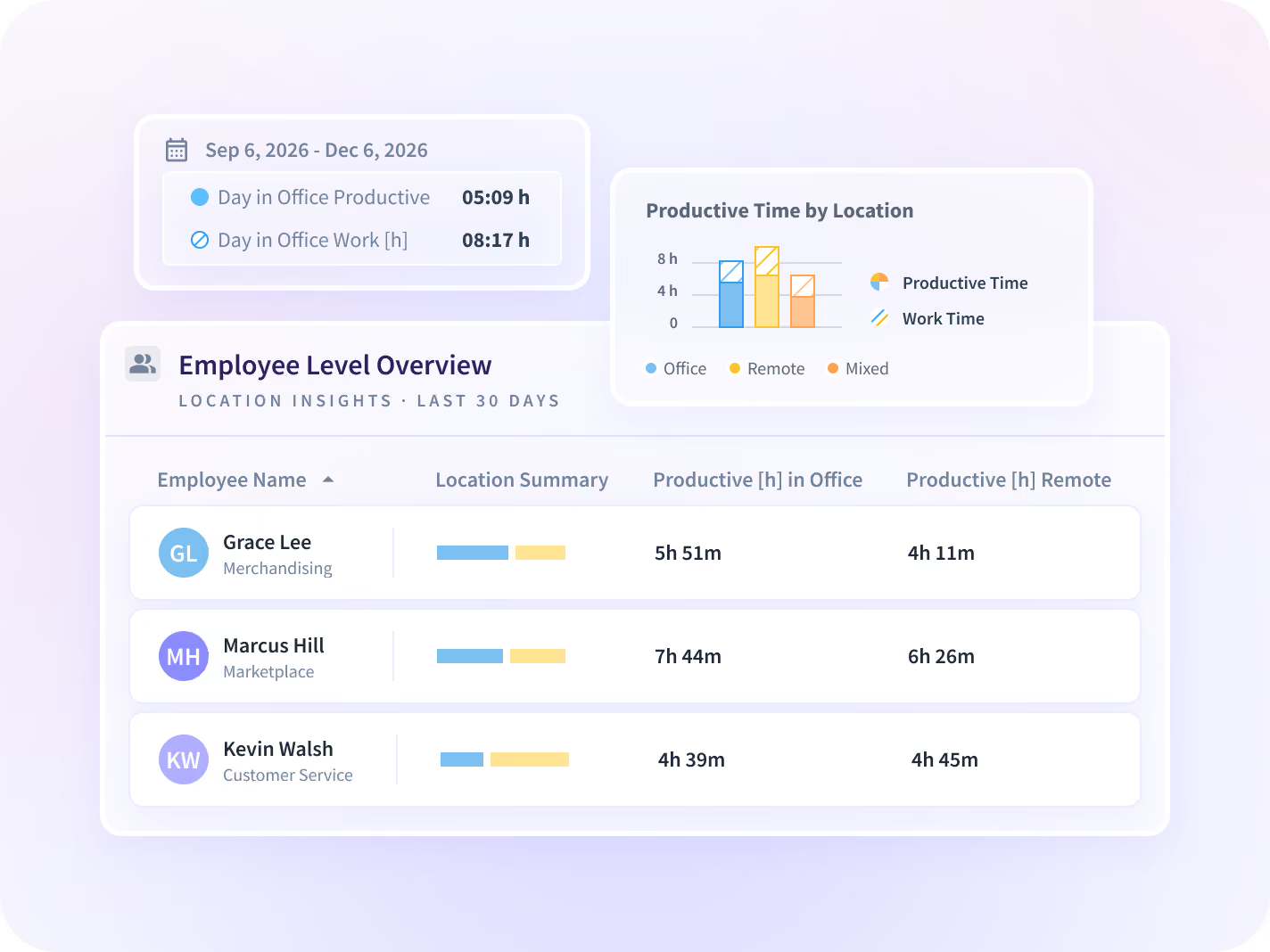
Ranked tool use across the back-office stack, with unopened paid seats flagged.
A team inside card-data scope runs a narrower configuration than the rest.
Size the next peak on the hours the last one took
Every number carries its percent change against the same-length period before it, so the week a function ran out of hours stands out across the peak.
- Compare back-office hours week on week through the peak
- Roll capacity up across sites and down to one queue
- Find which function ran out of hours first, and in which week
Price the peak's contacts in minutes, not volume
Usage comes off the endpoint, so the help desk, the order system and every tool between them are ranked by the time agents spend in each.
- Rank the systems each contact queue spends its minutes in
- Find the exception queues with the longest manual tail
- Put a last-opened date against every seat in the ops stack
See what the last peak cost
Protect the permanent staff who absorb the peak
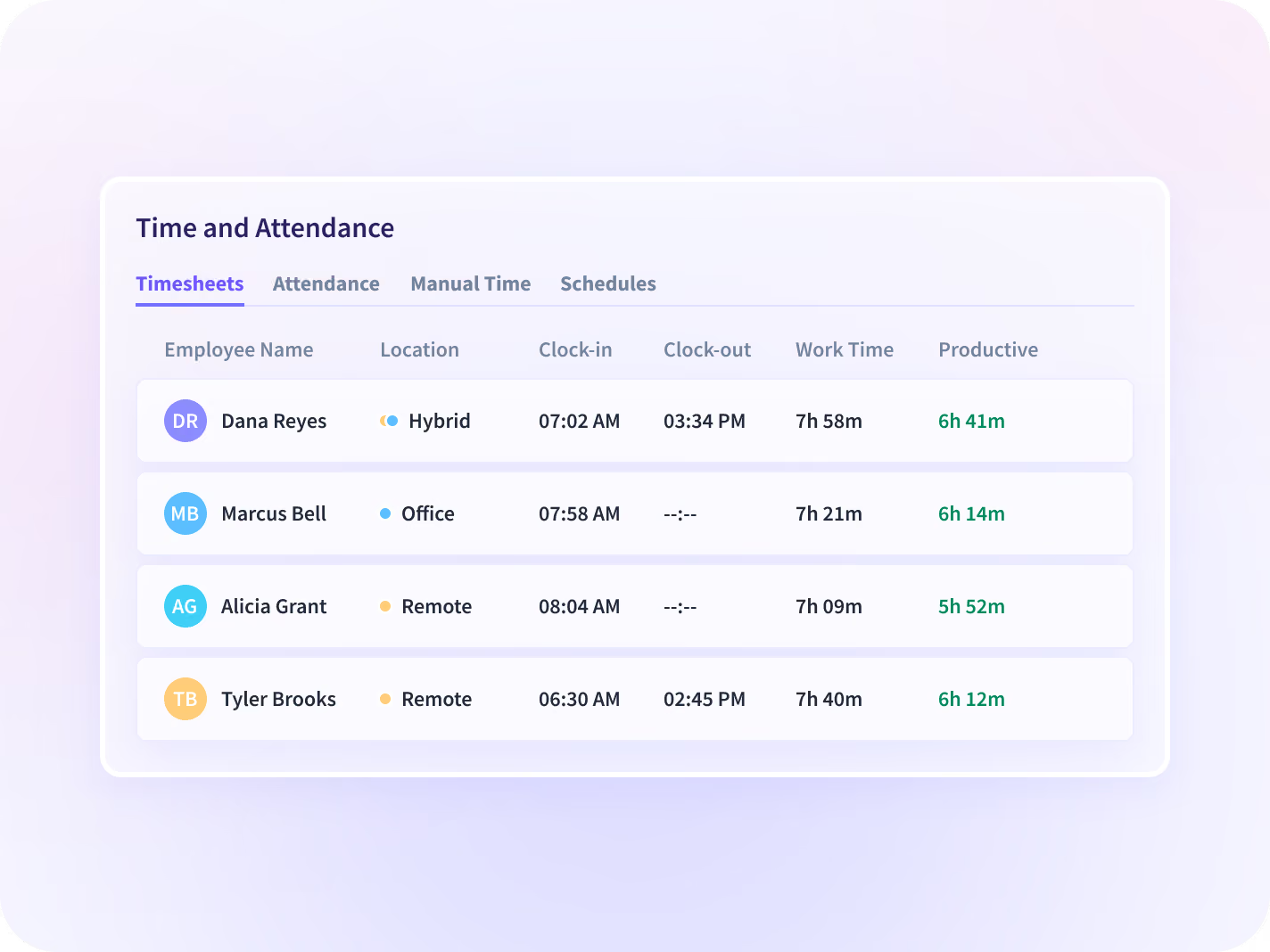
Seasonal hires cover part of the ramp and permanent staff cover the rest. Hours captured as work happens show which group absorbed the shortfall.
- Split seasonal hires' workload from permanent staff's
- Record hours and attendance without chasing a timesheet
- Read after-hours work as a trend through the peak
Set card-data scope before the rollout starts
Order records, payment details and customer data sit on these screens every hour, so the scope question decides whether a rollout happens at all.
- Run a narrower configuration for a team inside card-data scope
- Blur every screenshot by default where an admin enables them
- Agree collection scope per team before anything is deployed
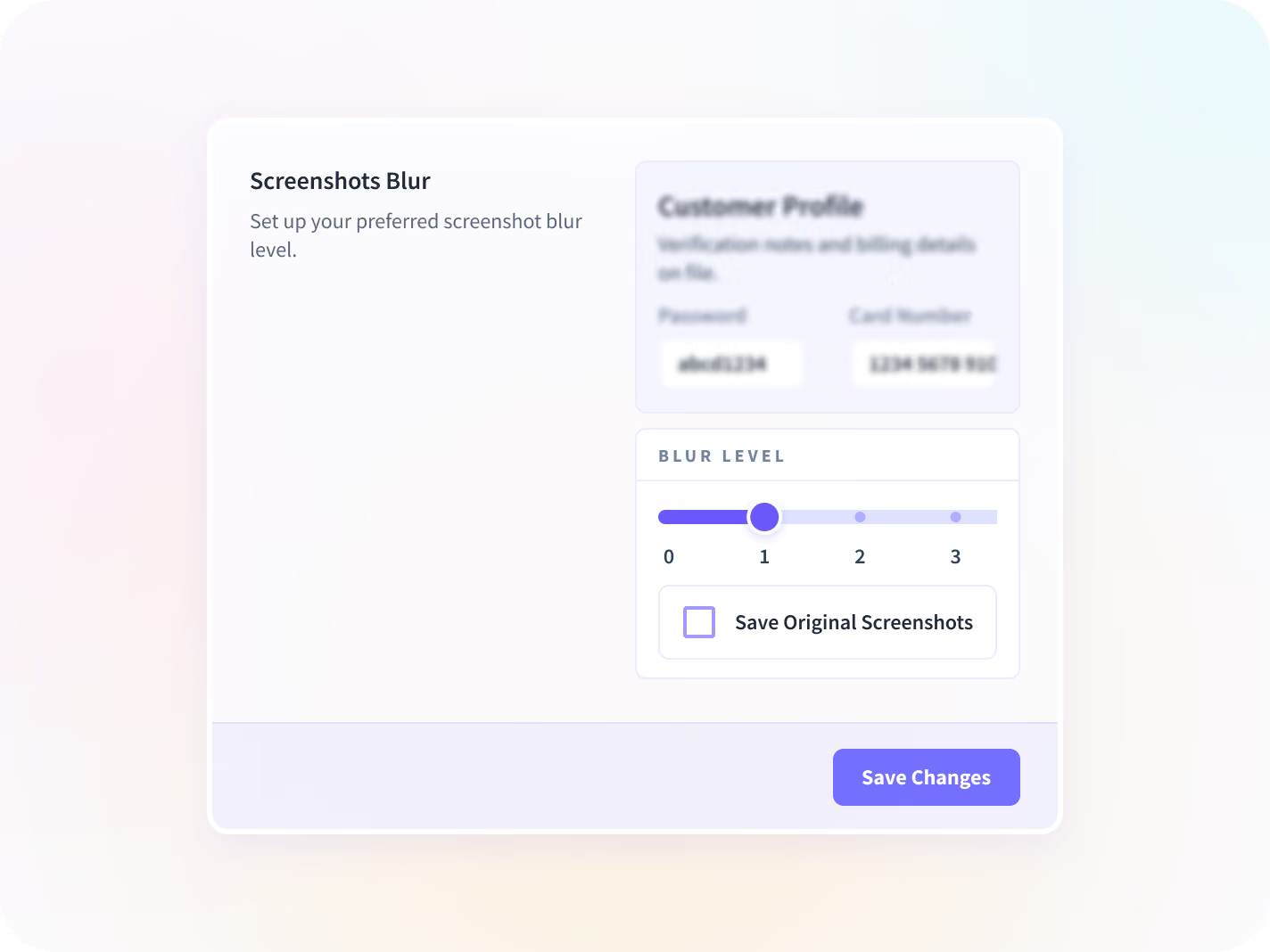
What is collected from an order-desk screen
Insightful records which applications and pages were used and for how long. Every control that narrows it further is yours to set before anything is deployed.






The peak plan, backed by last peak's hours
Together they show what the last peak cost the back office, which contact type eats the hours, and which paid seats nobody opened.

What did the last peak cost?
Back-office hours and productive time by function, read week on week through the ramp.

Which contact type eats the hours?
Minutes per contact type across the help desk and every system an agent opens.

Which ops seats went unopened?
Ranked tool use across the back-office stack, with a last-opened date on every seat.
What retail and ecommerce back offices now measure
The ramp, the contact cost and the tool spend come off the same measured weeks of back-office hours, instead of three separate guesses.







Every system your ecommerce back office runs on, connected
Insightful connects to the project, HR and service tools an ecommerce back office already runs on. You can talk to your work data with MCP connectors.


Plan the peak for the teams behind the floor
What enterprise leaders ask us most
It reports how the administrative and service side of a retail or ecommerce operation spends its time. That means order operations, customer service, returns and disputes, finance and logistics planning. Insightful is a work insights platform. It collects hours, application use and meeting load from desk-based teams and reports them by team, each measure against the period before. It covers desk-based work only, so store associates and warehouse staff are outside it, and it holds no order data of its own.
No, and it is the first thing to settle. Insightful runs on the Insightful desktop application, so it covers desk-based work: customer service, order operations, finance, merchandising, HR and logistics planning. Store associates and warehouse staff without a primary computer are not visible to it. If a rollout has been described to you as covering every site, get it scoped before anyone quotes it.
Yes. Hours and productive time by function through the last peak give you a ramp sized on what those weeks consumed rather than on the headcount they were staffed with. It needs a peak in the record to do it, so a team starting in October is planning next year's ramp rather than this one.
No. It records which applications and pages were used and for how long, with no keystroke logging, no audio or video, and nothing read from the content of an order, a ticket, a message or an email. So it can tell you a returns agent spent the morning moving between systems. It cannot tell you which orders, and it will not join to your order data to work it out.
Yes. Contractors and agency staff are set up the same way as employees, and a client login gives an external party a scoped view of their own account's hours and nothing beyond it. The desktop application still has to be installed on whichever machine the work happens on, which is a conversation to have with an agency before the contract rather than during peak.


