.svg)


Compare office and remote output, without tracking anyone
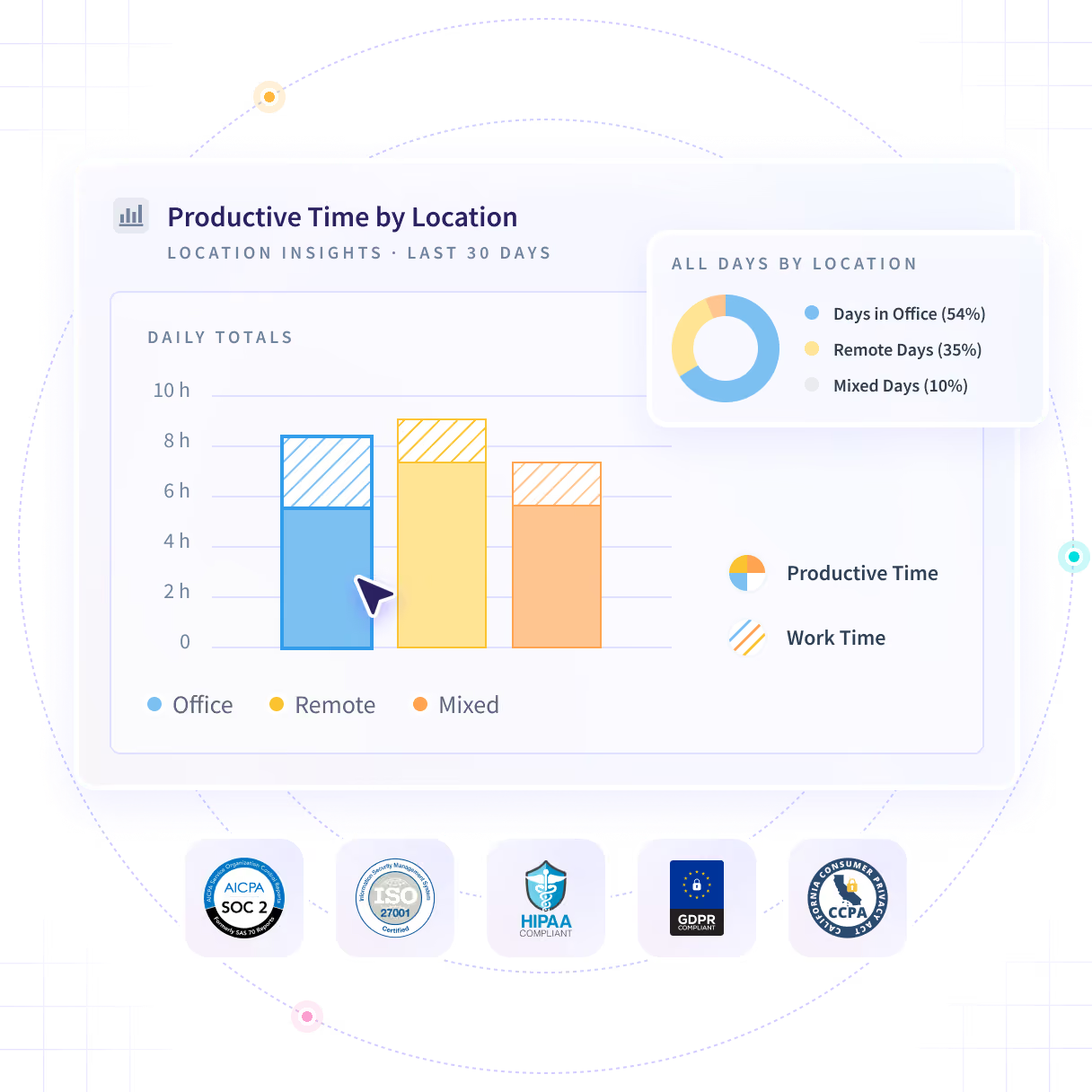
Productive time across office, remote and hybrid days, compared at team level, so a return-to-office call rests on what the work produced rather than on who badged in. No GPS, no individual location reported.












The RTO decision is being made off a turnstile count
The badge report counts who came through the door. It is the only evidence in the room, and the question on the table is what the day produced.

Take the hybrid decision off the badge report
Productive time is compared across office, remote and hybrid days, at team and office level. A badge count cannot tell two offices apart, and productive time can.

Output, not attendance
Productive time compared across office, remote and hybrid days, so the call rests on what the day produced.

Two offices, told apart
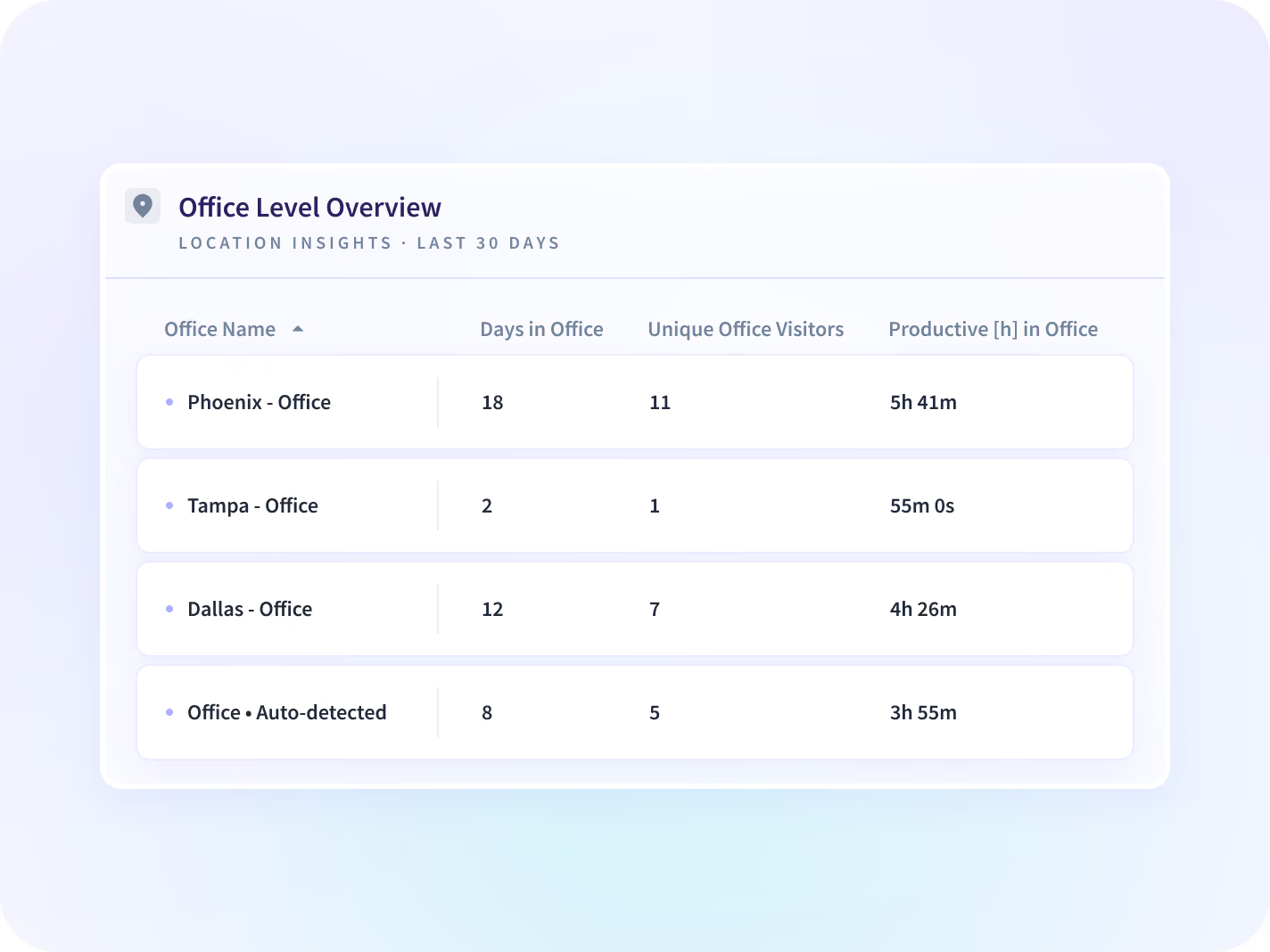
A badge count cannot separate one site from another. Visits, unique visitors and productive time report per office.
.svg)
Team level by default
Every reading lands at team, office or organization level. No field anywhere in the report says where a person is.

Thresholds you set first
You define what counts as an office day, a remote day and a hybrid one, before anyone installs anything.
Compare what each setting produced, not who was there
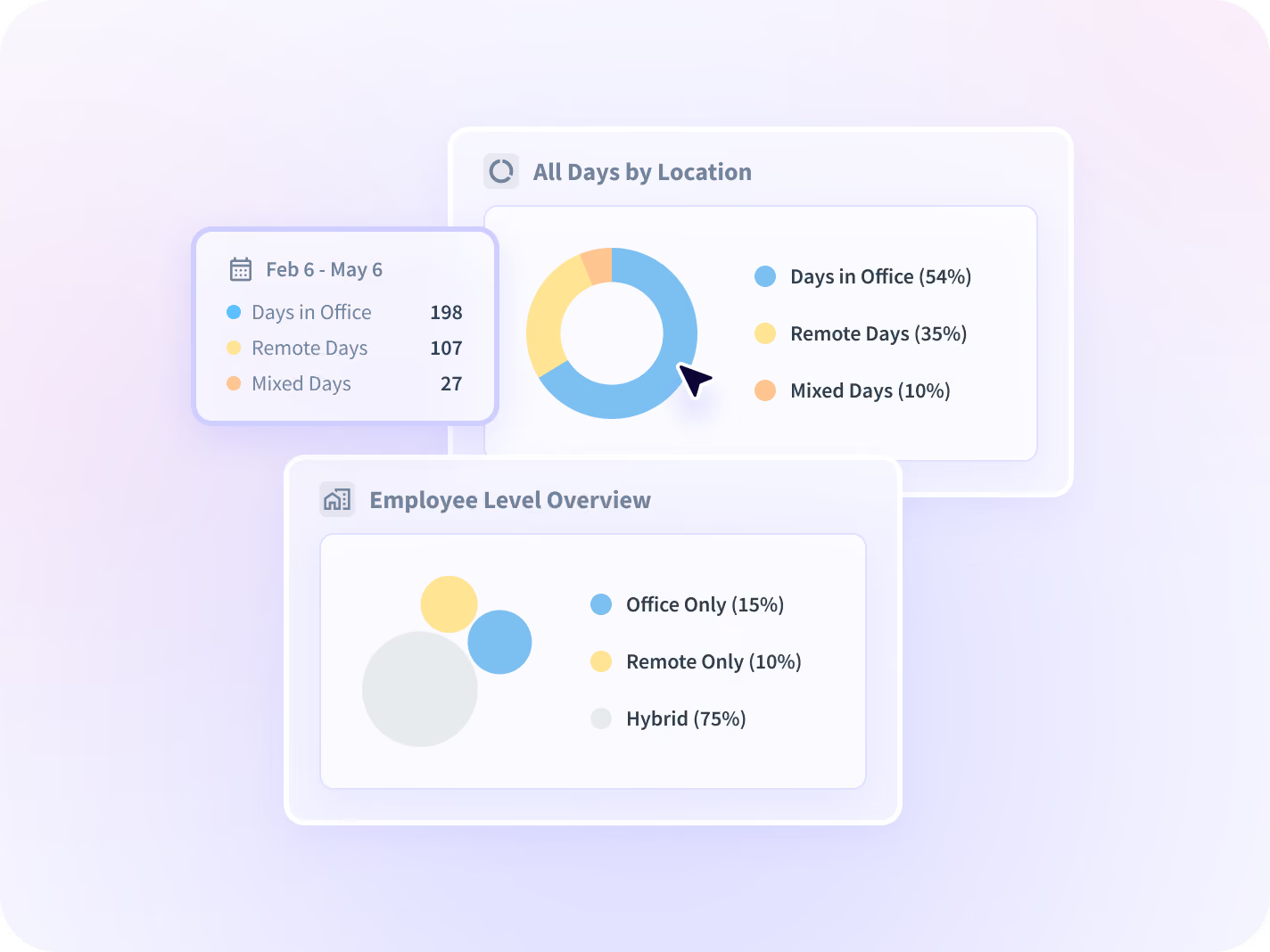
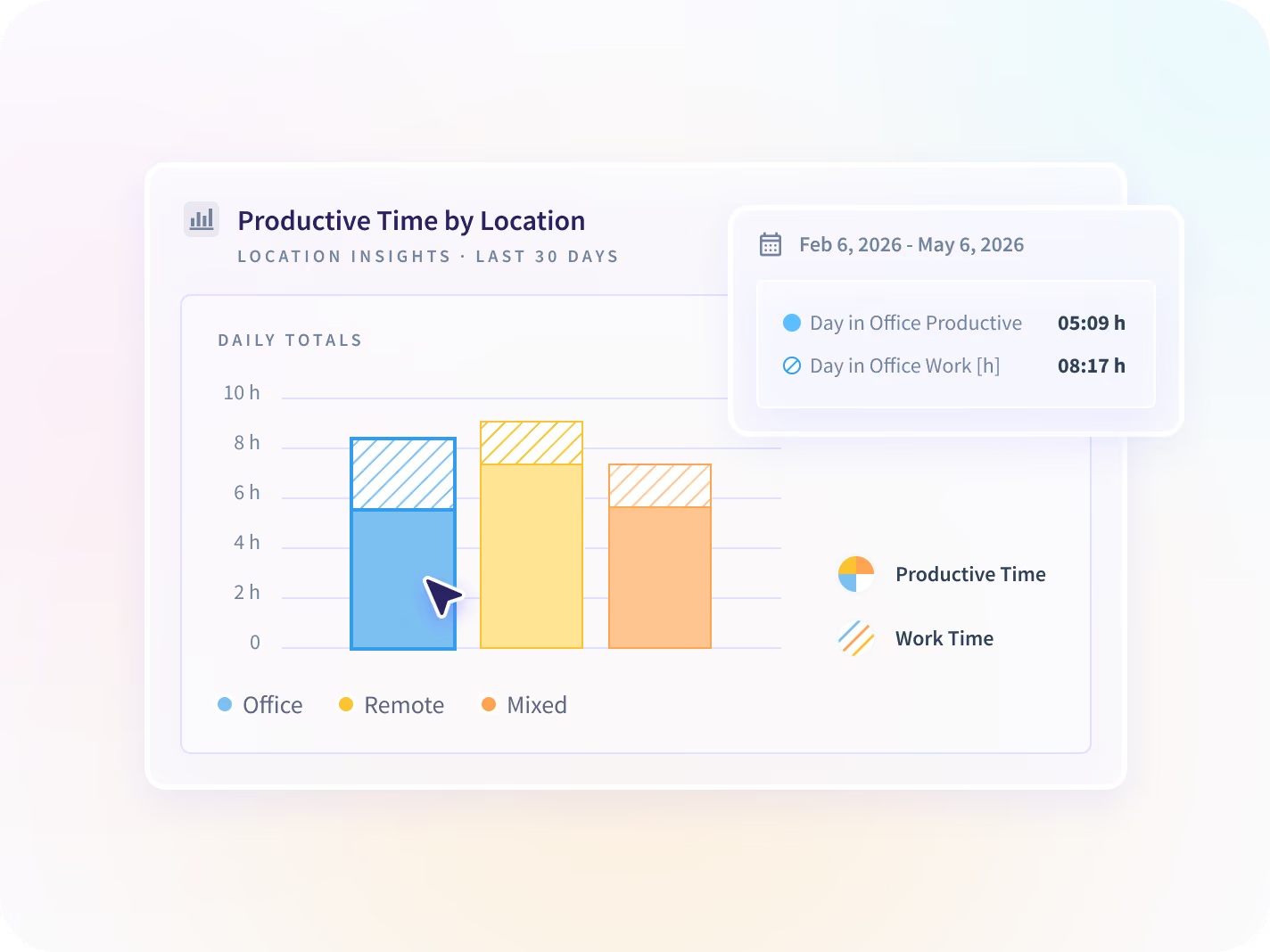
The working-mode split shows where the days went, productive time compares the settings, and office-level reporting sizes each site. Every reading lands at team level, and the thresholds that classify a day are yours.


The share of days spent in office, remote and hybrid settings across the organization, against thresholds you set before deployment rather than after the first comparison.


Average productive time and work time compared across office, remote and mixed days, so an office day and a remote day are judged on what each one produced.


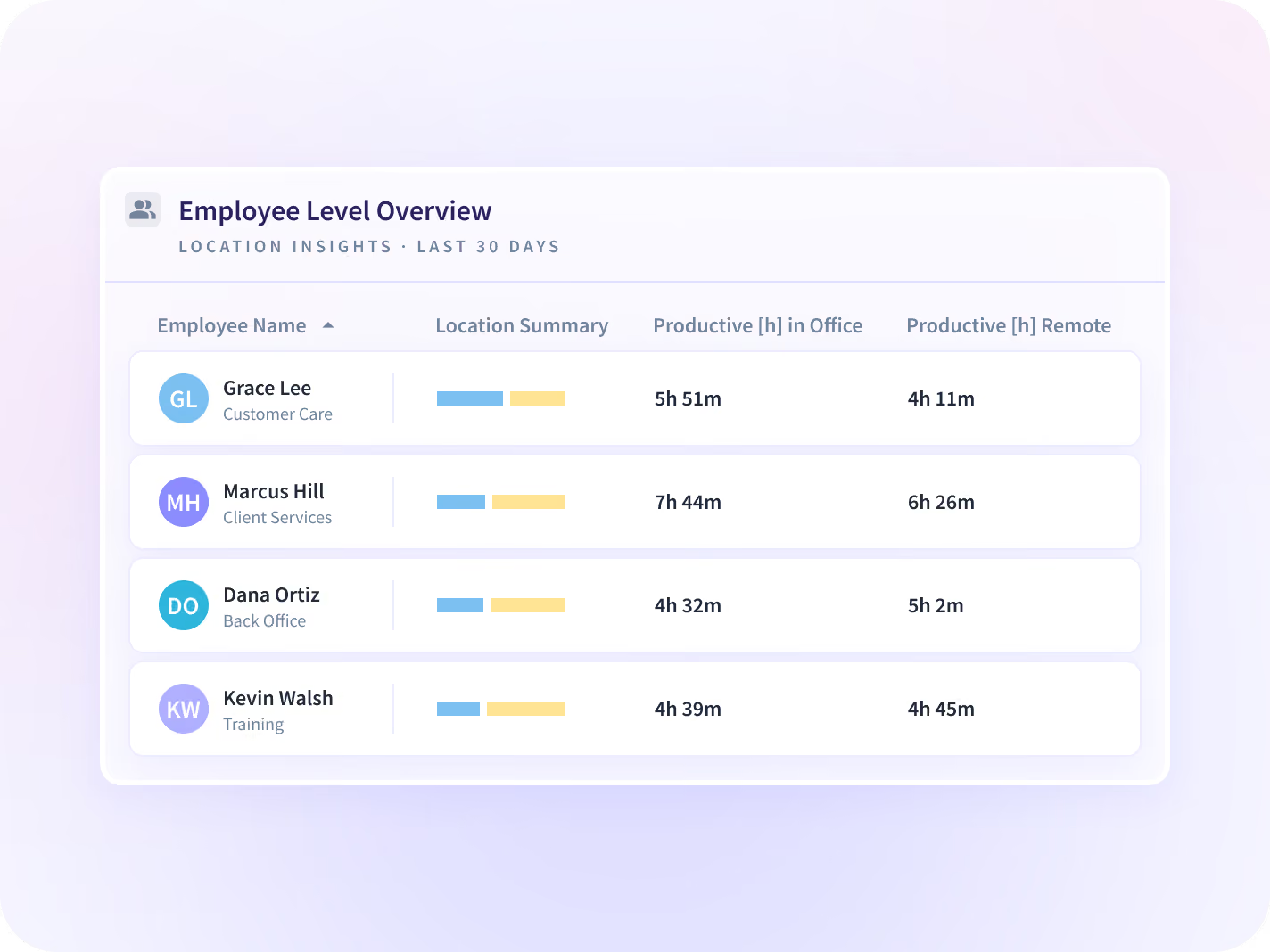
Visits, unique visitors and productive time for each physical office you run, which sizes a floor against how much of it was used.


Where a setting is absorbing workload, and where it is quietly producing overtime, so the team that took the overflow is visible this month.
Turn the comparison into a policy you can defend
Comparing the settings is the start. Add the policy calls it answers, plus which way productivity is moving and how much of the week went to meetings, and a gap has an explanation rather than a culprit.

Hybrid Work
Which split of office and remote days your own teams produced most in, at team level, against thresholds you set.

Remote Work
What remote weeks produced next to office weeks, argued from your own data rather than from a published study.

Return to Office
What changed after the mandate, measured against the weeks before it rather than counted at the badge reader.

Productivity Trends
The direction each setting is moving, period over period, so one good month in the office is not mistaken for a pattern.

Communication Report
Whether a setting's difference is meeting load rather than the setting itself, split into communication time and focus time.

HR
A setting policy defended with your own output data at team level, in the terms a people leader has to answer for.
Three location calls, none made off a badge count
The badge report as the evidence in a policy meeting
Set hybrid policy on what each setting produced, at team level, and in a visible rollout let employees see their own split.
A policy you can defend
The guess about which setup absorbed the overflow
Find which location setup is carrying workload without hidden overtime, and rebalance this month rather than next quarter.
Capacity and utilization
The lease sized against the badge system
Compare visits and unique visitors per office against productive time in each, and right-size the floor against use.
Avoided property spend
There is no field for where a person was
Work setting is inferred from the network a device is connected to, not from GPS or device location services. The report lands at team, office and organization level, and nothing in it names where a person physically is.






Settle the hybrid question with your own data
Proven impact across real organizations






Time-off status arrives from the HRIS you run
50+ integrations, including Workday, Microsoft Entra ID, Zoho, BambooHR and Google Calendar.


FAQ
No. Location Insights reports at team, office and organization level, and it does not use GPS or device location services. Work setting is inferred from the network a device is connected to, and there is no field anywhere in the report for where a person physically is. The thresholds that classify a day as office, remote or hybrid are yours to set before deployment.
Attendance systems record who came through the door. This records what the work produced in each setting, so an office day and a remote day get compared on output. It will not tell you who was in the building, and if that is the number the policy debate is stuck on, a badge system is still the right instrument for it.
From the network a device is connected to, read as office, remote or hybrid at team and office level. There is no field anywhere in the report for where a person physically is. It is the one classification worth checking against a week you already know the answer to, because it depends on how your own network is set up.
You do. Location definition settings let an admin set the thresholds that classify each workday. Settle them before deployment, because a threshold changed later moves every comparison that was made under the old one.
Yes. Office-level reporting shows visits, unique visitors and productive time for each office you run. It counts the days people worked from an office, not the desks they sat at, so it will size a floor and it will not draw you a seating plan.
Yes, in a visible rollout. Employees get a self-service view of their own activity data, including their own working-mode split. Visible deployment is what we recommend and stealth deployment is supported, so this one answer depends on a choice you make before anyone installs anything.
Neither. It reports what your own teams produced in each setting. Peach Payments runs a remote-first model and its own case study attributes 40% growth to it; the same report has been used elsewhere to argue for more office days.


