.svg)


Prove the annotation hours you already billed
When your workforce is the product, every hour you bill is a claim. Your platform records every task and gold set; the hours behind them are a list of contract IDs.


.avif)










Turn a disputed invoice into an invoice that holds

Without Insightful

Activity percentages cannot answer the challenge, so the week goes to reconciliation.
Jiggler software and auto-clickers hold a status green while no work gets done.
Nobody can resolve the argument, and a good contractor starts looking elsewhere.
Simulated activity is paid for once to the contractor and again to the client.
The contract clause says it. Nothing in the record shows it to the lab.

With Insightful

Hours captured as the work happened, with every manual edit carrying its approver.
Known simulation software and injected input flagged in the next morning's digest.
The same timeline that flags a session can clear it, on evidence both sides can read.
Flagged sessions are reviewed before the payout run rather than after the dispute.
Screenshots blurred by default, capture scoped per team, and no content collected.
Protect the margin on every annotation hour you bill
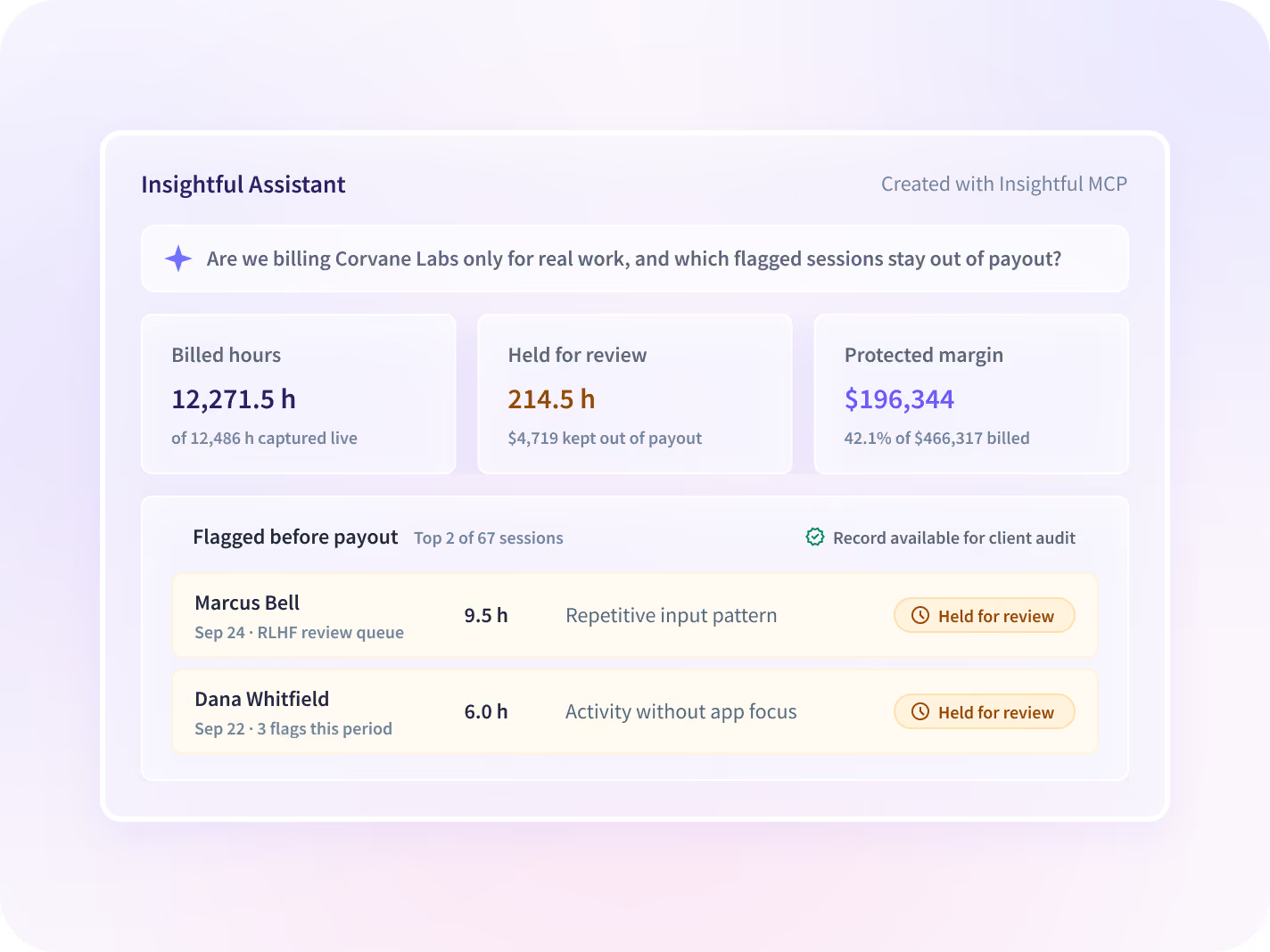
Simulated activity is paid for twice, in the contractor payout and in the credit note. Hours captured as work happens put a record behind the invoice first.
- Answer a client's hours audit from the record, not a reconstruction
- Hold the payout on a flagged shift until someone has reviewed it
- Give the week of manual reconciliation back to delivery
Settle a disputed shift without losing a good annotator
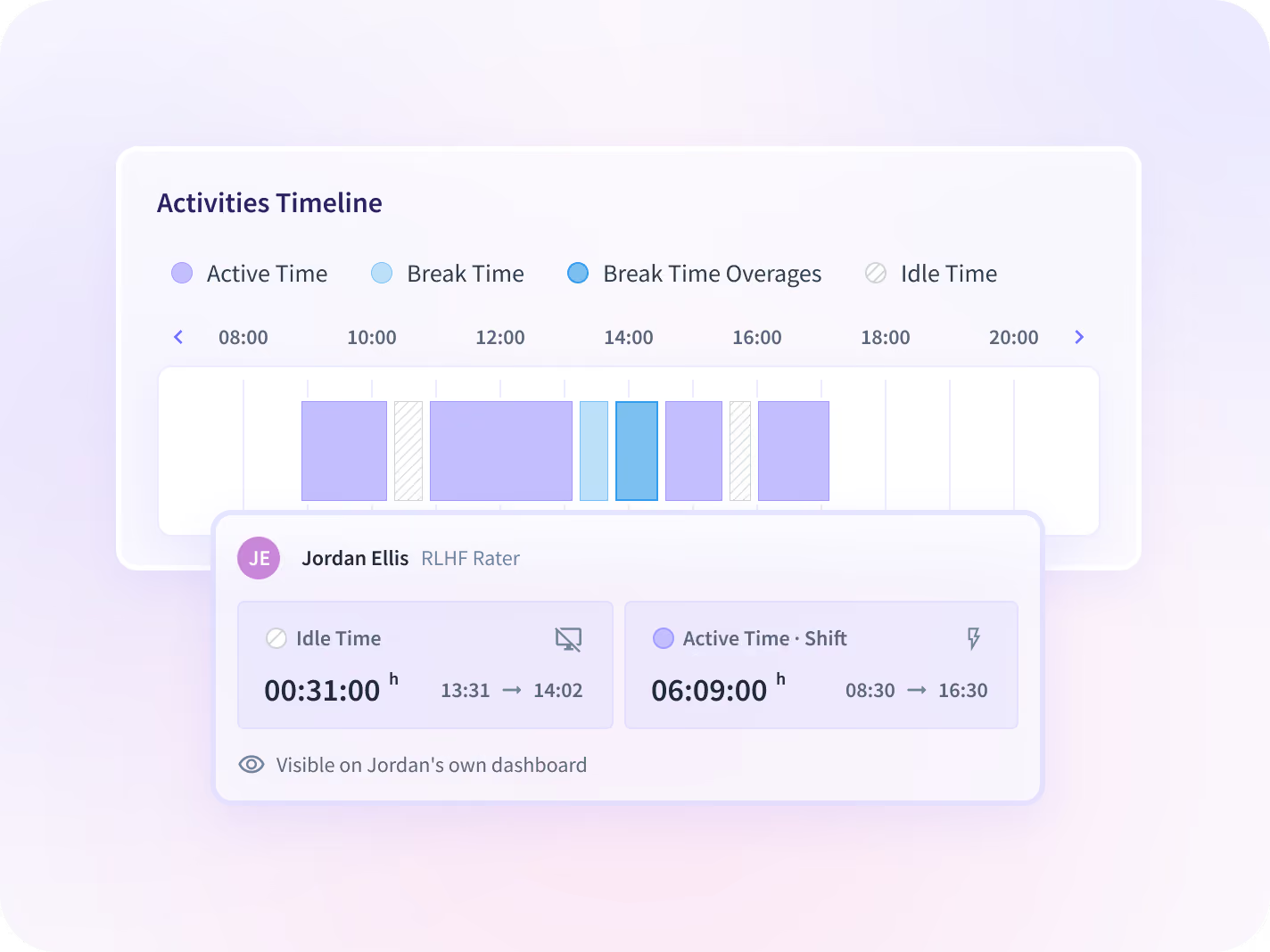
When an annotator disputes their idle time, the timeline that can flag a session can also clear it, so the argument ends on evidence both sides can read.
- Show an annotator the timeline behind their own disputed shift
- Clear a flagged session on the same evidence used to raise it
- Report at team level by default, not on a named annotator
Prove the last week a client disputed
Flag simulated shifts for review the morning after
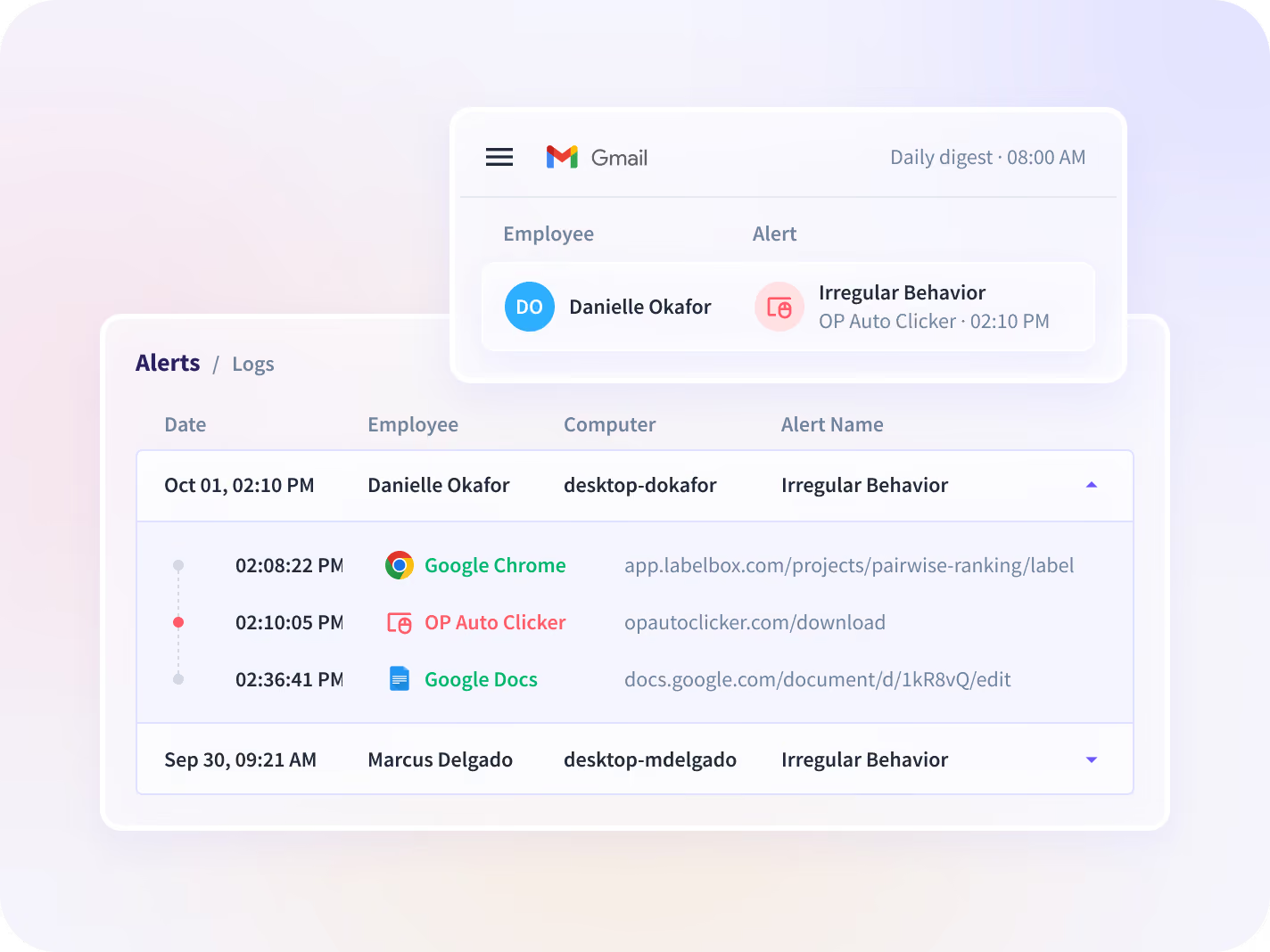
Irregular Behavior Alerts reviews every completed shift for known activity-simulation software and for injected input, the machine-precise repetition a person does not produce.
- Receive flagged sessions as one grouped digest each morning
- Open each flag into a timeline of what was detected, and when
- Set up baselines first for AI task laundering and pace gaming
Hand the lab its data settings before the engagement
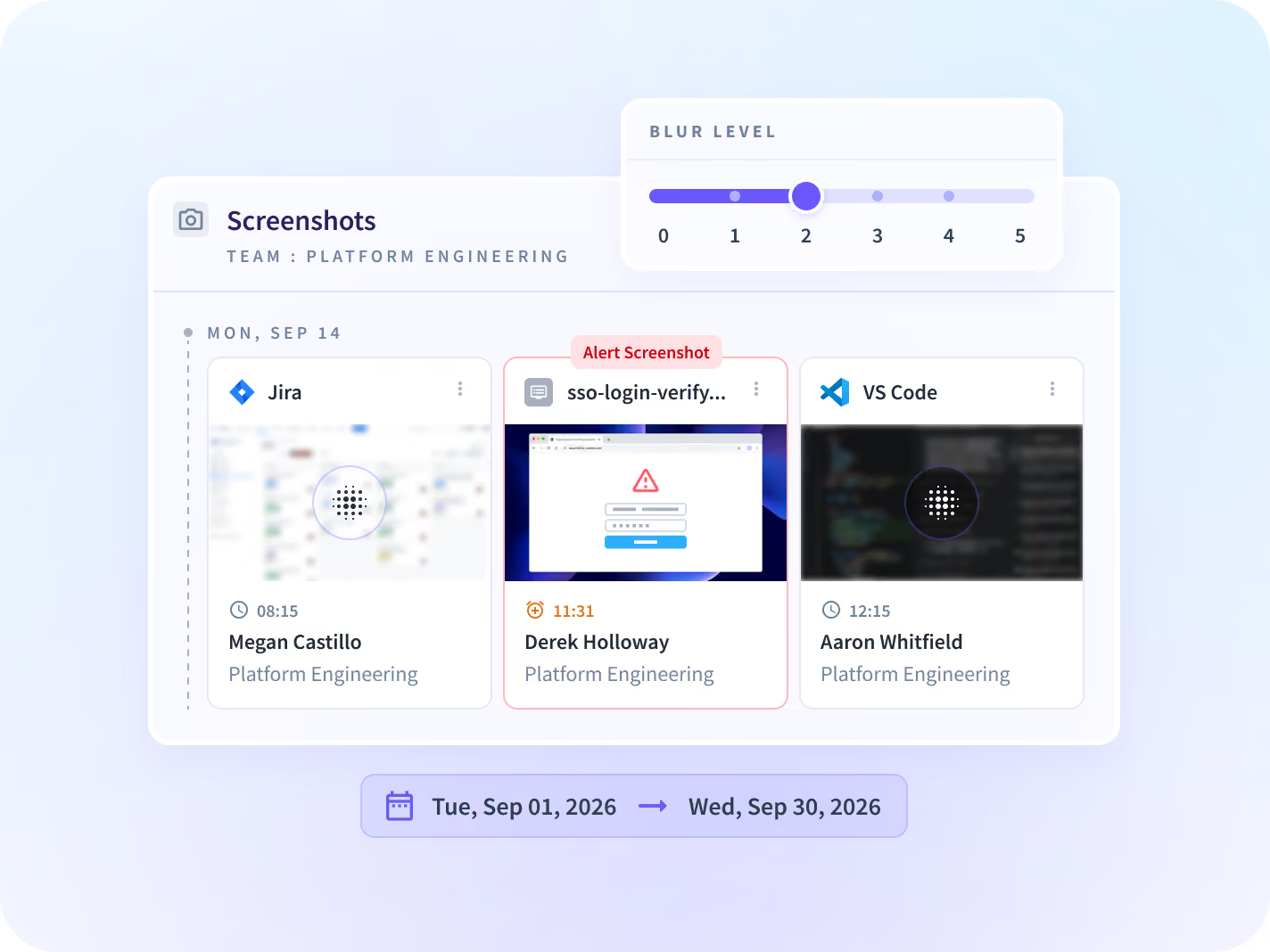
Your client asks this before the engagement rather than after it. Every control is narrowed before anything is installed, so the answer is a settings list.
- Blur screenshots by default and scope them per app or team
- Agree capture scope with the client before a cohort starts
- Hold every admin change, unalterable, on the Audit Logs add-on
What your client's security review asks you for
A contracted workforce means two reviews: yours, and the one your client runs on you. Residency covers the US, the EU and Saudi Arabia; Canada is not available.






Three answers to have before the lab's next audit
Together they turn a client's hours audit into a record: what was billed, what was flagged for review, and what the lab can be shown about its data.

Can we prove the hours on this invoice?
Hours captured as the work happened, with each manual edit carrying its approver.

Which shifts ran on simulated activity?
Sessions flagged for known simulation software and injected input, each with a timeline.

Can we show the lab how data is handled?
Blurred capture scoped per app or team, no content collected, and the settings in writing.
An AI training marketplace that pays on recorded work
When the workforce is the deliverable, the payout, the client's audit and a contractor's dispute all come off the same record of hours.



Every system your labeling team runs on, connected
Activity comes from the desktop application, so a homegrown labeling stack reports like a commercial one. You can talk to your work data with MCP connectors.


Stop reconciling disputed hours by hand
What enterprise leaders ask us most
It puts a verifiable work log behind the hours you bill a lab. Insightful is a work insights platform. It collects hours, application use and meeting load from desk-based teams and reports them by team, each measure against the period before. It is not a labeling or QA tool and will not tell you a label is wrong. It tells you who worked a shift, for how long, and whether the activity in it was flagged for review.
Irregular Behavior Alerts reviews every completed shift. It looks for known activity-simulation software and for injected input, the machine-precise repetition a person does not produce. Flagged sessions arrive in a grouped digest the next morning, and each one opens into a timeline of what was detected and when. It is included on every Workforce Analytics plan. AI task laundering and pace gaming need a baseline set up first, and a physical device plugged into a machine is outside what it detects.
No. Identity is not something Insightful verifies. It reports hours, application use and work setting on each contract seat, and a seat whose pattern shifts is a question worth asking. It is evidence for a conversation, never a verdict, and there are no biometrics anywhere in it.
It is built to do the opposite. A flag is a prompt for review, never a finding, and the timeline behind it is the same evidence an annotator can use to show a disputed shift was real. Reporting sits at team level by default, and in a visible rollout each contractor can open their own record. The disputes that lose good people are the ones nobody can settle.
Screenshots blur by default, can be scoped per app, per team or per person, and can be turned off entirely. No message, document or file content is captured on any application. With the Audit Logs add-on, every admin change is held in a record no user can alter. Agree the settings in writing with the client before the engagement, which is the right time to settle them.


