


Put a backup on work only one person does
Some work rests on one person alone. We show whose work your company depends on, and suggest how to reduce that dependency.


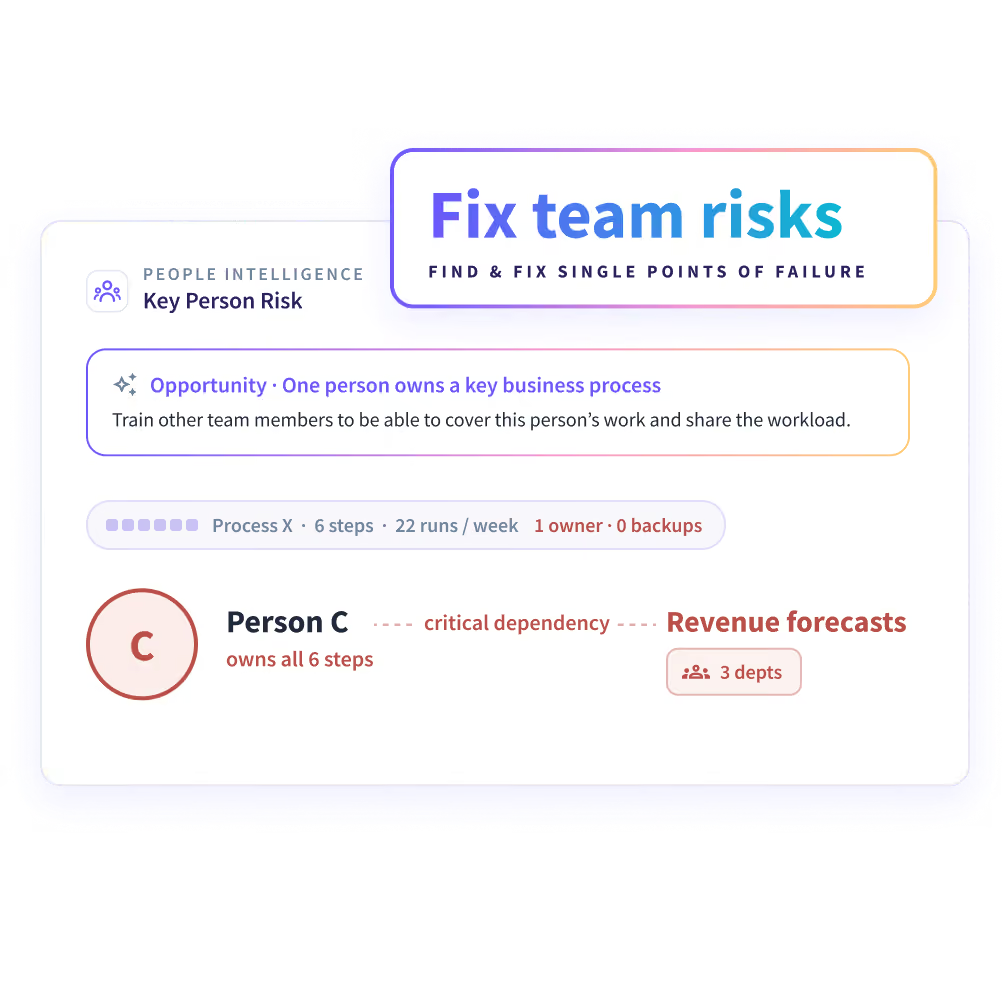


Work that rests on one person rarely has a cover plan
Headcount and hours don't show which work only one person can do. You find out the week they're out.


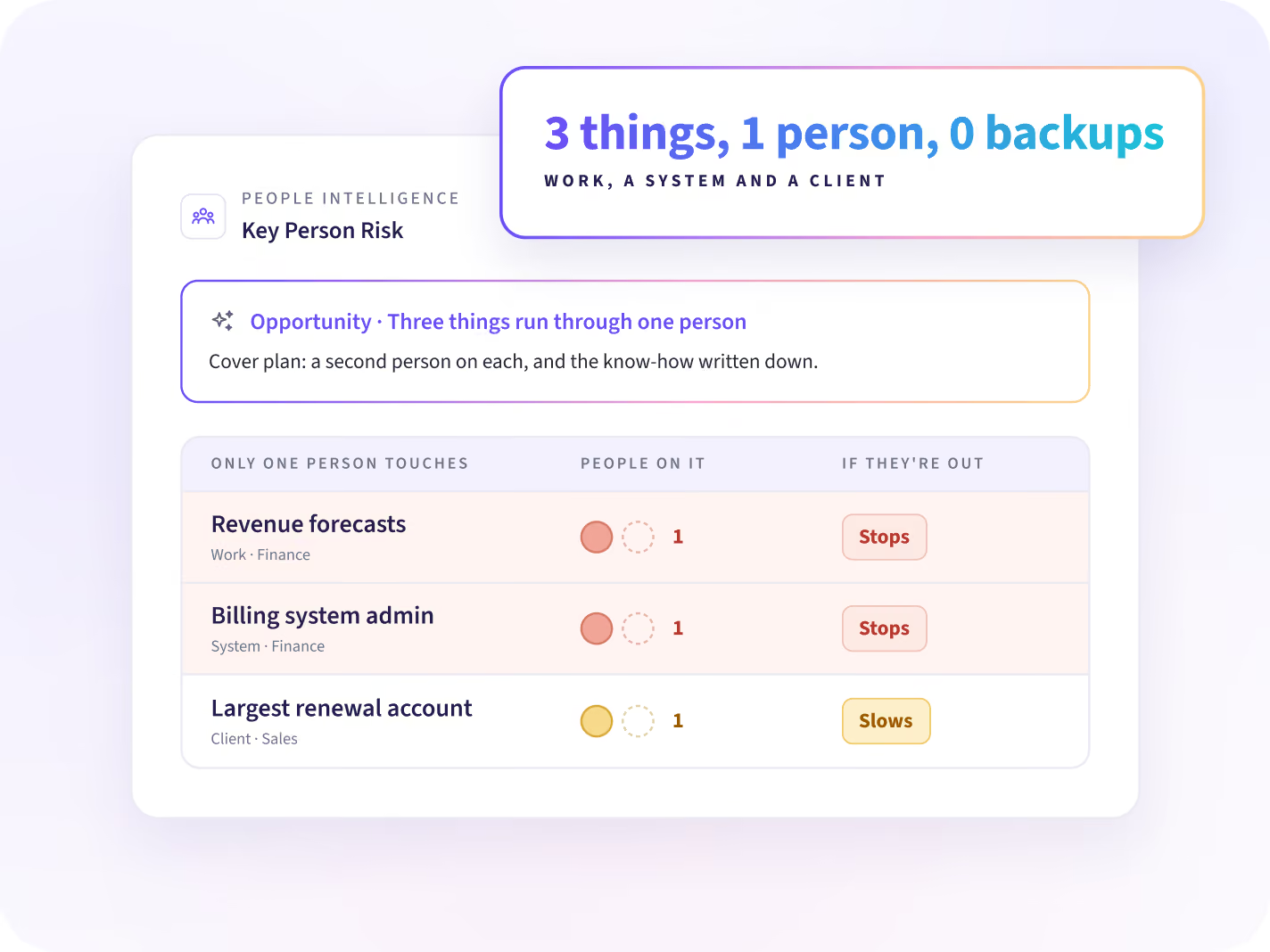
Whose work would stop if one person were out?
See which of each team's work, systems and clients run through one person alone. When work has no backup, the next step is a second person on it and the know-how written down. Your cover plan starts there.
- Work, systems and clients only one person touches
- Work that slows down when that person is out
- A second person and the know-how written down
Know when someone's work changes, and plan cover early
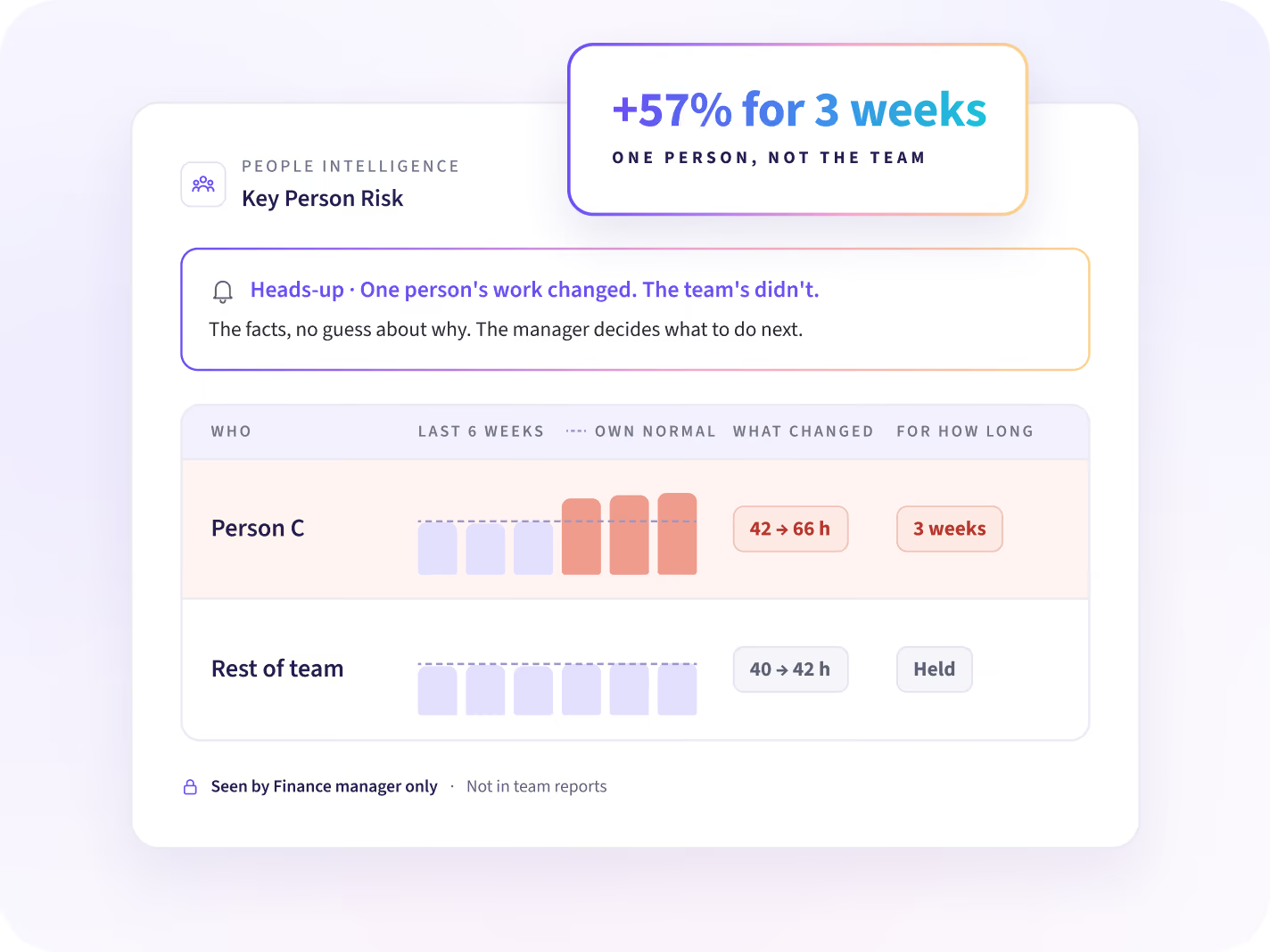
When someone's work changes and their team's doesn't, their manager hears about it first. It comes with the facts and no guess about why. The manager decides what to do next.
- What changed, and for how long
- Whether the team changed too
- Seen only by people with that person in scope
Is all key work covered today?
Let the manager decide what each change means
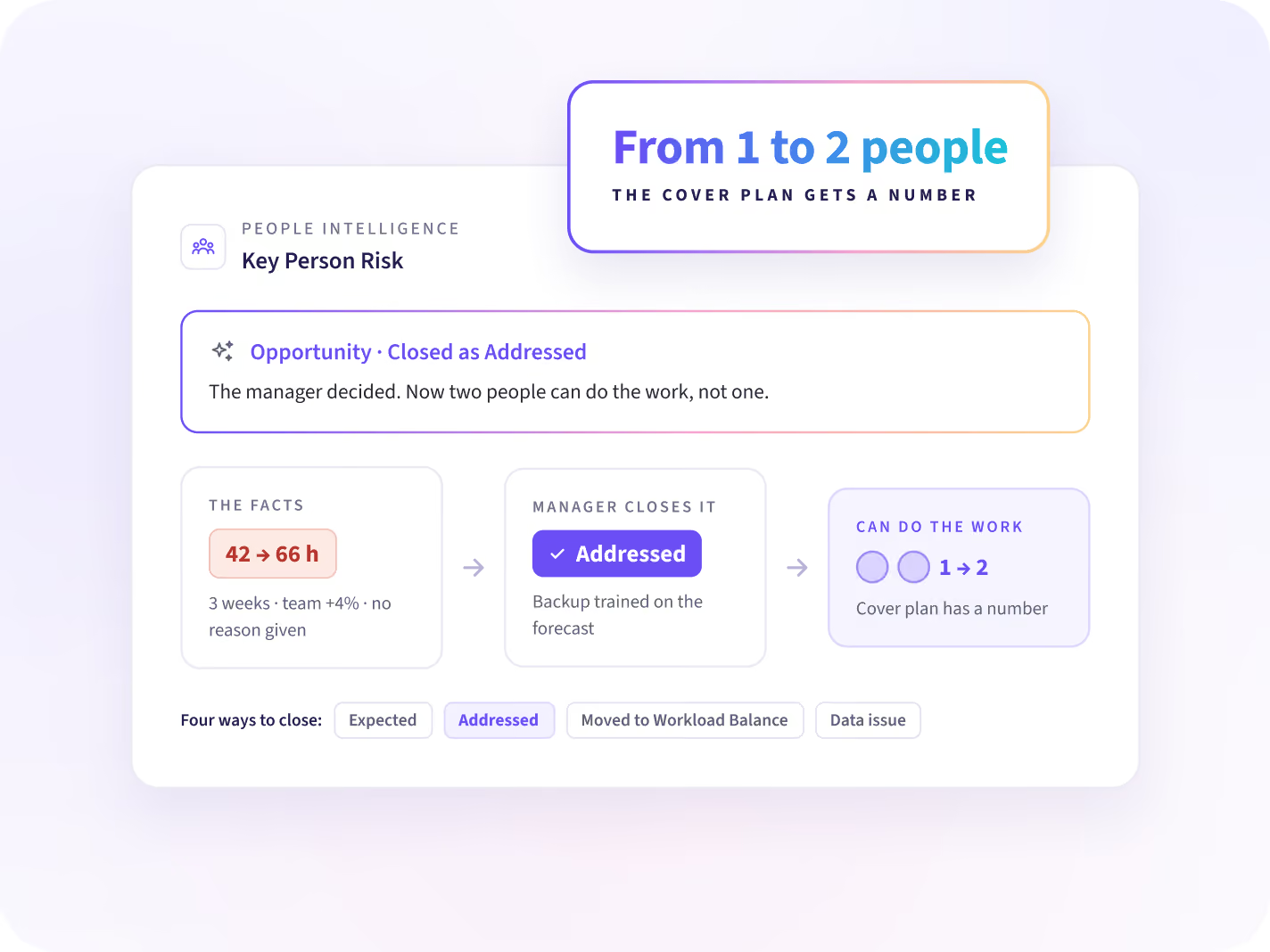
The manager reviews the facts and closes the heads-up as expected, addressed, moved to Workload Balance or a data issue. When they act, you follow how many people can do the work. Your cover plan gets a number.
- The facts behind each heads-up, with no reason given
- Four ways to close it, chosen by the manager
- How many people can do the work after the change
Ask whose work each team depends on
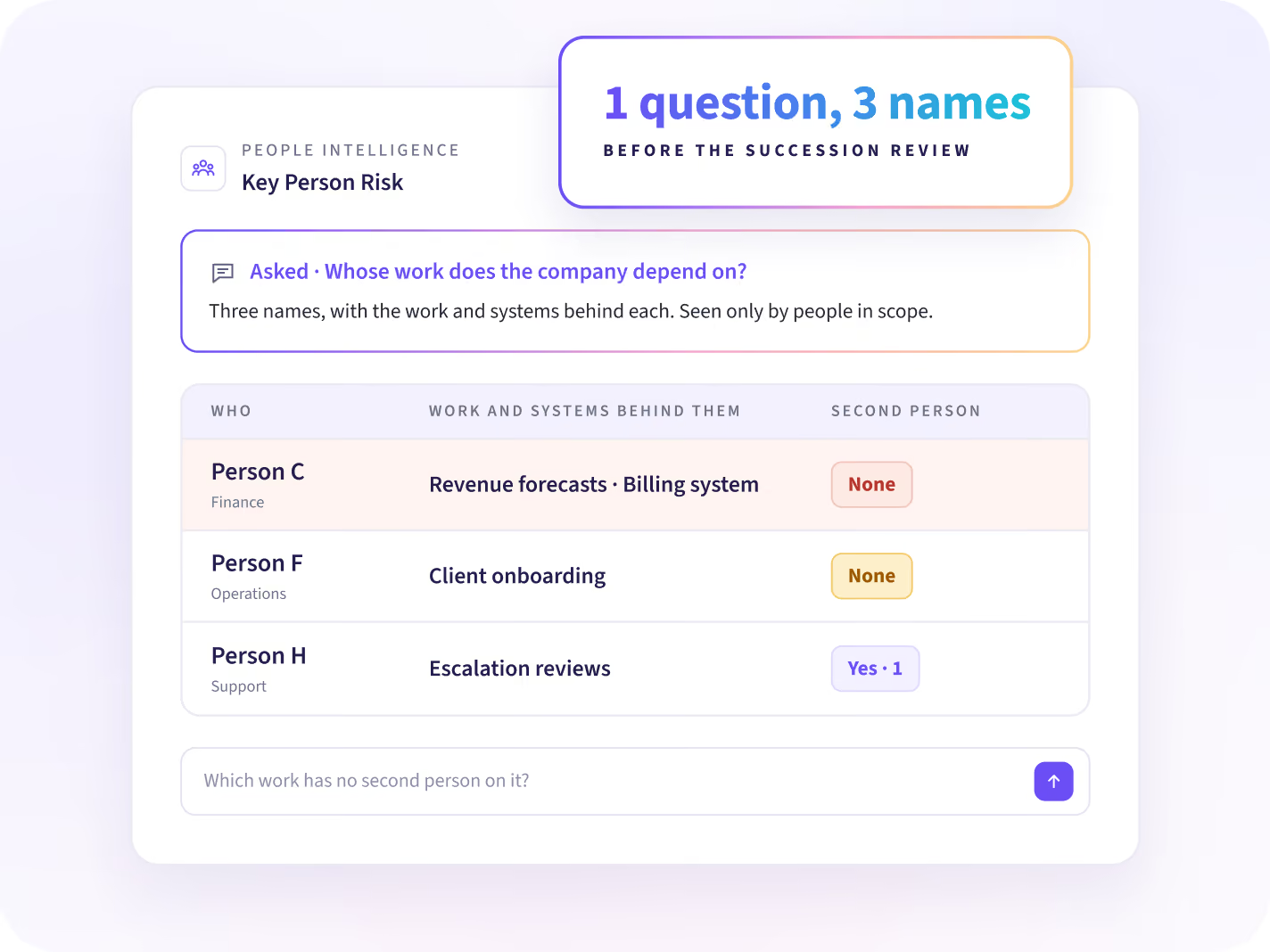
Before a succession review, ask whose work your teams depend on. You get a short list, with the work and systems behind each name. Only people in scope see it.
- Whose work does the company depend on?
- Which work has no second person on it?
- What is the plan to share the work?
What we see, and what we never collect
Insightful sees the apps, sites and AI tools your people use, and how they use them. It does not log content or capture keystrokes, messages, and documents.






Once key work has a second person on it
Three questions follow, and each has its own answer: who has room to share the work, what breaks up the day, and how HR plans cover.

Who has room to share the work?
Find who has room on each team to take on work that one person holds now.

Does the day leave room for the work?
The shape of each team's day, from meetings to evening work, comes with one change to make.

How does HR plan for cover?
HR leaders plan cover for key work from the room the company already has.
Match each person's work to their role and manager
Connect Workday, Entra ID, Zoho or another HR system, and each person's work is matched to their role, team and manager. People Intelligence starts from data the desktop app already collects, with nothing to set up first.


Take a cover plan to your next succession review
Questions about key person risk
What Key Person Risk shows, who sees it, and what People Intelligence leaves out.
Key person risk means part of a team's work depends on one person, so it stops when they are out. Since that dependency builds up quietly, it rarely shows in headcount or hours. People Intelligence shows whose work your company depends on, and suggests how to reduce that dependency.
Put a second person on the work and write the know-how down. People Intelligence shows which work, systems and clients run through one person, and the manager chooses who joins. After the change, the number to follow is how many people can do the work.
Workforce Analytics shows hours, attendance and utilization for each team. People Intelligence shows which work only one person does, and when someone's way of working changes while their team's does not. It runs on the data Workforce Analytics already collects.
No. People Intelligence doesn't say that anyone intends to leave, and it says nothing about how anyone feels. It shows what changed in a person's work, and whether their team changed too. The manager decides what it means, often after a short check-in.
The manager gets a heads-up with the facts: the work with no backup, or what changed in how that person works against their team. They close it as expected, addressed, moved to Workload Balance, or a data issue. No score and no target come with it.
That decision belongs to your company and depends on your country. HR, legal and any works council can review what Insightful collects before rollout, using the security documentation and privacy terms. Heads-ups go only to people who already have the person in scope.
Key Person Risk is part of People Intelligence, which comes in the Insights and Intelligence plans. To get started, request a Work Audit. We show your first opportunities on your own data 14 days after the agent is deployed. Prices are on the pricing page.


