.svg)


Find the step in the claim that slipped since last quarter
Your claims system timestamps every stage a file passes through. The hours it took to move it, and the systems those hours went into, are nobody's number.


.avif)










Turn a slow claim into a named step

Without Insightful

A claim sits between two teams and the gap shows up as a total, not a cause.
The average rises and nothing says which step or which adjuster it came from.
The load on one adjuster is invisible until the leave request lands.
Total staff cost divided by claims closed, which no improvement case survives.
The regulator asks, and three teams spend two weeks rebuilding the answer.

With Insightful

Where a claim waits between teams, and how long each of those waits runs.
Time in each system for each step, by adjuster, against the period before.
Workload across the team, so one adjuster carrying the queue is visible early.
Hours by team and by step, so a proposed change has a measured number behind it.
Every admin change held with its actor and time, on the Audit Logs add-on.
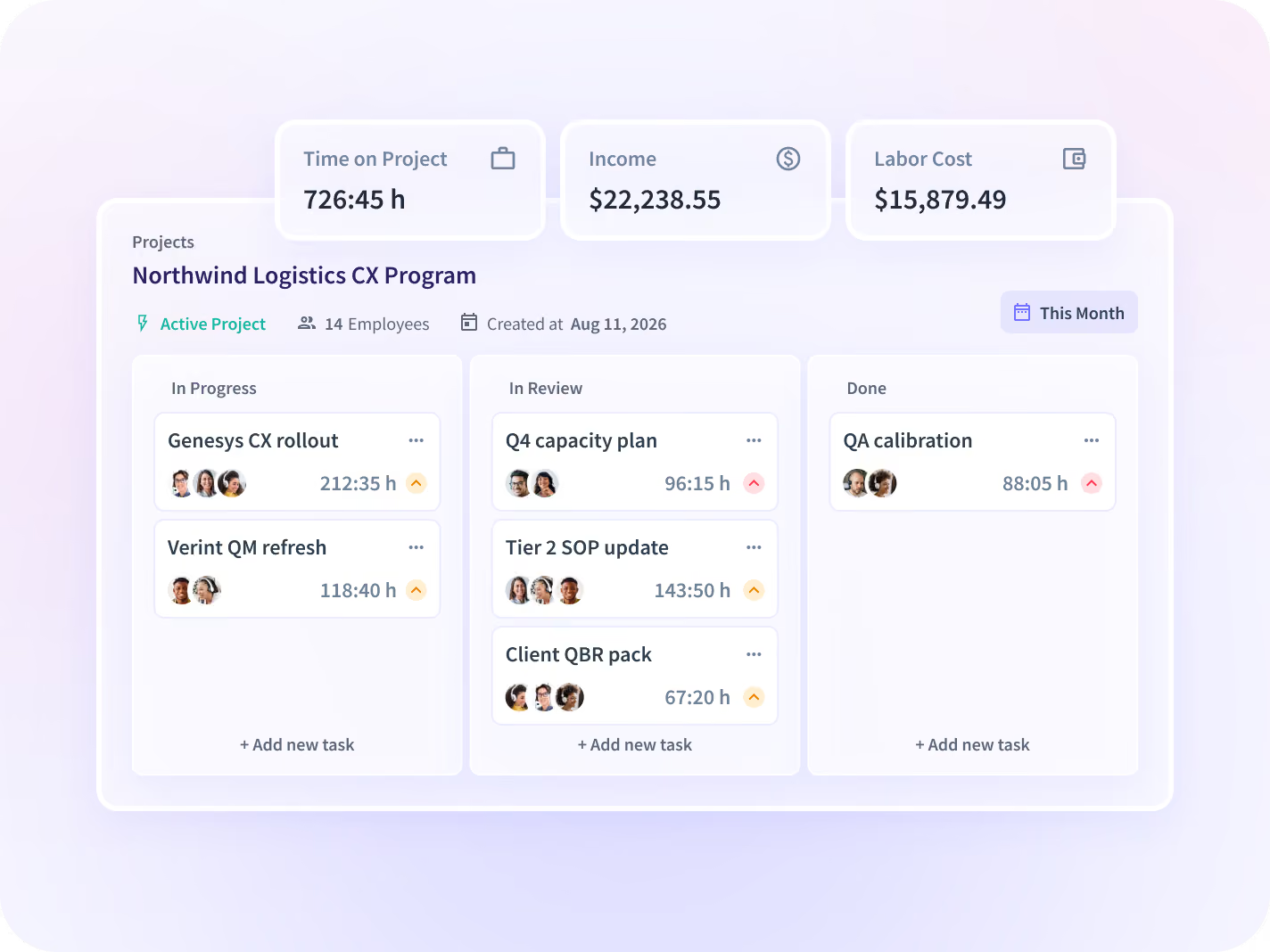
See where the claim waits, step by step
Time in each system is read at every step, and every number carries its percent change against the period before it, so the step that grew stands out.
- Read time at each step, from first notice of loss to settlement
- See where a file waits between teams, and for how long
- Compare time in each system at every step, adjuster by adjuster
Rebalance the claims queue before an adjuster quits
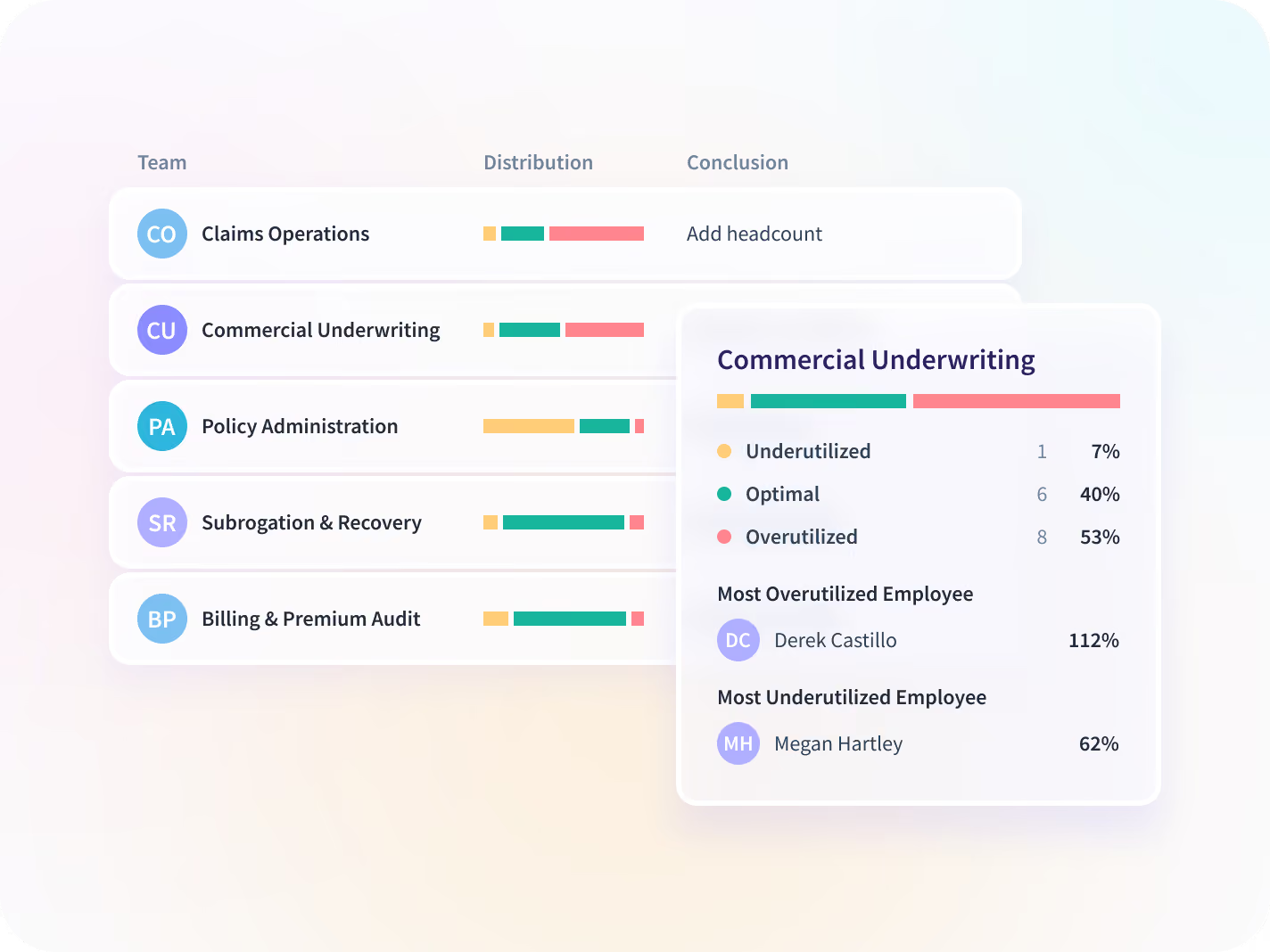
Two adjusters close the same number of files and one works nights to do it. Hours and after-hours work across the team show which, while the queue can move.
- Compare hours and workload across every adjuster on the team
- Read after-hours work as a trend, week against week
- Spot the adjuster carrying the queue while files can still move
See where the claim waits
Price each claim in measured hours, not headcount
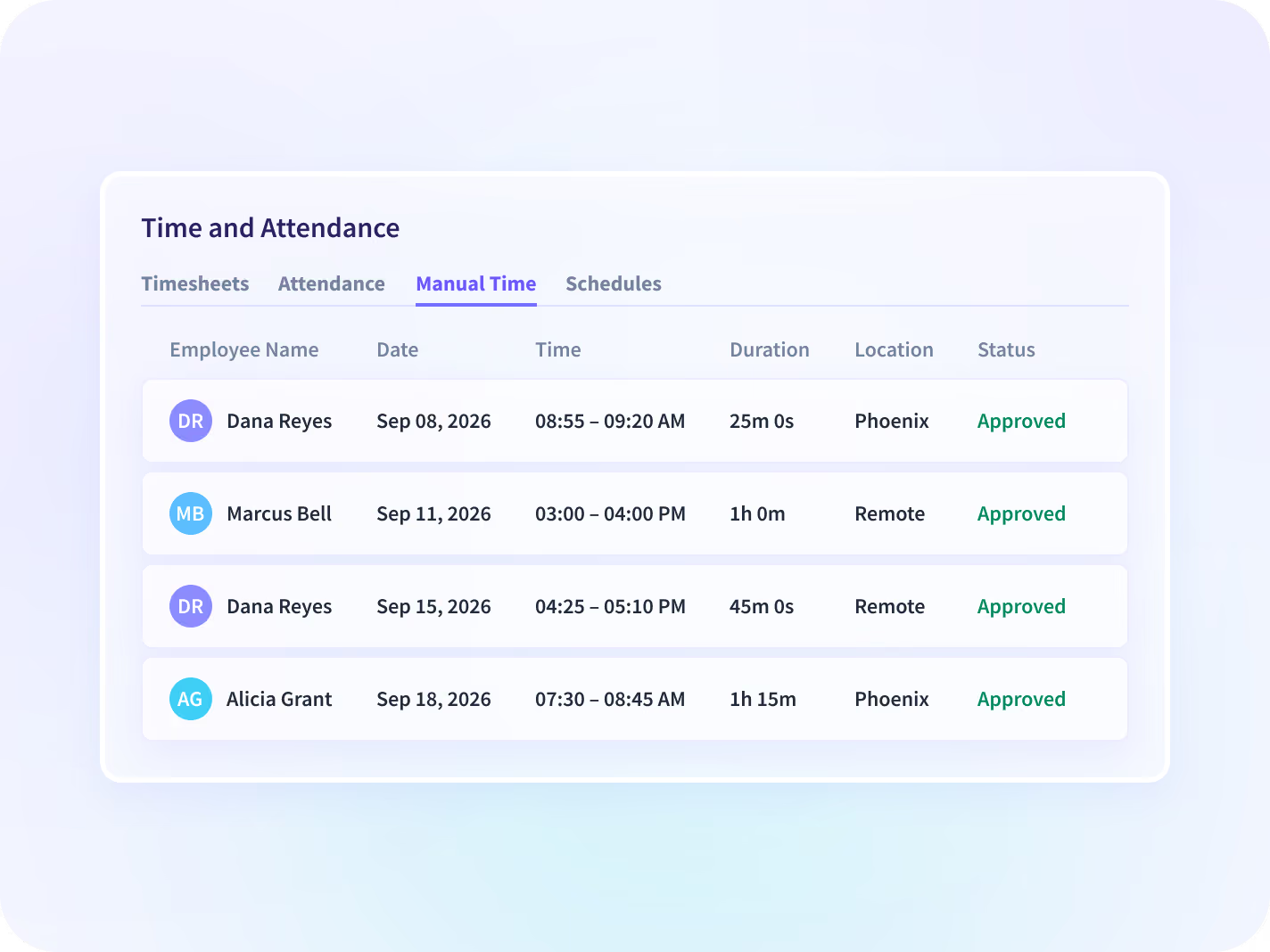
Hours are captured automatically as work happens. Anything added by hand routes to a named approver first, and every entry lands in a record no one can quietly edit later.
- Build cost per claim from team hours instead of a staff average
- See a named approver on every manual edit to a timesheet
- Give a carrier or agency a scoped view of its own hours
Agree what the examiner will see before rollout
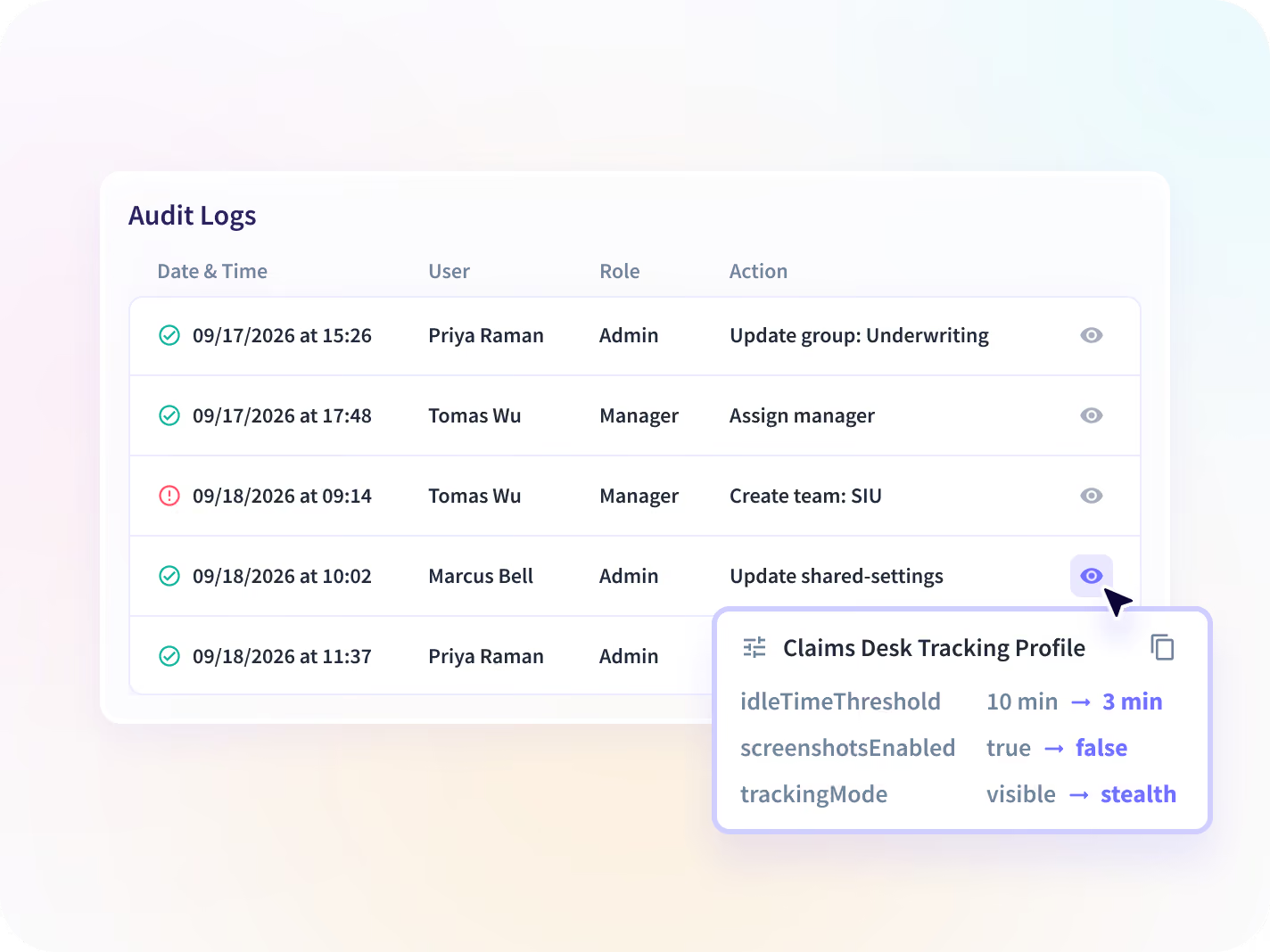
Carriers are examined on whether they can show what happened, so collection scope and the evidence trail are agreed per team before rollout.
- Agree collection scope per claims team before the rollout
- Hold every admin change with actor and time on the Audit Logs add-on
- Use it as evidence for a review, never as a compliance program

What does your top claims team do differently?
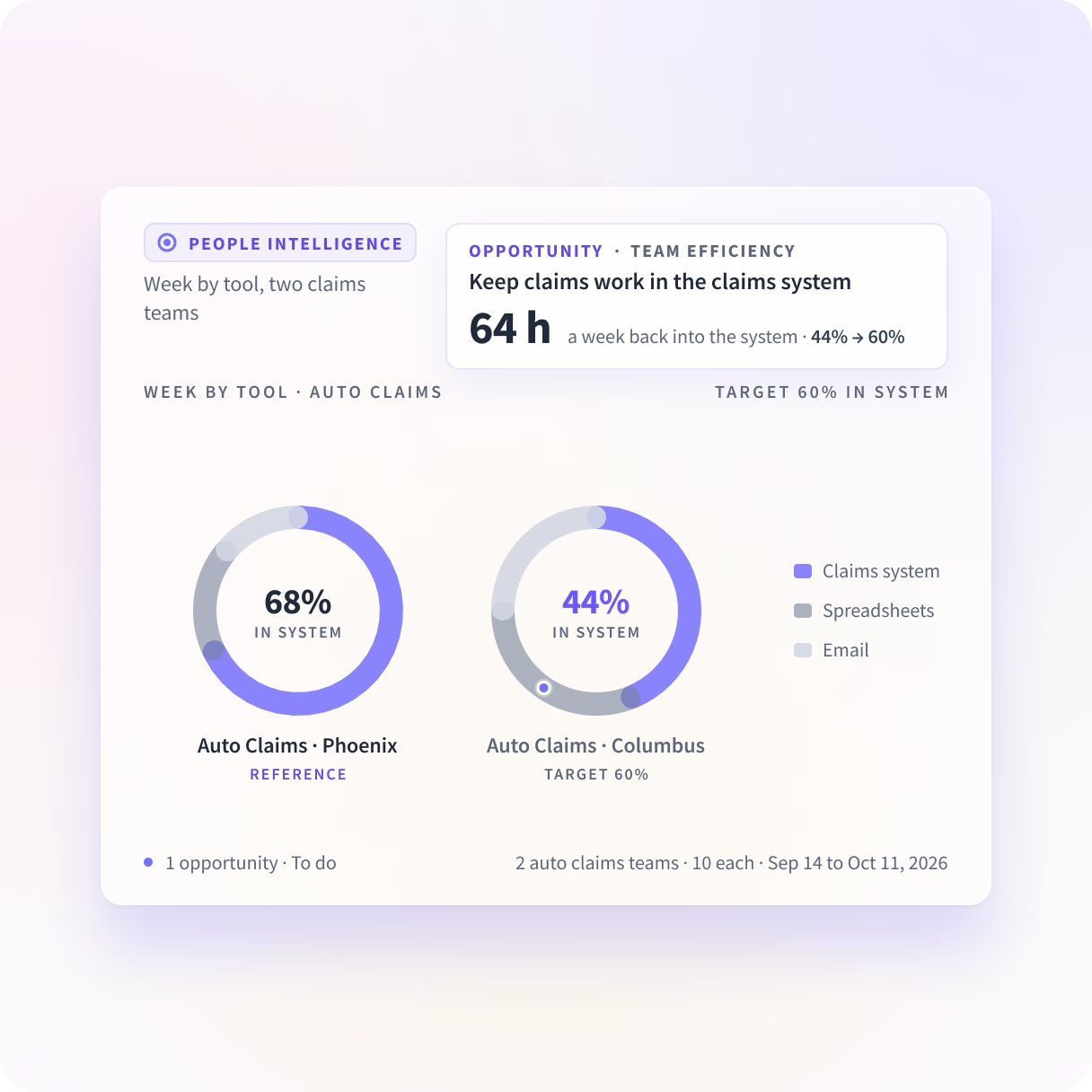
People Intelligence shows how much of each claims team's week goes into the claims system, and how much to spreadsheets and email. It suggests the way your best claims team works, and tracks that share to your goal.
Claims data on infrastructure you control
Narrow by design: what Insightful holds is the shape of the work and not its content, with scope agreed before rollout rather than discovered in a review.






Where the claim stalls, and what each claim costs
Together they show where a claim stalls, where handle time grew, and what a claim costs, from one record of adjuster hours read by team.

Where are claims stalling?
Time by step and the waits between teams, read while the week is still running.

Where is handle time inflating?
Handle time split by step and by adjuster, each measure against the period before.

What is our cost per claim?
Team hours set against claims closed, so an improvement has a measured number behind it.
Insurance teams reading their own hours
Operations, finance and compliance read the same adjuster hours when the quarter closes, so the slow step arrives with a name on it.







Every system your claims team runs on, connected
Insightful connects to the ticketing, HR and reporting tools a claims team already runs on. You can talk to your work data with MCP connectors.


See inside your claims process in 14 days
What enterprise leaders ask us most
It reports how the office side of an insurance operation spends its hours. That covers claims and adjusting, underwriting support, policy service and the back office around them. Insightful is a work insights platform. It collects hours, application use and meeting load from desk-based teams and reports them by team, each measure against the period before. It covers carriers and third-party administrators, and the line is the computer: field adjusters working out of a vehicle are outside it.
Your claims system reports what happened to the file: the stages, the handoffs, how long it took. What it cannot see is the work around the file, which is where the hours are. Insightful reports those hours and the applications behind each stage, which is how a slow claim gets traced to a system or a workload rather than left as a claims problem. It knows nothing about the claim itself, so the two are read side by side.
No. It reports how the work happens; it does not act on it. Nothing here approves, denies, routes or settles anything, and no rule you write in Insightful will move a file through your claims system. What it does is show you which steps take the longest and which are the same every time, so you know where automation in your own system would pay off before you build it.
It supplies evidence; it is not a compliance program and will not satisfy a review on its own. A market conduct review is a regulator's examination of how a carrier handles claims and treats policyholders. With the Audit Logs add-on, every admin change is held with who made it and when, in a form no user can alter. Documentation on the underlying controls is available under NDA, and it is worth asking for before a review rather than during one.
No. It records which applications and pages were used and for how long, and it logs no keystrokes, records no audio or video, and reads the content of no message, email or document. It does not see claim images, payment records or policyholder data of any kind. What it does see is how long an adjuster spent in the policy system against how long in the spreadsheet beside it. If that is more than a particular team should expose, collection scope is set per team before the desktop application is deployed.
Workforce Analytics shows the input, from the time perspective. People Intelligence shows the output, and what happens in between. On this page, claims teams are compared with claims teams on the share of the week that goes into the claims system. We see the apps, sites and AI tools your teams use, and what they do in them.


