.svg)


Insider threat detection licensed to the seats one case needs
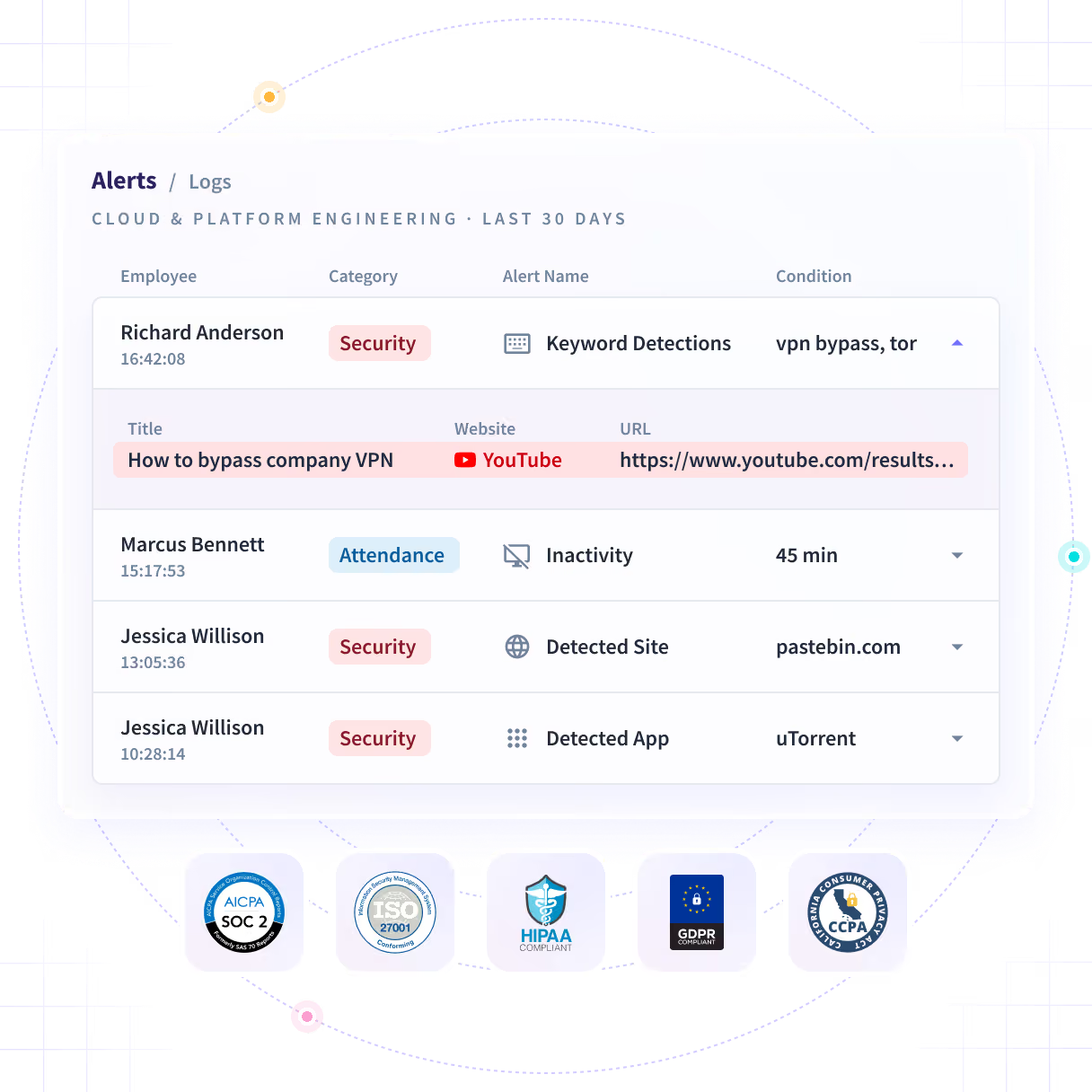
Alerts on the applications, sites and keywords you define, with a screenshot captured the moment an alert fires, when you enable it. License it to the seats a case needs, not to the whole company.













The tip is real. The rollout it needs is not.
Two tips arrive the same month, equally credible. One gets looked into because a program already existed; the other waits on a budget line, a policy review and a conversation with legal.

Start the case at the size of the case
Insightful alerts on the applications, sites and keywords you define, and captures a screenshot at the trigger when you enable it. Detection is licensed to as few seats as a case needs.

Ten seats, not six hundred
One security lead scoped his own evaluation to 10 licenses across a 675-person organization. Seats are the unit you buy and deploy.

Live the same day
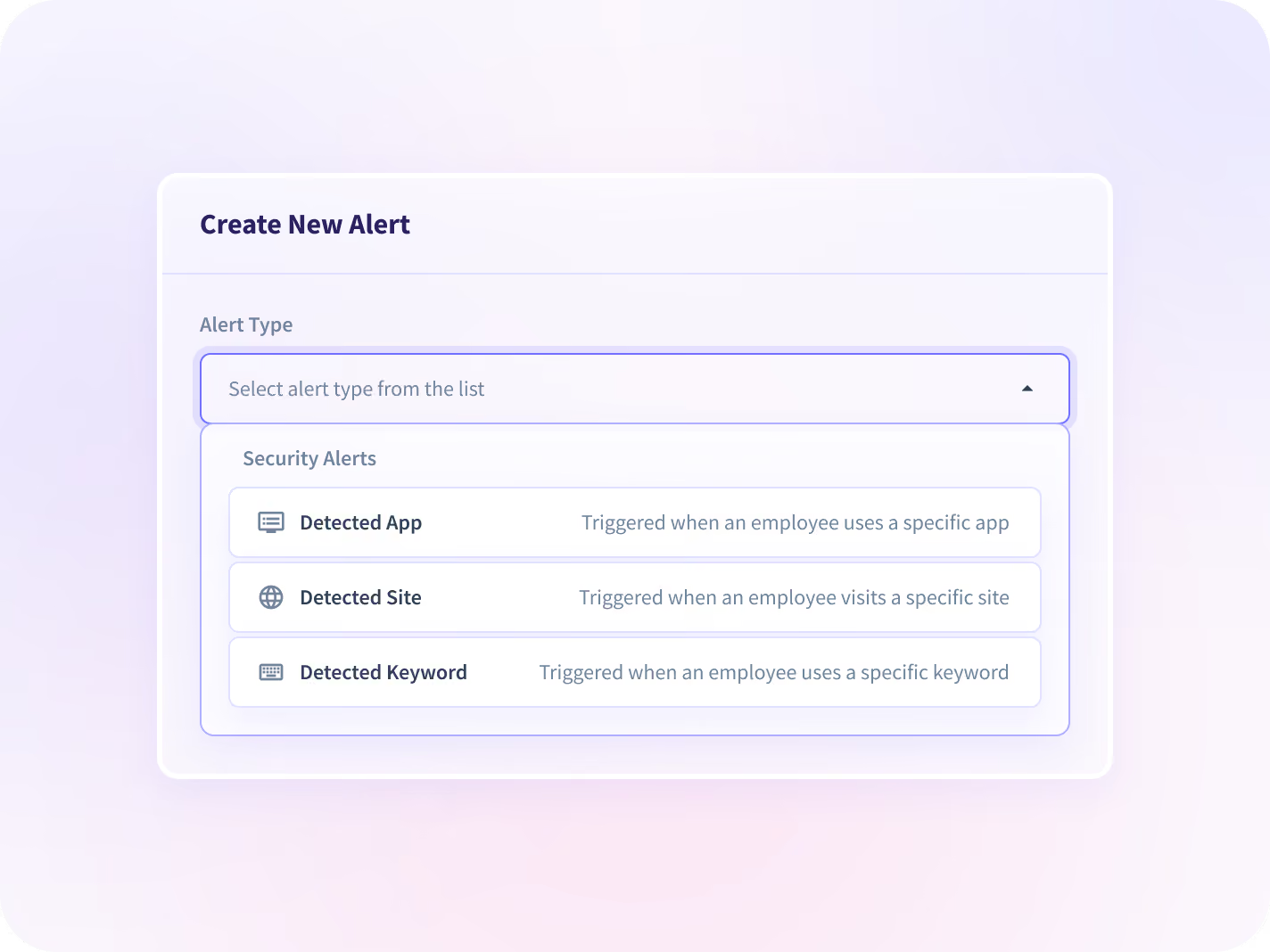
Name an application, a site or a keyword in Settings. The condition is active that day rather than in the next release.

No session recording
No full-session recording and no keystroke logging. A single screenshot at the trigger, and only if you switch it on.

Detection is not a verdict
It reads behavior, not intent. It can show that client work went into a private account; what that means is still a human call.
Alerts you define, on the seats you chose
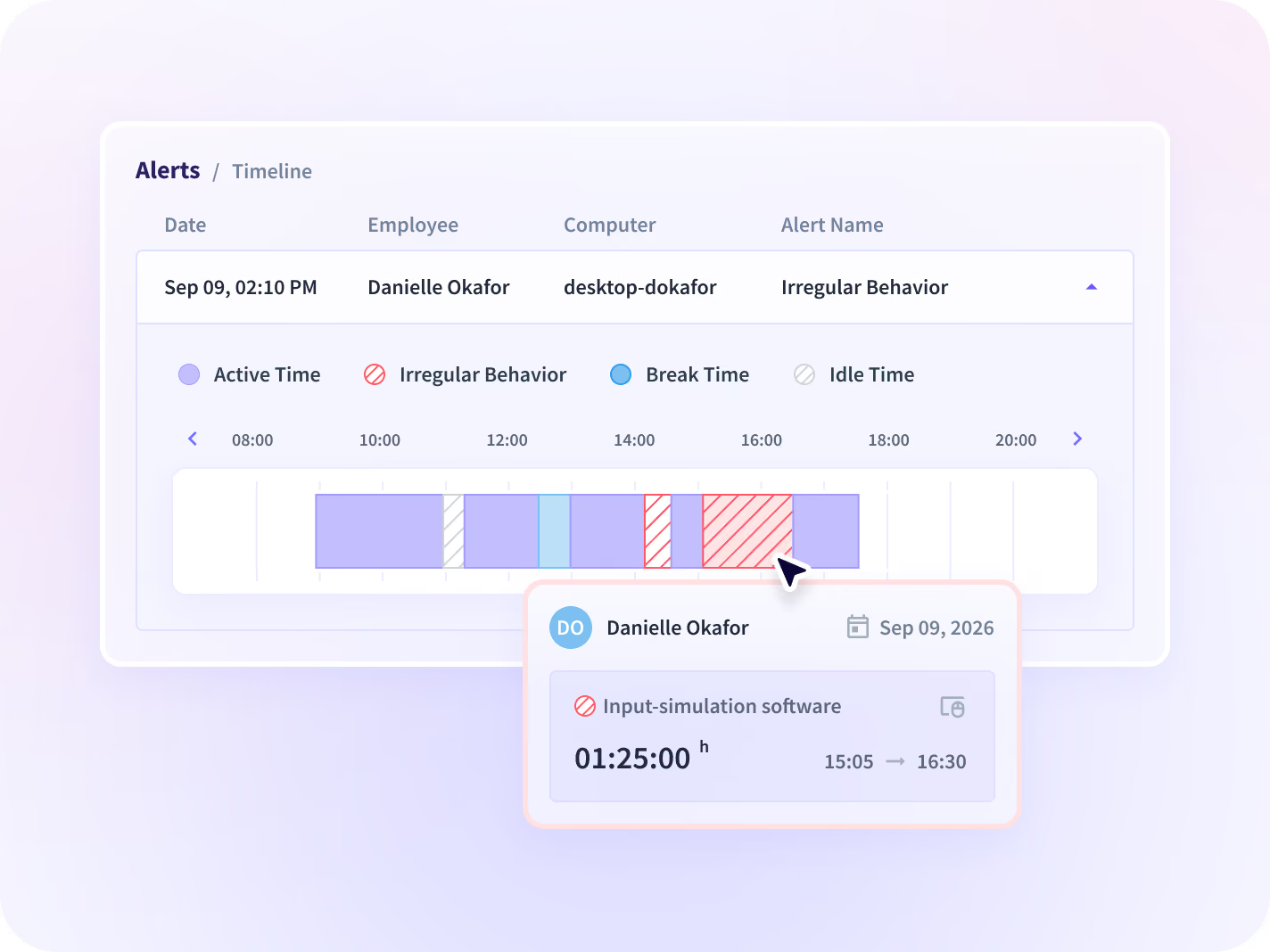
Name an application, a site or a keyword and the alert is live the same day, with a screenshot at the trigger if you enable it. Automation is caught as a pattern, and every alert opens into its own timeline.


Name an application, a site or a keyword in Settings, on the seats you licensed, and the condition is live the same day rather than in the next release.


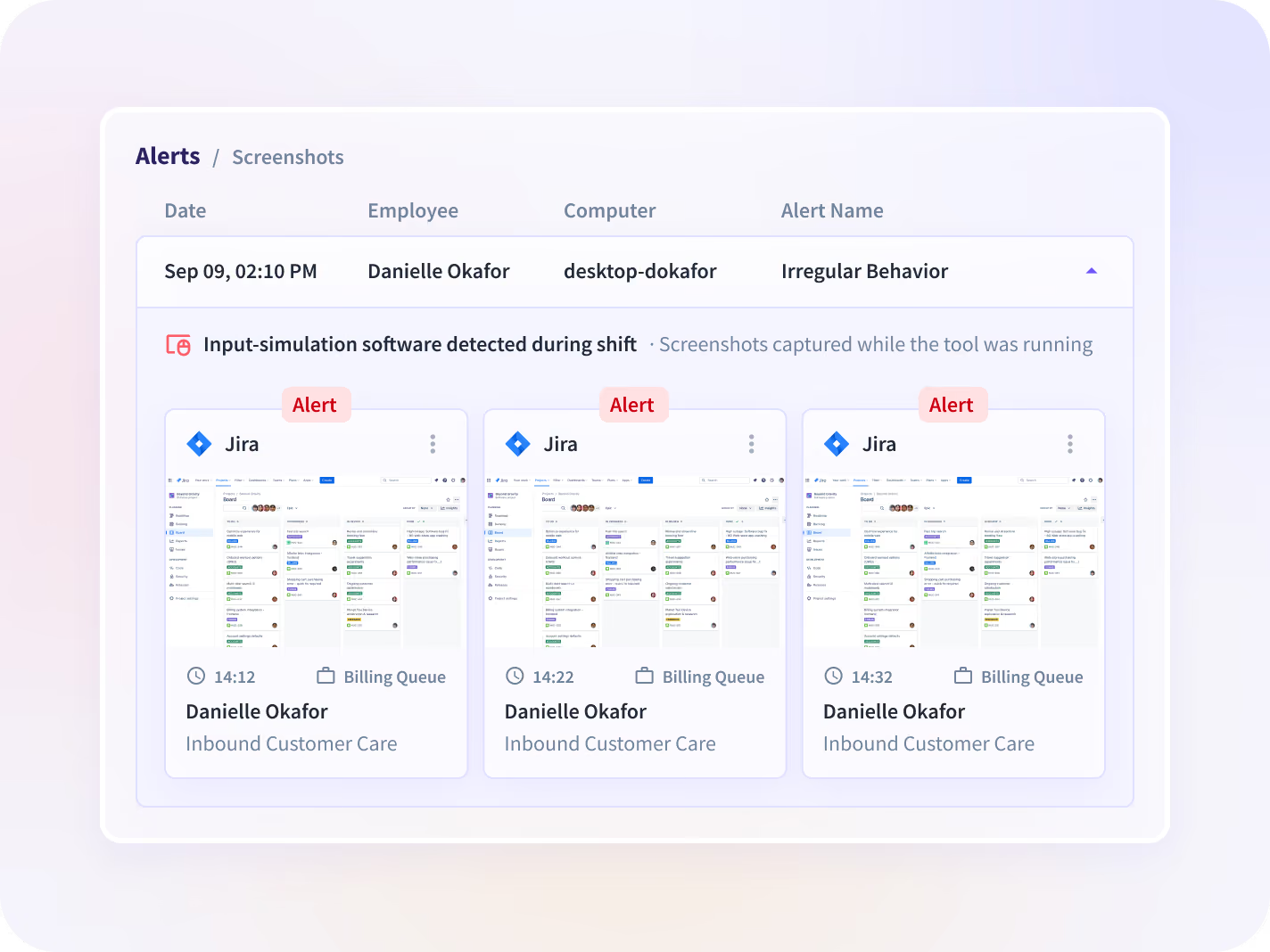
A screenshot captured the moment an alert fires, if you enabled that option, so what you review is the event itself and not somebody's summary of it.


Mouse jigglers, auto-clickers and workspace emulators are detected as patterns, so hours that were never worked do not reach billing or payroll.


Open an alert to read its timeline, the logs beneath it and any screenshots, all inside the seats you scoped and nowhere outside them.
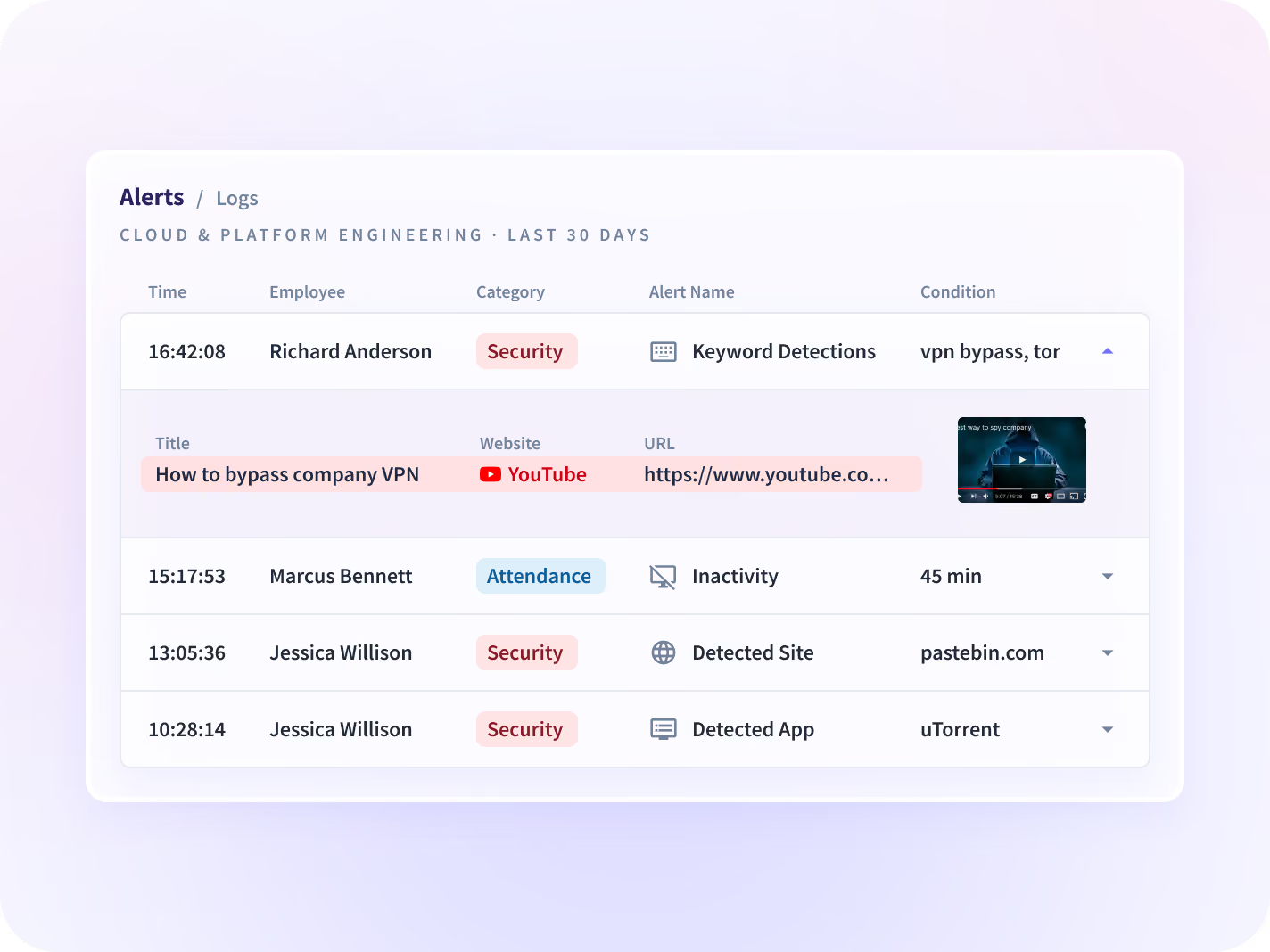
One alert is evidence of nothing on its own
One alert is a starting point. Add the session it sits in, the account trail under it and the program it belongs to, and a flag becomes a case somebody can defend.

Insider Risk Management
The program an alert belongs to: named seats, a capture depth set per group, and an approval path HR and legal both sign.

Activity Logs
The session the alert sits in: which applications and pages were open, in order, with timestamps, and nothing typed.

Audit Logs
Who changed what inside the account, in a record no user can alter, which is what an investigation's own integrity rests on.

Apps & Website Usage
Whether the tool in the alert is an isolated case or something several teams have quietly adopted.

Workforce Visibility
The same signals read at team level rather than at one seat: hours, applications and working patterns in one place.
CISO
A collection scope narrow enough to clear a legal review, and the documentation that review asks for.
Neither team has to scale up to look at one thing
The org-wide rollout a single tip would require
License detection to the seats one case needs, at a capture depth their own reviewer reads before anything is deployed.
Cases opened without a program
The manual hunt for activity that was never a person
Set alerts on the applications, sites and keywords that matter to a case, and see a screenshot from the moment one fires.
Non-worked hours caught
Narrow enough to clear a legal review
No full-session recording and no keystroke logging. A single screenshot at a trigger, only if you enable it, on only the seats you licensed. Reviewers in two jurisdictions cleared this collection scope.






Trusted by 5,000+ Teams Worldwide







Look into the tip this week
Alerts arrive as one daily digest, not a stream
Email and in-app delivery, consolidated into one daily digest rather than a notification per trigger, so the queue stays readable at the seat count a case runs on. Audit records export into a SIEM. 50+ integrations.


FAQ
An insider threat is a risk to data or systems from someone who already has legitimate access: an employee, contractor or partner. It covers deliberate misuse and negligent exposure, such as moving sensitive work into an unapproved tool. Insightful detects it by alerting on the applications, sites and keywords you define, licensed and deployed to as few seats as a case needs. Detection reads behavior, not intent. It can show you that client work went into a private account. What that means is still a human call.
No, and the licensing follows the deployment: detection can be bought and deployed for a subset of seats, and one security lead scoped his own evaluation to 10 licenses across a 675-person organization. The flip side is that seats are the unit. Widening a case later means widening the license, so scope the seats you expect to need rather than the ones you have today.
Conditions you configure: a named application, a website, a keyword, or activity outside an employee's normal working hours. You set them in Settings and they are live the same day rather than in the next release. The honest caveat is granularity, which is coarse today and is being improved, so expect to tune a condition once or twice before the digest reads clean.
No. There is no full-session recording and no keystroke logging. What you do get at a trigger is a single screenshot, and only if you enable that option, which is the one setting on this page your own reviewer will want to see written down before deployment rather than after.
Yes. Mouse jigglers, auto-clickers and workspace emulators are detected as patterns, so activity that was never real work does not reach a payroll or client-billing number. Mercor scaled to more than 30,000 contractors without losing millions to work fraud. Pattern detection flags rather than proves, and the flag is the beginning of a look, not the end of one.
From the Insightful desktop application on the device, never from a self-reported entry and never from a periodic audit somebody runs after the fact. Hours and application use are measured as work happens, at an interval you set, and each measure is reported against the period before. That is what makes an alert timeline something you can put in front of a reviewer.
Tiered admin permissions and department-scoped admin roles are in development rather than shipped, so admin access cannot yet be split by department. What is here now is role-scoped alert ownership, where a manager sees only the alerts they created, and that is the model to design your program around.


