.svg)


Hybrid workplace software that compares settings, not people
Set hybrid policy on what each setting produced. Productive time on office and remote days, by team, with no GPS.













From 14% to 3% in a hybrid contact center.

Down from 80 hours spent reading it by hand.

Growth its own case study credits to working remote-first.
Set hybrid policy on output, not badges
Most hybrid policies are set on a badge report. It shows who came in, and the policy meeting needs to know what each day produced.

Without Insightful

It counts who came in. The meeting is about what the day produced.
People in the office pick up visible work. People at home get overlooked.
Office days come from badges, home days from timesheets. They never match.
Questions settled at a desk become calendar invites on remote days.
Nobody can say which offices are used, by how many people, on which days.

With Insightful

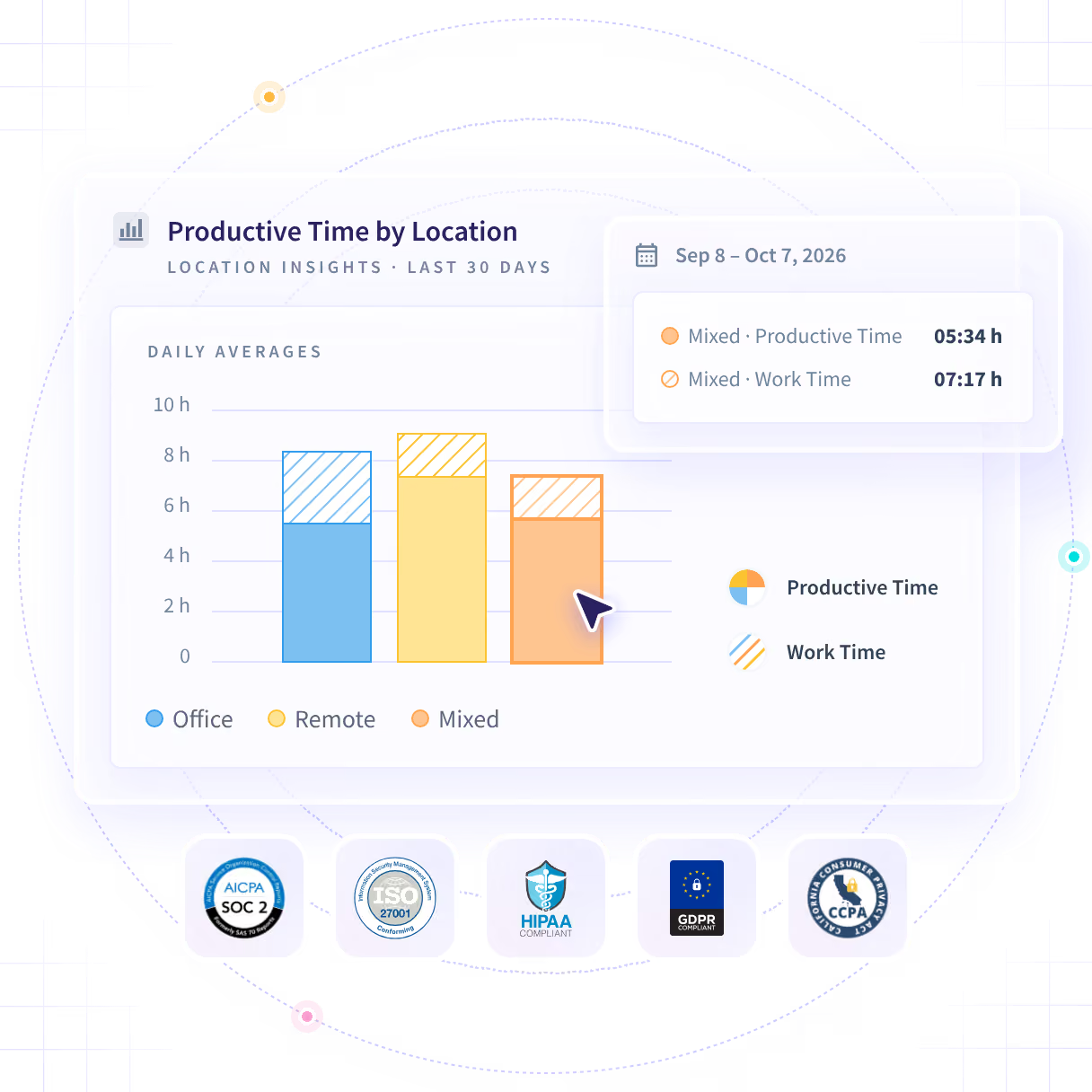
Productive time on office, remote and mixed days by team, read from the network.
One report for office and home. In a visible rollout, people see their own.
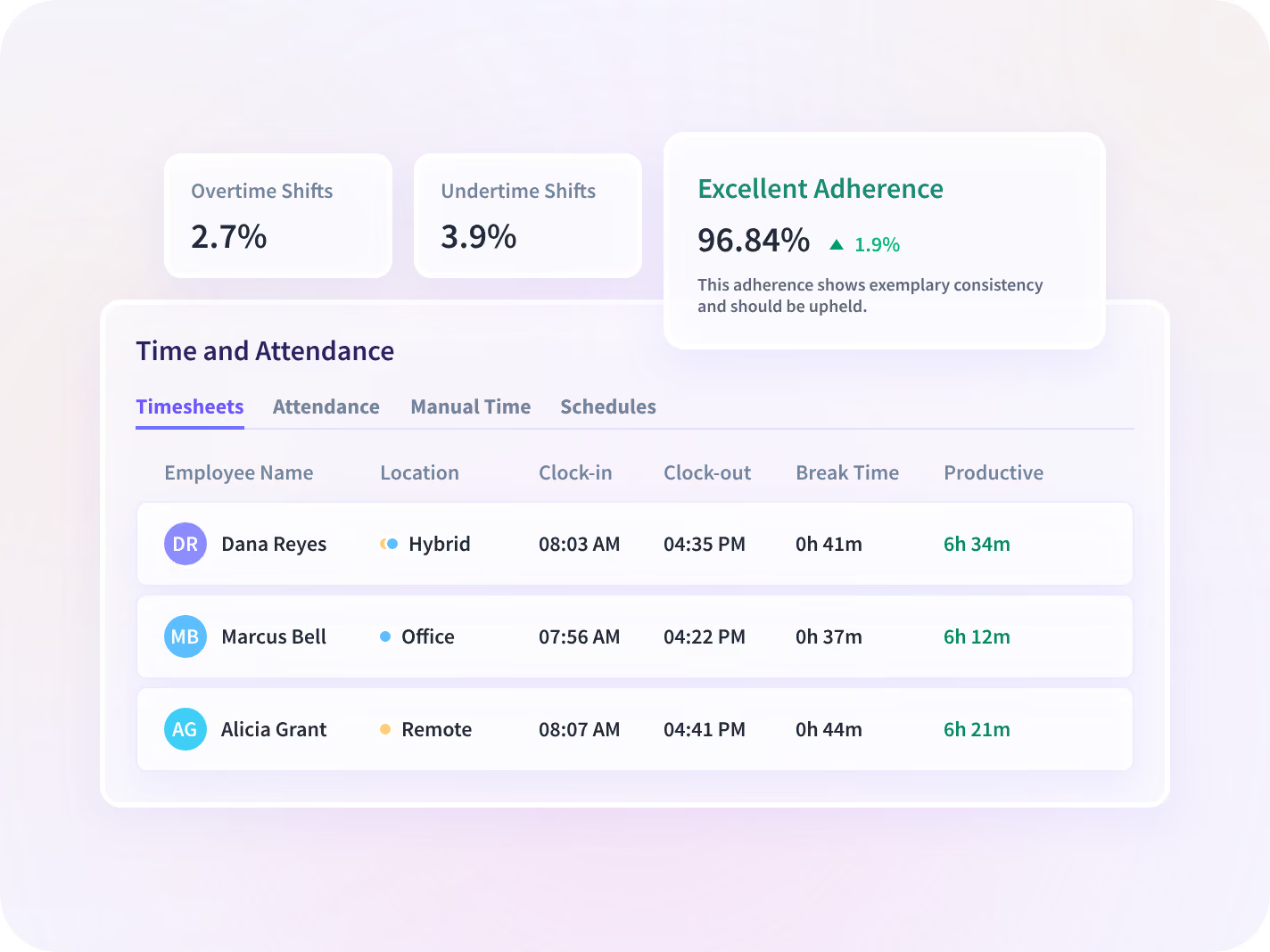
Hours, breaks and adherence captured the same way in both settings.
Meeting and message time by team and setting, from length and frequency.
Visits, unique visitors and productive time for every office you pay for.
Which days should be office days?
Location Insights compares productive time on office, remote and mixed days, team by team. You set the policy on what each setting produced and defend it with the same numbers.

Office vs home days

Setting from network

Your own thresholds

Office use per site
Stratum Benefits uses Insightful to see how its hybrid teams work and manage performance on that record.
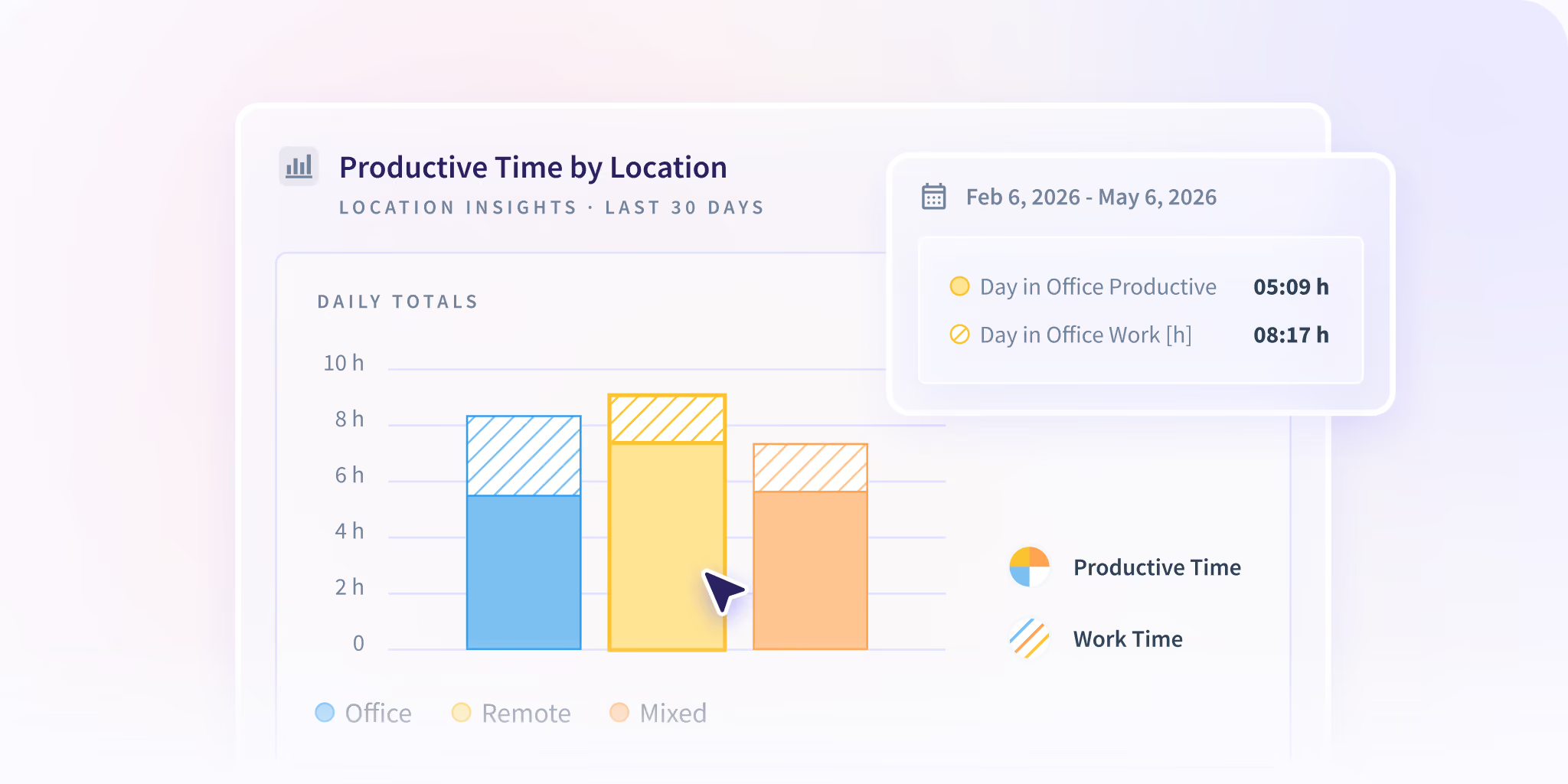

Reported at team, office and organization level. Based on the network a device connects to. No GPS, no individual location field.
See office and remote days side by side
One attendance policy for every setting
Two settings usually mean two ways of counting a day. Hours, breaks and adherence are captured the same way in both. Manual edits go to an approver.
- Capture hours the same way on office and home days
- Flag absences with no time-off record, anywhere
- Route manual time edits to a named approver
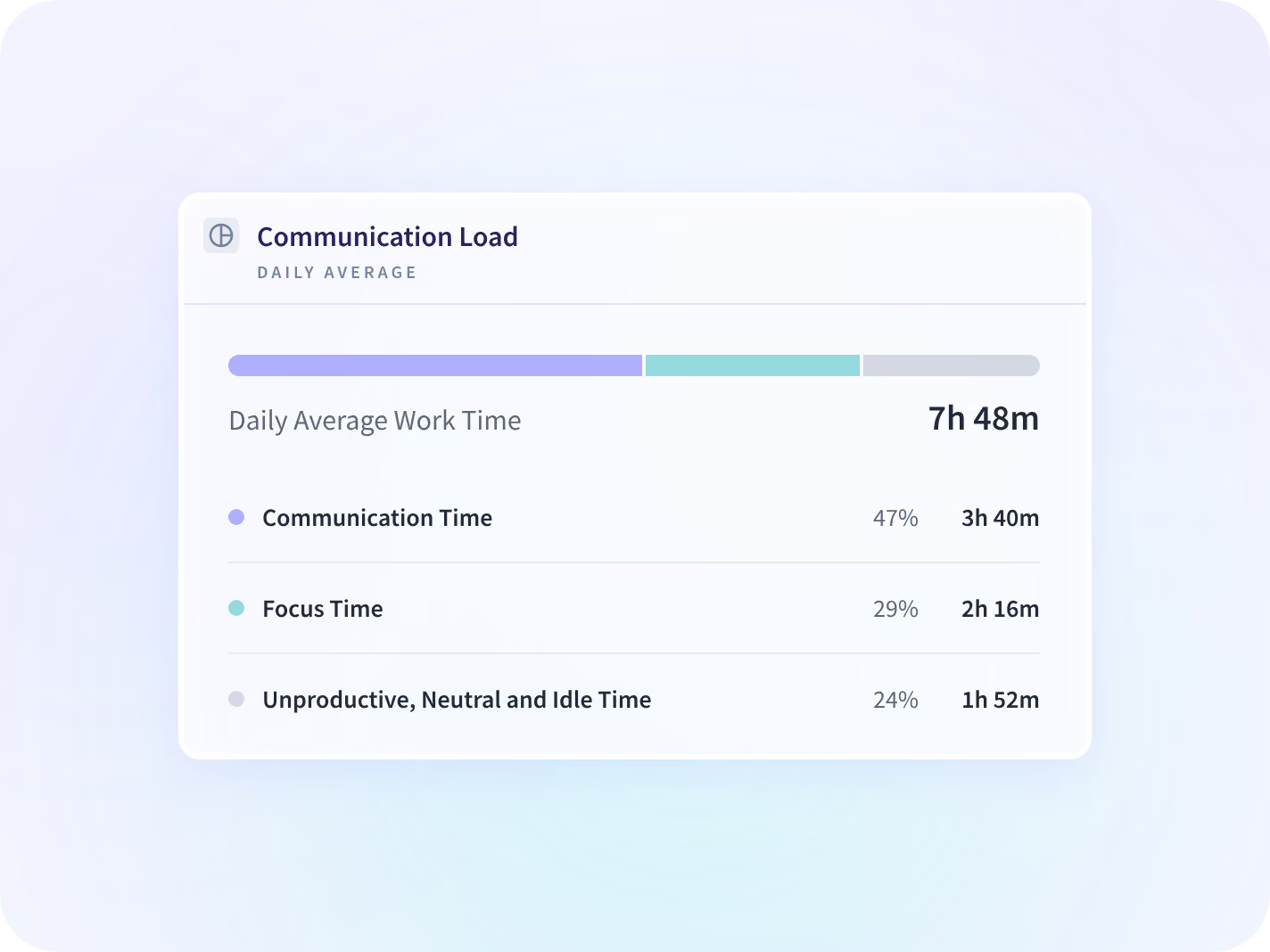
Measure the meeting load hybrid adds
Hybrid teams book calls for what a shared office settled in passing. The Communication Report measures that in hours, from meeting and message load. It never reads what was said.
- Separate meeting time from focus time in both settings
- See which meeting load rose after a policy change
- Compare coordination time across hybrid teams
See which team absorbs a policy change
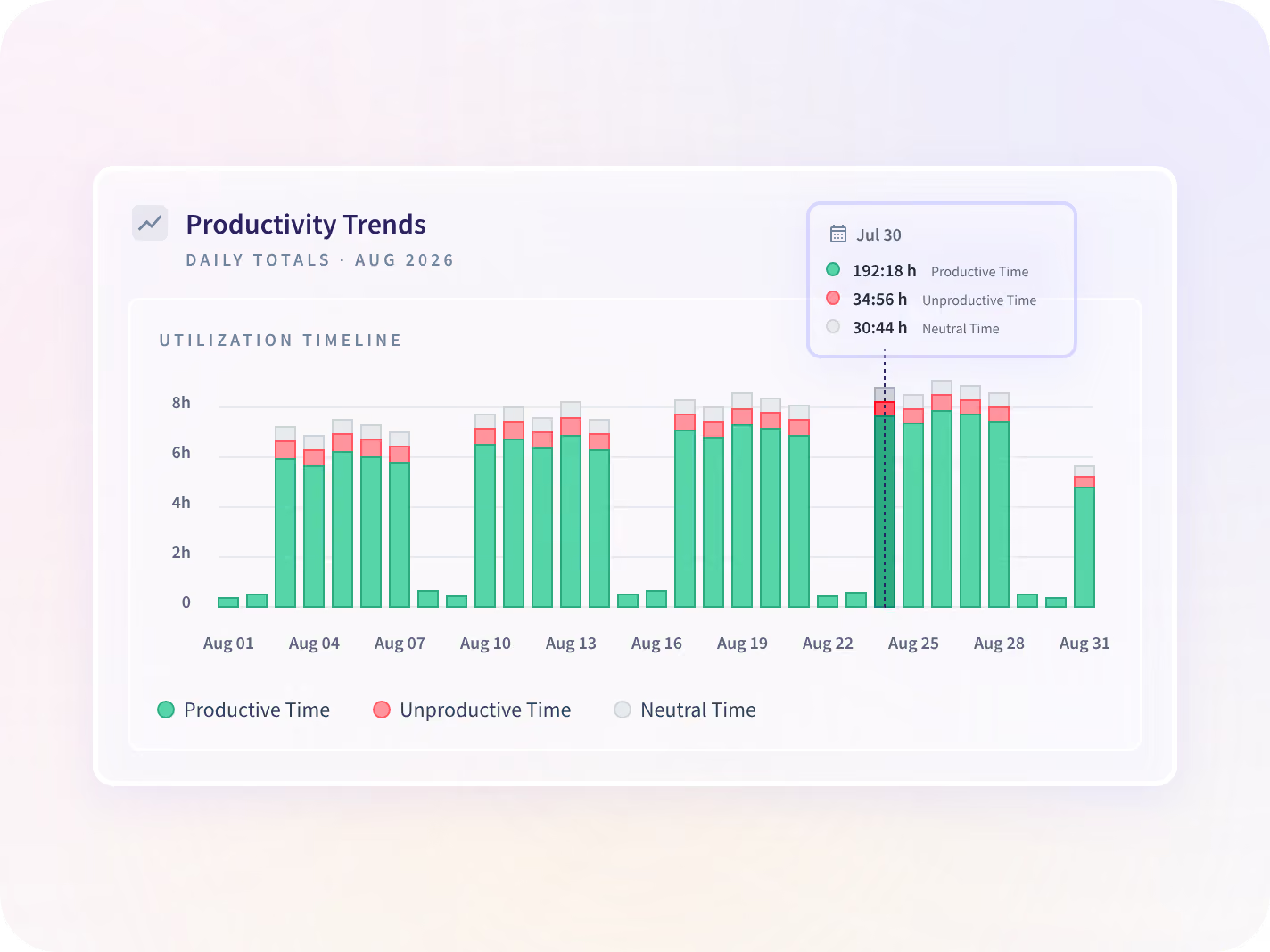
A new office-day rule always lands on someone first. Productive time by team, against the period before, shows who took the cost while you can still move it.
- Compare output before and after an office-day rule
- Find the setting that does the same work in fewer hours
- Catch hybrid coordination turning into overtime at home
One desktop application, and what it never does
It collects app and website activity, active and idle time, and screenshots where you switch them on. Collection scope is set per team before rollout.






Trusted by 5,000+ Teams Worldwide
HR and operations leaders on setting hybrid policy from recorded hours.




Connect the systems your hybrid team uses
50+ integrations, including Workday, Microsoft Entra ID, BambooHR, Zoho, Google Calendar and Microsoft 365.


Set hybrid policy on what the days produced
What HR leaders ask about hybrid work
Location, data, employee access and devices, answered before the policy meeting.
Hybrid work software compares how work performs on office days and remote days, so a location policy can be set on what each setting produced. Insightful is a work insights platform. It reports productive time and work time by setting, at team, office and organization level, with no GPS and no individual location. It won't tell you which setting wins. The comparison is your own teams against each other.
A manager in one building sees the work. A manager across two settings sees the half in front of them. One measure for both settings closes that gap, and it's what makes the policy defensible when someone questions it. It shows how a setting performed, never why. The why is still a conversation with the team.
No. There's no GPS and no use of device location services. The working setting is inferred from the network a device connects to, which classifies a day as office, remote or mixed. That's a category for the day, not a place for the person.
It's captured as the work happens, at intervals as short as nine seconds. Nothing is self-reported. Anything added by hand is flagged as a manual entry, routed to a named approver, and the approval is logged.
You do. An admin sets the thresholds that classify each workday, so the report matches the policy you already published. Set them before the first month. Move a threshold mid-quarter and the trend on either side stops comparing the same thing.
Yes, in a visible rollout, which is what we recommend. Each person gets a view of their own activity, including their own office and remote split. Stealth deployment is supported, and losing that self-service view is the first thing it costs you.
No, in either direction. It reports what your own teams produced in each setting, nothing broader. Peach Payments used it and stayed remote-first. Another company's data could point the other way.
It can. Whether it should is a policy decision for you to make. The desktop application runs on Windows, macOS and Linux, and a narrower capture configuration can be set for personally owned devices. The conversation with the laptop's owner is still yours to have.


