.svg)


Settle the workload argument with the hours behind it
One person has carried the overflow since spring and every week of it looked like a busy week. Insightful sets hours, meeting load and after-hours work side by side for everyone on a team.


.avif)










Turn the workload complaint into a distribution
Most teams can say what a task was estimated at. Insightful shows what it actually took, so the next plan starts from the last one.

Without Insightful

Six people report six busy weeks, and busy is what a good week looks like.
Whoever escalates gets the reassignment, and the quiet one keeps absorbing.
A full week of meetings and a full week of work read as the same full week.
The hours after six never reach a timesheet, so nobody prices them.
It counts assigned tickets, and the overflow was never a ticket.

With Insightful

The difference shows in the comparison, which no single week could ever show.
The spread decides who gets help first, and it is open to both sides.
Meetings, calls and messages report separately from time on the work.
Hours outside the schedule report as a trend against the weeks before.
Unticketed work, coordination and the evening hours are all in it.
Compare the team against itself, not a benchmark
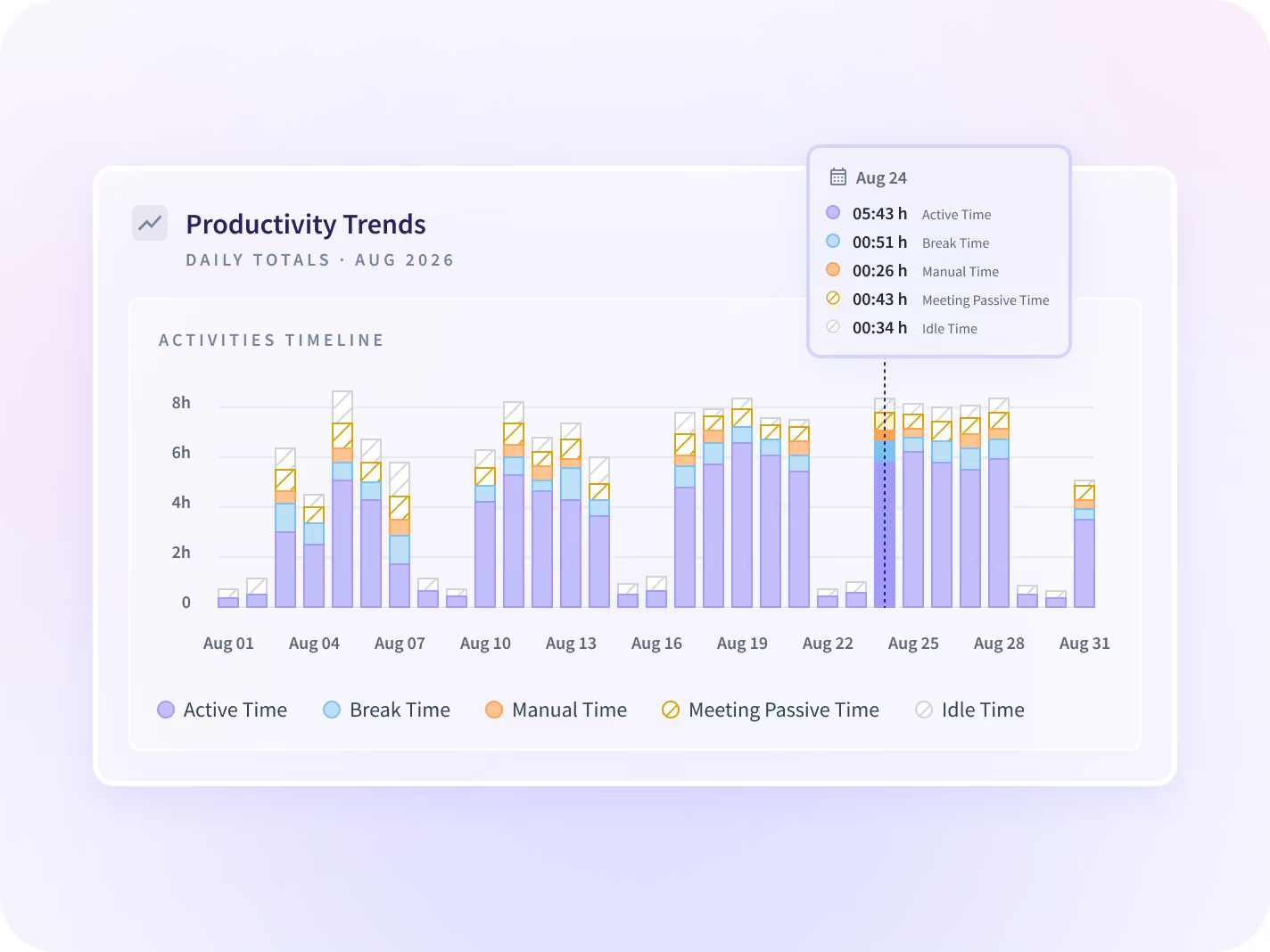
Hours worked and productive time for every member of a team, each against the period before. No single week reads as unusual, which is the whole reason a quiet overflow runs for two quarters.
- Productive, idle and manual time per person, ranked and sortable.
- An uneven spread is not automatically wrong. Some roles carry more.
Know whether to move work or move a meeting
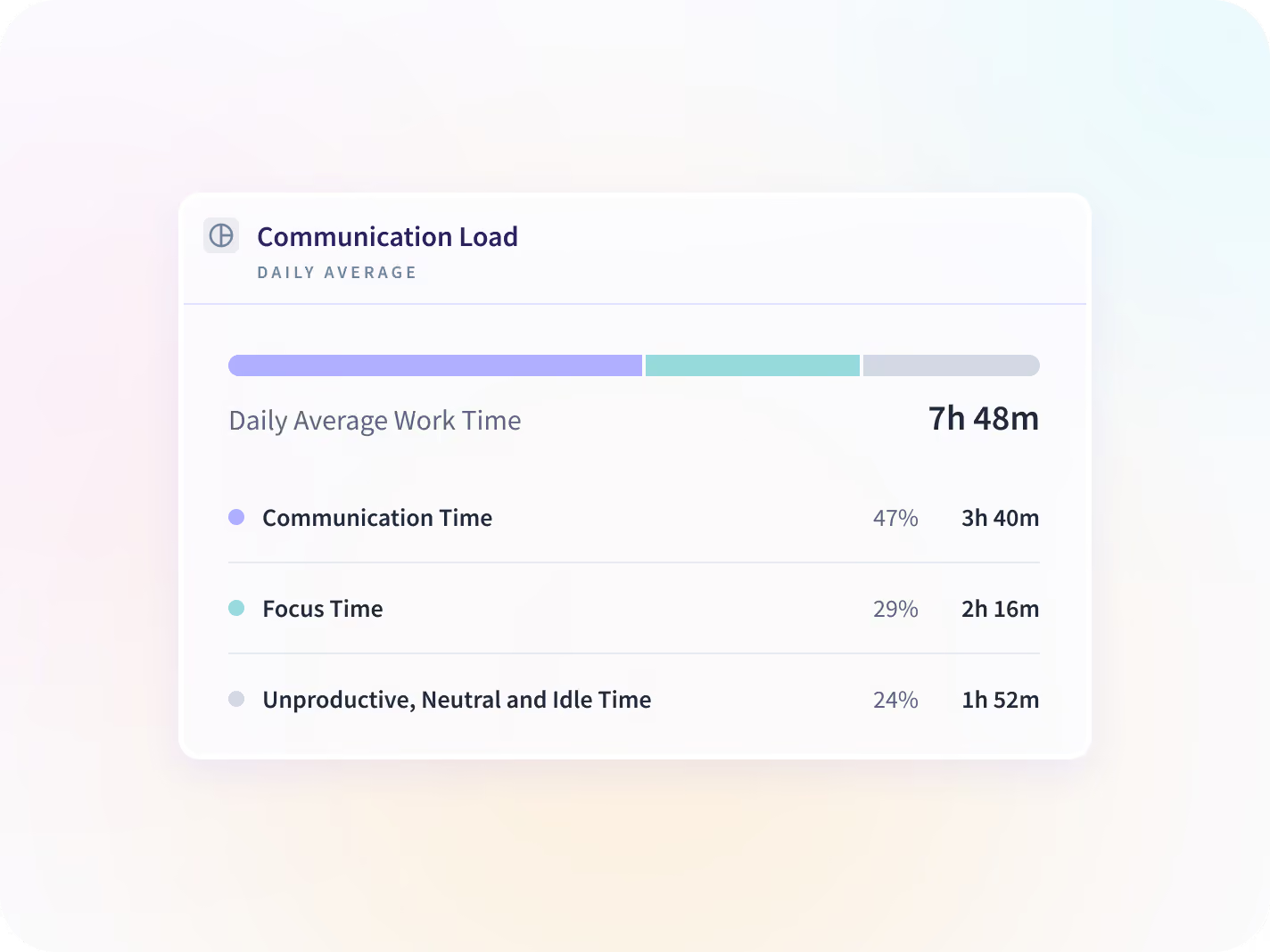
Meetings, calls, messages and email report separately from time on the work, by team and by application. A week full of coordination and a week full of delivery look identical until this separates them.
- It ships on every Workforce Analytics plan at no extra cost.
- Meetings break out by type, by size and by how often they repeat.
Settle it before the next escalation
See the evening work before payroll does
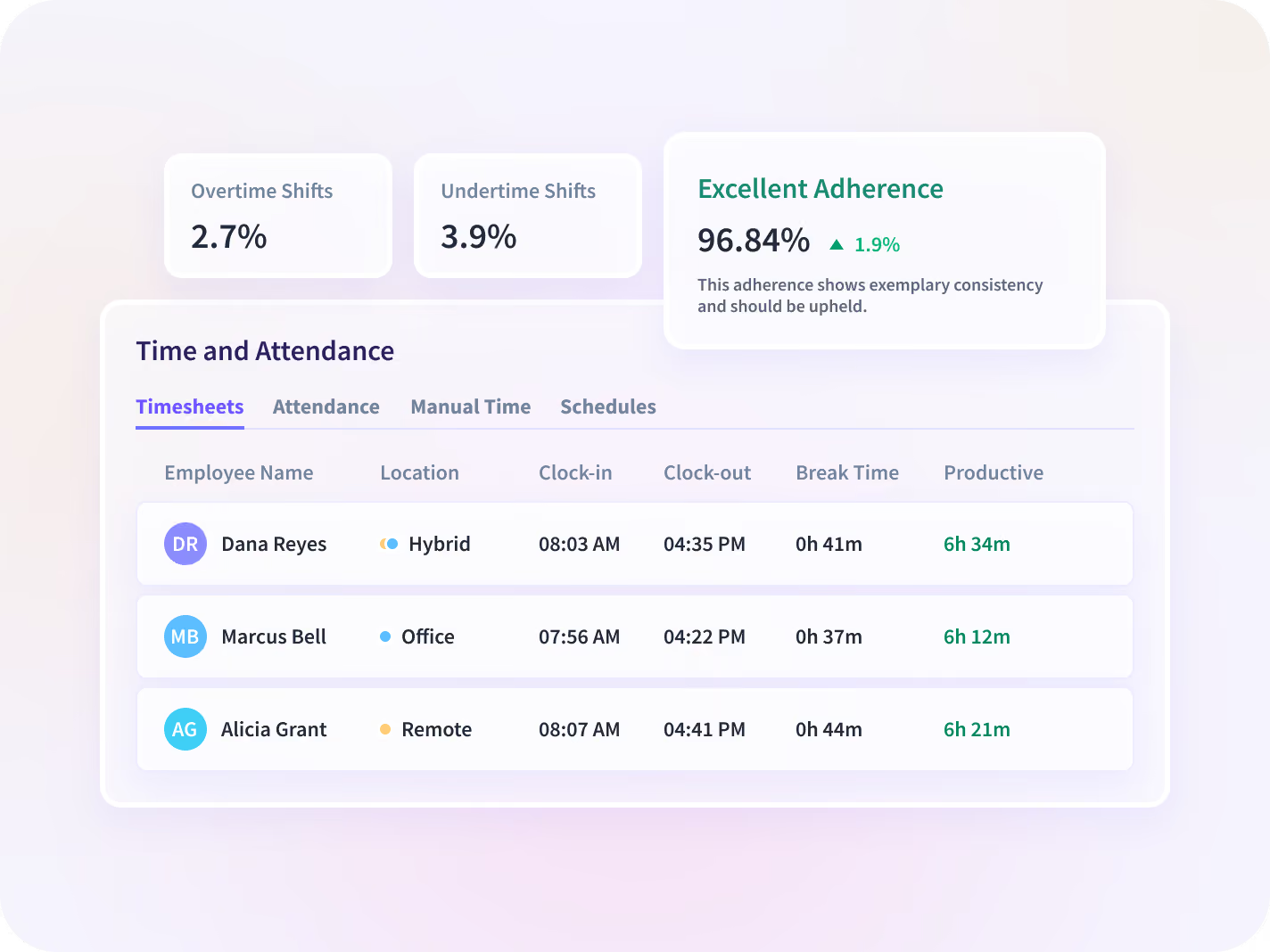
Hours recorded outside the schedule, by team, as a trend against the weeks before. Evening work never reaches a timesheet, so it lands as an overtime line long after the work could have moved.
- A manual correction stays possible and carries a named approver.
- Schedule adherence flags an absence with no time-off record behind it.
Find out whether the load follows the setting
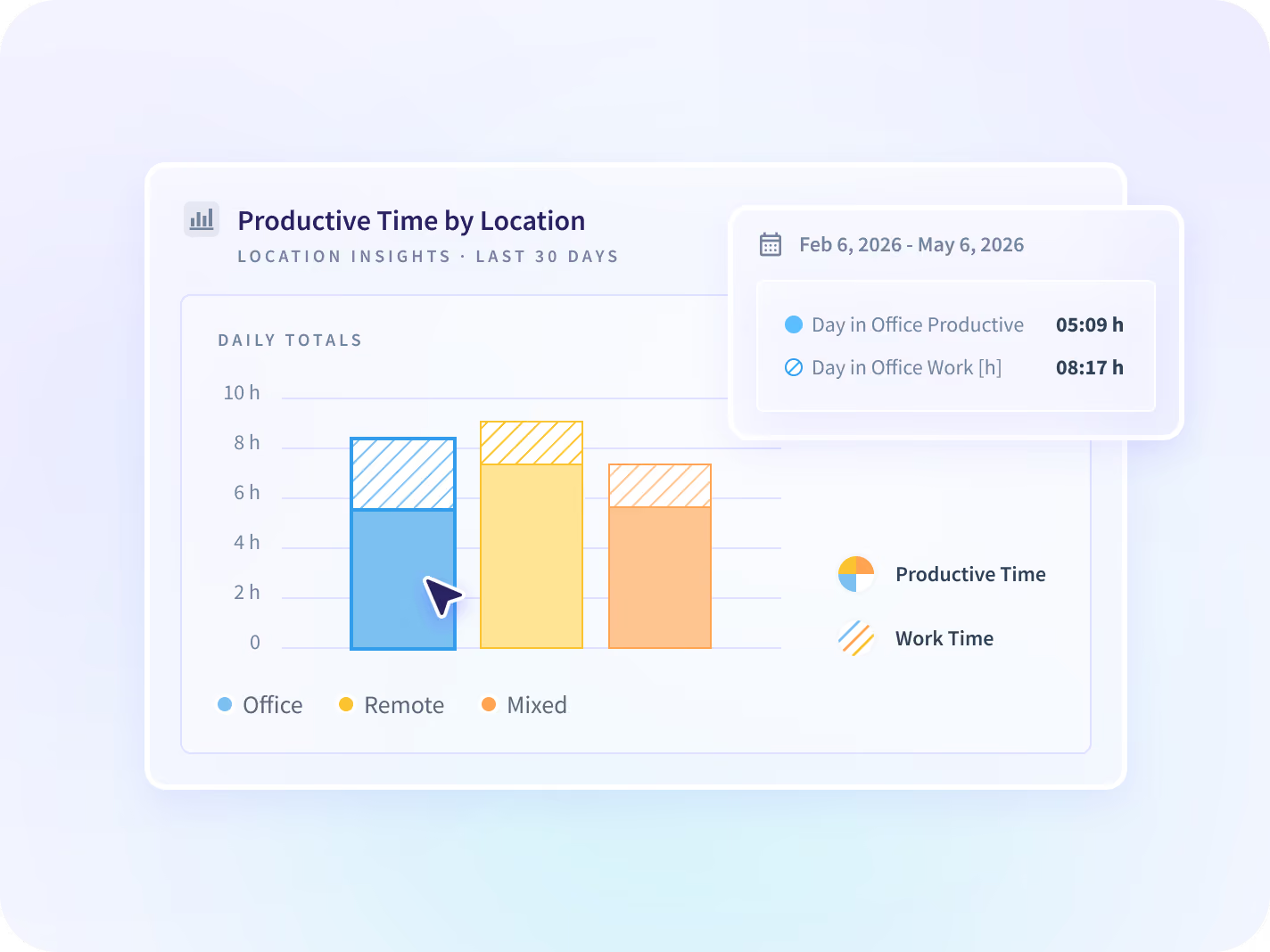
Output and hours compared across office, remote and hybrid settings, at team level. A team can read as balanced overall while the whole of the overflow sits on the half of it nobody shares a room with.
- Team level by setting. Not GPS, and not an individual's location.
- Which setting is absorbing the work, against the period before.

Who has room before the next hire?
People Intelligence shows how a team's hours are spread, and how much of the work rests on one or two people. It suggests which work to move to people with room, and tracks how evenly the load is shared.
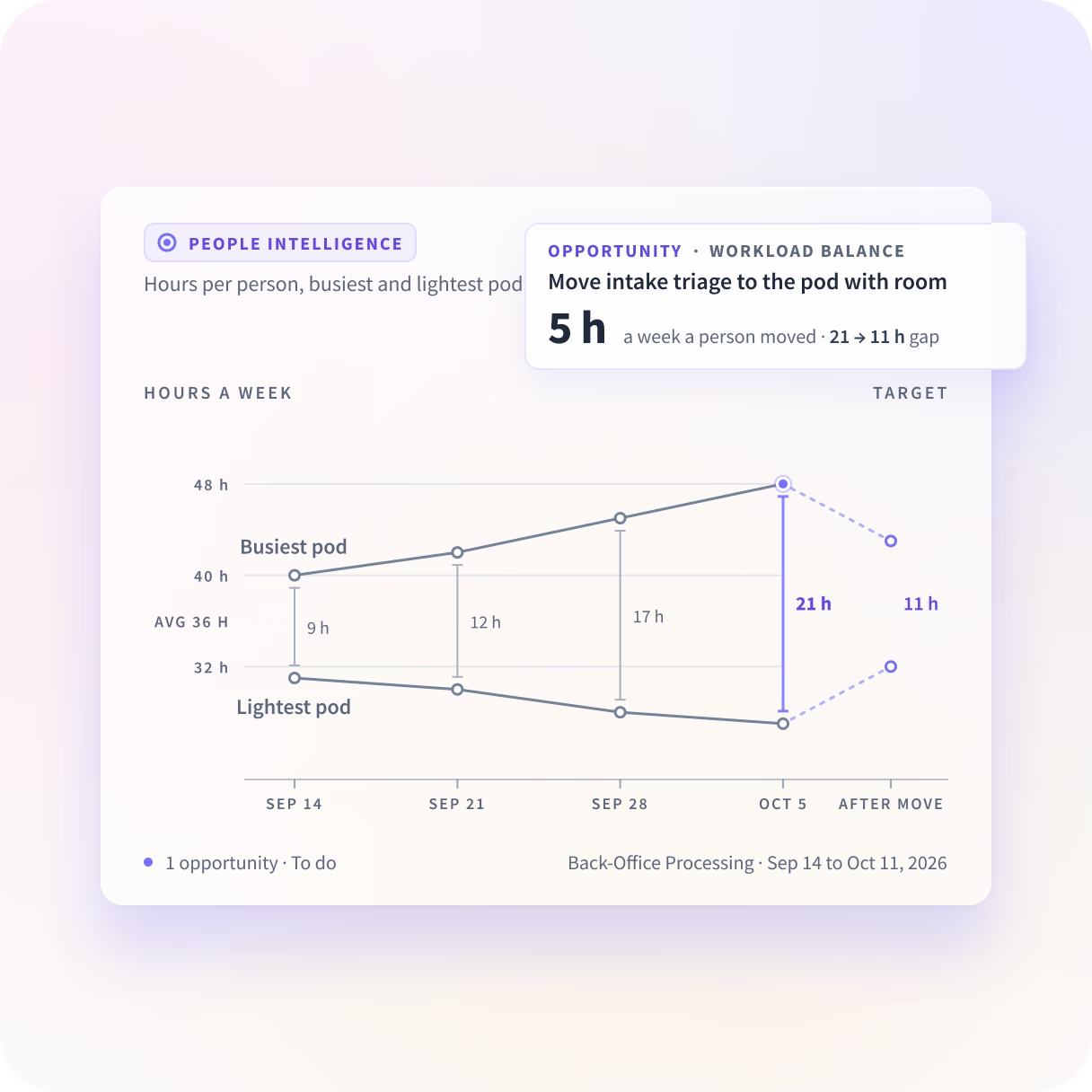
The record both sides of the argument can open
Reporting is team level by default, and where a rollout is visible each person can open their own record. That is what makes a rebalance land as a correction rather than as a verdict somebody handed down.






An uneven spread does not name the fix
The spread tells you something is wrong and then stops. These three decide what to do about it, and the first is usually cheaper than the answer a manager reaches for.

Is the answer a rebalance or a hire?
Utilization by person, team and site, which is the question a requisition gets written against.

Which standing meeting is taking the week?
The specific recurring block, by type and by how often it repeats, and where it sits in the day.

Has this been building for a month?
The same measures read over weeks rather than across a team, which is a People team's read.
Teams that found the slack next to the overflow
Both of these managers were looking at a team that reported as balanced. What they found was work sitting on one person that somebody else had room to take.







Every place the work gets assigned, connected
Your project tool, your HRIS and the chat stack sit beside the record, and the spread is readable with none of them connected. You can talk to your work data with MCP connectors.


Find out who has been absorbing it since spring
What HR and Operations leaders ask us most
Not on this page's argument. What is being asked is how work is spread, not how any one person performed, and the report answers the first question. Reporting is team level by default and the person-level view is a decision to make before deployment rather than after somebody finds the export. Where a rollout is visible, which is what we recommend, each person can open their own record, and that is usually what stops a rebalance reading as a verdict.
By comparing the team against itself. Insightful is a work insights platform. It collects hours, application use and meeting load from desk-based teams and reports them by team, each measure against the period before. On this job that means hours worked, productive time, meeting load and after-hours activity for every member of a team, side by side, so the spread is what surfaces the person absorbing the overflow. No individual week looks unusual on its own, which is why it goes unnoticed for two quarters. An uneven spread is not automatically a problem either, because some roles carry more by design, and the report cannot tell you which kind of uneven you are looking at.
A project tool counts assigned tasks. It cannot see the coordination around them, the work that never got ticketed, or the hours after six. This reports the week as it was worked, which is usually the reason a team that looks balanced in the project tool does not feel balanced to the people in it.
No. It reports what is observable: hours worked, meeting and message load, focus time, and work recorded outside scheduled hours, each as a trend against the period before. Reading those as a workload problem is a judgment a manager makes. The data does not predict who will leave.
Three questions, three pages, and this one is the middle. Protect Focus Time is a manager's week: which standing meeting is taking the longest runs of the day, and what to move on Monday. Capacity Planning is whether the team needs another person at all. This page is the one in between, which is whether the work the team already has is landing evenly across it.
Workforce Analytics shows the input, from the time perspective. People Intelligence shows the output, and what happens in between. On this page, that means who on the team already has room before the hire, and which work to move to them. We see the apps, sites and AI tools your teams use, and what they do in them.


