.svg)


.svg)
Insightful + Claude Integration
Ask Claude about your team's workload, and get an answer instead of a spreadsheet.
Overview
Claude is good at answering questions. Insightful has the workforce data to answer them with. Connect the two, and instead of opening a report, filtering it, and exporting it, you ask Claude directly: "How does the support team's utilization compare to last quarter?" or "Which projects logged the most hours this sprint?" Claude pulls the numbers straight from Insightful and answers in the conversation.
This runs on MCP (Model Context Protocol), an open standard that lets AI assistants securely request data from the tools you already use. Insightful's MCP server is read-only: Claude can ask questions and get answers, but it can't change anything in your account.
Key Benefits
Ask instead of export. Skip the dashboard-filter-export loop. Ask Claude directly and get a straight answer, in the conversation you're already having.
See only what you're allowed to see. Access follows your existing Insightful permissions. Admins can ask about the whole organization; managers can only ask about the teams and people they already manage. If you can't see it in Insightful, Claude can't see it either.
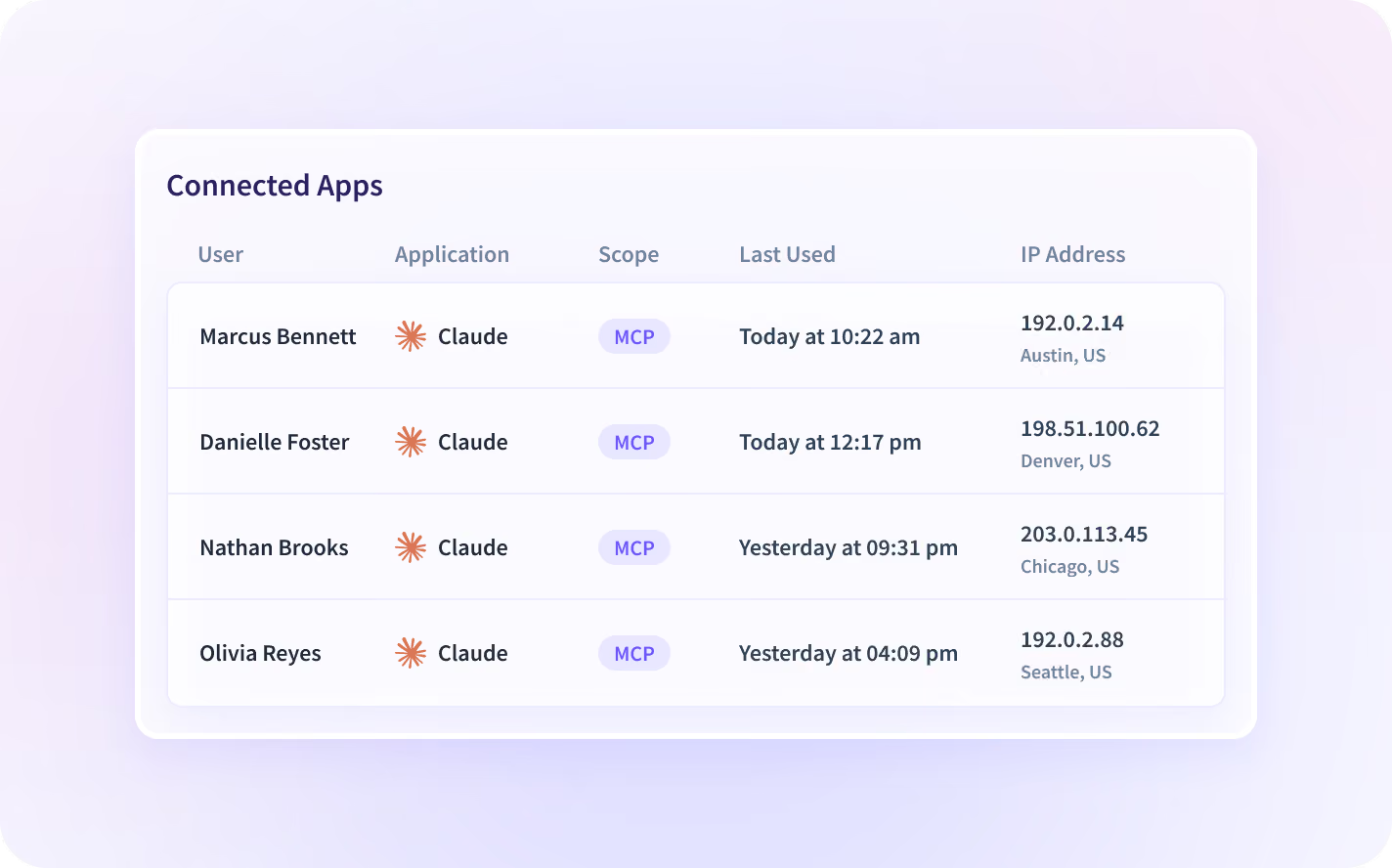
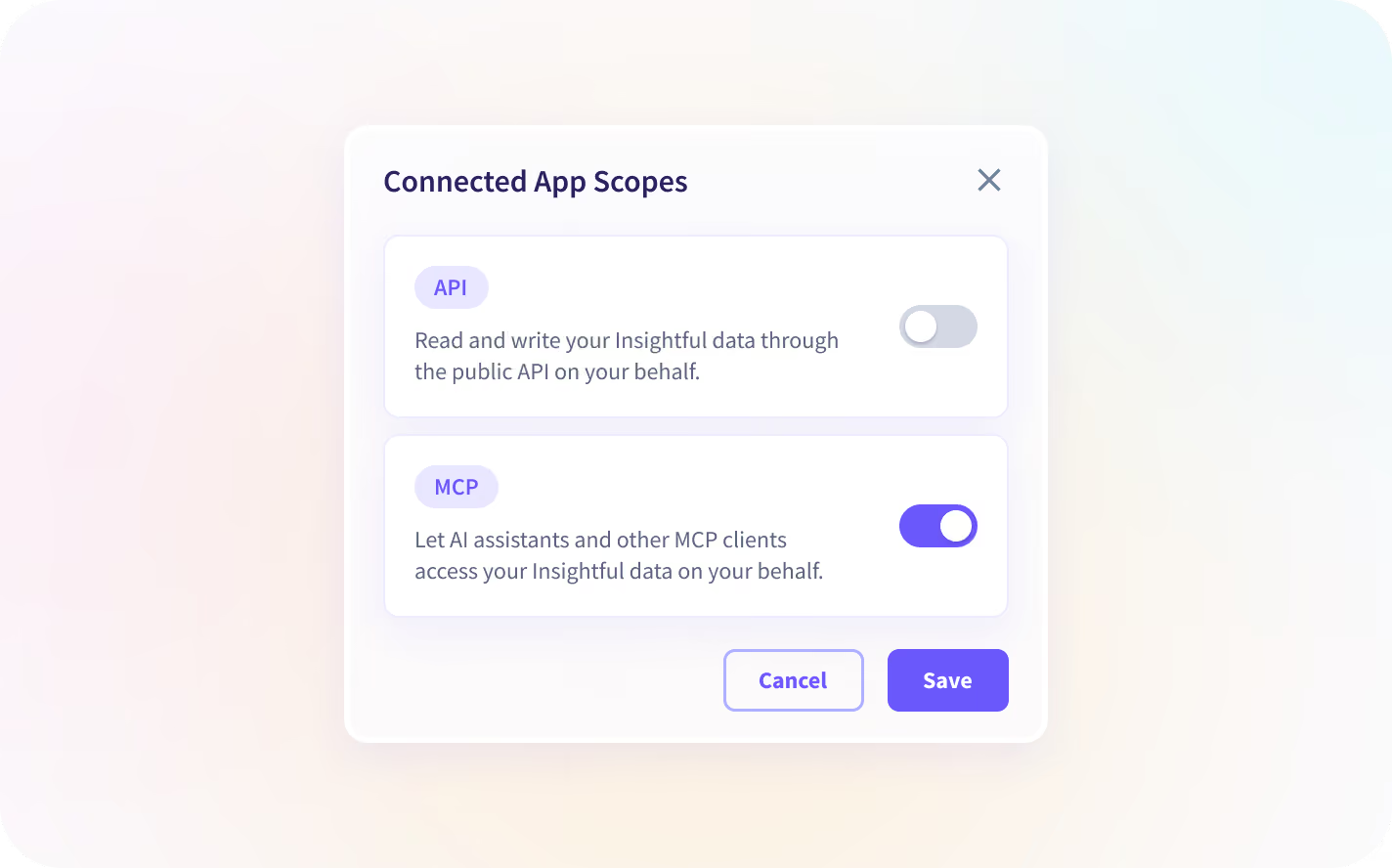
Turn it on, turn it off, anytime. MCP access is off by default. An org admin turns it on once, in Settings → Connected Apps → Manage Access. After that, every active connection is listed on the same Connected Apps page, with who connected, what scope, when it was authorized, and when it was last used. Any admin can select one and click Disconnect to shut it off instantly, no support ticket required.
How to Connect Claude
Before you start: MCP access is off by default for every organization. An org admin needs to turn it on once, in Settings → Connected Apps → Manage Access → Read Only MCP tools. Once that's on, anyone with the right Insightful permissions can connect their own AI client. No further admin involvement is needed per person.
- Open Claude, go to Settings → Connectors, and select Add custom connector.
- Paste your regional Insightful endpoint:
- United States: https://app.insightful.io/mcp
- European Union: https://eu.insightful.io/mcp
- Saudi Arabia: https://sa.insightful.io/mcp
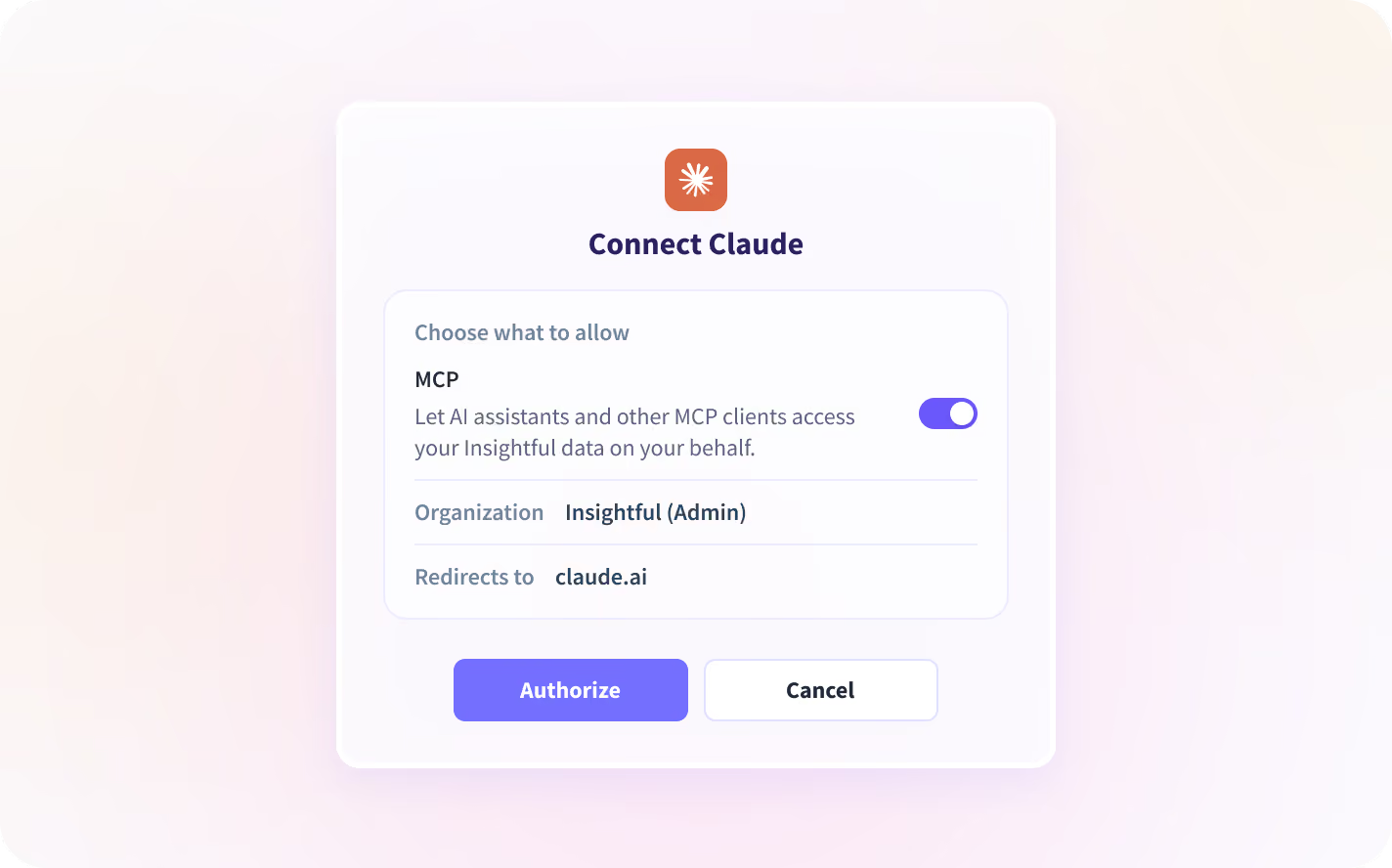
- Sign in with your Insightful account and authorize access.
- Start asking. Try: "What's our overall utilization this week?"
Using Claude Code? Add this to your tool's MCP config file:
{
  "mcpServers": {
    "insightful": {
      "url": "https://app.insightful.io/mcp"
    }
  }
}
(Swap in your regional URL above if you're outside the US.)
Full setup guide: How to Set Up the Insightful MCP Server.
Ask Claude Things Like This
(Personas below are Insightful's documented buyer/user set from the Product Marketing JTBD framework, grouped into the three departments most relevant to an AI-connector page. See the persona note at the end of this doc.)
Operations (Operators, Capacity Planners, Team Leads):
- "Which teams are trending over their usual hours this month, and by how much?"
- "Show my team's tracked time this week, broken down by project."
- "Is anyone on my team flagged for irregular behavior this month?"
Finance & BizOps (Business Operations Analysts, Economic Buyers):
- "How does utilization on the support team compare to last quarter?"
- "How many hours did the design team log against the Q3 roadmap project?"
- "Compare tracked time and productivity scores for the sales team over the last two sprints."
IT & Security (Risk, Compliance, and IT Leaders):
- "Pull every attendance alert from the last two weeks, across all teams."
- "List every active Insightful connection right now, and who authorized each one."
- "Show every connection created this month under our organization, and who set it up."
What Claude Can (and Can't) See
Claude can ask about: People and structure (employees, teams, org groups, manager relationships) • Time and attendance (shifts, clock-in/out, timesheets, lateness, absence, overtime) • Productivity (productivity-level breakdowns, including per-app labels and utilization %) • App and website usage • Projects and tasks (time logged against them) • Alerts (attendance and security alert history)
Claude can't: Change anything in your account: the connection is read-only. See raw, event-by-event data: every answer is an aggregated summary, the same kind you'd see in an Insightful report. See screenshots, screen recordings, or activity logs, even if your organization has those features enabled: only the aggregated metrics derived from them come through.
On your data: Insightful doesn't use AI to analyze your data through this connection. Your data goes only to the AI client you chose and authorized. We don't see the questions you ask.
Claude Connectors: See Your Team's Productivity, Right Inside Claude

Plain-Language Questions:
Skip the dashboard-filter-export loop. Ask your AI assistant directly, in plain English, and get an answer pulled from live Insightful data.

Permission-Scoped Answers:
Every answer follows your existing Insightful role. Admins can ask about the whole organization; managers only see the teams and people they already manage.

Read-Only Access:
Connected AI tools can retrieve and summarize your data. They can never create, edit, or delete anything in your account.

Aggregated Data Only:
Screenshots, screen recordings, and activity logs stay out of reach, even when those features are enabled. Connected AI tools only get the aggregated metrics derived from them.

Admin-Gated by Default:
MCP access is off until an admin turns it on. After that, every connection stays visible, audited, and revocable from one settings page.

One Server, Every AI Client:
The same MCP server works with Claude, ChatGPT, Cursor, Windsurf, Cline, Claude Code, and Codex, included on every plan at no extra cost.
Explore Other Insightful Integrations


