.svg)





On this page
Measure the work, not the signal.
See productive time and utilization by team, not just what looks active.


Key takeaways
- Employee scheduling and time tracking software answer different questions: scheduling covers who should work, when, and whether you have enough coverage, while time tracking records what happened.
- A schedule shows the hours you planned, but only time tracking shows the hours people worked.
- Shift-based teams often need both tools, while flexible project teams may get more value from time tracking alone.
- Combined software can reduce reconciliation work, but only if scheduling and time data work together.
- Start with the question your team can't answer today, since it usually points to the side that matters more.
You buy scheduling software because managers are tired of rebuilding next week's shifts in a spreadsheet. A few weeks later, the schedules look great, but someone asks a simple question: Where did all those hours actually go?
Or maybe the problem starts the other way around. Your team has a time-tracking system that records every hour, but managers still send messages on Thursday asking who's covering Saturday.
Both situations point to the same mistake: treating scheduling and time tracking as interchangeable. They aren't.
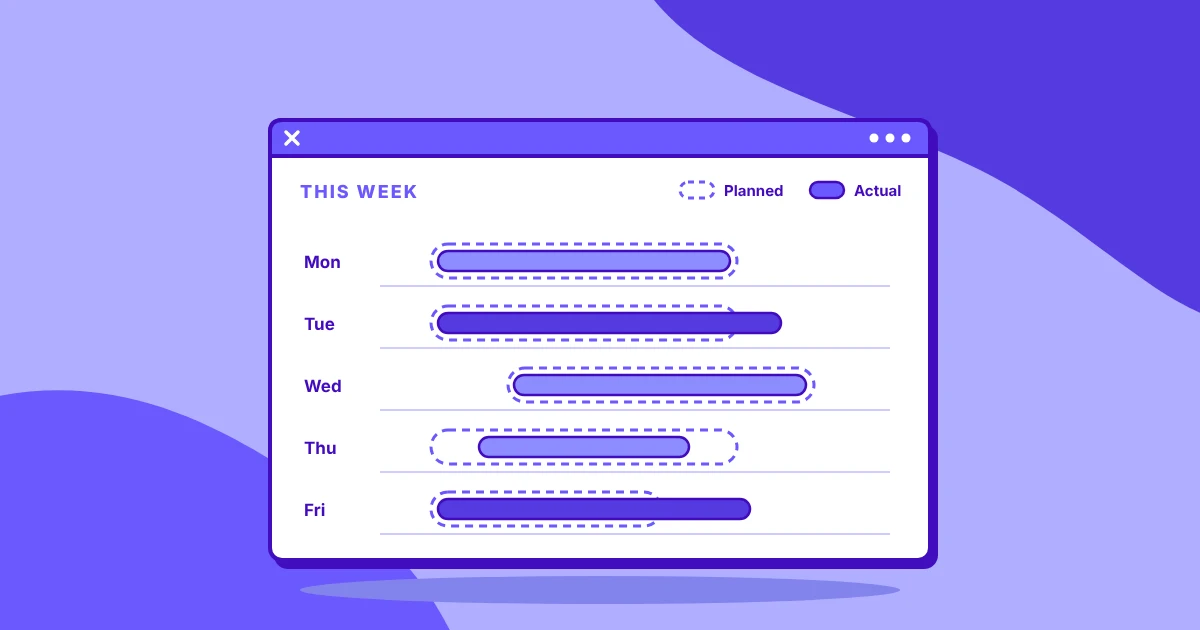
Scheduling answers when people should work. Time tracking answers what happened. One is forward-looking planning; the other records work already performed.
Employee scheduling and time tracking software do overlap, which is why vendor pages and feature lists can make the two categories look almost identical. But the gap is bigger than it looks, and the right choice depends on what your team needs to know.
What scheduling software solves
Scheduling software exists to answer a question that time tracking can't: Who needs to be working, when, and where?
The starting point is usually a schedule or shift plan. Managers create upcoming shifts, assign employees, account for availability, and publish the plan, so everyone is on teh same page. In some places, publishing early is a legal requirement: New York City's Fair Workweek Law requires fast food employers to give workers their schedules 14 days in advance.
A reliable plan matters most when coverage affects revenue.
A restaurant needs enough people on the floor during its busiest hours. A call center needs enough agents to handle expected demand. A retail store needs the right number of employees across different shifts. A field service team needs people assigned to jobs at specific times.
Workforce scheduling tools help managers work through that coverage problem before the shift starts.
They can also make the inevitable changes easier to handle. Employees request time off, shifts need to be swapped, someone calls in sick, or demand suddenly increases. Instead of rebuilding a spreadsheet or searching through group chats, managers can update the schedule and communicate the change in one place.
Good scheduling tools can also flag potential problems before they become expensive ones, such as:
- Too many employees scheduled at the same time
- Insufficient coverage during busy periods
- Potential overtime
- Double-booked employees
- Availability conflicts
- Break or scheduling gaps
A schedule tells employees when they're expected to work. It doesn't tell you how much time they spent working, where that time went, or whether the planned hours matched reality.
What time tracking software solves
Time tracking starts from the opposite direction.
Instead of asking, "Who should be working tomorrow?", it asks, "What happened today?"
A time tracking system records when employees worked and, depending on the platform, what they worked on. Time can be associated with projects, clients, tasks, or other categories.
For payroll, recorded hours can provide the basis for calculating employee pay and overtime. Under the Fair Labor Standards Act, US employers must keep a record of the hours each non-exempt employee works each day and each workweek. For agencies and professional services firms, project and client-level time records can support billing.
For managers, the data can reveal how much time different teams are spending on specific work. It can also expose gaps between the plan and reality.
Imagine an employee is scheduled for an eight-hour shift but records six and a half hours of actual work. The schedule tells you what was expected. The time record gives you something to investigate.
The same applies to project work. A manager may expect a task to take five hours, only to discover that employees are consistently spending eight. That's a different problem from simply having too few people scheduled.
Time tracking can help answer:
- How many hours were actually worked?
- Where did those hours go?
- How much time was spent on each project or client?
- How much work was billable?
- Are workloads distributed evenly?
- How closely did actual hours match expectations?
It gives managers data about what happened after the work took place.
The simplest way to remember it: Scheduling plans the shift. Time tracking records the shift.
Where the two overlap, and where buyers get confused
The confusion is understandable. Both systems deal with employees, hours, attendance, and often payroll.
A scheduling platform may let an employee clock in and out against a scheduled shift. A time tracking platform may also record clock-in and clock-out times. Both may produce reports containing hours. But the underlying purpose is different.
Consider payroll, for example. A schedule might say an employee was planned for 40 hours this week. Time tracking can show that they actually worked 43. Those are two different pieces of information, and payroll may need both.
The same distinction matters when a team is understaffed.
A time tracking system can show that the existing team is working long hours. But that information arrives after the problem has happened. Scheduling software can use demand and availability information to help managers plan appropriate coverage.
This is where choosing the wrong category can become expensive.
- If you treat a schedule as a timesheet, payroll may end up relying on planned hours rather than verified hours.
- If you expect a time tracker to solve staffing problems, you'll discover the shortage after employees are already overloaded or customers are waiting.
Vendor terminology can make this harder. Terms such as "workforce management," "attendance," and "clock-in" can appear across both categories. Don't rely on the product label. Look at what the system does.
Which one does your team need?
The answer depends less on company size and more on how your employees work.
Shift-based, hourly, or frontline teams
If employees work defined shifts, scheduling is usually a core operational need.
Managers need to know who is working, when they're working, whether there is enough coverage, and what happens when someone is unavailable.
Time tracking still matters for payroll and overtime records.
For these teams, look for a setup that handles shift scheduling and time tracking properly. A scheduling platform with a basic clock-in feature may not provide enough reporting or actual-hours data for payroll and workforce decisions.
Primary question: Who needs to be working, and when?
Also ask: How will we verify the hours actually worked?
Salaried, project-based, or remote teams
Flexible teams often don't need traditional shift scheduling.
A software development team may have flexible working hours while still needing to understand how much time goes into different projects. A consulting team may not have shifts at all but needs accurate records for client work.
Here, time tracking tends to matter more.
Project and task-level data can help managers understand workload distribution, project costs, and utilization without adding a shift-planning layer employees rarely use.
Primary question: Where is our team's time going?
Watch for: Paying for scheduling functionality that doesn't solve a real operational problem.
Client-billing and agency or contractor teams
For client-billed teams, accurate time records can directly affect revenue.
A design agency needs to know how many hours were spent on each client. A contractor needs records that can support an invoice. A professional services team may need to compare actual hours against the hours allocated to a project.
Time tracking should therefore be the priority.
Look for exportable, auditable records mapped to clients and projects. Scheduling can still help with capacity planning, but it shouldn't come at the expense of usable billing data.
Primary question: Can we confidently connect recorded hours to the work we're billing for?
Hybrid and mixed-workforce teams
Some organizations need both.
For example, a business may have frontline employees working fixed shifts alongside corporate employees working flexible schedules. Using separate processes for each group can create fragmented records and extra reconciliation.
In this situation, the goal is to make sure both groups produce consistent, usable records, whether that takes one tool or two.
Primary question: Can we manage planned schedules and actual hours without creating two disconnected systems?
When you need both and what good integration looks like
For teams that need scheduling and time tracking, the real value comes from comparing planned hours with actual hours.
Suppose a team was scheduled for 1,000 hours but recorded 1,150. That 150-hour variance gives a manager something concrete to investigate.
Maybe demand increased. Maybe schedules weren't adjusted quickly enough. Maybe employees are consistently working beyond their planned hours.
Without both data sets, that comparison requires pulling information from separate systems and reconciling it manually.
Good integration should make the connection straightforward.
Look for:
- Shared employee records
- Time assigned to the appropriate shift
- Scheduled versus actual hour reporting
- Payroll-ready records
- Consistent employee and department data
- Minimal manual reconciliation
Be careful with the word integrated, though.
Two products can technically integrate while still requiring a nightly file transfer, duplicate employee lists, or spreadsheet-based reconciliation.
There are also good reasons to keep systems separate. Your organization may already have a scheduling platform that employees rely on, or your industry may require specialized scheduling capabilities that a broader workforce platform doesn't provide.
What matters is whether the setup solves your primary problem without creating another administrative burden.
A combined platform isn't automatically the better choice. If half the functionality goes unused, you're paying for complexity that doesn't solve your problem.
Questions to ask during a demo or free trial
Use the demo or trial to recreate the situations your managers deal with every week.
Put these six questions to the test:
Can you compare scheduled hours with actual hours without exporting to a spreadsheet? If your team needs both systems, this should be one of the first things you test.
Does clock-in data provide enough detail for payroll? A clock-in feature that simply marks attendance may not provide the detailed records your payroll team needs.
Who can edit a time entry? Find out whether employees can correct their own records, whether managers need to approve changes, and whether the system maintains an audit trail.
Can employees see their own schedule and tracked hours? This makes it easier for employees to spot discrepancies before payroll or management has to chase them.
What happens when someone works outside their scheduled shift? Test an early start, late finish, unscheduled shift, and no-show. See whether the system flags the difference or simply records it without context.
Are scheduling and time tracking connected? If both features exist, ask whether they operate from shared employee and workforce data or simply sit alongside each other under the same login.
How to choose between scheduling and time tracking
If your main challenge is managing shifts, coverage, or swaps, start with scheduling. If you need to understand project hours, payroll, utilization, or where time is being spent, start with time tracking.
If you need both, buy for your primary problem first, then check how deeply the second tool connects to it. Two features in the same product aren't automatically connected.
How Insightful fits into the picture
Insightful is a work data platform. Its time and attendance features sit on the time tracking side of this equation, for teams that work at computers, whether remote, hybrid, or in the office. It doesn't replace a dedicated scheduling platform.
It answers the question scheduling software can't: What happened with your team's time?
Insightful's automatic time tracking reduces reliance on employees remembering to record every hour. Time can also be attributed to projects and tasks, so managers get more context than a single total for the workday.
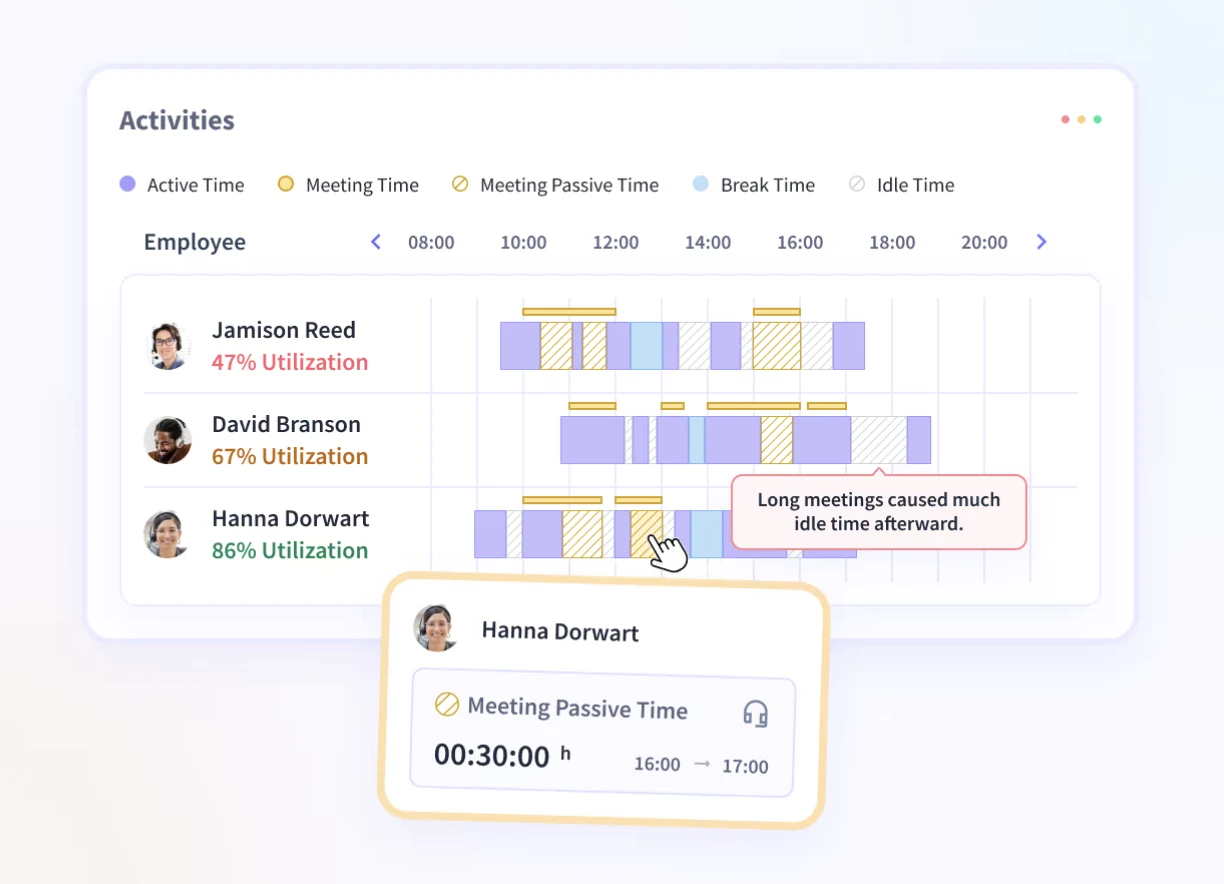
Employees can see their tracked information, which gives them visibility into the same records managers use and makes it easier to identify discrepancies.
The resulting data can support decisions around payroll, client billing, utilization, workload distribution, and resource allocation.
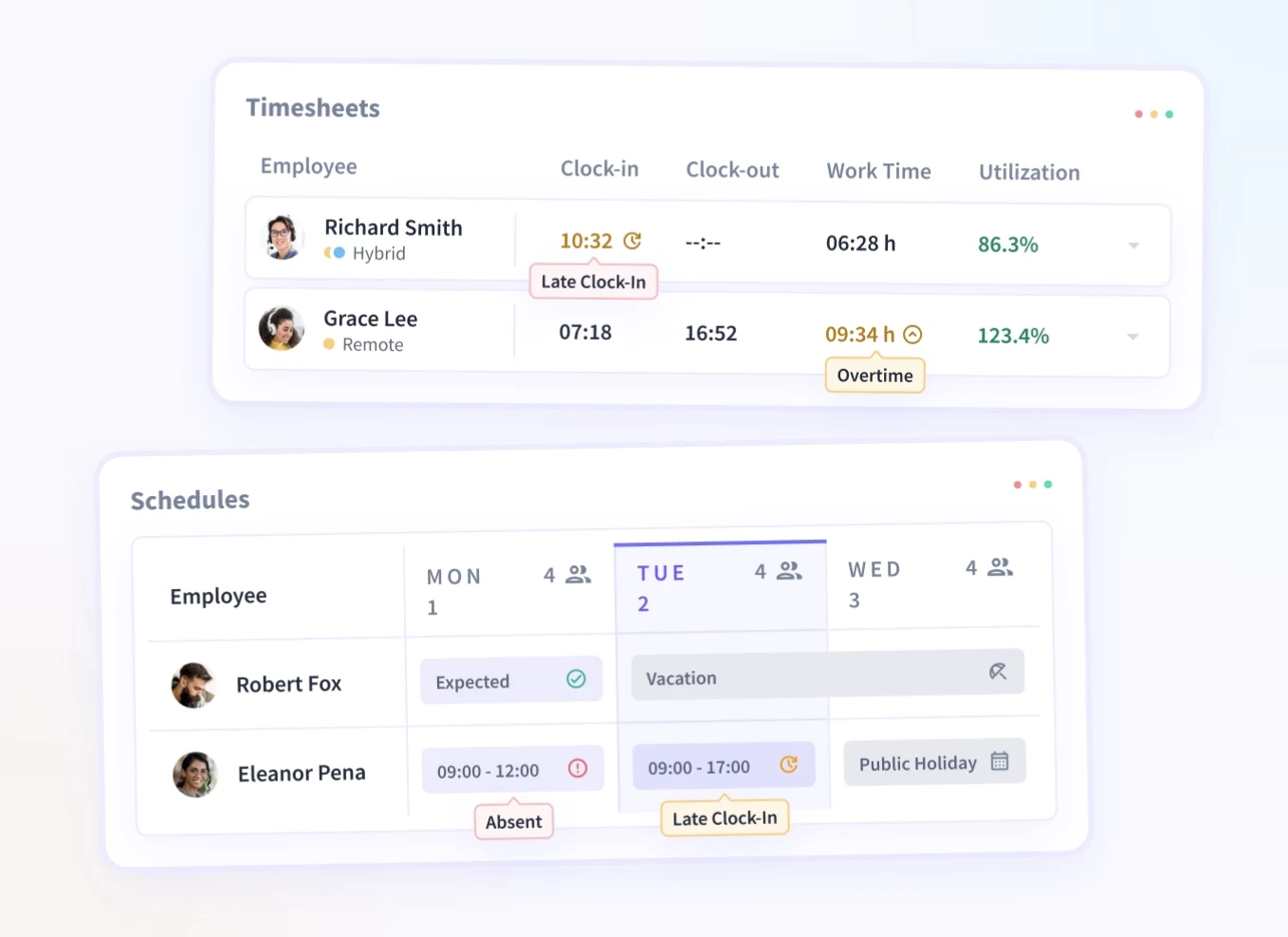
That makes Insightful a practical time tracking and visibility layer alongside an existing scheduling system. Teams can keep the scheduling tool they already rely on while using actual work data to understand where hours are going.
See where your team's hours go. Start your free Insightful trial.
Frequently asked questions
What is the difference between employee scheduling and time tracking software?
Employee scheduling software plans when employees should work, including shifts, coverage, availability, and swaps. Time tracking software records when employees actually worked and, depending on the platform, what they worked on. Scheduling is forward-looking; time tracking records actual work.
Do I need both scheduling and time tracking software?
You may need both if your team works scheduled shifts and you also need accurate records of actual hours. Shift-based teams often benefit from both, while flexible project or remote teams may only need time tracking.
Can time tracking software replace employee scheduling software?
Usually not. Time tracking records actual hours but doesn't necessarily handle upcoming shifts, employee availability, coverage planning, swaps, or callouts. If your team depends on scheduled coverage, you'll generally need dedicated scheduling functionality.
Is a combined scheduling and time tracking tool better than two separate tools?
Not necessarily. A combined platform can reduce reconciliation when both functions work together, but two specialized tools may make more sense when your scheduling requirements are complex. Compare integration depth, not just the number of modules.
Which is more important for payroll accuracy, scheduling or time tracking?
Time tracking is generally the more relevant source for actual hours worked. Scheduling shows planned hours, while time records show what employees actually worked. Payroll processes may require additional attendance, overtime, or approval information depending on the organization.
Does scheduling software track actual hours worked?
Some scheduling platforms include clock-in and clock-out functionality, but the depth varies. A basic scheduling tool may only record attendance against a shift, while a dedicated time tracking platform can provide more detailed records of actual hours, projects, and tasks.


.webp)


