.svg)



.avif)


On this page
Measure the work, not the signal.
See productive time and utilization by team, not just what looks active.


Key takeaways:
- Cloud-based tooling doesn't always equate to optimal security. Encryption standards, hosting locations, and certifications vary significantly between vendors, so the deployment architecture, not the "cloud" label, determines whether a platform actually fits a distributed or regulated organization.
- When weighing cloud vs. on-premise, most organizations default to cloud; on-premise fits a narrower profile of regulated industries or large enterprises needing full data control, often with a minimum seat count. Both have their place.
- Compliance matters. Confirm which international security standards (GDPR, HIPAA, CCPA, SOC 2 Type II, ISO 27001) a vendor supports.
- Integration depth determines whether cloud tracking actually saves time. A platform that doesn't sync cleanly with existing payroll, HRIS, and scheduling tools just shifts manual data entry downstream instead of eliminating it.
A distributed team spread working across five time zones faces time and attendance challenges that go far behind the pen-and-paper timesheets of old. Cloud-based time and attendance software solves those challenges by moving clock-ins, approvals, and reporting into one system every employee and manager can reach from any device, in real time. For operations, IT, and HR leaders evaluating platforms, the real work is choosing the deployment model, security posture, and integration depth that fit a distributed or regulated workforce.
This guide covers how cloud based time and attendance software works, what to weigh against on-premise and traditional systems, and a step-by-step framework for choosing the right platform.
What Is Cloud-Based Time and Attendance Software?
Cloud-based time and attendance software records employee clock-ins, hours, and schedules on a vendor-hosted platform instead of a local server or paper log. Data syncs in real time, so managers can review hours, approve exceptions, and pull reports from any browser or device.
This matters more as teams stop clustering in a single office. A single-location retail team might be able to get by on a paper log. A team split across three countries, or one that mixes in-office, remote, and field staff, cannot: nobody owns a current record of who worked when, and payroll ends up reconciling gaps after the fact instead of catching them in real time.
Cloud-Based vs. On-Premise vs. Traditional Time Tracking
Three models exist. Cloud-based platforms host data on the vendor's servers, with quick, lightweight setup measured in days. On-premise systems run on an organization's own infrastructure, giving full data control at the cost of internal IT overhead. Traditional tracking, paper logs or spreadsheets, keeps records local with no audit trail. Most organizations now default to cloud time tracking software; the deployment question worth real evaluation is cloud versus on-premise, covered below.
How Cloud-Based Time Tracking Works
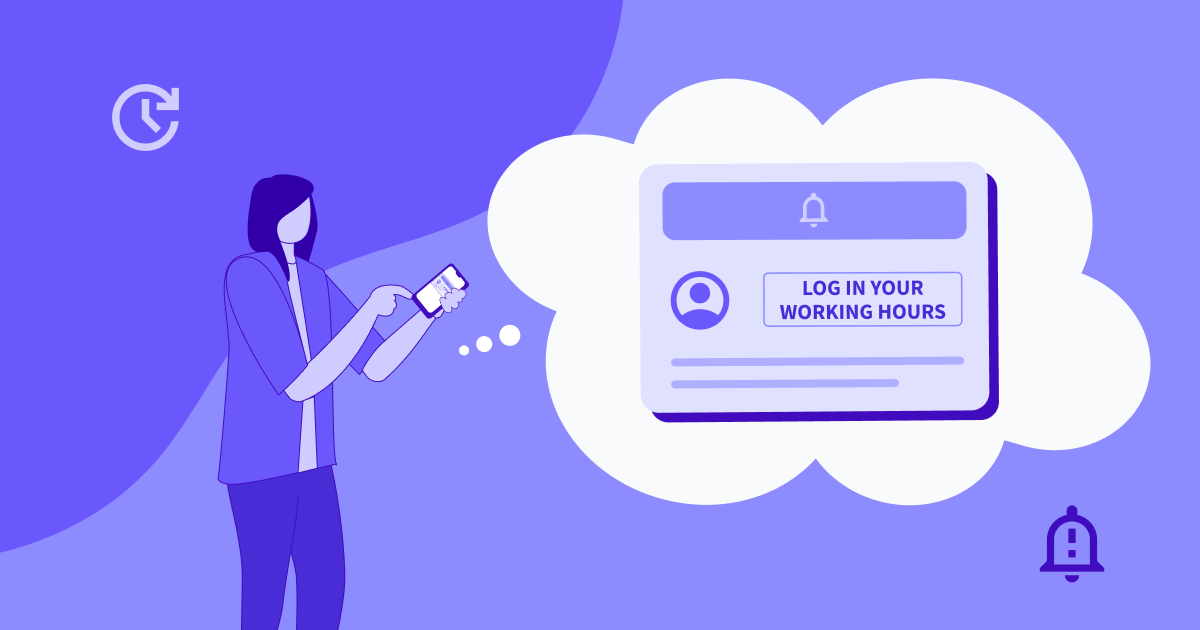
- Step 1: Employees clock in via web browser, mobile app, kiosk, or company computer, depending on setup.
- Step 2: Time data syncs to secure cloud servers in real time. No local file, no end-of-week upload.
- Step 3: Managers review hours. Exceptions, like a missed clock-out or unscheduled overtime, surface automatically instead of requiring a manual audit.
- Step 4: Data flows into payroll, reporting, and compliance records. Approved hours export directly into payroll and HRIS systems, closing the gap between tracked and paid time.
Benefits of Cloud-Based Time and Attendance Software
Managers get real-time visibility across locations and time zones: who is working, right now, without an end-of-day report. That same automatic capture also cuts payroll errors and time theft, removing the manual entry mistakes and buddy-punching that paper and spreadsheet systems cannot catch.
Audit trails get easier too: every clock-in, edit, and approval is logged, which matters when a labor audit or wage dispute requires a verifiable record.
Scalability matters too: adding a new hire, location, or country does not require new hardware or a systems administrator. Mercor, a labor marketplace connecting contractors to AI labs and tech companies, runs on Insightful as core infrastructure for this reason: the audit trail verifies that contractor work across a fast-scaling, distributed workforce is real, completed, and accurately billed, a safeguard no manual system provides at that scale.
Cloud vs. On-Premise: Which Deployment Model Fits Your Organization?
| Deployment Model | Data Location | Best For |
|---|---|---|
| Cloud | Vendor-hosted servers | Most organizations; fastest setup, lowest IT overhead |
| On-Premise/Self-Hosted | Organization's own servers | Regulated industries or large enterprises needing full data control |
| Traditional (paper/spreadsheet) | Local files, no central system | Not recommended at scale; manual, error-prone, no audit trail |
When Cloud-Only Makes Sense
Most small-to-midsize organizations without strict data-residency requirements are better served by cloud-only deployment: setup takes days, not weeks, with no server to maintain. Most of Insightful’s customers opt for this option.
When On-Premise or Hybrid Deployment Makes Sense
On-premise time and attendance software fits a smaller, specific profile of buyer: regulated industries and very large enterprises that need full control over where data lives. Insightful, for example, offers a self-hosted on-premise option with the same feature set as its cloud product, positioned for larger organizations: the difference is where your data is hosted, not the platform’s functionality or features.
See Insightful's cloud and on-premise deployment options. Book a demo.
Security Considerations for Cloud-Based Time Tracking
Encryption and Data Storage
Data at rest should be encrypted by default. Insightful encrypts data at rest with AES-256, protects data in transit with SSL/TLS 1.2, and manages encryption keys through Google Cloud KMS.
Compliance Standards to Look For
SOC 2 Type II and ISO 27001 adherence are the baseline standards to ask for. Beyond those, confirm which regulatory frameworks the vendor’s platform supports (GDPR, HIPAA, and CCPA among them), rather than assuming general “compliance” language covers your specific requirement.
Data Residency and Regional Hosting
Organizations with data-residency requirements need to confirm where the vendor actually hosts data, not just that a compliance badge exists. Insightful offers hosting in the US, EU, and Saudi Arabia, plus an on-premise option for data that must stay entirely in-house.
Review Insightful's security and compliance overview on the security page.
Key Features to Look for in Cloud-Based Time and Attendance Software
Three capabilities separate a robust platform from a basic clock-in app:
- Real-time syncing and reporting, so hours are visible the moment they are logged
- Approval workflows and audit trails, so every edit is attributable to a specific manager with a timestamp
- Payroll and HRIS integrations, since manual re-entry is where payroll errors usually originate
Most cloud platforms require an active internet connection to log time and attendance data, so look for platforms that also allow for manual time entry for time spent on-site, on a call, or away from a device. In Insightful’s case, automatic time data also continues to be captured even if an employee computer loses internet connection, syncing back up with servers once reestablished.
How to Choose Cloud-Based Time and Attendance Software
- Step 1: Map how and where your team actually works. A single-location team has different needs than one split across field, remote, and office.
- Step 2: Decide cloud-only versus hybrid or on-premises based on compliance needs. Without a strict on-premise data residency requirement, cloud-only is almost always faster and lower overhead.
- Step 3: Check integration fit with payroll, HRIS, and scheduling tools already in use. A platform that requires manual data transfer defeats the purpose.
- Step 4: Verify adherence to major international security standards.
Common Mistakes When Choosing Cloud-Based Time Tracking Software
- Assuming all “cloud” tools carry the same security features, when certifications and hosting models vary significantly between vendors
- Ignoring data-residency requirements for global teams until after signing a contract
- Picking a tool with no clear process for manual time entry to supplement automatic time capture.
- Skipping a compliance review until legal or IT raises it after the deal is already underway
Closing the Deployment Gap
Cloud-based time and attendance software is not one interchangeable category. Security posture, deployment flexibility, and how a platform handles offline work vary enough between vendors that the underlying architecture, not the marketing page, determines whether a tool fits a distributed or regulated organization.
Insightful runs as a cloud platform by default, with an on-premise option for enterprises that need full data control, SOC 2 certification and ISO 27001 conformity, and manual time entry for hours worked away from a device. For operations leaders weighing deployment against compliance requirements, those are factors that matter.
See how Insightful's cloud and on-premise options compare. Start a free trial.
FAQs
Is cloud based time tracking secure?
Security depends on the vendor's encryption, access controls, and adherence with major security standards, not the label “cloud-based” itself. Look for factors like SOC 2 Type II and ISO 27001 compliance, AES-256 encryption at rest, TLS 1.2 in transit, and confirm which frameworks, such as GDPR or HIPAA, the vendor supports.
What's the difference between cloud based and on-premise time and attendance systems?
Cloud-based systems store data on vendor-hosted servers, accessible from any device with an internet connection. On-premise systems run on the organization's own infrastructure, giving full control over where data lives, but at the cost of internal setup and maintenance overhead, typically reserved for regulated industries or large enterprises with a minimum seat count.
How much does cloud based time and attendance software cost?
Pricing is typically subscription-based, charged per user or per location per month, with costs varying by feature tier. On-premise or enterprise deployment is usually custom-priced, often with a minimum seat requirement.
Can cloud based time and attendance software track time offline, for field or remote work?
Cloud platforms require an active internet connection to sync time data with servers, so time worked away from a device, such as fieldwork or client meetings, may not be captured live. Instead, some platforms, like Insightful, also offer manual time entry, letting employees or managers log that time after the fact.
Is cloud based time and attendance software suitable for global or distributed teams?
Yes, particularly when the vendor offers regional hosting and supports the data-residency and compliance requirements relevant to where your team operates. Distributed teams should also confirm real-time syncing across time zones.