.svg)





On this page
Measure the work, not the signal.
See productive time and utilization by team, not just what looks active.


Key takeaways:
- More data doesn't always mean better decisions. Work Intelligence connects workforce activity with business outcomes, so leaders see why productivity changes, not just what happened.
- Small workflow improvements add up. Trends tracked over time surface bottlenecks and spare capacity while there is still time to act, rather than after performance drops.
- AI works best when paired with workforce insights. In a 2025 randomized trial of 6,000 workers across 56 firms, Microsoft Research found that people who actually used the AI tool spent 25% less time on email and finished documents 12% faster. Averaged across everyone given access, the email saving was roughly half that.
- Modern Work Intelligence platforms are transparent and privacy-first. Performance improves without keystroke logging or the practices that travel with it.
Most organizations don't lack workforce data. They lack meaningful insights. Managers can see hours worked, apps used, meetings attended, and activity levels. But those metrics rarely answer the questions leaders actually have: Why are some teams more productive than others? Where is capacity being lost? Which processes are slowing work down?
Traditional productivity tools tell you what happened. Work Intelligence explains why it happened and what to do next. It combines process visibility, workforce analytics, and AI-powered insights, so leaders can see how work actually happens and where a change or automation would pay off.
What is Work Intelligence?
Work Intelligence is an approach to workforce management that goes beyond measuring activity. It combines data about how work is performed with analytics that explain why those patterns exist and what organizations can do to cut costs, drive process efficiency, and close the loop on financial signals to capture ROI.
Rather than simply reporting hours worked or websites visited, a work intelligence platform measures how efficiently people and technology combine in business processes to lead to performance results. It discovers insights in workflows to then benchmark, improve, and possibly automate over time.
A traditional dashboard might show that a team spent six hours in meetings yesterday.
A Work Intelligence platform explains whether those meetings reduced focus time, delayed project delivery, or contributed to employee overload, and whether changing that pattern or implementing AI into certain steps could improve output.
Work Intelligence is relevant to anyone accountable for operational performance. Instead of reacting after productivity drops, they can identify trends early and make informed decisions before they impact delivery, customer experience, or labor costs.
Work Intelligence vs. Basic Activity Tracking vs. Employee Monitoring
Although these terms are often used interchangeably, they solve different business problems. The dividing line is what gets captured. Time tracking tools record activity. Employee Monitoring captures employee behavior. Work Intelligence enables action on the data captured by the first two, by streamlining workflows, introducing agentic AI opportunities, and implementing automation roadmaps.
The Core Components of a Work Intelligence Platform
Work Intelligence is four capabilities working together.
AI-Powered Process Capture
Process capture records two things. Activity is what someone is doing: the apps, files and screens in front of them. Interaction is how they are doing it: the clicks, the fields, the metadata. Activity on its own gives you a working day. The two together give you a workflow, which is what actually got done and how. Neither depends on anyone remembering to log it. Because the workflow is reconstructed rather than reported, it also surfaces automation opportunities ranked by the time each one would save.
Always-On Observability
Many organizations still rely on weekly reports or periodic productivity reviews. By the time issues appear, they've often already affected performance. Always-on observability gives continuous visibility into work patterns, so leaders catch bottlenecks before small inefficiencies become operational problems.
Workforce Analytics and Benchmarking
Raw activity data only tells part of the story. Workforce analytics transforms it into meaningful metrics such as utilization, focus time, collaboration patterns, workload distribution, and productivity trends. Benchmarking adds context: compare teams, departments, or time periods to see what is actually driving performance.
AI-Assisted Insights
The shift here is making workforce data easier to act on. Instead of building dashboards or filtering reports, managers can ask:
- Why has productivity declined this week?
- Which teams are experiencing the highest workload?
- Where are employees losing the most focus time?
- Which processes are creating delays?
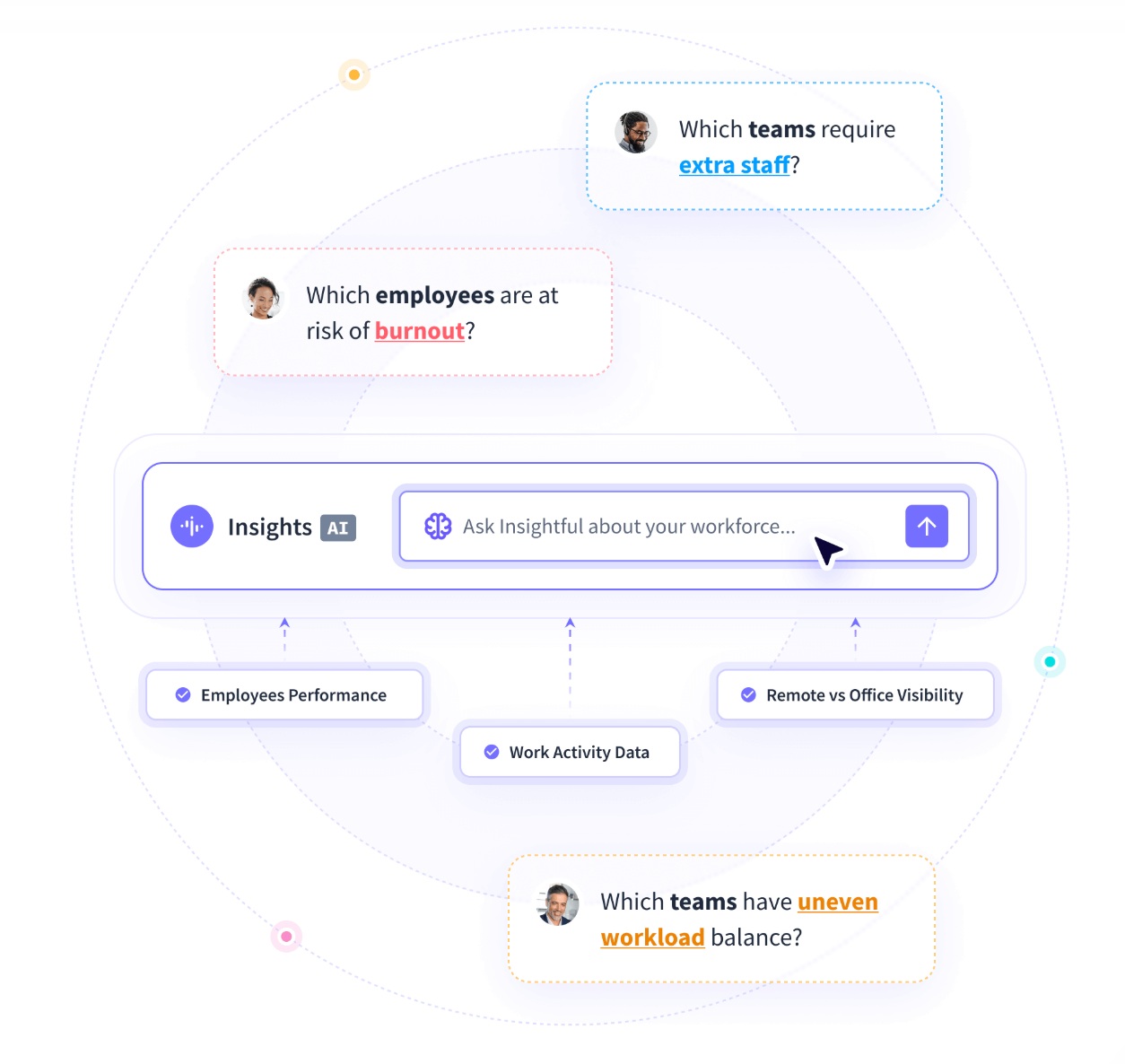
Insightful's AI features answer these questions from an organization's own workforce data, so a manager gets to the answer without building a report first.
How Work Intelligence Boosts Productivity
Work Intelligence doesn't ask employees to work harder. It removes the friction that sits between people and the work itself.
Four mechanisms do most of the work for a workforce intelligence platform.
Protecting and Expanding Focus Time
Focus drives output, and it is the easiest thing on this list to lose.
Meetings, notifications, context switching, and constant interruptions leave employees with little time for deep work. Each distraction is small but eats into capacity over time.
Work Intelligence identifies where focus time is being lost and what is causing it. Leaders can then redesign schedules, reduce unnecessary meetings, and create more uninterrupted work time instead of expecting employees to manage distractions on their own.
Reducing the "Meeting Tax"
Meetings enable collaboration, but overloaded calendars slow execution and eat the time real work needs.
Work Intelligence combines meeting and productivity data to show how meeting load affects focus, collaboration, and output. These insights let front-line managers cut meeting bloat and rebalance workloads themselves, rather than waiting on a top-down calendar policy.
Catching Performance Drift Before It Hits KPIs
Productivity rarely declines overnight. It usually slips gradually through rising workloads, fragmented focus, or inefficient processes.
By the time quarterly KPIs reveal the problem, valuable time has already been lost.
Work Intelligence continuously monitors workforce trends, so managers spot early signs of declining performance and address them before they affect delivery, customer satisfaction, or operating costs.
Caduceus Health used Insightful to cut call abandonment from 14% to 3%, a change that would not have surfaced in a quarterly review until the quarter was over.
Reducing Shadow AI and Tooling Risk
Employees are adopting AI tools faster than organizations can govern them.
Unsanctioned applications carry security, compliance, and data privacy exposure.
A platform that deliver work insights tracks AI and tool adoption directly, so leaders can see which applications are unsanctioned, which approved tools are going unused, and where people need help using AI well rather than around it. It can also show opportunities to automate or implement AI.
Compare the leading workforce intelligence platforms.
Work Intelligence and Employee Privacy: Not a Contradiction
The usual objection to Work Intelligence is that better visibility just means more surveillance. It doesn't. The platforms in this category are built around transparency rather than intrusion.
Traditional employee monitoring is often built around keystroke logging and continuous screen capture. Those capabilities have a place in security-focused environments, but used without clear governance they cost more trust than they return.
Privacy-first Work Intelligence works differently. Insightful captures workforce activity without keystroke logging and can show employees their own data when an admin turns that setting on. That visibility helps build trust and gives people a clearer view of their own week.
There is also no webcam or microphone capture, personal data is filtered out of screenshots on the device, and worker IDs can be masked at team or process level. Workflow and process data belongs to the customer rather than the vendor, and the platform is SOC 2 Type II certified.
How to Start Applying Work Intelligence in Your Organization
See how one national law firm turned work data into seven-figure savings.
Adopting Work Intelligence doesn't require a complete operational overhaul. Most organizations can start by improving how they use the workforce data they already collect. That arc is the work intelligence maturity model: discover, improve, automate. Prove what is actually happening, fix it, then automate what is left.
Four steps put that into practice.
Step 1: Establish a baseline
Measure utilization, focus time, collaboration patterns, workload distribution, and attendance trends. Without a baseline, it's difficult to know whether future improvements are actually delivering results.
Step 2: Analyze what drives performance
Look past surface-level activity metrics.
Identify which teams consistently perform well and examine the conditions behind their success. Are they spending less time in meetings? Using different tools? Following more efficient workflows? The goal is to make the digital habits of the top performers repeatable for everyone else.
Step 3: Improve systems, not just people
Once the data highlights bottlenecks, focus on fixing the underlying process. That might mean redesigning workflows, improving resource allocation, simplifying approvals, reducing unnecessary meetings, or introducing better collaboration practices.
The target is the process, and acting on the data that drives margin.
Step 4: Monitor outcomes
Continue tracking productivity trends, capacity, utilization, employee experience, and operational outcomes over time. Work Intelligence is most valuable when it becomes part of a continuous improvement cycle rather than a one-time reporting exercise. Then tie the change back to EBITDA, billable hours, or whatever financial signal the business already runs on.
To get a baseline, book a demo today. You can find hidden capacity and remove workflow bottlenecks in just 7 days.
Conclusion
Knowing how many hours people worked or which applications they used only tells part of the story. Work Intelligence closes that gap.
Connecting workforce activity to operational outcomes tells leaders why work happens the way it does, and which changes show up in output and operating cost rather than only in a dashboard. Work Intelligence can capture the outputs that lead to profitability and benchmark the yield from your people, processes and technology into these outputs.
If you're ready to stop measuring work and start improving it, request a free Work Intelligence audit.
If you'd like to learn more about the category first, explore Insightful's Work Intelligence Glossary for the concepts behind it.
FAQs
What is Work Intelligence?
Work Intelligence is a category of workforce software that combines activity and process data with advanced analytics to explain how work happens, what can be improved, and how to close the loop to EBITDA and other financial signals. Instead of simply measuring employee activity, it connects everyday work patterns to productivity, utilization, and business outcomes.
Is Work Intelligence the same as employee monitoring?
No. Employee monitoring records activity for visibility or compliance. Work Intelligence builds on that information by identifying trends, uncovering bottlenecks, and recommending operational improvements. Many privacy-first platforms also include transparency features, such as employee-facing dashboards, to build trust.
How does Work Intelligence differ from a workforce intelligence platform?
In practice, the terms are used interchangeably across the category, though vendors emphasize different capabilities. A workforce intelligence platform generally means software that applies Work Intelligence principles through analytics, automation, and operational insights.
Does Work Intelligence software require complex IT implementation?
Not necessarily. Many modern platforms are designed for quick deployment with a lightweight desktop application and minimal disruption. Implementation timelines vary by vendor, so confirm onboarding requirements and time to value before deciding. Insightful, for example, deploys through MDM or to endpoints and can produce its first insights in as little as two weeks. It bills work intelligence per tracked work day rather than per seat, so cost tracks actual usage.
Can Work Intelligence tools protect employee privacy?
Yes, provided they're designed with privacy in mind. Look for platforms that avoid intrusive practices such as keystroke logging, offer configurable data collection, and provide transparency through employee-facing dashboards. Privacy practices vary significantly across vendors, so review each platform's approach directly.