.svg)



.avif)


On this page
Measure the work, not the signal.
See productive time and utilization by team, not just what looks active.


Key Takeaways:
- Employee monitoring software optimized for Mac users is about more than basic compatibility. Always verify Apple Silicon support, macOS feature parity, and deployment requirements before choosing a solution.
- The right employee monitoring tool depends on your priorities. Some platforms focus on productivity analytics, while others emphasize security and compliance.
- Employee privacy should be a key consideration. Look for software that offers flexible monitoring controls and transparent practices rather than relying on intrusive tracking methods.
- A successful rollout starts with proper planning. Understanding macOS permissions and MDM compatibility can help avoid deployment challenges later.
- Don't base your decision on features alone. Consider ease of use, reporting capabilities, performance impact, pricing, and scalability to find a solution that fits your organization's long-term needs.
Finding employee monitoring software for Mac and Macbook devices often isn't as straightforward as it should be. While they may claim to support both platforms, Mac users often encounter feature gaps, more complicated permission requirements, or limited compatibility with the latest macOS updates.
That's why choosing software based on a feature list alone can be misleading. If your organization relies on Mac devices, it's important to look beyond "Mac compatible" claims and evaluate how well a platform handles macOS-specific requirements, Apple Silicon support, privacy controls, and deployment at scale.
Why Mac Employee Monitoring Is Different from Windows
Monitoring employee activity on macOS comes with a unique set of challenges. While the end goal is the same, the way monitoring software works on Mac is often different from Windows.
macOS has Stricter Privacy Permissions
Apple places a strong emphasis on user privacy. Before monitoring software can measure activity data or capture screenshots, users typically need to grant permissions such as Accessibility and Screen Recording.
While these safeguards improve transparency, they can also make deployment more involved if IT teams aren't prepared.
Not Every Feature is Available on Mac
Some employee monitoring platforms advertise cross-platform support but offer fewer features on macOS than on Windows. Depending on the vendor, screenshot capture, productivity reporting, or administrative controls may work differently across operating systems.
Apple Silicon Compatibility Matters
Many organizations have already transitioned from older Intel Macs to Apple Silicon devices powered by M-series chips.
Although most modern monitoring tools now support Apple Silicon, compatibility and performance can still vary. Native support generally offers better battery efficiency, smoother performance, and fewer compatibility issues than software designed primarily for Intel-based systems.
Quick Comparison: Employee Monitoring Software for Mac
Before diving into each platform, here's a quick side-by-side comparison to help you understand how the leading Mac employee monitoring tools differ.
Employee Monitoring Software for Mac: Feature Comparison
1. Insightful
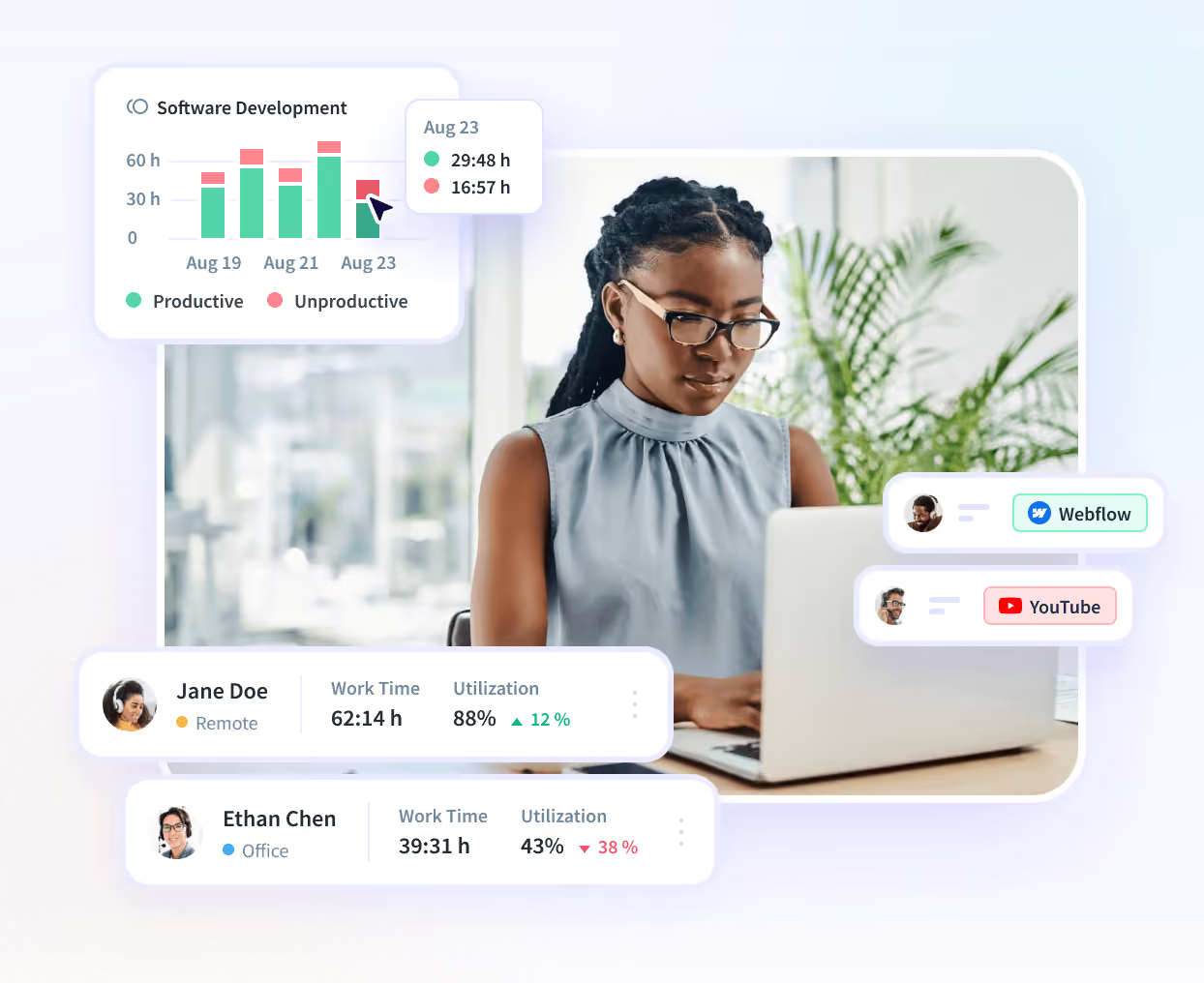
Insightful uses deep work data to deliver actionable work intelligence to users- Key features like employee monitoring, automatic time tracking, productivity trends, and an AI Adoption report are all available as part of the base Workforce Analytics Tier. It’s designed for organizations that want visibility into productivity without relying on invasive surveillance.
Available on macOS, Windows and (in beta) Linux, Insightful’s workforce analytics data is designed to help managers understand how work is done across teams, while giving organizations control over what data is collected.
Best fit: Organizations looking for employee monitoring alongside productivity analytics and workforce insights.
Key features
- Supports macOS, Windows, and (beta) Linux
- Mac-optimized features include:
- Live permission status tracking on macOS devices
- Self-serve permission visibility
- Pre-built MDM configuration profiles for fleet deployment
- Local Network permission handling
- Real-time monitoring of work activity, active time, and idle time
- App, website, and AI tool usage tracking
- No keystroke logging
- Automated, manual, and on-demand screenshot options available
- Configurable privacy controls to shield personal information
- Flexible monitoring schedules, including continuous tracking, work hours only, or specific network-based tracking
Pricing: Starts at $8/user/mo for Workforce Analytics plan. Free trial available.
➕ Pros: Takes a privacy-first approach with no keystroke logging, combines employee monitoring features with advanced workforce analytics, and offers flexible monitoring policies for different team needs.
2. Intelogos
Intelogos is built with modern Mac environments in mind and is a vendor that emphasizes its native Apple Silicon support. Third-party sources also highlight its lightweight Mac agent and minimal battery impact.
Best fit: Mac-first organizations running Apple Silicon devices that want lightweight workforce analytics.
Key features
- Native Apple Silicon support
- Minimal battery impact
- Productivity analysis
- Workforce performance trends
Pricing: Starts at $8 per user/month for its base Analytics plan.
➕ Pros: Native Apple Silicon support, lightweight system footprint.
➖ Cons: It lists a smaller integration ecosystem than many enterprise platforms.
3. ActivTrak
ActivTrak focuses on workforce analytics, productivity management, and utilization reporting. It's an established player in the monitoring software space and offers support for large Mac environments using MDM solutions.
Best fit: Organizations that prioritize workforce analytics and easy administration across Mac fleets.
Key features
- Productivity and utilization reporting
- Website and application usage tracking
- Real-time activity visibility
- Workforce analytics dashboards
- MDM deployment support
- Optional screenshot capabilities through Screen Details
Pricing
- Free: Up to 3 users
- Work Activity Tracking: $10/user/month
- Workforce Management: $15/user/month
- Productivity Optimization: $17/user/month
➕ Pros: ActivTrak offers a clean admin experience, strong workforce analytics, and a free plan for very small teams.
➖ Cons: AI Insights are available only as an add-on to its highest Productivity Optimization tier, no on-premise deployment option.
4. Time Doctor
Time Doctor combines employee monitoring with time tracking, payroll reporting, and productivity insights. It offers feature parity between macOS and Windows, making it a potential option for organizations managing mixed-device environments.
Best fit: Organizations with both Mac and Windows users that need consistent time tracking.
Key features
- Automatic time tracking
- Screenshot capture
- App and website monitoring
- Productivity reports
- Payroll and billing integrations
- Apple Silicon support
Pricing
- Basic: $6.67/user/month
- Standard: $11.67/user/month
- Premium: $16.70/user/month
- Enterprise pricing available
➕ Pros: Time Doctor offers a reliable cross-platform experience and accurate time tracking.
➖ Cons: Users may find its analytics less comprehensive than other platforms on this list.
5. DeskTime
DeskTime is a straightforward employee time tracking solution designed for small businesses and growing teams. It offers automatic time tracking but a shorter list of productivity monitoring features than some competitors, making it one of the simpler and more affordable Mac monitoring tools.
Best fit: Small businesses looking for affordable automatic time tracking on Mac.
Key features
- Automatic time tracking
- Productivity calculations
- App and website tracking
- Project tracking
- Offline time logging
- Shift scheduling
Pricing
- Pro: $6.42/user/month
- Premium: $9.17/user/month
- Enterprise pricing available
➕ Pros: DeskTime is affordable, easy to deploy, offers automatic time tracking, and runs as a lightweight application.
➖ Cons: It provides more limited workforce analytics and fewer enterprise features than some larger platforms.
6. Teramind
Teramind is a good choice for organizations with strict security and compliance requirements. Its website emphasizes insider threat detection, data loss prevention (DLP), behavioral analytics, and forensic monitoring alongside user activity data.
Best fit: Organizations in highly regulated industries that require advanced security, compliance, and insider threat detection.
Key features
- Keystroke logging
- Screen recording
- Data Loss Prevention (DLP)
- User behavior analytics
- Insider threat detection
- Compliance reporting
Pricing
- Starter: $14/user/month
- UAM: $28/user/month
- DLP: $32/user/month
- Enterprise pricing available
➕ Pros: Teramind offers extensive security capabilities and powerful DLP features, well-suited for regulated industries.
➖ Cons: Organizations who don’t want features like keystroke logging or email content monitoring may be better served elsewhere.
Key Features to Look for in Mac Employee Monitoring Software
Not all Mac monitoring tools offer the same experience. Before choosing a platform, make sure it performs well in the areas that matter most.
Privacy Controls
Look for software that gives organizations control over what is monitored. Features such as configurable screenshots, role-based access, configurable privacy settings, and the option to avoid keystroke logging help strike a better balance between visibility and employee trust.
MDM and Fleet Deployment Compatibility
If you're managing hundreds or thousands of Macs, compatibility with Mobile Device Management (MDM) solutions can significantly simplify deployment and ongoing administration.
Battery and Performance Impact
Monitoring software should run efficiently in the background without noticeably affecting battery life or slowing down employee devices.Native Apple
Silicon and macOS Version Support
Choose software that supports both the latest macOS versions and Apple Silicon devices. Native support typically delivers better performance, improved battery life, and fewer compatibility issues.
Permission Handling
macOS requires users to approve permissions such as Accessibility and Screen Recording before monitoring can begin. A platform should make these permissions easy to manage and clearly explain why they're needed.
How to Choose Employee Monitoring Software for Mac
Use these steps to find software that fits your organization's needs.
Step 1: Confirm Apple Silicon Support
Don't rely on "Mac compatible" marketing claims alone. Verify that the software supports Apple Silicon and your current macOS version.
Step 2: Understand the Permission Setup
Ask how the platform handles Accessibility and Screen Recording permissions. A smoother setup reduces employee confusion and IT support requests.
Step 3: Match Monitoring to Your Goals
If your objective is generating timesheets, a simpler software tool offering focused time and activity data may be enough. If your priority is deep workforce analytics, the ability to compare data across teams, or advanced security features, you’d be better served with a comprehensive work intelligence platform.
Step 4: Review Compliance Requirements
Verify the vendor's adherence to international security standards and ensure your monitoring policies comply with the laws in every location where employees work.
Step 5: Start with a Pilot
Consider testing the software with a small group of Mac users before rolling it out company-wide. This helps identify compatibility issues, gather employee feedback, and fine-tune monitoring policies.
Common Mistakes When Choosing Mac Employee Monitoring Software
Avoiding a few common mistakes can save your organization time, reduce deployment issues, and improve employee adoption.
Assuming Cross-Platform Means Full Feature Parity
Many vendors support both Mac and Windows, but that doesn't always mean the experience is identical. Before making a decision, verify that the Mac version includes the specific features your team needs.
Overlooking macOS Permission Requirements
macOS requires users to grant permissions such as Accessibility and Screen Recording before monitoring can begin. Planning for these permissions during deployment can help minimize confusion and reduce IT support needs.
Choosing More Monitoring than You Need
Features like keystroke logging and continuous screen recording may be required in high-security environments, but they're not the right fit for every organization. If your goal is to improve productivity, a privacy-first solution with activity insights may be a better choice.
Conclusion
Before making a decision, evaluate factors such as Apple Silicon compatibility, permission handling, deployment options, privacy controls, and overall user experience.
Choosing a platform that aligns with both your technical requirements and your approach to employee privacy will lead to a smoother rollout and better long-term adoption.
If you're looking for a solution for teams using Mac devices, one that offers deep work data and comprehensive work intelligence features, Insightful is a great place to start.
Book a demo with the Insightful team to discuss what your own Mac deployment might look like. Or start a free trial to see it in action for your team.
FAQs
How do I install Insightful on my macOS devices?
Insightful can be deployed manually to devices with macOS. The process follows slightly different steps if the devices are owned by the company or personally by employees/users. See the full instructions in Insightful’s Knowledgebase.
What is the best employee monitoring software for Mac?
The right choice depends on your priorities. Insightful is a strong option for organizations looking for privacy-first monitoring and advanced workforce analytics.
Does employee monitoring software work differently on Mac than Windows?
Yes, there are additional considerations to keep in mind. macOS requires users to approve permissions such as Accessibility and Screen Recording before monitoring can begin. Performance and compatibility can also vary depending on whether devices use Apple Silicon or Intel processors.
Does employee monitoring software slow down a Mac?
Modern monitoring software is generally designed to run efficiently, without an outsized large system impact. Platforms that offer native Apple Silicon support typically have less impact on battery life and system performance.
Does Mac employee monitoring software require keystroke logging?
No. Some platforms, including Insightful, take a privacy-first approach and do not use keystroke logging or monitor the content of communications like email or instant messaging platforms. Monitoring capabilities vary by vendor, so it's important to compare privacy controls before making a decision.