
People Intelligence Software That Improves Output and Efficiency
People Intelligence shows how people work and suggests opportunities to improve output.
Most tools stop at the time people put in. We connect it to the work that comes out.


Leaders See Headcount, Hours and AI Licenses, Not What That Time Produces
Every company is being asked to get more from its teams, and to use AI to do it.

Activity tracking tools
Count time in apps and use it as a stand-in for the work.

Process mining and RPA tools
Need a process first, with a project for each one.

Interviews and workshops
Give a one-off picture, weeks or months later.
Insightful starts from how work happens.
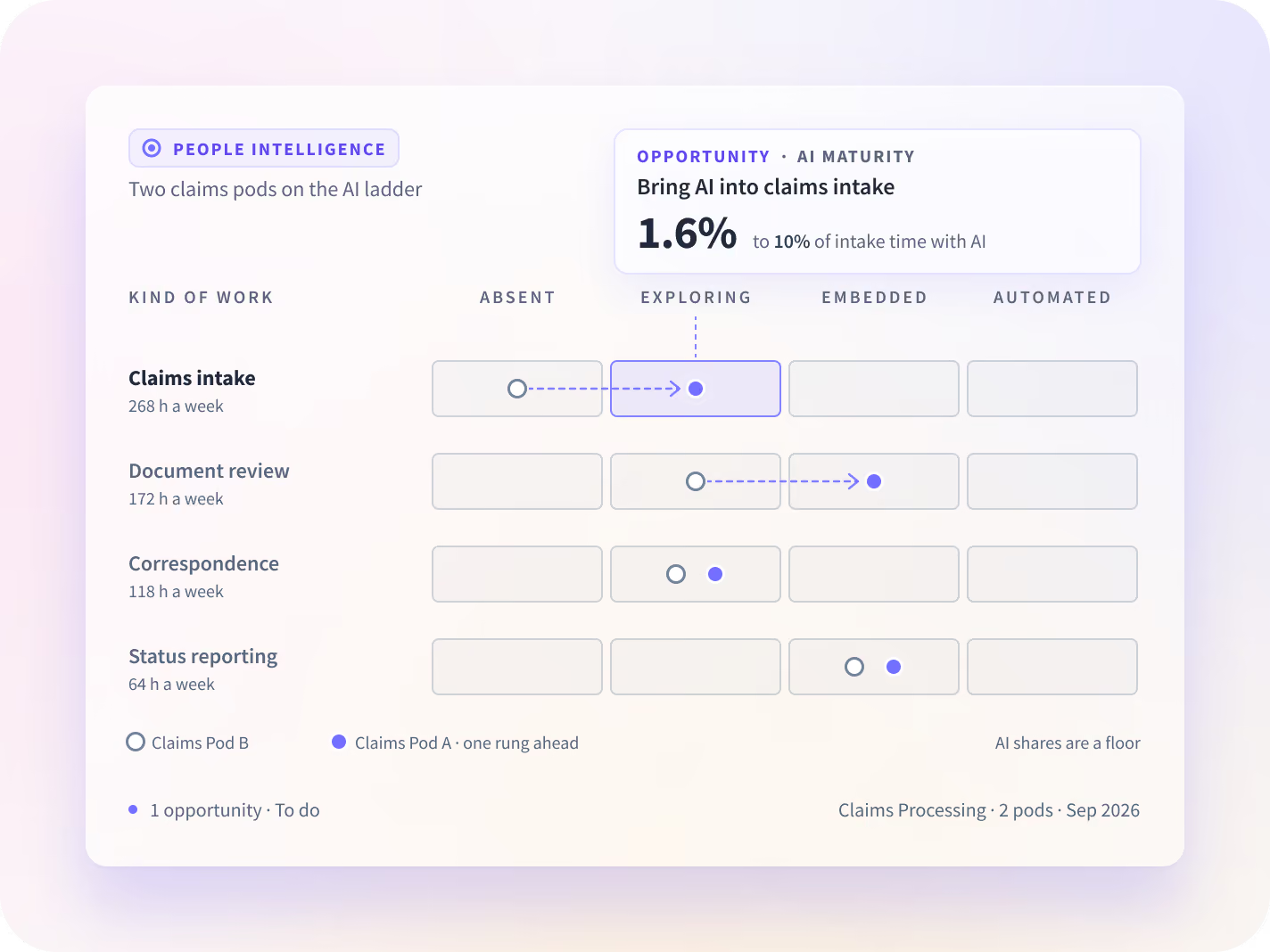
An AI Maturity Assessment Built from How Each Team Works
- Use AI where it moves your goals. We show how each team uses AI in its work, and suggest the next step up to accelerate your goals.
- An AI maturity model read from the work itself: how much of each kind of work uses AI, compared across teams doing the same work
- No AI maturity framework or survey to fill in first. The assessment comes from your own work data
- Ask in plain English which teams get value from AI tools, and get the answer with the data behind it
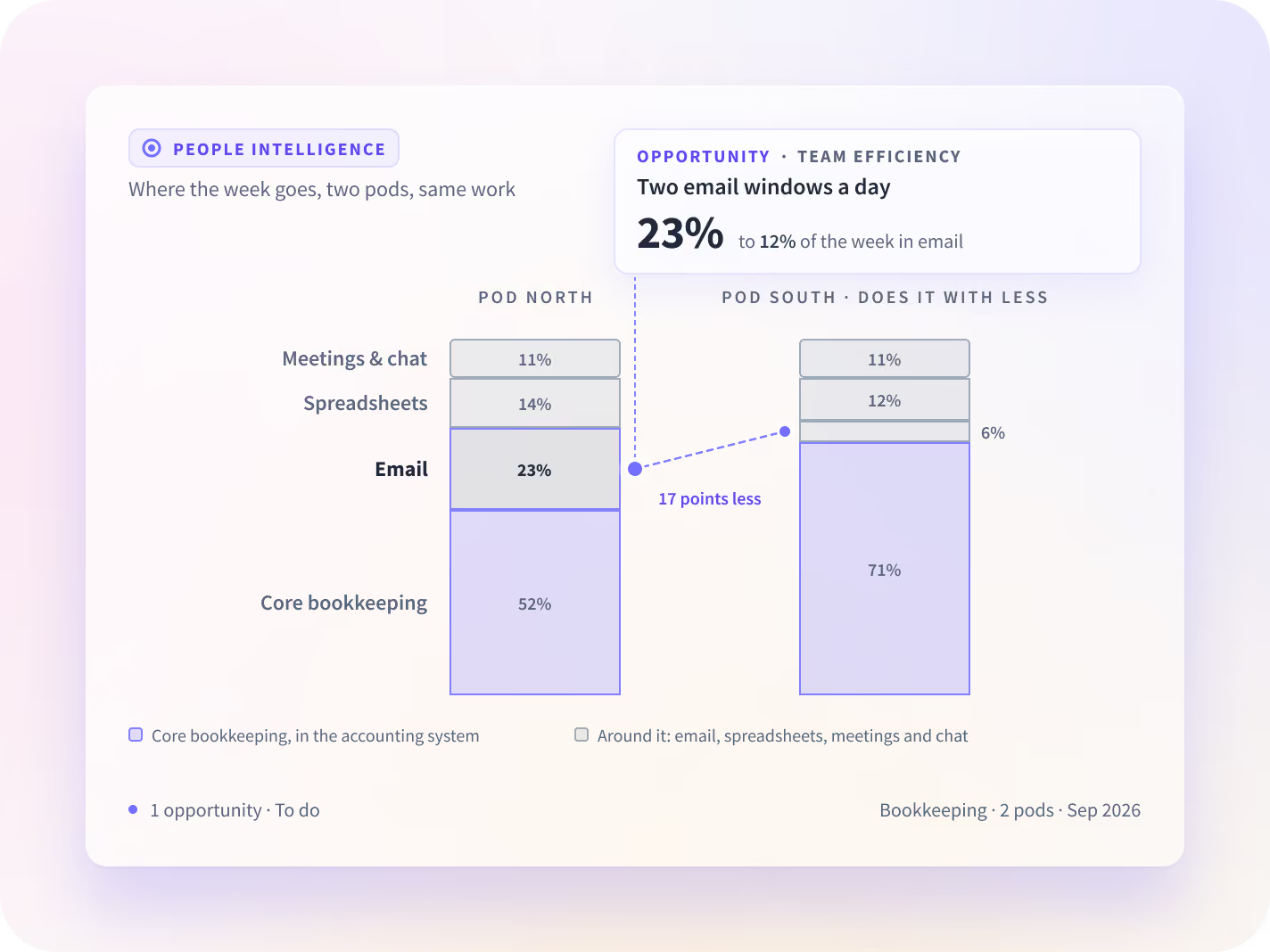
Team Efficiency: Where Does Time Go Outside the Core Work?
- Help each team get more done. We show how teams are working, and suggest how teams should work to get more done.
- Team efficiency by the week: how much goes to the work the team exists to do, and how much to the overhead around it
- See which team already does the same work with less, and what it does differently
- Employee efficiency without ranking anyone: teams are compared with similar teams doing the same work
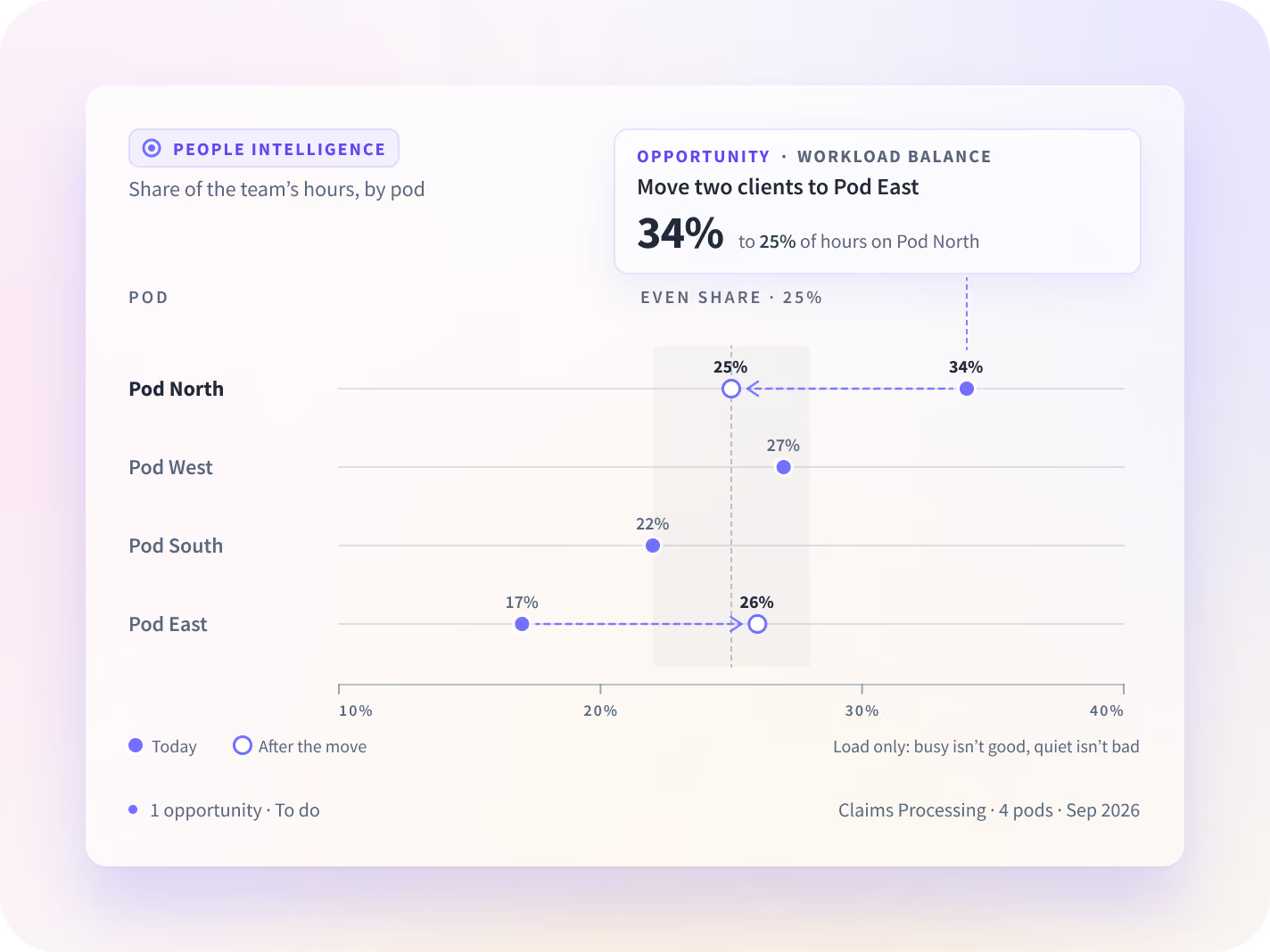
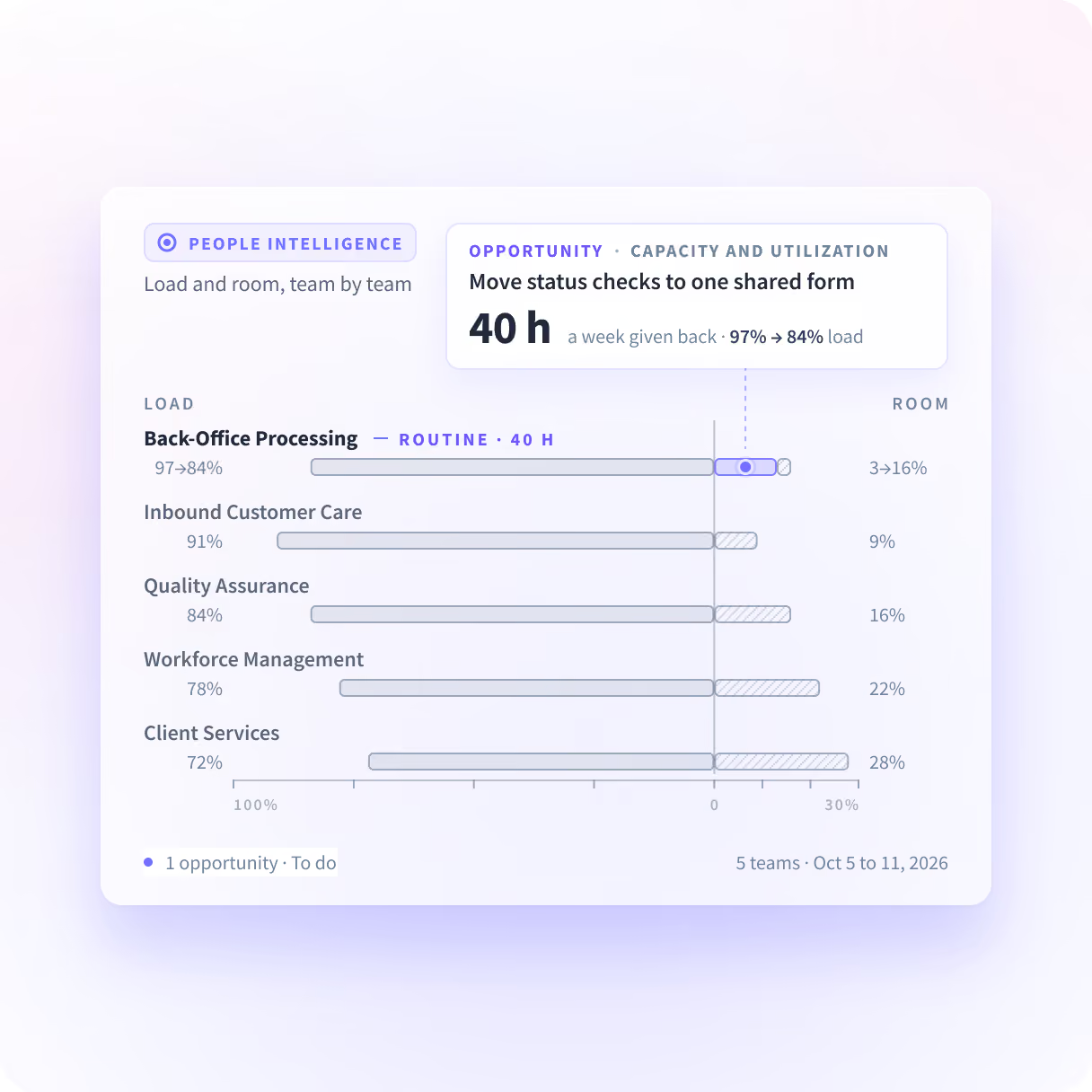
Workforce Planning and Workload Balancing on Your Own Data
- Reorganize work to maximize output. We show how the work is spread across each team, and suggest how to reorganize it to maximize output.
- Workload analysis by team: who has room and who is carrying too much
- Headcount planning on evidence: move work to people with room before the next hire
- Every workload opportunity comes with a starting point and a target, and we follow the number until it gets there
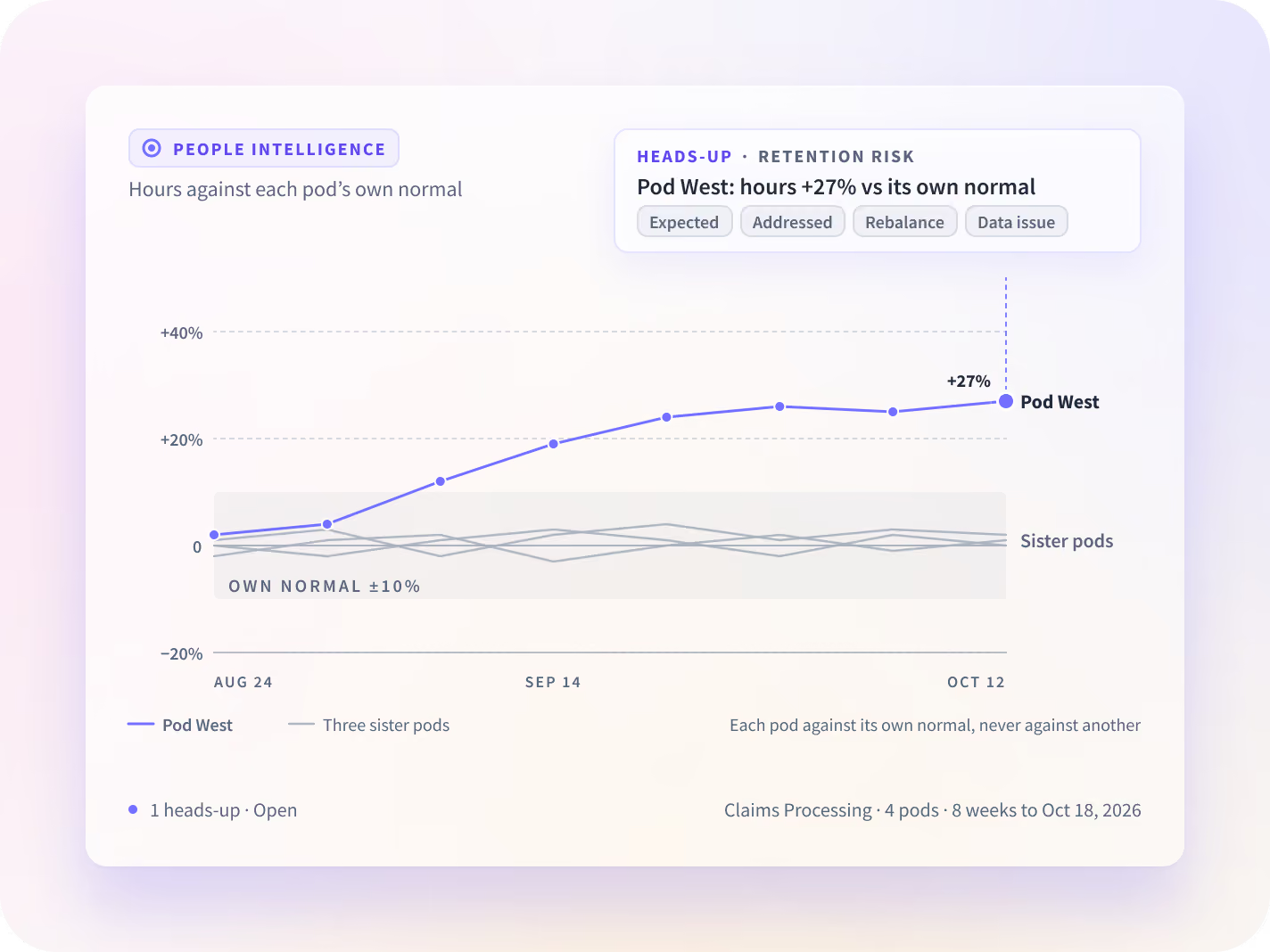
Lower Retention Risk by Removing Single Points of Failure
- Reduce single points of failure. We show whose work your company depends on, and suggest how to reduce that dependency.
- Key person risk, team by team: which work depends on one person, and how to share it
- The manager gets a heads-up with the facts when one person's work pattern shifts against their own normal
- We never claim who might leave or how anyone feels
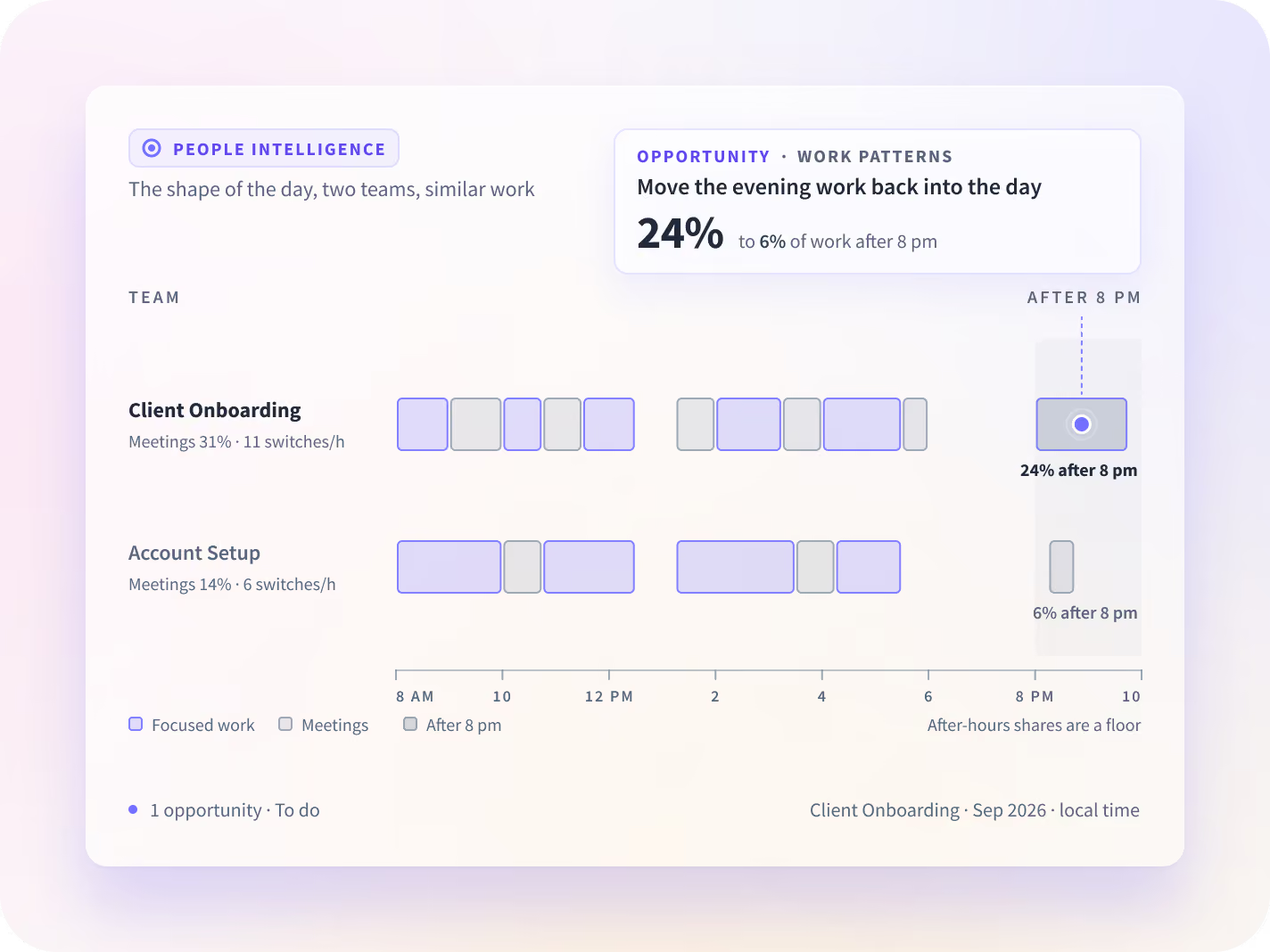
Work Patterns: Meeting Overload, Focus Time and the Shape of the Workday
- Improve focus and execution. We show how each team spends the workday, and suggest ways to improve focus and execution.
- Collaboration analytics by team: how much of the week is meetings and messages, and how much is focus time
- See meetings, switching and after-hours work, compared with similar teams
- Keep the meetings the teams with less overload keep

A to-do list, not another dashboard.
Every opportunity says what we found, what to change, the steps to get there, and the number that shows it worked. Example · Team Efficiency:
How the Work Audit Works

Day 0
Install the desktop app for one team or department. Nothing to define first: no task lists, process maps, surveys or workshops.

After 14 days
After 14 days of data collection, Insightful surfaces the initial opportunities on your own data.
Built from How Work Happens, with Nothing to Define First

Nothing to define first
No task lists, process maps, surveys or workshops. Install the desktop app for one team or department.

One map of the work
People Intelligence runs on the data you already collect in Insightful, connected across people, teams and tools, so every opportunity comes from one picture of the company.

Initial opportunities after 14 days
Every opportunity comes with a starting point and a target, and we follow the number until it gets there.

No screenshots or screen recordings
We never capture messages or documents. HR, IT and legal reviewers ask about this first.
Built to Improve How Teams Work
We see the apps, sites and AI tools your teams use, and what they do in them. We never capture messages or documents. People Intelligence uses no screenshots or screen recordings.

Fair comparisons
Teams are compared with similar teams doing the same work. People are compared with their own normal.
What we never claim
We never claim how well anyone performs, who might leave, or how anyone feels.

What we never collect
No keystroke logging, no webcam or microphone capture, and no message or document content.

Audited every year
Insightful holds a SOC 2 Type II report, audited annually. Its information security management system is aligned with ISO 27001.
People Intelligence FAQs
People Intelligence shows how people work and suggests opportunities to improve output. It runs on Insightful's Work Intelligence Platform: one desktop app collects activity and interaction data, and People Intelligence connects the time people put in to the work that comes out, across five use cases: AI Maturity, Team Efficiency, Workload Balance, Retention Risk and Work Patterns.
Most tools stop at the time people put in: hours, headcount and utilization. People Intelligence connects it to the work that comes out, and suggests what to change. Every opportunity says what we found, what to change, the steps to get there, and the number that shows it worked.
An AI maturity assessment shows where AI is used in your work, how deeply, and where the next step up is. Insightful reads it from the work itself: how much of each kind of work uses AI, compared across teams doing the same work. There is no AI maturity framework, AI readiness survey or workshop to fill in first.
Yes. AI Maturity is one of five use cases. Team Efficiency, Workload Balance, Retention Risk and Work Patterns work for any desk-based team, whether or not it uses AI.
Install the desktop app for one team or department. Nothing to define first: no task lists, process maps, surveys, or workshops. After 14 days of data collection, Insightful surfaces the initial opportunities on your own data.
We see the apps, sites and AI tools your teams use, and what they do in them. We never capture messages or documents. People Intelligence uses no screenshots or screen recordings. There is no keystroke logging and no webcam or microphone capture. Teams are compared with similar teams doing the same work, and people with their own normal.
You keep the full report, and participating companies then engage in a 3-month solution design partnership alongside the Insightful product and customer success teams.
You keep the full report, and participating companies then engage in a 3-month solution design partnership alongside the Insightful product and customer success teams.
See It on Your Own Data
Start with a Work Audit. After 14 days of data collection on your own teams, Insightful surfaces the initial opportunities.


